Spotify launched its audiobook service in 2022 and now offers more than 700,000 titles across 22 markets. But the listening rules haven't loosened: included hours are capped at 15 per month in the U.S., unused hours expire at the end of each month, more time means paying for a top-up or add-on plan, and even titles you buy outright stay locked inside the Spotify app. That's what makes Spotify audiobook to MP3 conversion a practical solution.
>>> 🔥Read Also: Best Tool to Download Spotify Podcast to MP3
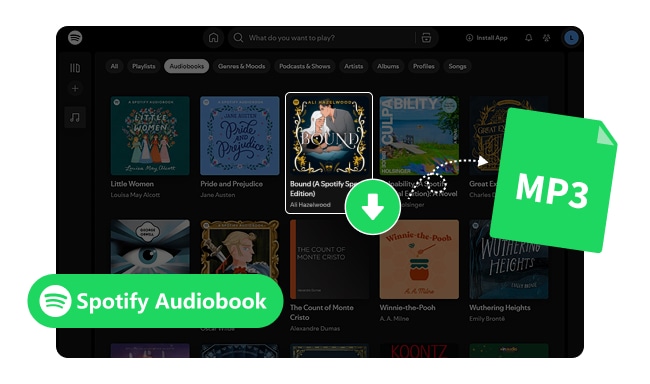
Users usually convert Spotify audiobooks to MP3 for three practical reasons:
1 Playback limits:
Even Premium users only get a limited number of audiobook listening hours each month (15 hours in the U.S.), which can interrupt long audiobooks unless additional hours are purchased.
2 No true ownership:
Spotify audiobooks are streamed or cached inside the app. If a subscription ends or a title is removed, access can be lost immediately. Spotify also reserves the right to adjust the monthly hour allowance itself.
3 Device restrictions:
Audiobooks play only inside Spotify, either in the app or in the web player. You can't transfer them to MP3 players, USB drives, or many car audio systems.
Downloading Spotify audiobooks to MP3 can be tricky since Spotify only allows playback inside Spotify. NoteBurner Spotify Music Converter provides a professional and reliable solution. It works with both free and Premium Spotify accounts, as long as the title is playable on your account (included in Premium, purchased, or unlocked), and is ideal for casual listeners, commuters, and audiobook enthusiasts who want full control over their collection.
NoteBurner lets you convert Spotify audiobooks into MP3, AAC, FLAC, and more without losing audio quality. It preserves key information such as titles, authors, cover art, and chapter details, keeping your library organized and easy to browse. With this tool, you can finally manage your audiobook collection on your own terms, whether for offline listening, long-term storage, or building a personal library.

NoteBurner Spotify Music Converter is compatible with Windows and macOS (Android version is mainly designed for downloading Spotify music only). To download an audiobook from Spotify to MP3 on PC or Mac, install the tool first and follow the simple steps below.
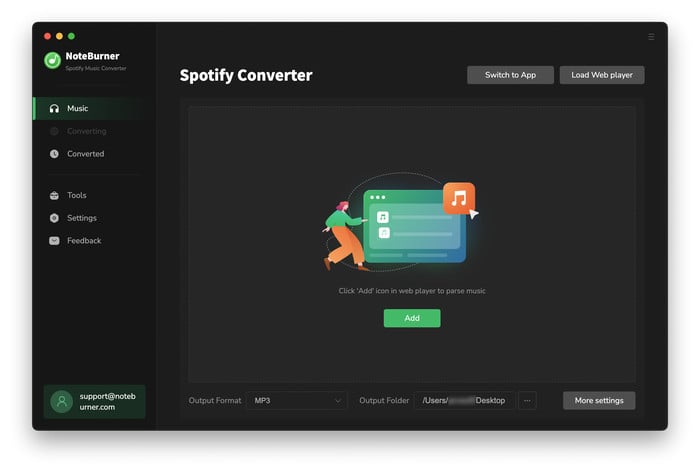
Launch NoteBurner, and make sure "Spotify Web Player" mode is selected. Then sign in to your Spotify account inside the built-in web player so the audiobook can be accessed normally.
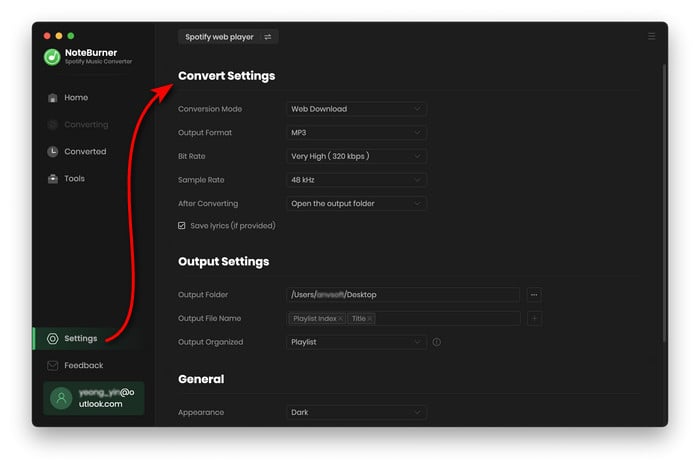
Go to the Settings panel and choose "MP3" as the output format. For audiobooks, a bitrate of 192 kbps or higher is recommended to keep spoken audio clear without creating large files.
Find the audiobook in the Spotify Web Player and add it to the NoteBurner conversion list.
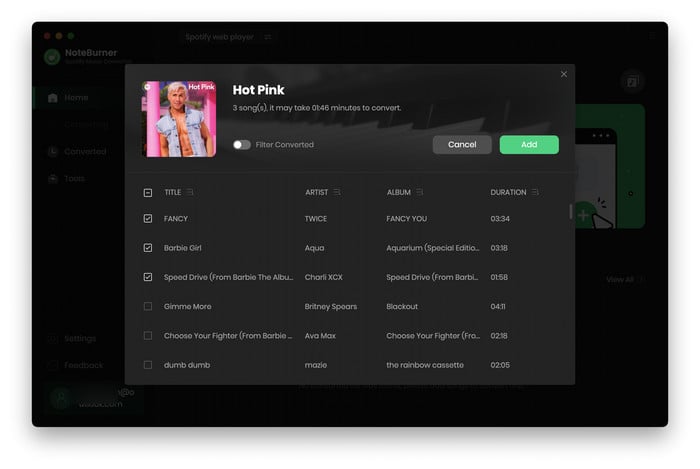
Click "Convert" to begin. Once the process is complete, click the "History" button to quickly view and open the folder containing the converted MP3 audiobook files.
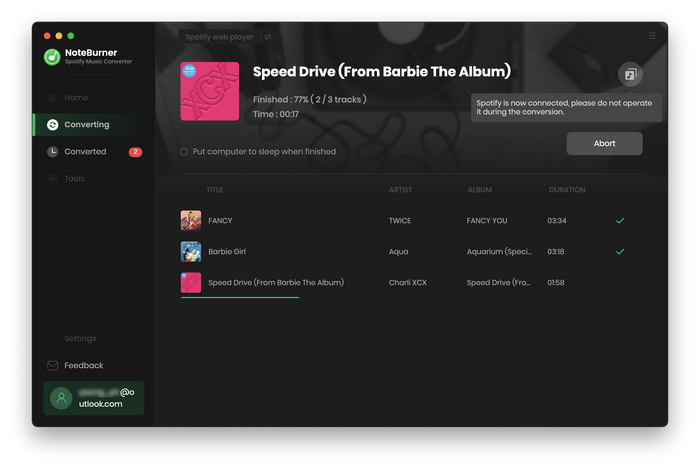
That’s it! Now, the audiobook is saved as standard MP3 files that can be played offline on phones, computers, MP3 players, or car audio systems, without needing Spotify or an internet connection.
Spotify does not offer MP3 downloads. Converting audiobooks is a workaround to app limitations. Users should ensure personal use and comply with local laws and Spotify’s terms.
Spotify Free and Premium differ in what you can actually play, how many hours are included, and whether you can download. The table below summarizes the main differences; see Spotify's audiobook page for the latest terms in your market.
| Feature | Spotify Free | Spotify Premium |
| Included Listening Hours | ❌ | ✔ 15 hrs / month (U.S.) |
| Stream the Subscriber Catalog | ❌ | ✔ |
| Listen to Audiobooks You Bought | ✔ | ✔ |
| Offline Download (in Spotify app) | ❌ | ✔ |
| Playback Control (Skip / Rewind / Speed) |
✔ | ✔ |
| Audio Quality | Standard | Higher bitrate streaming |
| Unused Hours Roll Over | ❌ | ❌ |
| Play Outside the Spotify App | ❌ | ❌ |
Audiobook purchases are made in the Spotify Web Player. Included hours cover Premium Individual and Duo/Family plan managers only. Premium Student isn't eligible. Hours vary by market (12 hours in several European markets).
Yes. MP3 files are compatible with almost all devices, including smartphones, computers, MP3 players, and car stereos.
In the U.S., a one-time top-up adds 10 listening hours for about $12.99, and the purchased hours stay valid for 12 months. If you regularly run over, Spotify also offers Audiobooks+ (around $11.99/month for 15 extra hours) and a standalone Audiobooks Access plan (around $9.99/month, audiobooks plus ad-supported music). Pricing varies by market. In every case, the hours are still locked to playback inside Spotify.
Not by default. On Premium Family and Duo, only the plan manager gets the included hours, and they can't be shared. In markets where it's offered, the manager can buy a member either an Audiobooks+ for Plan Members add-on (15 hours a month) or a one-time 10-hour top-up. Members can only request it, not purchase it themselves. Once an audiobook is converted to MP3, the listening hours no longer apply — you can play it as long and as often as you want.
Disclaimer: For personal/educational use only. 🚫 Do not distribute downloaded music/video for commercial use.
Converting Spotify audiobooks to MP3 lets you keep your audiobooks forever. You can enjoy your audiobooks offline, store them safely, and organize them in a personal library that's easy to browse. NoteBurner Spotify Music Converter does this reliably and efficiently, preserving all essential details like titles, authors, cover art, and chapter information. Whether you're a casual listener, daily commuter, or dedicated audiobook fan, it's a professional solution that makes your audiobooks truly yours, anytime and anywhere.
Note: The free trial version of NoteBurner Spotify Music Converter allows you to convert the first 1 minute of each audio. You can buy the full version to unlock this limitation.
 What's next? Download NoteBurner Spotify Music Converter now!


One-stop music converter for Spotify, Apple Music, Amazon Music, Tidal, YouTube Music, etc.

Convert Apple Music, iTunes M4P Music, or Audiobook to MP3, AAC, WAV, AIFF, FLAC, and ALAC.

Convert Amazon Music to MP3, AAC, WAV, AIFF, FLAC, and ALAC, preserving quality up to Ultra HD.

Convert Tidal songs at up to 10x faster speed with HiRes FLAC quality preserved.

Convert YouTube Music to MP3, AAC, WAV, AIFF, FLAC, and ALAC at up to 10x speed.

Convert Deezer HiFi Music to MP3, AAC, WAV, AIFF, FLAC, and ALAC at 10x faster speed.

Transfer playlist between Spotify, Apple Music, Amazon Music, YouTube Music, and more.