
 By
By
Typically, cancelling an Audible subscription is as straightforward as using the Audible app or the Audible website. You may need to perform mildly different steps if you unsubscribe through a third-party service, such as the Google Play Store. In this guide, we'll walk you through how to cancel an Audible membership using five working methods. Beyond that, you'll get extra tips for keeping your Audible books forever after you unsubscribe.
Have you decided that Audible's subscription isn't your jam? Well then, you'd better take care of these matters before unsubscribing from your Audible.
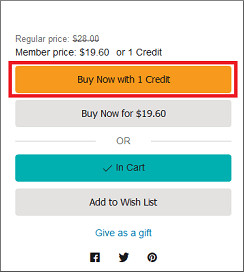
The unused Audible credits in your account are somehow forfeited once your Audible subscription is disabled. As such, spend them on your desired Audible book—even if you’re not sure what to pick, grab a long or bestseller one.
Audible doesn’t delete books you've already bought. But you can only access them inside the Audible app. Before cancelling, it's smart to download Audible audiobooks for offline listening before ending the subscription. Alternatively, you may utilize a dedicated Audible audiobook downloader (see below) to save purchased audiobooks locally for playing anywhere.
Now, let's explore top 5 methods to terminate Audible subscription.
➡️Entrance: https://www.audible.com/
✅Best for: Directly cancel Audible membership with no middleman efforts.
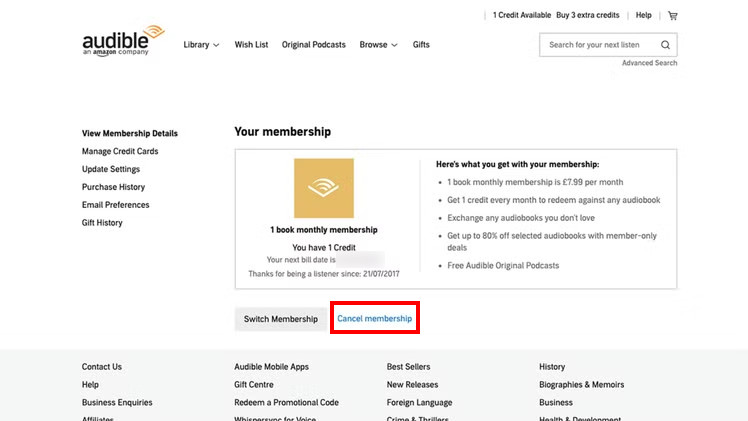
Step 1Head to the official Audible website, then sign in to your account.
Step 2Click on your profile name in the site’s top navigation and select "Account Details."
Step 3Find your membership plan, and click "Cancel membership." Later you're required to choose the reason for subscription cancellation.
Step 4Follow the prompts by clicking "Continue canceling > Finish canceling."
➡️Entrance: https://www.amazon.com/
✅Best for: Amazon customers who prefer cancelling subscriptions on desktop.
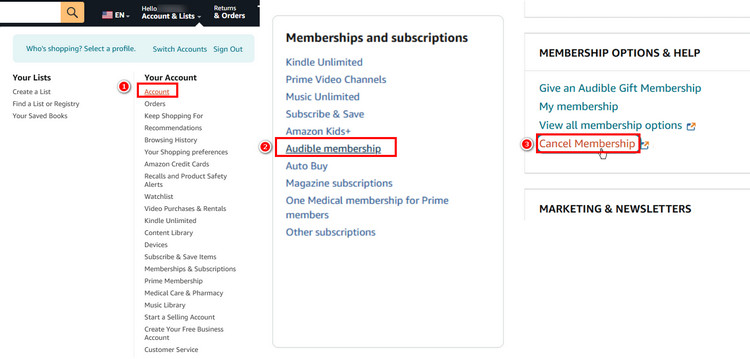
Step 1Open the Amazon website and log in to your Amazon account.
Step 2Find "Account & Lists" in the top-right corner, then select "Account" from the drop-down menu.
Step 3Locate the module for Memberships and subscriptions, then select "Audible Membership > Cancel membership."
Step 4Confirm cancellation by proceeding with the on-screen instructions.
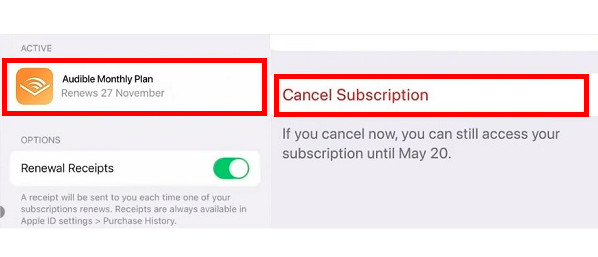
➡️Entrance: iOS Settings
✅Best for: Users who want to managing the Audible subscription directly through their iPhone or iPad.
Step 1Click Settings (a gear icon) in your iOS device.
Step 2Click your profile name at the top of the screen.
Step 3Tap on Subscription (or Media & Purchases), then find the active Audible subscription plan you want to manage.
Step 4 Click "Cancel Subscription." If the subscription is not shown on the list, it may have already been canceled.
➡️Entrance: https://play.google.com/
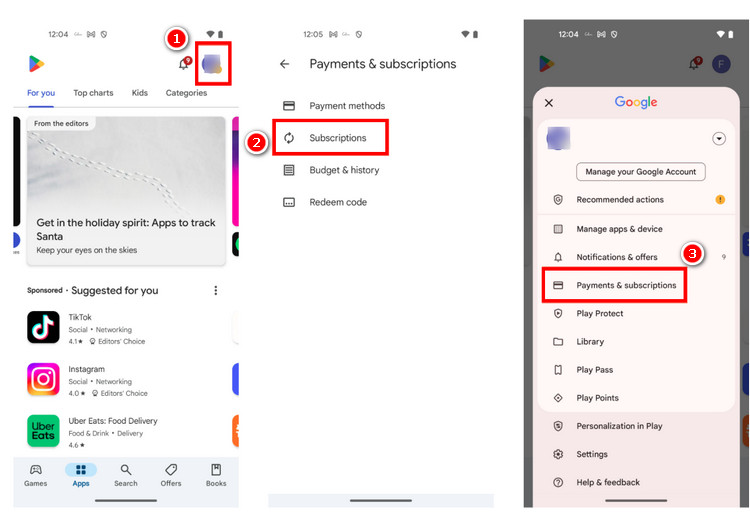
✅Best for: Android users who subscribed through Google Play and want to cancel directly on their phone
Step 1Go to the Google Play Store app on your Android device (or Windows PC).
Step 2Click and open your profile; here, enter Payments and subscriptions.
Step 3Find Audible membership. Click on "Manage > Cancel Subscription."
Step 4 You may be asked to select a reason for canceling. Click "Continue" to complete the subscription deactivation.
➡️Entrance: https://www.audible.com/contactus
✅Best for: A subscription break instead of ending Audible entirely.
You can pause your Audible subscription either through Audible’s website or by contacting the Audible support team.
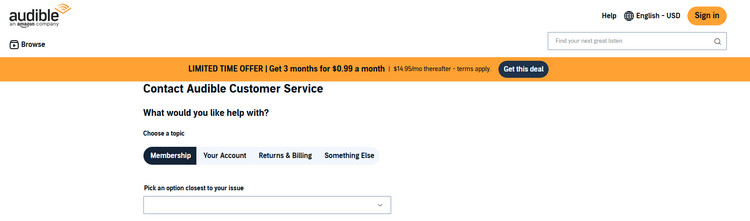
Step 1Go to the Audible Support page.
Step 2Choose Membership as the email topic and pick an option closest to your issue.
Step 3Contact Audible by 'Chat, Phone, or Email.' Text or say something like, "Hello, I’d like to pause my Audible membership for [X] months. "
Step 4 Wait for the reply and subscription pause.
Note:Audible allows you to pause the membership for up to 90 days every year. The annual plan and the Audible Standard membership do not qualify for this option.
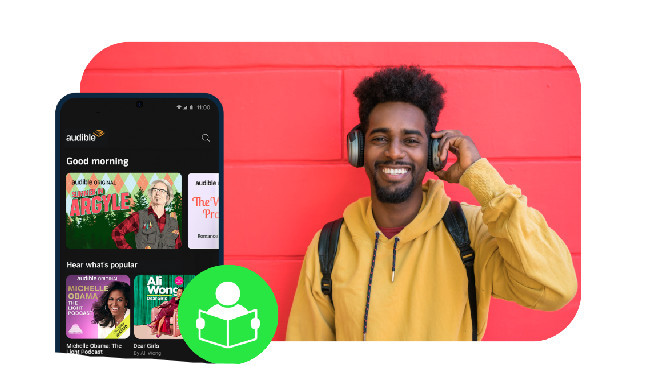
Take advantage of several methods to get Audible student discount, later enjoy Audible Premium audiobooks at a discounted price.
Your downloaded titles from the Audible Plus catalog will not be played once your membership ends. Seeking to keep favorate Audible books forever even after unsubscribing from Audible? NoteBurner Audible Converter served as the ultimate solution.
NoteBurner Music One integrates a powerful Audible Audiobook Converter, which effortlessly downloads Audible audiobooks to MP3, M4A, and M4 at a fast speed, with full chapters and metadata information of audiobooks retained. After conversion, you can transfer Audible books to USB drive or any device for offline enjoyment without Audible. Additionally, NoteBurner supports downloading music and audiobooks from other music platforms, like Spotify, Apple Music, Amazon Music, and the like.
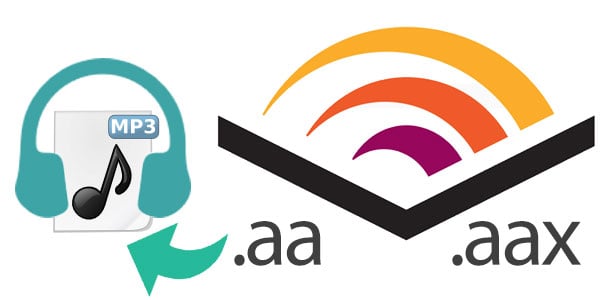
How to convert Audible aa/aax Audiobooks to MP3? This tutorial will show you the easiest and fastest way
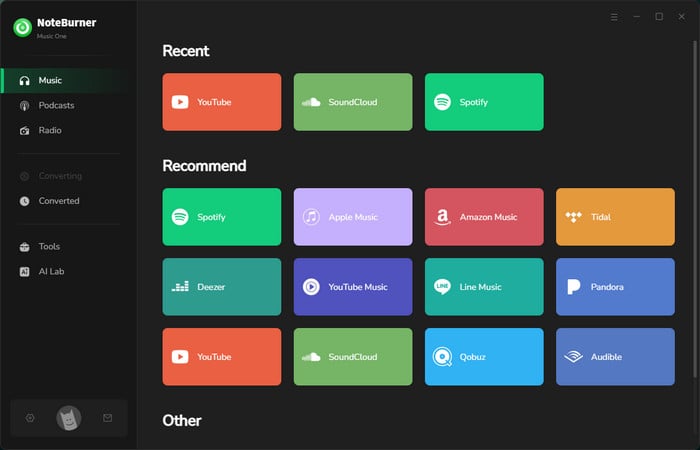
Step 1 Choose the Audible Platform
Run NoteBurner Music One on your computer and you will see the home interface as below. Simply choose "Audible" at the Music tab.
Step 2 Set up Output Parameter
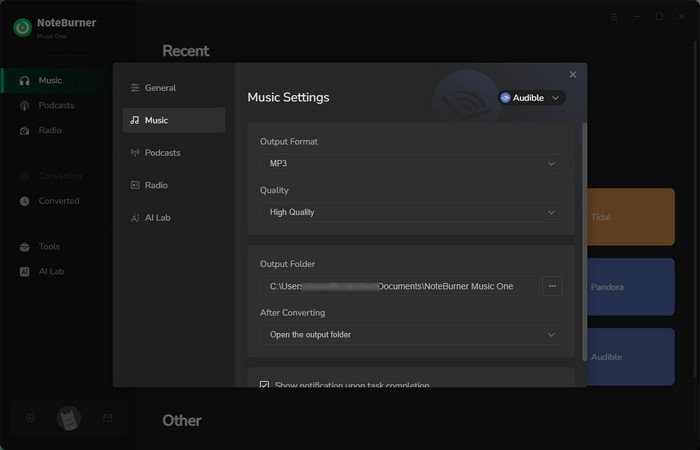
Click a gear icon at the bottom left corner. You'll see a "Settings" window, from which you can select the "Output Format", "Output Quality", "Output Folder", etc. Now choose "MP3" or other as the output format.
Step 3 Load Audible Books to NoteBurner
Find your favorite audiobooks on the embedded Audible web player, and click the "Add" button located at the lower right. Then check the chapters of the audiobook you intend to download.
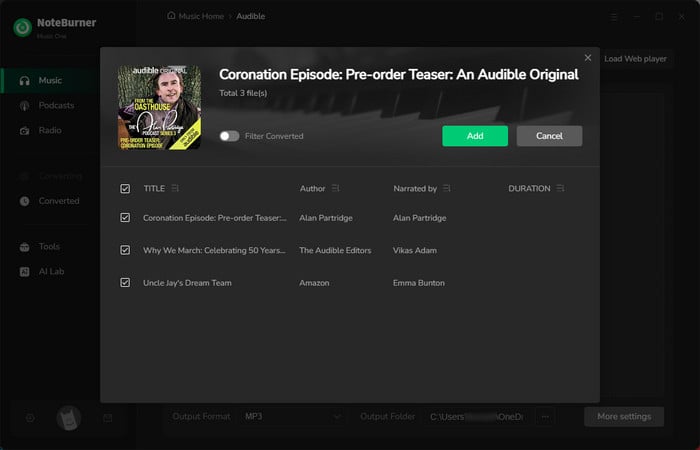
Step 4 Batch Convert Audible Audiobooks to MP3
Click "Convert" to start downloading Audible audiobooks to your local PC. If you want to pause the currnet conversion, just click "Abort".
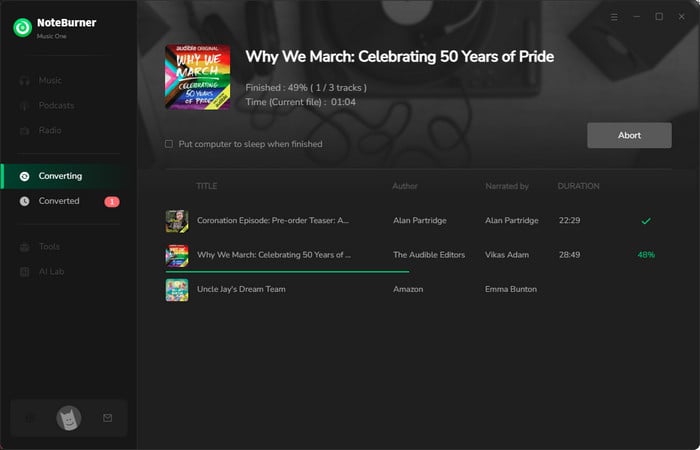
Step 5 Browser Audible Audiobook Downloads
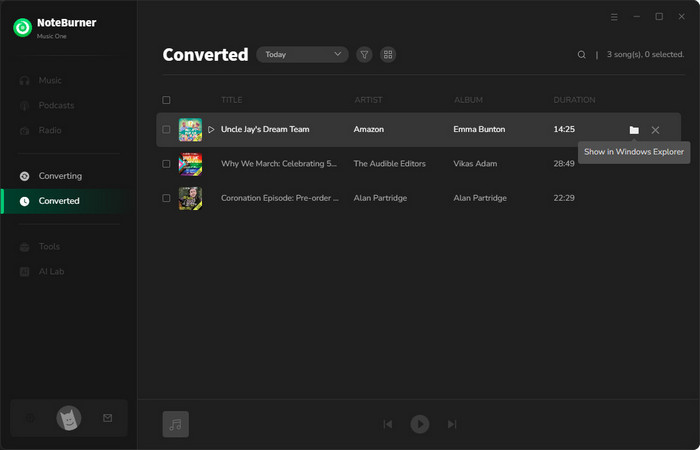
Once converted, you can view the downloaded audiobooks by directly going to "History > Folder". Keeping your Audible books has never been easier!
The unused credits, exclusive perks, and downloaded titles will be removed once the membership is over. Also, you can only access the Audible-purchased books through the Audible app or Audible-supported players.
If your subscription is tied to Amazon, you need to terminate your Audible membership on the Amazon website (see method 2). Also, check if there's a pending payment on your account or regional restrictions.
It signifies that the auto-renewal of Audible hasn't been cancelled successfully. Or, the billing cycle has already started. The mid-term cancellation would not work for the current charge.
The purchased audiobooks stay in your library permanently, even after canceling your subscription. But users will lose downloaded books at the end of the subscription. To download and keep Audible books playable forever, try NoteBurner Audible Converter.
From the Audible website to the support team contact, cancelling and even pausing your Audible membership is never as challenging as you imagined. Just pick the method that works best for you, follow a few simple steps, and your subscription will be taken care of. On top of that, it's smart to maximize your Audible plan before unsubscribing. With NoteBurner Audible Converter, you're free to download Audible audiobooks to local high-quality files, letting you listen to your desired Audible books anytime, anywhere.
Note: The free trial version of NoteBurner Music One is limited to convert the first 1 minute of each song. You can buy the full version to unlock the limitation.




