
Spotify houses pretty much all music resources—artists, albums, playlists, whatever you’re looking for. A lot of music lovers try to download their favorite Spotify tracks as high-quality MP3s, only to run into Spotify’s encryption and realize it won’t work that directly. Thankfully, in this post, we’ve tested and summarized the top 9 free Spotify to MP3 downloaders that are still working in 2026, making it easy to get Spotify MP3 songs in 320 kbps for offline listening.
Struggling to pick a Spotify downloader to MP3 with 320 kbps audio? Just go for this NoteBurner Spotify to MP3 320kbps Converter:
⬇ Free Download — fast, clean, and totally ad-free.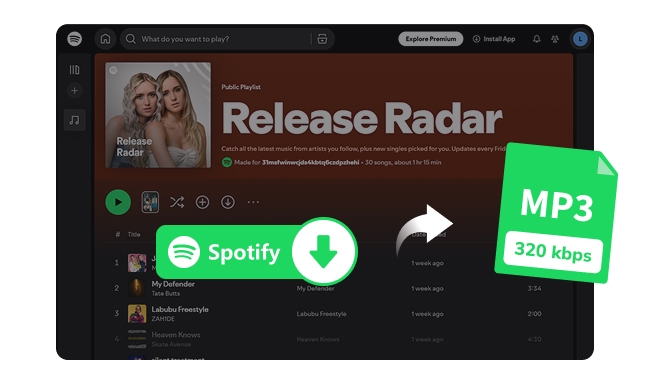
Spotify allows offline downloads for Premium subscribers—but there’s a catch. The music downloads are encrypted as protected audio formats, not generic MP3 audio. That said, all tracks get locked only inside the platform, with no ability to transfer or play them offline on other devices.
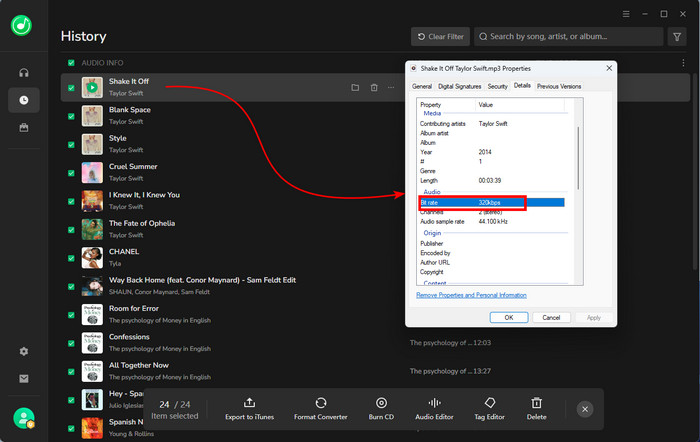
MP3 files are compact and widely compatible on pretty much any device, whether you’re using an MP3 player or other devices. When it comes to audio quality, a bitrate of 320 kbps maximizes the quality of Spotify's MP3 audio. Compared with compressed bitrates like 128 kbps or 192 kbps, 320 kbps keeps the audio clear, authentic, and much closer to Spotify's original sound.
An efficient way to download 320 kbps MP3 songs from Spotify step by step.
| Tool / Platform | Compatibility | Download Format | Max Quality | Free to use | Speed | No Ads | Batch | Full Tags | Recommendation |
|---|---|---|---|---|---|---|---|---|---|
| NoteBurner Spotify to MP3 Downloader | Windows, macOS and Android | MP3/AAC/FLAC/WAV/AIFF/ALAC | 320 kbps / Lossless 24Bit | Trial or $44.95/year | Up to 40X faster conversion | ✅️ | ✅️ | ✅️ | ★★★★★ |
| Spotisaver | Online Browser | MP3 | 320 kbps | ✅️ (100 tracks per day) |
Slow | ✅️ | ✅️ (Need Premium) | Watermarked | ★★★ |
| SpotiDown.co | Online Browser | MP3 | 320 kbps | ✅️ | Slow | ✅️ | ✘ | ✅️ | ★★★ |
| SpotiDown.app | Online Browser | MP3 | 128–320 kbps | ✅️ | Medium | ✘ | ✅️ (Need Premium) |
Watermarked | ★★★ |
| SpotMate | Online Browser | MP3 / FLAC (Premium required) |
256–320 kbps | ✅️ | Medium | ✘ | ✘ | ✅️ | ★★★ |
| Spowload | Online Browser | MP3 | 320 kbps | ✅️(paid for ZIP) | Slow | ✅️ | ✘ | ✅️ | ★★★ |
| AudiCable Music One | Windows, macOS | MP3/AAC/FLAC/WAV/AIFF/ALAC | 320 kbps | Trial or $49.95/quarter | Fast | ✅️ | ✅️ | ✅️ | ★★★★ |
| Aiseesoft Free Audio Recorder | Windows, macOS | MP3 / WMA / M4A | 320 kbps | Free / Pro upgrade | Slow | ✅️ | ✘ | ✘ | ★★★ |
| SpotSeekBot | Android, iOS, Windows, macOS, Linux | MP3 | 256–320kbps | ✅️ | Slow | ✅️ | ✘ | ✅️ | ★★★ |
Link: https://www.noteburner.com/sp-music-converter-windows.html
Availability: Windows, macOS, and Android
Download Output: MP3/AAC/WAV/AIFF/ALAC/FLAC, from 320 kbps to Spotify Lossless 24-bit/44.1 kHz.
Editor's Rating: ⭐⭐⭐⭐⭐ 5/5
Trustpilot Score: 4.5/5 (Trustpilot)
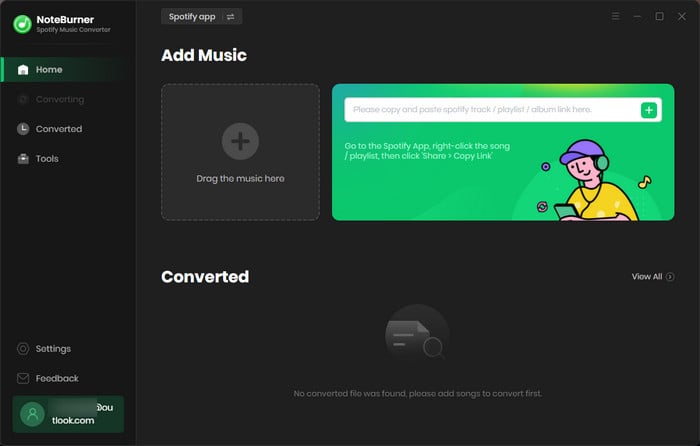
NoteBurner Spotify Music Converter provides a perfect solution for downloading Spotify tracks, playlists, albums, and podcasts as 320 kbps MP3s. All jobs support fast and batch downloads. Beyond MP3, NoteBurner converts Spotify music to WAV, ALAC, FLAC, and the like, while keeping up to Spotify HiFi quality. It preserves full ID3 tags (and lets you edit them) and comes with a surprisingly useful set of built-in audio tools.
Add Spotify Music
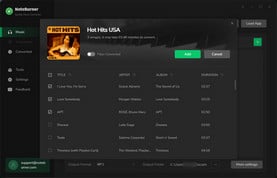
Click the "Add" button in the top-right corner of the interface to add the Spotify music, artist or playlist you want to download as MP3 to NoteBurner Spotify Music Converter.
Choose MP3 and 320 kbps
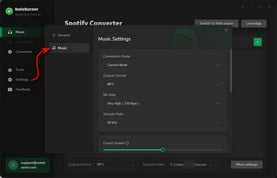
Please go to the NoteBurner Settings menu by clicking a gear icon at the lower left corner. Choose MP3 as the output format and 320kbps as the output quality.
Find Spotify MP3 Downloads
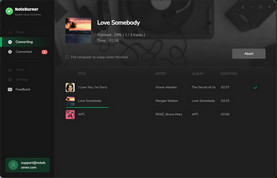
Click the "Convert" button to convert the Spotify music quickly. After conversion, you can click the "History" button to find the MP3 files.
In this video, you'll learn how to download Spotify music to MP3 files with the help of NoteBurner Spotify Converter.
For a more comprehensive test result, I tested multiple Spotify playlists (20+ tracks each). In Spotify Web player source, the download speed ranged between 10× and 40×, depending on network conditions. By using a Spotify Free account, NoteBurner successfully downloaded and converted 18 tracks to MP3 320kbps. Two songs fail to download and need to be added separately and converted again. When switching to a Premium account, the output quality was preserved in lossless FLAC.
Success Rate: 98%
Safety: 100% No Ads
Link: https://spotisaver.net/en1
Availability: Windows, macOS, Phone
Download Output: MP3 in 320kbps
Recommend Level: ⭐⭐⭐
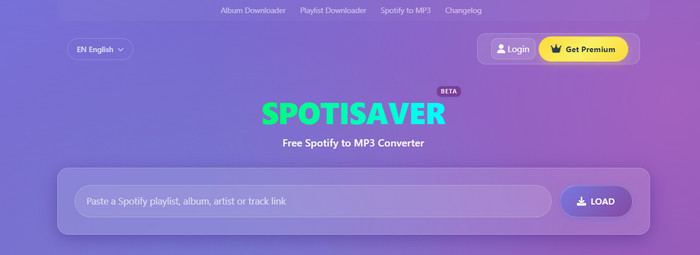
It is a simple browser-based tool for converting Spotify tracks to MP3 with decent quality. Featuring a smart search engine, this tool is capable of ripping both Spotify and YouTube music links, with basic metadata info kept. But notably, the free account comes with download limits, and users need to upgrade if they want access to Premium features.
Step 1 Paste the playlist or track link into the input field of this tool.
Step 2 Click a load button and wait for the link to be processed.
Step 3 Once ready, click the Download option to initiate the Spotify MP3 downloads.
It is simple and smooth to download single tracks on a 5/5 test. But where it trips up is playlists and full albums. Those aren’t exactly smooth sailing. The process takes longer than you’d like, and if you actually want to do more than one song at a time, it’ll hit you with a paywall. Plus, the website interface has few ads.
Success Rate: 90% (working but very slow)
Safety: Medium-High (Few Ads)
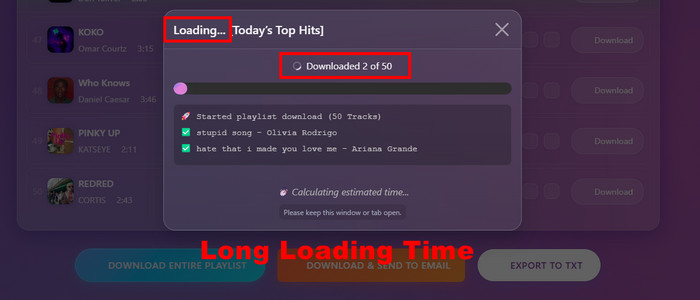
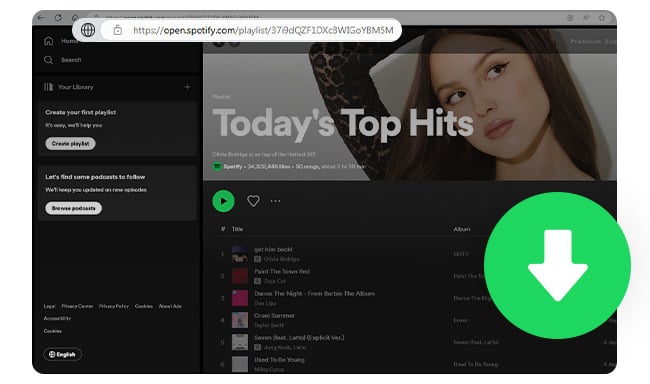
A list of Spotify playlist downloaders that could even support 40X faster download speed & lossless high-quality output.
Link: https://spotidown.co/en16
Availability: Windows, macOS, Mobile
Download Output: MP3 (up to 320 kbps)
Recommend Level: ⭐⭐⭐

An online tool that lets you download Spotify tracks as 320kbps MP3s for free. It focuses on easy and quick service, letting you download Spotify audio directly to your PC, with no need for a Premium account.
Step 1 Enter the Spotify music link into the search box.
Step 2 Click on the Search button to load the song.
Step 3 Hit Save to download the MP3 at 320 kbps.
The interface nearly does not embed pesky ads, which is better than online converters. Very easy to download Spotify audio files with up to 320kbps quality, even if you've never used it before. The URL fetching can feel a bit slow sometimes. It takes me about 1-3 minutes to show up as a downloadable MP3 after I've dropped a link into it.
Safety: Medium-High (Hardly Any Ads)
Success Rate: 60%
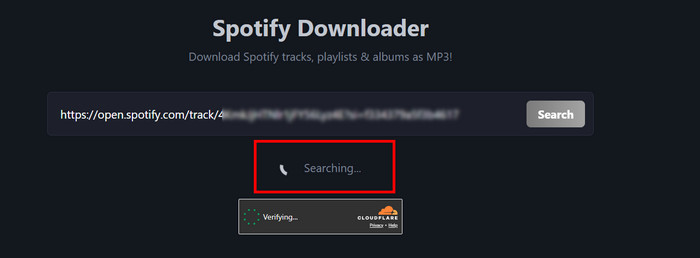
Does the SpotiDown download process still work in 2026? Can it handle playlists? And if it fails, what is the best SpotiDown alternative? This review covers all.
Link: https://spotidown.app
Availability: Windows, macOS, Mobile
Download Output: MP3 (128 - 320 kbps)
Recommend Level: ⭐⭐⭐
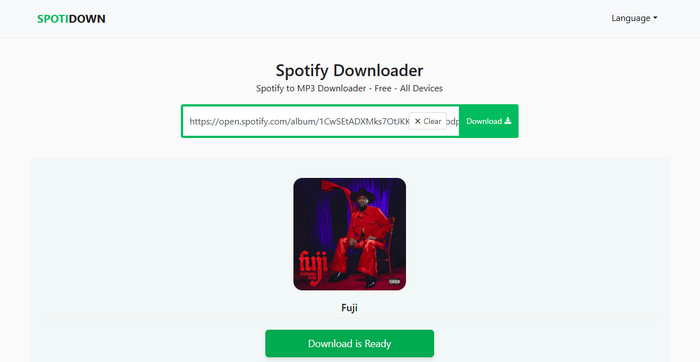
Spotidown enables users to find Spotify tracks and download them as MP3s at 320kbps. All you need is a Spotify music link, and the tool will do the rest. It's worth mentioning that it only allows five free downloads each day.
Step 1 Copy the Spotify track link from the web player or app.
Step 2 Paste it into SpotiDown’s search area and click Download MP3.
Step 3 Locate the Spotify MP3 downloads in the local folder.
It's friendly for international users because the website has a multilingual version. But this online website still cannot skip frequent redirects. And downloaded files contain website-tagged metadata information that needs manual cleanup.
Safety: Low
Success Rate: 80%
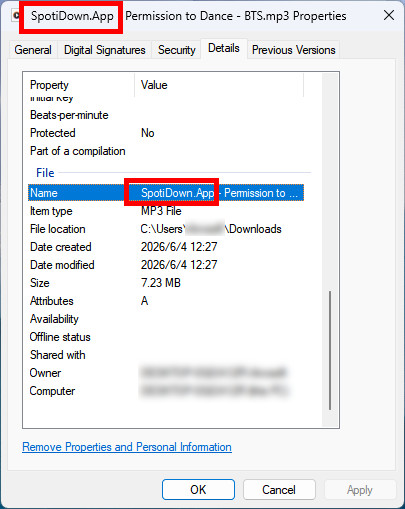
🚀Pro tips: Want batch downloads of Spotify playlists & albums in lossless quality kept? Hand down a safe alternative instead—NoteBurner Spotify Music Converter, fast, clean, and ad-free.
Link: https://spotmate.online/en1
Availability: Windows, macOS, Mobile
Download Output: MP3/FLAC files in 320 kbps
Recommend Level: ⭐⭐⭐
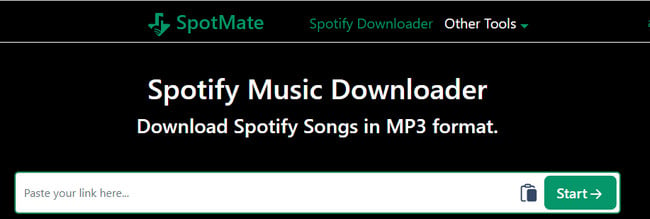
This Spotify downloader makes it easy to convert Spotify songs to MP3 files at no cost. Not just MP3 output, it is loaded with a FLAC beta feature. But the lossless option may require a sponsored application installation.
Step 1 Find your favorite Spotify music, and input its URL into the search box.
Step 2 Click on the "Start" button to proceed with music downloads.
Step 3 Follow the prompts to save Spotify MP3 320 kbps audio.
During testing, song links were processed quickly (about 30 seconds per song) and soon got Spotify MP3 files in 320kbps. No sketchy redirects and pop-ups during the download process. But there is no option to download multiple tracks, and the FLAC download requires installing a sponsored third-party application.
Success Rate: 90%
Safety: No
Is SpotifyMate good? Is it safe? Read this article and you will get a detailed review on it, as well as an excellent alternative..
Link: https://spowload.cc/en2
Availability: Windows, macOS, Mobile
Download Output: MP3
Recommend Level: ⭐⭐⭐
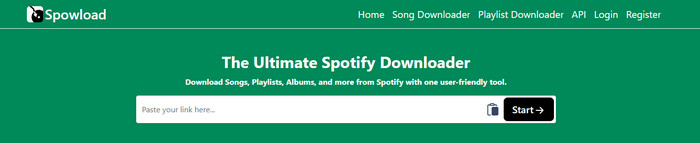
Spowload acts as a complementary Spotify to MP3 audio ripper that captures the Spotify link and saves it for offline use. Apart from single downloads, it also claims bulk ZIP downloads for entire playlists or albums. A heads-up, though: the free version includes download limits and ad redirects.
Step 1 Query the Spotify music you intend to download, then go for "Copy Song Link."
Step 2 Paste the Spotify link into a specific field and hit the Start button.
Step 3 Click on the Download button, and then this online Spotify downloader will get the job done.
Like other online Spotify downloaders to MP3, Spowload receives and rips the music URL, but it comes with redirects when trying to download. It supports the Spotify playlist to Zip download, but not free of charge.
Success Rate: N/A — redirects blocked the full test run.
Safety: Medium
Link: https://www.audicable.com/
Availability: Windows, macOS
Download Output: MP3 in 320 kbps, AAC, WAV, AIFF, ALAC, FLAC
Recommend Level: ⭐⭐⭐⭐
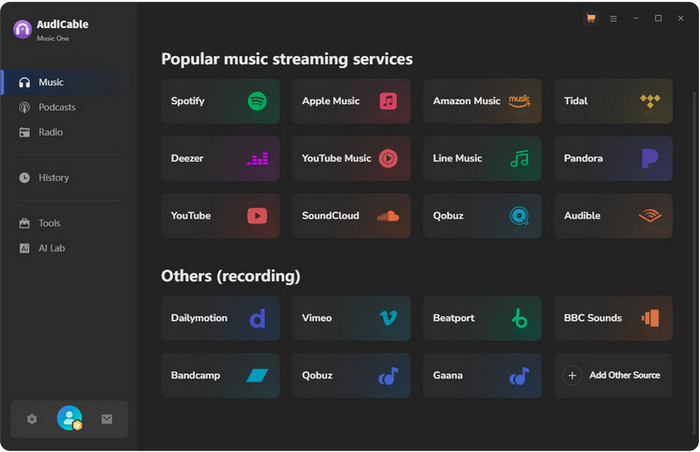
AudiCable is an all-in-one music streaming converter that supports downloading high-quality music from Spotify, Apple Music, YouTube Music, Tidal, and any other major platforms. Like other dedicated Spotify music downloaders, AudiCable Music One proceeds with a Spotify to MP3 conversion in bulk and at high speed. It is convenient to save Spotify songs for offline listening, whether you're using Spotify Free or Premium.
Step 1 Open the converter, and choose the Spotify platform at the Music tab.
Step 2 Go to Settings and select MP3 as the download format and 320 kbps as the output quality.
Step 3 Add a Spotify playlist to AudiCable, then click the Convert button to start conversion.
It’s obviously different from a web-based Spotify to MP3 converter since it’s not streaming from YouTube. Just choose MP3 and 320 kbps in the Settings, and it outputs a sound solid enough for daily listening. Some songs with lengthy titles or artist names failed on the first attempt.
Success Rate: 95%
Safety: Not include any suspicious ads or malware
Link: https://www.aiseesoft.com/free-online-audio-recorder/
Availability: Web launcher + local component (Windows, macOS)
Download Output: MP3, WMA, M4A
Recommend Level: ⭐⭐⭐
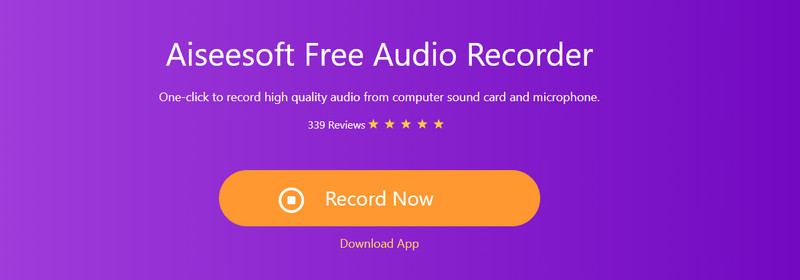
Aiseesoft Free Audio Recorder is designed to capture audio from a computer sound card and a microphone. With a few clicks, this recorder automatically detects the Spotify sound and then exports it as MP3 files with the best audio quality. It’s safe, clean, and ad-free—perfect if you only need a few tracks here and there. Despite the "online" name, the first run requires installing the Aiseesoft Audio Recorder Launcher — the browser page only starts the session, while the actual capture is handled by that local component.
Step 1 Open the Aiseesoft page in your browser and click "Record Now" then install the launcher when prompted.
Step 2 Select the Spotify download source and click REC to begin recording.
Step 3 Click Stop when done. Later, you can preview and save it to your computer.
Featured with "Recording", so it needs more time than ripping files directly. A 4-minute song takes 4 minutes to capture. Overall, it is suitable for users to get certain snippets of a single Spotify track, and export it to MP3.
Success Rate: Approx. 95%
Safety: High
Whether you're looking to recod audio, optimize your music for specific devices, or make the most of your audio files, our list has you covered.
Link: https://t.me/SpotSeekBot
Availability: Windows, macOS, Android
Download Output: MP3 in 256-320 kbps
Recommend Level: ⭐⭐⭐
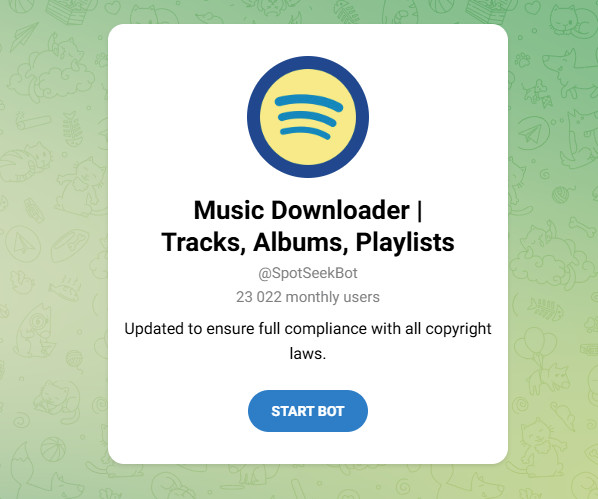
SpotSeekBot is a Telegram-based trick for getting Spotify MP3 320 kbps downloads. You interact with it like a chat assistant; later, it can process your request to search, play, and download the songs, albums, and playlists via Telegram. Before you start, you need to join the creator’s Telegram channel to access downloads; leaving the channel disables the feature.
Step 1 Install Telegram and go to SpotSeekBot.
Step 2 Click on "Start Bot," and then paste the Spotify music link into the designated field.
Step 3 The bot will process the link and reply with downloadable MP3 files. You can tap on the link to download the music files.
The setup was surprisingly simple, and all tasks can be completed with a bot. But the bot is not 100% working. If you leave the channel later, the download feature stops working. Also, some songs sounded great, while others weren't quite as consistent as the 320 kbps quality.
Success Rate: 60%
Safety: It denpends on the bot. "Some bots contain hidden ads in the download link," it replied. You may be directed to its ad-sponsored page.
The post introduces 10+ best Telegram Spotify Bots, along with easy-to-follow steps.
All downloader tools are for personal use. You should be careful of pop-ups or websites that require permissions that aren't needed.
Yes, but not with Spotify's own download feature. Premium lets you save songs, albums, and playlists, while free accounts get podcasts only — and either way the files are encrypted and play offline only inside the Spotify app. To get a real MP3, you need a third-party Spotify to MP3 downloader. Most online tools above work on a free account, though some cap daily downloads.
Yes, some dedicated apps, like NoteBurner, let you download many files at once, which is useful for playlists or whole albums.
Yes. You can play Spotify's MP3 music on phones, tablets, vehicle stereos, MP3 players, and USB devices. You don't have to rely on the Spotify app.
Disclaimer: All tools are for personal/educational use only. 🚫 To avoid legal issues, do not distribute downloaded music/video for commercial use.
Downloading Spotify music to MP3 with 320 kbps has never been easier, thanks to the wide range of Spotify downloaders. If you only need instant, no-install audio conversion, the online Spotify to MP3 tools mentioned above can get the job done. But for next-level Spotify audio downloads, NoteBurner Spotify Music Converter is a no-brainer.
With NoteBurner Spotify to MP3 Converter, you can effortlessly save Spotify songs as MP3s while keeping the superior quality. Also, it covers all standouts, such as fast batch downloads, full ID3 tag preservation, consistent 320kbps output, and useful extras like built-in audio editing. Start enjoying your Spotify music in top quality today.
Note: The free trial version of NoteBurner Spotify Music Converter allows you to convert the first 1 minute of each song. You can buy the full version to unlock this limitation and enable all its features.



 Top Pick: NoteBurner Spotify to MP3 Downloader (Fast & 320 kbps Output)

