
NoteBurner Apple Music Converter
In June 2021, Apple released (hi-res) lossless audio to all Apple Music subscribers at no extra cost, called Apple Lossless Audio Codec (ALAC). Any playlist or track in lossless quality will have a grey Lossless button beside it. If you would like to access the lossless ALAC version of music, you only need to redownload it in the Music app. But remember to connect to the Wi-Fi network to avoid heavy cellular data usage.
Downloading ALAC lossless audio from Apple Music is pretty simple today. But so far, some still have some confusion when trying to make Apple Music Lossless Settings or download iTunes ALAC files to computer. Fret not, here on this page you'll get the best answer.

Here this part we will show you how to change the lossless audio quality settings for Apple Music, so that you're able to enjoy or download them in a high definition output:
Step 1 Go to "Settings > Apps > Music > Audio Quality" on your iPhone or iPad (on iOS 17 or earlier, "Settings > Music > Audio Quality").
Step 2 On the top of the new window, toggle on the "Lossless Audio" option.
Step 3 Below you can change different audio quality when using mobile data, Wi-Fi, or downloading. Click one of them and choose "Lossless" as needed.

Step 1 Launch the Apple Music on your Mac, and directly go to "Music > Settings > Playback".
Step 2 Tick on the option of "Lossless audio" box, then choose "High Resolution Lossless" on the Streaming and Download option.

Now, you can see a Lossless icon showing that your Apple Music song is in ALAC at 24-bit, 96kHz quality.
When streaming Apple Music Lossless, you can get up to 24-bit, 48kHz quality; While for Hi-Res Lossless, you'll have access to up to 24-bit, 192 kHz output. How to have these high-resolution Apple Music songs offline? Is there any method to download Apple Music ALAC Lossless to computer?
Definitely yes! NoteBurner Apple Music Converter has been updated to convert Apple Music to lossless ALAC/MP3/AAC/FLAC/WAV/AIFF and keep the original audio quality. It's a 100% clean & safe iTunes ALAC downloader compatible with Windows 7/8/10/11 and macOS 11-27. By using this program, you can add lossless ALAC files to DJ, or burn them to CD with more freedom.

In the following part, we will show you how to use NoteBurner Apple Music Converter to download lossless & hi-res Apple Music audio on Mac.
Launch NoteBurner Apple Music Converter and then select "Apple Music App". Tap the "Add" icon, in the new window, it will show up all your music library, tick on the lossless track you want to download.

Simply click the icon "Settings", where you are able to choose Conversion Mode, Output Format, Bit Rate, Sample Rate, and so on. Here please choose "Record Mode", the "Recommended" or "ALAC" output format, "48kHz or 192 kHz" sample rate.

After customization, click the button "Convert" and NoteBurner will download iTunes music to ALAC with original quality & ID3 tags kept.

After converting, go to the "History" list, hover to the music, and click the icon "Folder". Then you'll be directed to the Apple Music streaming files in ALAC (.m4a) format.

>> Supported: Apple Music Lossless audio can be listened to on iPhone, iPad, Mac, Apple TV, and HomePod. Learn more details on playing lossless ALAC quality on different Apple devices.
>> Unsupported: AirPods, AirPods Pro, AirPods Max, and other wireless Bluetooth cannot support lossless ALAC audio. They only ensure the AAC codec quality.

If you want to listen to lossless audio quality, Apple Music Lossless music is one of the perfect choices. Once you subscribed to Apple Music, you can simply enable the lossless audio preference to enjoy the high-resolution streams.
But if you want to download Apple Music ALAC files to computer, or convert Apple Music to ALAC lossless format, it's suggested to use NoteBurner iTunes Audio Converter, which supports to convert any iTunes songs to ALAC/MP3/AAC/FLAC/WAV/AIFF with the original audio quality kept.
Tips: You can only convert the first 1 minute of each audio with the free trial version. Please buy the full version to unlock its limits.
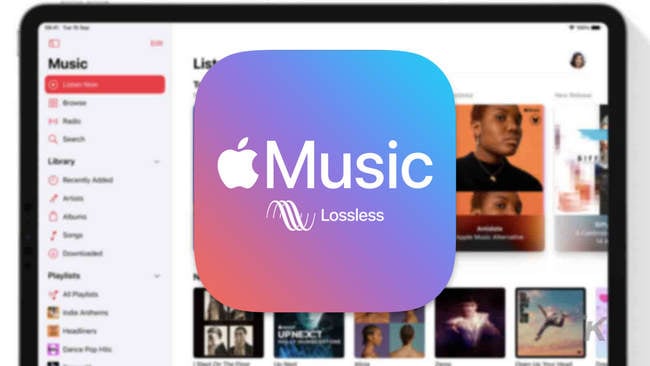
What's Apple Music lossless and how to download and listen to Apple Music Lossless ALAC songs? This page is your final answer. Learn More →
 What's next? Download NoteBurner Apple Music Converter now!



One-stop music converter for Spotify, Apple Music, Amazon Music, TIDAL, YouTube Music, etc.

Convert Spotify songs, playlists, or podcasts to MP3, AAC, WAV, AIFF, FLAC, and ALAC format.

Convert Amazon Music to MP3, AAC, WAV, AIFF, FLAC, and ALAC, preserving quality up to Ultra HD.

Convert TIDAL songs at up to 10x faster speed with HiRes FLAC quality preserved.

Convert YouTube Music to MP3, AAC, WAV, AIFF, FLAC, and ALAC at up to 10X speed.

Convert Deezer HiFi Music to MP3, AAC, WAV, AIFF, FLAC, and ALAC at 10x faster speed.

Transfer playlist between Spotify, Apple Music, Amazon Music, YouTube Music, and more.



