
The best free Apple Music downloaders in 2026 are aaplmusicdownloader, APLMate, apple-music-downloader.com, keepv.id, Sidify Free, Audacity, and Freyr. All seven still work as of September 2026. Which one you want depends on how many songs you need: the online tools are fastest for one or two tracks, while Sidify Free and Freyr handle full playlists. The catch is that every free Apple Music downloader here except Audacity finds a match on YouTube and re-downloads it at around 128 kbps rather than reading audio from Apple Music. With the online tools you lose the track names and artwork too, so a 50-song playlist arrives as 50 files named after the URL. Audacity avoids YouTube by recording your system audio, but it runs at 1X, so an album takes as long to save as it does to play.
If that's a dealbreaker, NoteBurner Apple Music Converter works the other way around. It pulls audio from the Apple Music app itself, so you get 320 kbps MP3 or lossless ALAC at 10X speed, with tags intact. It's paid, but the trial converts the first minute of every song, so you can hear the difference first. Here's what each free tool actually does, tested in September 2026.
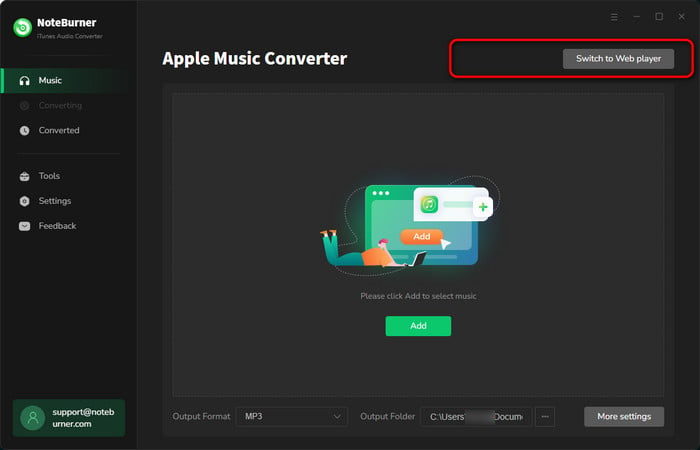
NoteBurner Apple Music Converter is a reliable and user-friendly tool that allows you to convert and save Apple Music songs as local audio files for offline listening and device transfer.
It can convert Apple Music playlists to popular formats like MP3, AAC, ALAC, etc at speeds up to 10 times faster while maintaining original lossless sound quality.
Plus, NoteBurner gives you two download options - the Apple Music App and a web player mode - which can let you download Apple Music more smoothly. Unlike those free Apple Music downloaders, NoteBurner offers a more stable, faster, and all-around better performance, making it a must-have tool for users!
Add Apple Music to NoteBurner
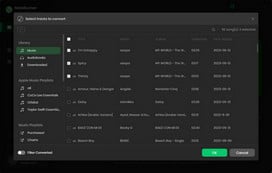
Click the + Add icon to add your library or playlists to NoteBurner Apple Music Converter.
Set Output Format
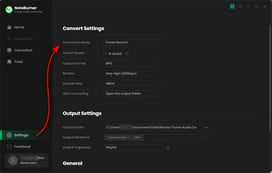
Go to Settings window, and choose MP3 output format and output quality.
Download Apple Music to MP3
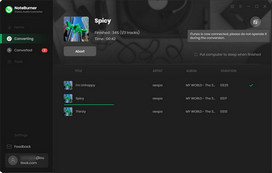
Click Convert to start downloading Apple Music songs offline. After seconds, you will get local Apple Music MP3 files.
They're ordinary MP3 files now, so they work where Apple Music doesn't:
Note: Converted tracks are for personal use only. Using copyrighted music in videos you publish may still require permission from the rights holder.

 Note: The following free Apple Music downloaders usually find and download your Apple Music songs on YouTube. As a result, the quality of the downloaded tracks tends to be lower.
If you're not too concerned about sound quality, feel free to choose any of the free options listed below. However, if you want to download high-quality Apple Music songs, consider using the NoteBurner Apple Music Converter recommended above.
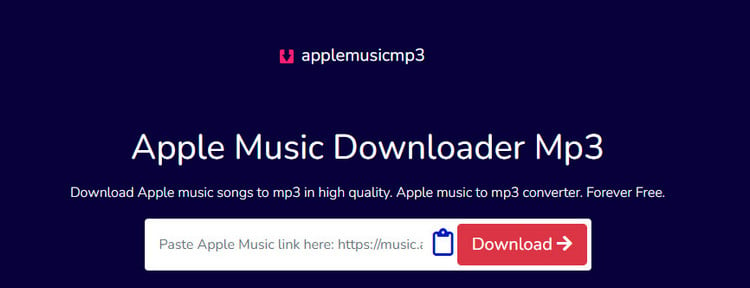
AAPLmusicDownloader (link: aaplmusicdownloader.com) is an online tool or website that allows users to free convert Apple Music songs into MP3 format. It lets you download Apple Music albums, songs, and playlists easily. It's compatible with popular web browsers like Google Chrome, Mozilla Firefox, Safari, Opera, and Chromium-based browsers.
Step 1 Open the Apple Music app or website and find the track or playlist you want. Click the three-dot menu, select Share, then Copy Link.
Step 2 Go to aaplmusicdownloader.com and paste the link into the input field at the top of the page.
Step 3 Click Download on the right side of the page to start the conversion.
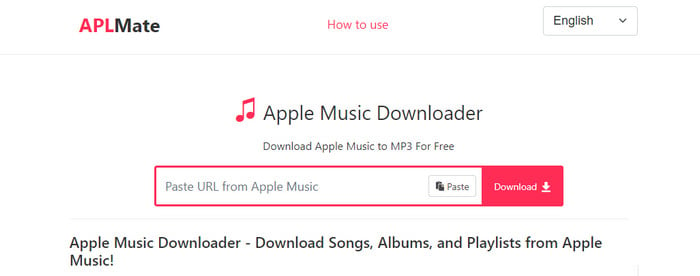
APLMate (Link: aplmate.com) is a free online tool that makes it easy to convert Apple Music songs to MP3 format. After that, you can enjoy your favorite Apple Music tracks as high-quality MP3 files.
Step 1 Open the album or playlist in Apple Music, click the three-dot menu (•••) next to the song, select Share, then Copy Link.
Step 2 Go to aplmate.com and paste the link into the input box.
Step 3 Click Download.
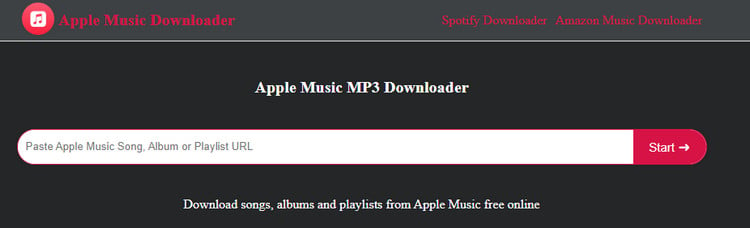
With this Apple Music MP3 Downloader (link: apple-music-downloader.com), you can download your favorite Apple Music songs for free. Just copy and paste your Apple Music link to it, and soon you'll have a collection of MP3s to enjoy, no subscription required.
Need 320 kbps and full ID3 tags instead? Try NoteBurner Apple Music Converter free →
Step 1 Open the Apple Music website and find the song you want. Click the ••• button, select Share, then Copy Link.
Step 2 Go to apple-music-downloader.com, paste the link, then click Start and Download.
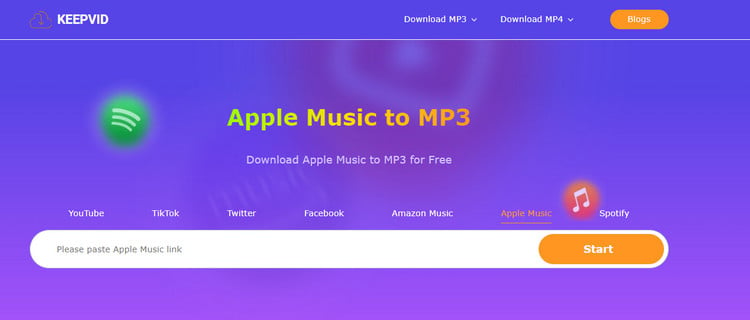
KeepVid Apple Music Downloader (link: keepvid.ch) offers a browser-based way to save Apple Music tracks as MP3. Users can easily download and enjoy their favorite Apple Music songs offline on any device. It's a reliable free tool for enhancing your music listening experience.
Need 320 kbps and full ID3 tags instead? Try NoteBurner Apple Music Converter free →
Step 1 Open the Apple Music website or app on your device. Hit the "..." menu, select "Share," and then choose "Copy Link" to copy the Apple Music URL.
Step 2 Open KeepVid Apple Music Download site and paste the link you just copied into the search box. Click "Start" to analyze it.
Step 3 Select your favorite output format to kick off the conversion of Apple Music to MP3.
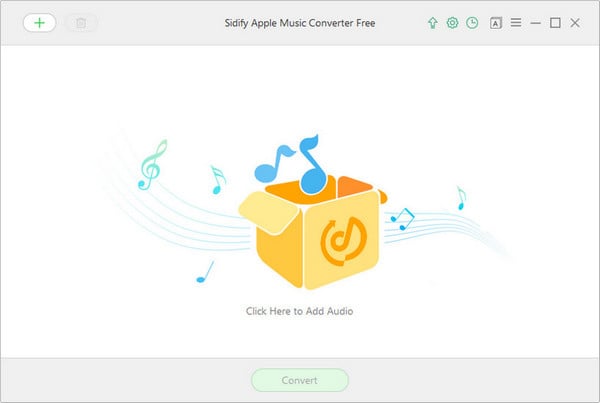
Sidify offers both paid and free tools. Their Sidify Apple Music Converter Free, as the name suggests, is completely free to use. It can analyze and download Apple Music tracks, iTunes music, audiobooks, and local audio files. Plus, you have the option to customize how your files are named and organized. Overall, it's a convenient tool for managing and enjoying your Apple Music collection hassle-free.
Step 1 Launch Sidify Apple Music Converter Free and click the add music button to access your Apple Music in the iTunes library. Select the songs you want to convert and hit "OK" to import them into Sidify.
Step 2 Click the "Settings" button on the upper right corner to choose the output format (MP3/AAC/WAV/FLAC), quality (128kbps/256kbps/320kbps), and output path.
Step 3 Once your settings are saved, click the "Convert" button to start downloading your Apple Music songs as MP3 for free!
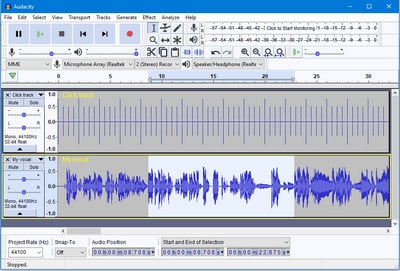
Audacity is a free, open-source audio editor and recorder for Windows, macOS, and Linux. It can record live audio, digitize tapes and vinyl, and capture whatever your computer is playing — including Apple Music — which makes it a popular free way to save streaming tracks as MP3.
On Windows, Audacity records Apple Music through WASAPI loopback, which captures the audio stream sent to your selected playback device. Your microphone is never involved, so room noise is not a concern — but anything else playing through that same device goes into the recording too. And because this is a real-time capture, a song takes as long to record as it does to play.
Step 1 Open Audacity and click "Audio Setup" on the toolbar, then set "Host" to "Windows WASAPI".
Step 2 In the same "Audio Setup" menu, set the recording device to the output you are actually listening through — it is marked with "(loopback)" after its name. Picking a device you are not playing through is the fastest way to record silence. Also make sure input monitoring is turned off.
Step 3 Start playing your song in the Apple Music app first, then click "Record" in Audacity. WASAPI loopback can record a silent stream, but it cannot start when there is no audio stream at all, so playback needs to be running before you hit Record.
Step 4 When the song ends, click "Stop". Go to "File" > "Export Audio", choose MP3 as the format, pick a folder, and save. Audacity won't fill in the song title or artist, so add those yourself.
Tip: Mute system sounds and close other media before you start, since anything playing through the same output device ends up in the recording.
Freyr is a free, open-source command-line downloader for Apple Music, Spotify, and Deezer. You don't need to write any code — it reads the track list from your Apple Music link, finds a matching audio source, and saves the files with tags already filled in. What you do need is comfort with a terminal.
Wondering how NoteBurner compares with the free Apple Music to MP3 converters above? Here's a side-by-side look.
| Comparison | NoteBurner Apple Music Converter | Online Free Tools (#1–#4) | Sidify Free | Audacity | Freyr |
|---|---|---|---|---|---|
| Audio Source | Apple Music app & Web Player (direct) | From YouTube | From YouTube | System audio (real-time recording) | From YouTube |
| Sound Quality |  Original quality in Recommended/ALAC mode; up to 320 kbps for MP3 Original quality in Recommended/ALAC mode; up to 320 kbps for MP3 |
 64–320 kbps (most cap at ~130 kbps) 64–320 kbps (most cap at ~130 kbps) |
Up to 128 kbps |
Depends on playback settings | Up to 128 kbps |
| Output Format | MP3 / AAC / FLAC / WAV / AIFF / ALAC | MP3 | MP3 / AAC / FLAC / WAV | MP3 / WAV / FLAC | MP3 / M4A |
| Speed | Up to 10X | N/A (server-side) | N/A (server-side) | 1X (real-time) | ~1X |
| Batch Download | Entire library |
1–2 tracks at a time |
|
|
|
| ID3 Tags & Artwork | Full, plus lyrics |
Partial |
|
None |
|
| Classify by Artist / Album | |
|
|
|
|
| Free Toolbox | CD Burner, Tag Editor, Vocal Splitter |
|
|
|
|
| Price | $44.95 (lifetime) | Free | Free | Free | Free |
| Trial / Guarantee | Free trial: 1 minute per track 30-day money-back guarantee |
— | — | — | — |
Are those free online tools for downloading Apple Music worth it? Well, it depends. They're easy to use, cost nothing, and make getting Apple Music songs easier, but they might not keep the original sound quality. Basically, they don't directly grab songs from Apple Music. If that's not a big deal for you, then these free options could work.
 Winner: NoteBurner Apple Music Converter
But if you care about how good the music sounds, keeping track of song details, and organizing your music neatly, NoteBurner Apple Music Converter is your best bet. It's made to download all kinds of Apple Music files without losing any data.
Plus, NoteBurner promises to keep the music's quality, lyrics, and details. And it also offers some extra cool features like a CD burner, ID3 tags editor, local audio converter, AI Vocal Remover, and more. In short, NoteBurner is the top choice for converting Apple Music, giving you more control over your music.
A: Well, it depends on if you use the right tool.
If you're using (online) Apple Music downloaders free, they usually grab audio from places like YouTube, so you won't get the original high-quality Apple Music files.
However, if you use a professional Apple Music converter like NoteBurner, it's different. This kind of program directly records the sound from Apple Music's desktop App or web player, and then downloads it as MP3, AAC, WAV, or other formats. It supports converting Apple Music songs without quality loss, even for the Hi-res tracks.
What's Apple Music lossless and how to download and listen to Apple Music Lossless ALAC songs? This page is your final answer. Learn More →
A: Yes, NoteBurner Apple Music Converter converts entire playlists and albums. This NoteBurner tool supports downloading the entire Apple Music library all at once.
A: Yes, you can usually convert songs purchased from the iTunes Store. It also handles Apple Music tracks, M4A/M4B/AA/AAX audiobooks, and podcasts.
A: Check the terms of the converter you use. NoteBurner captures audio playing through your computer and saves it as a local file. Converted tracks are intended for personal use only.
There's no single best answer — it depends on how many songs you need and how much you care about sound quality. Here's the short version:
Note: The free trial version of NoteBurner Apple Music Converter converts 1 minute of each audio file only. If you want to unlock the time limitation, please purchase the full version of NoteBurner iTunes Audio Converter.



