
NoteBurner Apple Music Converter
As one of the most popular streaming platforms, Apple Music offers millions of tracks and curated playlists. However, its built-in offline functionality has limitations—it only allows listening within the Apple Music app, and downloaded songs become inaccessible after your subscription ends. This has led many users to look for reliable Apple Music playlist downloaders. This guide will explain why these tools are needed, show you how to download Apple Music playlist to MP3, and review some online Apple Music playlist downloader options to help you choose the right one for your needs.

The most effective method is to use a professional Apple Music playlist download tool. NoteBurner Apple Music Converter is a top-rated Apple Music playlist downloader that converts Apple Music tracks, albums, and playlists into MP3, AAC, FLAC, WAV, AIFF, or ALAC formats at up to 10x speed. It keeps the original audio quality and preserves ID3 tags like artist, album, and cover art.

Step 1Install and launch NoteBurner Apple Music Converter and select "Apple Music web player".
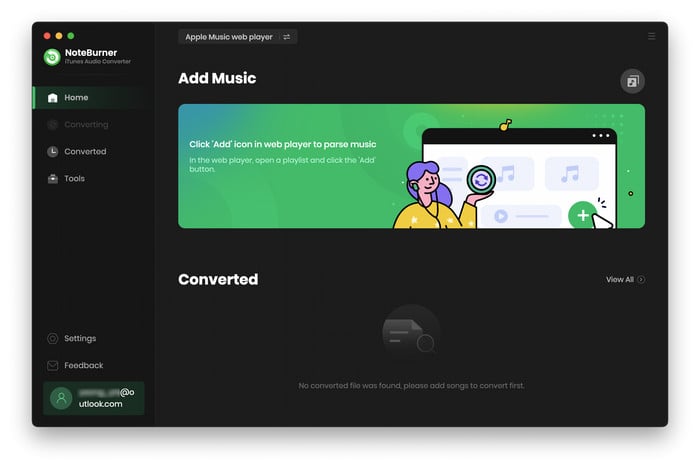
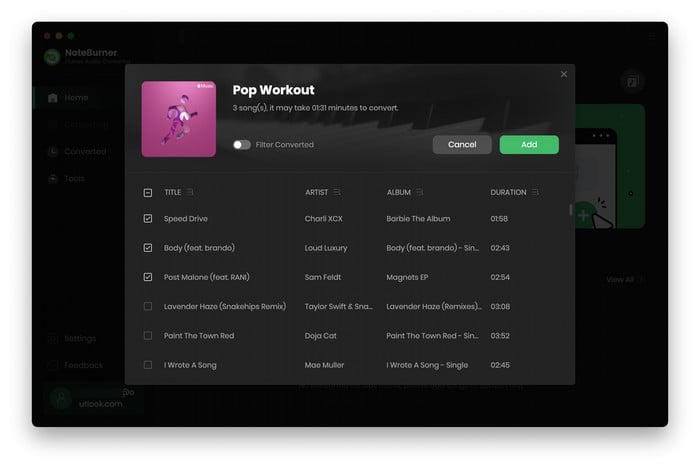
Step 2 Open a playlist on the Apple Music web player, and click the "Add" icon.
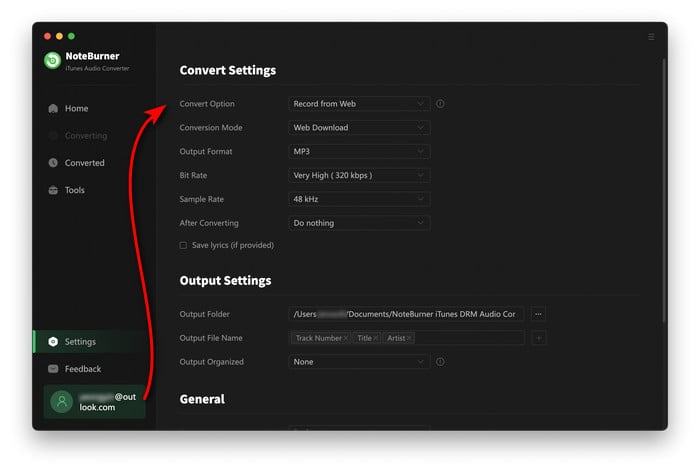
Step 3 Click the "Settings" button to choose output format (MP3), bit rate, etc.
Step 4 Click the "Convert" button to start converting Apple Music to MP3. Once the conversion is complete, click the "History" section. Hover over any song with your mouse, then click the 'Folder' icon to jump to the output folder.
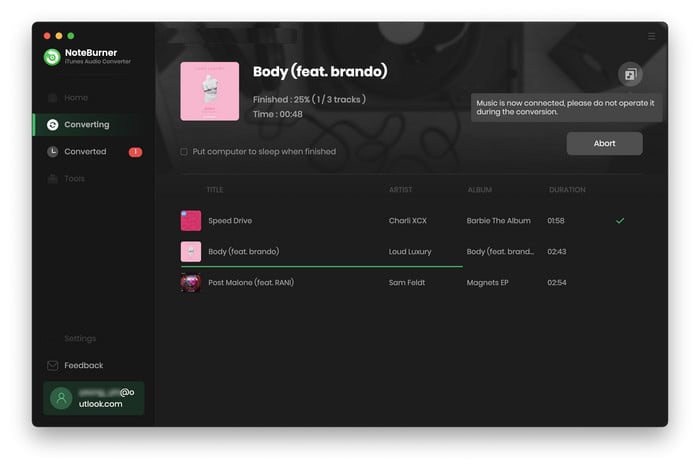
After downloading, you can import Apple Music MP3 files into video editing software, copy them to a USB drive for in-car playback, or sync them with devices like Android phones, smart TVs, and portable speakers.
In addition to professional desktop software like NoteBurner, there are also Apple Music playlist downloader online options. These web-based tools allow you to paste an Apple Music track or playlist link and get an MP3 download.
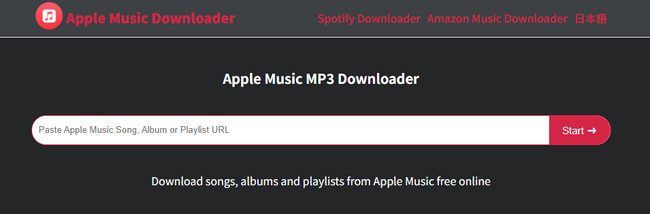
Apple Music MP3 Downloader is compatible with all browsers. Whether you use Windows, macOS, or a mobile device, you can download Apple Music tracks to MP3 format for free. The site features a clean, user-friendly interface where users can quickly enter song links and initiate the download process.
Step 1: Open and log in to the Apple Music web player or the official app.
Step 2: Click "..." > "Copy Link". Choose the Apple Music song you want to download.
Step 3: Paste the copied URL into the downloader site search bar and click "Start".
Step 4: Individual songs download as MP3 files when you click "Get Download".
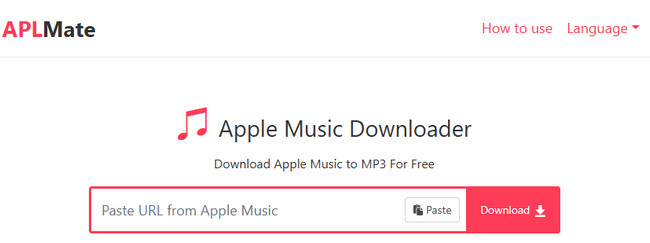
APLMate allows you to download Apple Music tracks directly from a web page without installing any app. It saves songs as 320 kbps MP3 files for free and keeps the basic tags (title, album and cover art), but not the full ID3 set. In our test it could parse albums and playlists, yet it does not support batch downloading, so each song has to be saved one by one, and the site shows plenty of pop-up ads. Read our full APLMate review for the hands-on results.
Step 1: Open and log in to the Apple Music web player or the official app.
Step 2: Click "..." > "Copy Link". Choose the Apple Music song you want to download.
Step 3: Paste the copied URL into the downloader site search bar and click "Download".
Step 4: Click "Download MP3" to download the song.
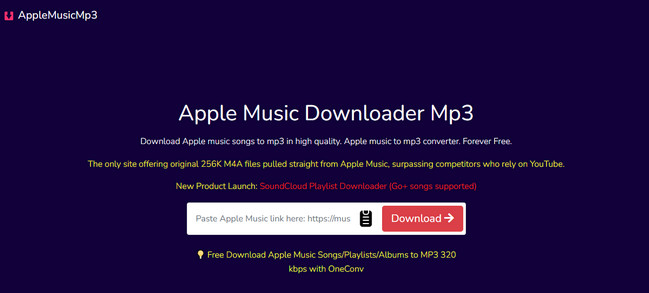
AAPLmusicDownloader is a free website that supports the download of Apple Music albums, songs and playlists in 256 kbps M4A or 320 kbps MP3 format. Its standout feature is the batch download button, which allows users to save entire playlists at once without the need for additional software.
Step 1: Open and log in to the Apple Music web player or the official app.
Step 2: Click "..." > "Copy Link". Choose the Apple Music song you want to download.
Step 3: Paste the copied URL into the downloader site search bar and click "Download".
👉 If you only need occasional downloads, these online tools are convenient. But if you care about speed, stability, and lossless quality, desktop software is the better choice.
Here's a quick comparison between desktop downloaders and online downloaders:
| Feature / Tool | NoteBurner Apple Music Converter (Desktop) | Apple Music MP3 Downloader (Online) | APLMate (Online) | AAPL Music Downloader (Online) |
|---|---|---|---|---|
| Installation Required | Yes | No | No | No |
| Supported Formats | MP3, AAC, FLAC, WAV, AIFF, ALAC | MP3 only | MP3 only | MP3, M4A |
| Audio Quality | Lossless / High-Res | 128–320 kbps | Up to 320 kbps | 256–320 kbps |
| Batch / Playlist Download | Yes | Limited | No (one song at a time) | Yes |
| Metadata & ID3 Tags | Preserves full ID3 tags | Partial | Partial (title, album, cover) | Partial |
| Security & Privacy | Local conversion, safe & private | Risk of ads or data collection | Browser-based, frequent pop-up ads | Browser-based, potential risks |
| Pricing | Paid (with free trial) | Free | Free | Free |
Online downloaders are convenient, but they may bring privacy risks, ads or unstable downloads, so they are not reliable for long-term use. Desktop apps like NoteBurner are safer for regular use.
Depends on the tool. Online converters usually re-compress the files, so you'll notice quality loss. With NoteBurner Apple Music Converter, you can actually keep lossless quality and preserve all your ID3 tags. So if you're picky about sound, go with proper software.
Yes. Songs purchased from the iTunes Store after 2009 are DRM-free M4A files, so you can play them anywhere as they are, and NoteBurner can still convert them to MP3 or other formats if you need. Older encrypted M4P purchases, as well as M4A, M4B, AA and AAX audiobooks, can be converted with NoteBurner too.



