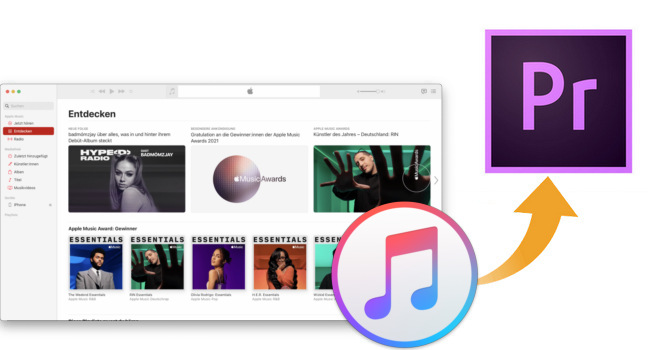
Apple Music songs can't be added to Premiere Pro directly. Tracks downloaded with an Apple Music subscription are DRM-protected, so Premiere Pro can't read them, even though it supports AAC, MP3, WAV and AIFF files.
The fix is to convert the songs to a plain audio file first. This guide shows how to do that with NoteBurner Apple Music Converter, then how to import Apple Music to Adobe Premiere Pro.
Tip: Songs purchased from the iTunes Store are generally DRM-free and don't need conversion. Download the DRM-free purchased track to your computer, then import it through File > Import.
Related Article: How to Add Spotify Music to Premiere Pro | How to Add YouTube Music to Premiere Pro
The powerful tool NoteBurner Apple Music Converter we talk above is specially developed to convert any protected Apple Music to MP3/AAC/FLAC/WAV/AIFF/ALAC format with high audio quality. Till now, NoteBurner earns its status as leading music converting software, thanks to its concise interface, stable working performance, and multiple built-in tools. To use Apple Music subscription tracks in Premiere Pro, download them with NoteBurner first.

The following is the detailed tutorial to guide you to record Apple Music songs and import them to your Premiere Pro software. Please download NoteBurner Apple Music Converter first before getting started.
Download and install NoteBurner Apple Music Converter on your Windows or Mac computer. Following we will take the Mac version as an example. It's suggested to choose the "Apple Music web player" source.
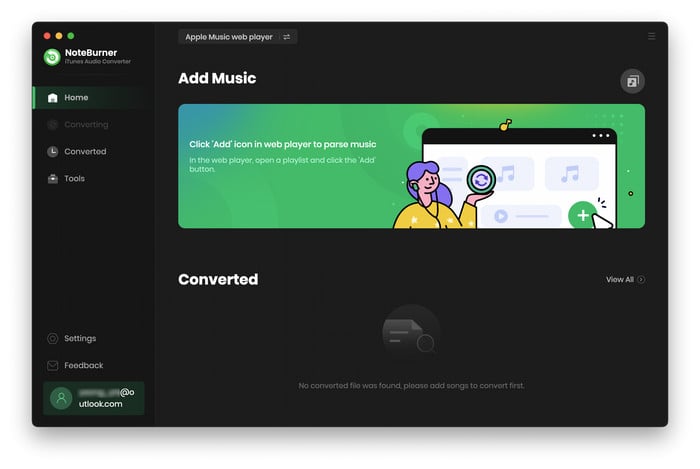
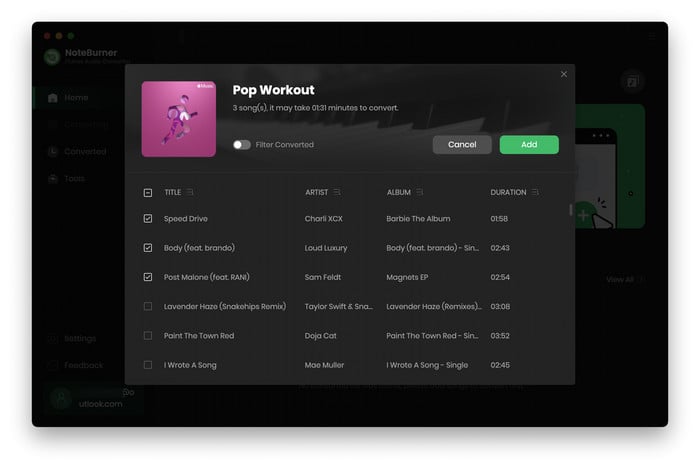
NoteBurner supports detecting music from the Apple Music web player. All you need to do is to open a playlist on it, then click the "Add" icon at bottom right. In the pop-up window, you will get your Apple Music playlist listed. Choose the audio you want to add to Premiere Pro and click "Add".
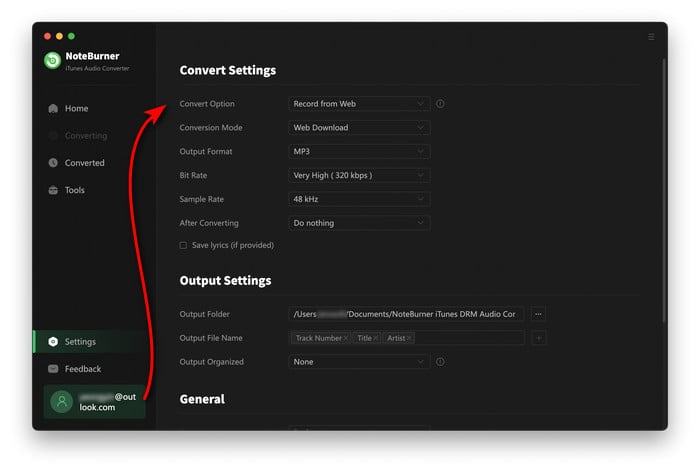
The next step is to click the "Settings" gear icon to select the different output settings you want, including Conversion Mode, Output Format, Bit Rate, Sample Rate, Output Folder, Output File Name, and so on. For Premiere Pro, choose WAV for editing or MP3 for smaller files. AAC and AIFF are also supported. FLAC and ALAC may not be supported by Premiere Pro.
When all the above steps have been completed, click the "Convert" button to let NoteBurner start saving the selected Apple Music tracks to your computer.
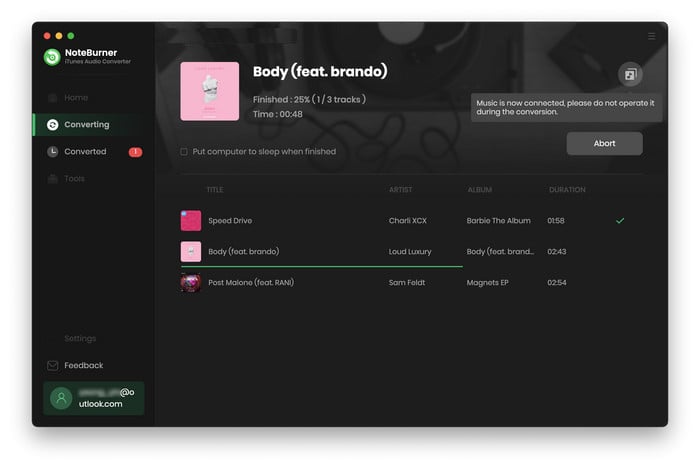
Now, all the Apple Music songs have been downloaded to your Mac. You can add them to Premiere Pro by following the steps below:
1. Open a video project on Premiere Pro, right-click the Project panel and click "Import" (or go to File > Import). Locate the downloaded Apple Music files and click "Import".
2. Then drag the song from the Project panel onto an audio track in the Timeline, below the video clip.
For more details to add audio to Premiere Pro, you can also refer to Add Audio and Music to A Video Project.
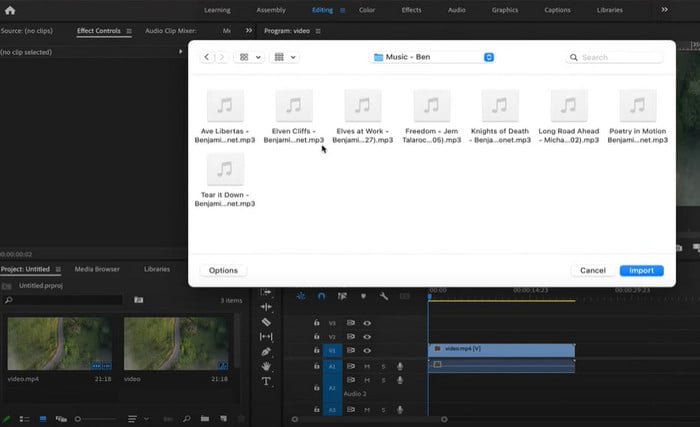
All done! Now you can pick a preferred Apple Music song and add it Premiere Pro sequence easily.
Apple Music downloads are DRM-protected, so you can't add them directly to video editors or other third-party apps. With NoteBurner Apple Music Converter, you can save them as regular MP3/AAC/WAV/AIFF audio files. After that, the converted files can be imported into Premiere Pro or other Adobe apps such as Adobe Audition and Adobe Express.
Tips: You can only convert the first 1 minute of each audio with the free trial version. Please buy the full version to unlock its limits.
 What's next? Download NoteBurner Apple Music Converter now!


One-stop music converter for Spotify, Apple Music, Amazon Music, TIDAL, YouTube Music, etc.

Convert Spotify songs, playlists, or podcasts to MP3, AAC, WAV, AIFF, FLAC, and ALAC format.

Convert Amazon Music to MP3, AAC, WAV, AIFF, FLAC, and ALAC, preserving quality up to Ultra HD.

Convert TIDAL songs at up to 10x faster speed with HiRes FLAC quality preserved.

Convert YouTube Music to MP3, AAC, WAV, AIFF, FLAC, and ALAC at up to 10X speed.

Convert Deezer HiFi Music to MP3, AAC, WAV, AIFF, FLAC, and ALAC at 10x faster speed.

Transfer playlist between Spotify, Apple Music, Amazon Music, YouTube Music, and more.