> Resources > Spotify Tips >
 By Annie Cale
Spotify's own downloads stay inside Spotify. They expire with your subscription, and they will not play on an MP3 player, a car stereo, or anything without the Spotify client installed. A Spotify Music Converter gets around that by saving tracks as ordinary audio files.
TuneFab is one of the better-known options. We tested it in August 2026 to see how the current version actually performs — conversion speed, output ceiling, trial limits, and whether it is still being maintained.
Quick verdict: TuneFab works, and the interface is easy to get along with. Two things to know before buying: it reads from the Spotify web player, so output tops out around 256 kbps no matter what you select in settings; and it averaged 16X in my test, not the advertised 35X. The standalone product has also been folded into TuneFab All-in-One — the v3 changelog stops at July 10, 2025. At $79.95/year for the Spotify module, it sits at the expensive end of this category.
Tested: TuneFab All-in-One v4.x, Spotify module, Windows 11, August 2026. 50-song playlist.
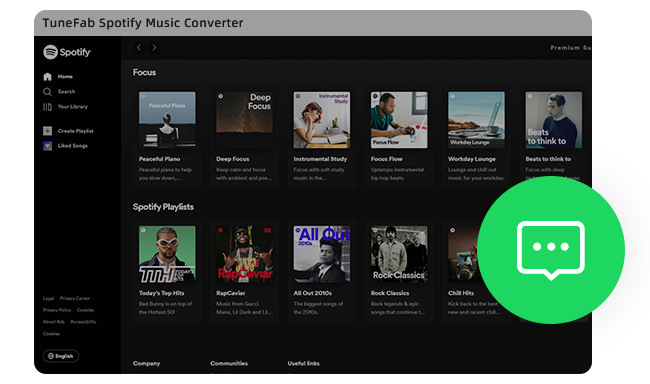
Spotify Free can't download tracks at all; Spotify Premium can, but those files stay locked inside the app and expire with your subscription. TuneFab Spotify Music Converter is one of several desktop tools that saves Spotify tracks as standard audio files instead. Here's how it holds up in practice.
This TuneFab tool allows you to convert Spotify songs, albums, and playlists to various formats like MP3, WAV, FLAC, AIFF, and M4A. Its user interface is easy to navigate, and you don't have to install a Spotify app for music conversion, which is convenient.
TuneFab is not free. The trial converts three complete audio files, after which a paid plan is required — $25.95/month, $79.95/year, or $99.95 for a lifetime license. Prices checked August 2026; TuneFab runs regional promotions, so confirm current figures on its own store page. Learn more about its main features below:
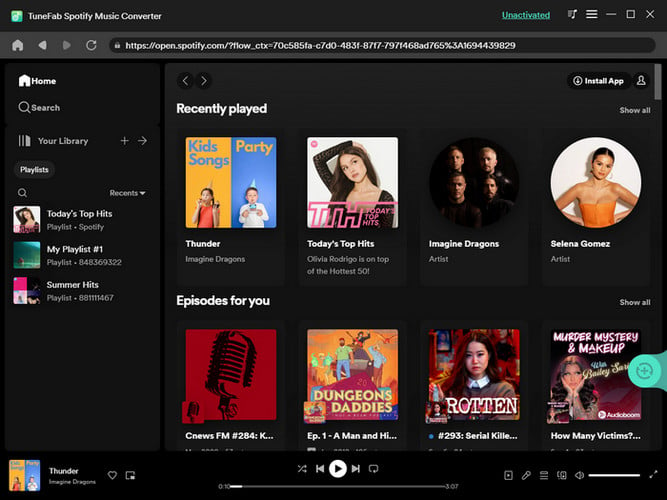

While some praise TuneFab's ability to convert Spotify music to various formats, others have doubts about its effectiveness. As with any software, there are pros and cons to using TuneFab Spotify Music Converter. As a result, here are some merits and demerits for TuneFab after our full test:
Not as a standalone product — the v3 changelog stops at July 10, 2025, and that installer is no longer offered. Its version history page lists nothing after that date. TuneFab's release notes date the changeover to November 2024: v3 kept receiving fixes for roughly eight more months, then stopped. Downloads now install All-in-One v4.x, covering Spotify, Apple Music, Amazon Music, Deezer, Pandora and YouTube Music, each service unlocked separately by license.
For Spotify Premium subscribers, streaming music at very high-quality output is a great perk of their subscription. However, TuneFab falls short in one critical area - unable to download Spotify songs at 320 kbps bit rate. Even though you have chosen 320 kbps on its settings window, theoretically, you can't get 320 kbps songs from the Spotify web player port.
While it is a disappointment for those who want the best quality music tracks, there's still a solution. NoteBurner Spotify Music Converter takes a different approach: it offers both web player and Spotify app as the download sources. Because the App source reads from the desktop client rather than the web player, it can output at 320 kbps. If bitrate is your deciding factor, that difference is worth a closer look.
Looking for 320 kbps high-quality music for your DJ? Come here and you'll get the detailed steps to download MP3s from Spotify at 320 kbps bitrates.
NoteBurner Spotify Music Converter is the closest alternative if 256 kbps is your sticking point. It reads from the Spotify desktop app instead of the web player, which is what makes 320 kbps output possible. It also runs $44.95/year against TuneFab's $79.95.
It doesn't matter whether you're on Spotify Free or Premium — NoteBurner works off whatever your account can already play, and writes it out as MP3, AAC, FLAC, WAV, AIFF or ALAC.
There's also a free toolbox — CD burning, One Drive upload, batch ID3 editing. Half of that won't matter to you. But if you're moving a few hundred songs rather than grabbing three for a road trip, it adds up.


When it comes to Spotify music downloaders, finding the right software can make all the difference. Here's the comparison list between NoteBurner and TuneFab.
| NoteBurner Spotify Music Converter
|
TuneFab Spotify Music Converter
|
|
| Price | $44.95/year | $79.95/year |
| Download Source | Spotify Web Player and Spotify App | Spotify Web Player |
| Output Format | MP3/AAC/FLAC/WAV/AIFF/ALAC | MP3/WAV/FLAC/AIFF/M4A |
| Output Quality | 320 kbps (app) / 256 kbps (web player) | 256kbps High Quality |
| Conversion Speed | 40X Speed | 35X advertised / 16X measured |
| Keep ID3 tags and Metadata | Title, Artist, Album, Artwork, Track number, Disc number, and Year | Title, Artist, Album, Artwork, Track number, etc |
| Batch Download |  |
|
| Classify by Artist/Album/Playlist | |
|
| Keep Original Music Order | |
|
| Free Toolbox | |
|
| Interface Languages | 48 | 13 |
| Support Platforms | Windows,macOS & Android | Windows & macOS |
| Free Trial | First 1 minute of every song | 3 complete files |
 Winner: NoteBurner Spotify Music Converter
When it comes to converting Spotify music, TuneFab Spotify Music Converter is a nice option to consider. The software boasts an easy-to-use operation, a concise interface, various output formats, and a smart output organization feature.
NoteBurner matches TuneFab on formats, batch downloading and metadata, then adds three things TuneFab doesn't have: a Spotify app download source (which is what makes 320 kbps output possible), an Android downloader included in the same license, and a free toolbox for CD burning and ID3 editing. On price, that works out to $44.95/year against TuneFab's $79.95/year — for two platforms instead of one. NoteBurner has been developing streaming audio tools since 2006.
Full disclosure: NoteBurner is our own product, which is why the test numbers and method are above rather than just a verdict.
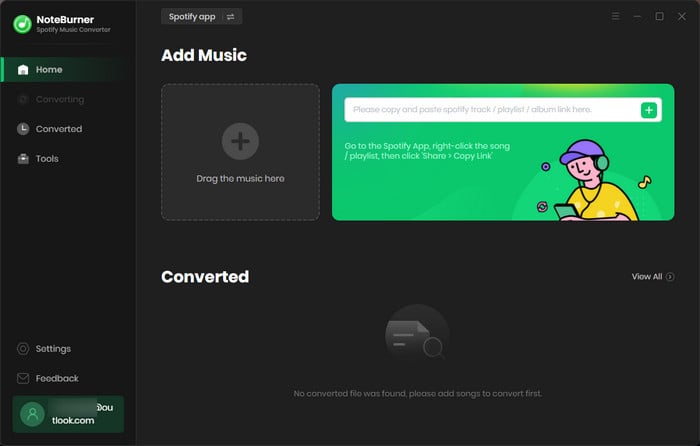
Note: The free trial version of NoteBurner Spotify Music Converter allows you to convert the first 1 minute of each song. You can buy the full version to unlock the limitation.