
 > Resources > Spotify Tips >
 By Annie Cale
DRmare Spotify Music Converter is one of the popular tools for downloading Spotify songs, playlists, and albums as local audio files. But is it really safe, reliable, and worth the price? In this DRmare Spotify Music Converter review, we'll take a closer look at its features, pricing, conversion performance, and potential Spotify account risks, combining our hands-on testing with real user experiences and reviews to help you decide whether it's worth using.
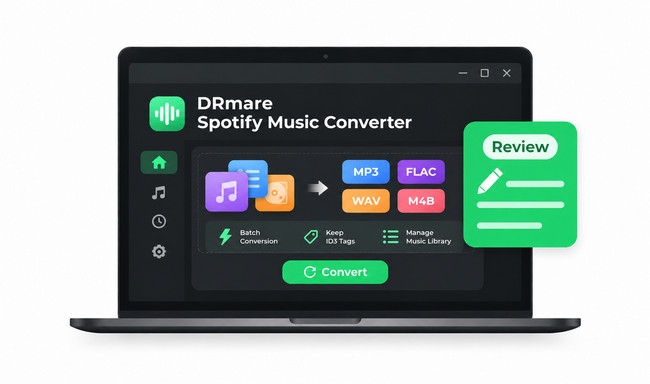
Our Verdict: DRmare Spotify Music Converter is a capable choice for saving Spotify songs, albums, and playlists as local audio files. In our tests, it successfully converted all tracks at around 9–10X speed, with most music metadata preserved.
✅ Best for: Users who want a desktop Spotify converter, need M4B output, or prefer a monthly subscription.
❌ Not ideal for: Users who want to convert music directly on Android, download Spotify videos, or prioritize faster batch conversion.
Worth comparing: If those limitations matter to you, NoteBurner Spotify Music Converter offers Android support, MP4 video downloads, and up to 40X advertised conversion speed. See how they compare »
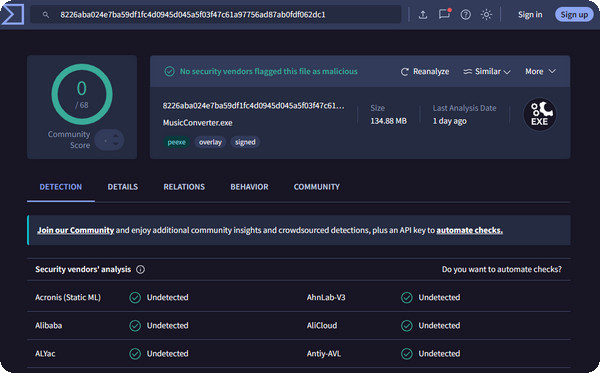
We scanned the installer for DRmare Spotify Music Converter using VirusTotal and found no security threats. This is a positive sign. We recommend downloading the software only from the official DRmare website.
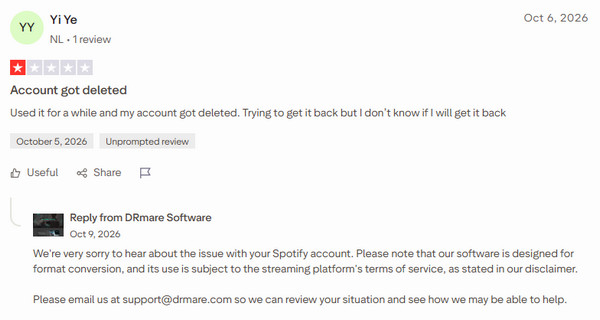
While many users report using DRmare without issues, there have been a few reports of Spotify account restrictions or deletions on Trustpilot. This suggests a potential account risk, although there is not enough evidence to determine how frequently it occurs.
For example, in an October 2026 Trustpilot review, one user reported losing access to their Spotify account after using DRmare. In response to a separate complaint, DRmare explained that Spotify's security system may sometimes flag unusual account activity.
The legality of using DRmare depends on your country's copyright laws and how you use the downloaded music. Spotify's User Guidelines prohibit unauthorized copying, recording, and downloading of its content. If you use DRmare, keep downloaded music for personal use only, and avoid commercial use or unauthorized distribution.
We tested DRmare Spotify Music Converter on a Windows 11 PC in November 2026. To evaluate its batch conversion performance, we used a Spotify Premium account with Lossless audio enabled and tested three playlists containing 12, 23, and 30 tracks. All tests were performed over the same network connection.
Here are the results from our tests:
| Test Item | Playlist 1 12 Tracks |
Playlist 2 23 Tracks |
Playlist 3 30 Tracks |
|---|---|---|---|
| Output Format | MP3 | FLAC | WAV |
| Conversion Time | About 4 min 30 sec | About 9 min 20 sec | About 13 min 30 sec |
| Average Speed | Around 10X | Around 10X | Around 9X |
| Bitrate | 320 kbps for 6/12 tracks; lower for the rest | Around 700–1,000 kbps | Around 1,000–1,500 kbps |
| Sample Rate / Bit Depth | 44.1 kHz | 44.1 kHz / 16-bit or 24-bit | 44.1 kHz / 16-bit or 24-bit |
| Conversion Success Rate | 100% (12/12) | 100% (23/23) | 100% (30/30) |
| ID3 Tags | Mostly preserved | Mostly preserved | Mostly preserved |
| Lyrics Files | Available for some tracks | Available for some tracks | Available for some tracks |
DRmare advertises conversion speeds of up to 15X. In our tests, the actual speed was around 10X. Keep in mind that conversion speed can vary depending on your computer, network connection, and playlist size.
We also checked the converted files with MediaInfo and inspected their ID3 tags, playlist order, file names, and lyrics. The results are listed above so you can see how DRmare performed beyond its advertised specifications.
Choosing FLAC as the output format does not automatically give you lossless audio. The output quality still depends on the original Spotify audio source.
If DRmare fails to log in or convert Spotify tracks, try these solutions first:
| Error or Issue | Possible Cause | Quick Fix |
|---|---|---|
| "Spotify is not installed" | An older version relied on the Spotify desktop app. | Update DRmare to the latest version, which includes a built-in Spotify web player. |
| Login or download failure | An outdated version may have compatibility issues. | Install the latest version. DRmare V4.1.1 addressed related issues. |
| Conversion stops midway | Network interruptions or playback activity in the built-in player. | Check your internet connection and avoid playing music in DRmare's built-in player during conversion. |
| Mac says the developer cannot be verified | macOS security settings may block the installer. | Download the installer from DRmare's official website. If the issue persists, contact support. Do not disable macOS security protection. |
When contacting DRmare support, include your software version and operating system details to help the team identify the problem.
We tested 9 Spotify downloaders for MP3 quality, speed, and playlist support. Compare free and paid tools to find the best 320 kbps options in 2026. Learn More →
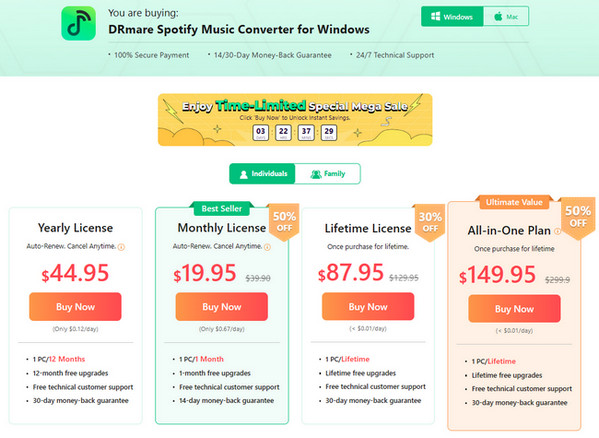
DRmare Spotify Music Converter is not completely free. It offers monthly, yearly, and lifetime licenses, with separate Individual and Family plans. Here's a breakdown of the pricing and trial limitations.
| Plan | Individual (1 PC/Mac) | Family (3 PCs/Macs) | Billing |
|---|---|---|---|
| Monthly | $19.95 | $29.95 | Auto-renewal |
| Yearly | $44.95 | $69.95 | Auto-renewal |
| Lifetime | $87.95 | Not available | One-time payment |
Note: Prices are in USD and may vary at checkout. Windows and Mac licenses are sold separately. Monthly and yearly plans renew automatically unless canceled.
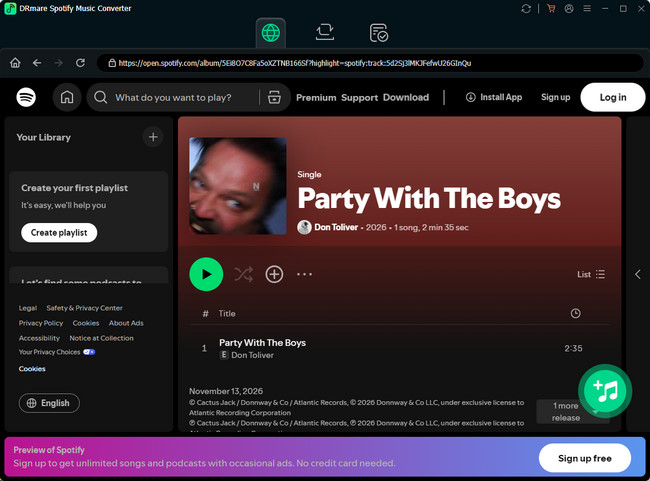
DRmare offers a free trial that lets you test Spotify song, album, and playlist conversion, but it only saves the first 30 seconds of each track. You can explore the built-in Spotify web player, output formats, and basic conversion process without purchasing a license.
We tested 12 free online Spotify playlist downloaders that still work in 2026. Compare 320kbps quality, batch download, speed & safety. Learn More →
DRmare receives generally positive feedback for its ease of use, conversion results, and responsive customer support. However, some users have reported Spotify account issues, activation problems, and dissatisfaction with purchases or refunds.
| Platform | Rating | Reviews | What to Know |
|---|---|---|---|
| Trustpilot | 4.5/5 | 336 | Covers all DRmare products, not just Spotify Converter. |
| Capterra | 4.3/5 | 6 | Spotify Converter-specific, but a small review sample. |
For example, Barbara Ciambellini praised DRmare's "ease of use" and responsive support on August 22, 2026. In contrast, a February 4, 2026 review by heegwon reported macOS compatibility problems and difficulty getting support. DRmare later responded that a refund had been processed.
Overall, DRmare receives positive feedback for its usability and customer service, though experiences with compatibility and after-sales support vary. It's worth testing the free trial before purchasing.
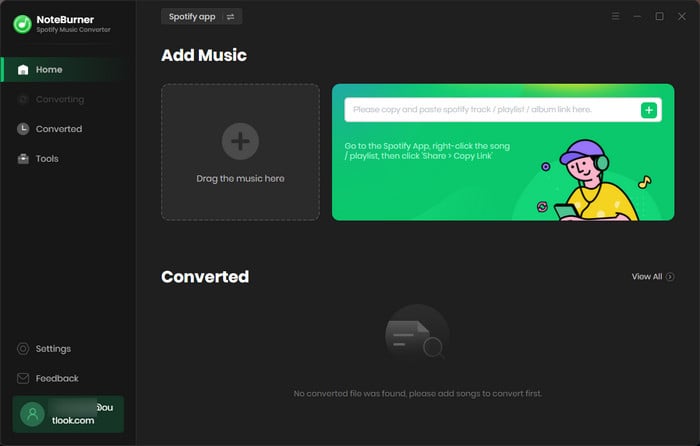
If DRmare doesn't fully meet your needs, NoteBurner Spotify Music Converter is another option worth considering. Both support batch Spotify music conversion and high-quality audio output, but they differ in device support, playlist organization, video downloads, and pricing.
| Feature | DRmare | NoteBurner |
|---|---|---|
| Compatibility | Windows 10/11, macOS 11–26 | Windows 8/8.1/10/11, macOS 11–26, Android 8.0+ (included with eligible Windows/Mac licenses) |
| Max Speed | Up to 15X | Up to 40X |
| Audio Formats | MP3, FLAC, WAV, AIFF, M4A, M4B | MP3, AAC (M4A), WAV, FLAC, AIFF, ALAC |
| Video Downloads | Not supported | Spotify music videos and video podcasts (MP4) |
| Audio Quality | Up to 24-bit/44.1 kHz; MP3 320 kbps | Up to 24-bit/44.1 kHz; MP3 320 kbps |
| Supported Content | Songs, playlists, albums, podcasts, audiobooks | Songs, playlists, albums, podcasts, audiobooks, radio |
| Music Organization | ID3 tags, lyrics, custom filenames, artist/album/playlist folders | ID3 tags, lyrics, playlist order, custom filenames, playlist/album/artist folders |
| Extra Tools | ID3 editor, library backup/restore, duplicate removal, playback speed control | Format converter, CD burner, ID3 editor, iTunes/Music export, library backup/restore, converted filter |
| Pricing | $19.95/month, $44.95/year, $87.95 lifetime | No monthly plan ;$44.95/year, $89.90 lifetime |
NoteBurner has several advantages for users who want more flexibility beyond basic Spotify-to-MP3 conversion:
DRmare still has advantages for certain users. Its $19.95 monthly plan is convenient if you only need a Spotify converter for a short project and don't want an annual subscription. It also supports M4B output, which may be preferable for users organizing audiobook files.
Add Spotify Songs
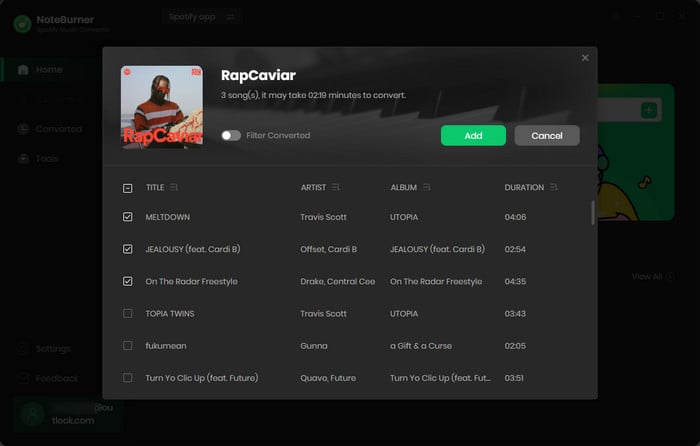
Open the Spotify playlist you want to save and click the Add button. Select the songs you want to convert.
Customize Settings
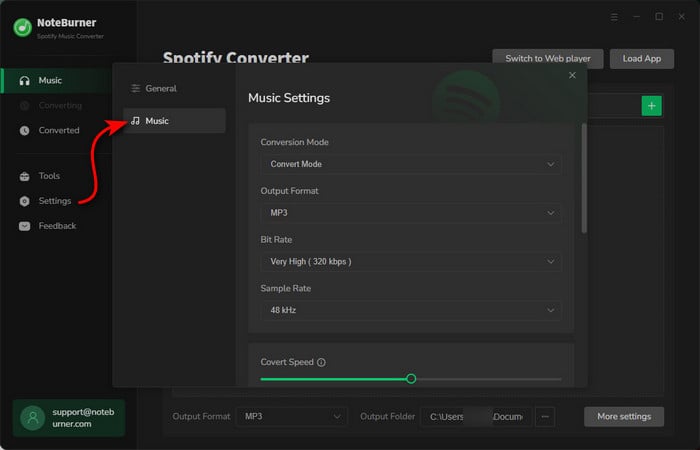
Open the Settings window and set the output format, output quality, output folder, and other preferences.
Start Downloading Music
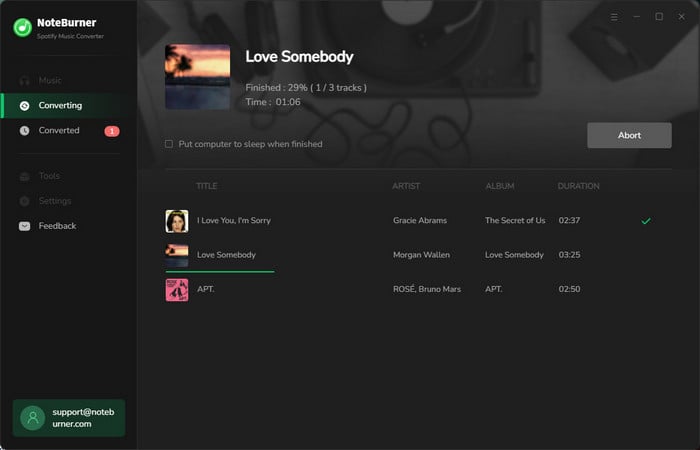
Click the "Convert" button to begin downloading. Once finished, go to the History section to find your downloaded files.
For a closer look at its features, performance, and limitations, read our full NoteBurner Spotify Music Converter review.

DRmare is generally safe to install when downloaded from its official website, and our VirusTotal scan found no threats. However, using third-party Spotify converters may carry account risks. See Part 1: Safety for details.
No. DRmare Spotify Music Converter is available for Windows and Mac, but not Android. If you want to convert Spotify music directly on your phone, NoteBurner offers an Android app included with eligible Windows or Mac licenses.
No. DRmare Spotify Music Converter supports audio output only. For Spotify music videos and video podcasts in MP4 format, you can consider NoteBurner Spotify Music Converter.
Not necessarily, but account restrictions are possible. A few Trustpilot users have reported Spotify account problems after using DRmare, although the exact causes are unclear. Read our account safety discussion before using it.
If you want a versatile Spotify music converter, NoteBurner Spotify Music Converter is a strong choice. It supports MP3 and FLAC downloads, preserves playlist order, works on Windows, Mac, and Android, and can even save Spotify music videos as MP4. With up to 40X conversion speed and a free trial, it's worth trying before you buy.
We hope this DRmare Spotify Music Converter review has helped you understand its safety, features, conversion speed, audio quality, pricing, and real user experiences. DRmare is a capable Spotify converter, but its limitations are worth considering before you buy.
If you're still deciding, our DRmare vs NoteBurner comparison offers another perspective. NoteBurner is worth trying if you want faster conversion, Android support, and more flexible music management. Ultimately, the right choice depends on your needs and budget.
Note: The free trial version of NoteBurner Spotify Music Converter allows you to convert the first 1 minute of each song. You can buy the full version to unlock the limitation.



