
Found a great podcast episode on Spotify during your commute, but couldn't play it through your car's USB or move it to another device? Worse yet, all those downloaded episodes vanish the moment your Premium subscription ends. Spotify has over 7 million podcast titles, but there's a catch: downloads only work inside the app. Even Premium users can't export episodes - especially when they want to download Spotify podcast to MP3, transfer them to another device, or save a long-form video show for offline viewing.
This is why many users look for a reliable Spotify podcast downloader that can save episodes as MP3 or MP4 files permanently. Whether you prefer audio-only shows or full video podcasts, the right tool lets you download and keep your favorite content outside the Spotify app without any limits. We tested 6 solutions for 2026, from free tools to professional software for Windows, Mac, Android, and web. Here's what actually works.
Spotify's built-in downloads keeps everything locked in the app; If you want permanent MP3 files, flexible playback, or the option to save video podcasts, third-party tools are the way to go.
We tested desktop apps, tools, browser extensions, and mobile apps to bring you the best Spotify podcast downloaders in 2026. Whether you’re after lossless quality, fast batch downloads, or completely free tools, you’ll find a suitable option below.

Official website: https://www.noteburner.com/sp-music-converter-windows.html
Recommend level: ⭐⭐⭐⭐⭐
Trustpilot Rating: 4.3 out of 5 stars (based on 360+ reviews)
Supported Output Formats: MP3, MP4, AAC, WAV, FLAC, AIFF, and ALAC.
👤 Best for: Professional users and podcast enthusiasts who want high quality + fast speed + batch downloads
NoteBurner Spotify Podcast Downloader is the most reliable option on the market. It downloads Spotify podcasts to MP3 at up to 40X speed while preserving original audio quality and metadata. Premium users can also save Spotify video podcasts to MP4 in 1080p, with lossless audio support available for select formats.
The tool connects directly to your Spotify library, so you can download full podcast series, video episodes, or selected clips in one go. Metadata such as titles, timestamps, descriptions, and artwork are all kept automatically.
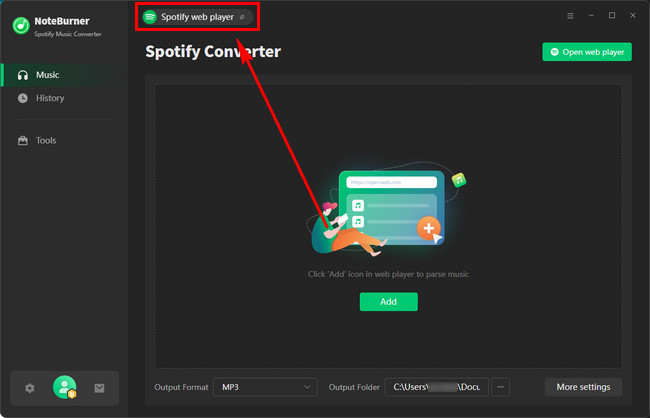
Step-by-step Tutorial: How to Download Spotify Podcasts to MP3 with NoteBurner
Step 1 Install and launch NoteBurner Spotify Podcast Downloader on your computer.
Step 2 Choose the "Spotify Web Player" source, and login to your Spotify account.
Step 3 Click "Settings" and choose MP3 format and quality (up to 320kbps).
Step 4 Open a Spotify video podcast and click on the "Add" icon in the lower right corner. Select the podcast episodes you want to download.
Note: If you check "Convert Video Podcasts to Audio" in the Add window, only audio will be output.
Step 5 Click "Convert" to start downloading Spotify video podcasts.
Step 6 Once finished, click History to find your downloaded MP3 podcasts in the output folder.
"I downloaded 12 episodes (around six hours total) and the process took about 40 minutes. Everything ran smoothly, and all files kept their 320kbps quality with complete metadata."
⭐ Real User Feedback "A 90-minute episode converted in just over ten minutes. Great quality."
– Sarah L. ✓ (Verified Purchase)Official website: https://www.noteburner.com/free-podcast-downloader.html
Recommend level: ⭐⭐⭐⭐⭐
Trustpilot Rating: 4.3 out of 5 stars (based on 360+ reviews)
Supported Output Formats: MP3 and MP4 for both audio and video podcasts.
👤 Best for: Users who need a free podcast downloader + Spotify episode downloader
NoteBurner Music One offers a rare advantage: a free podcast downloader. You can download podcasts in either MP3 or MP4 at no cost forever. Not only this, it also supports download podcasting from Spotify, Apple Music, Amazon Music, YouTube Music, SoundCloud, and more.
It’s ideal if you follow podcasts across multiple platforms and want one tool to handle everything.
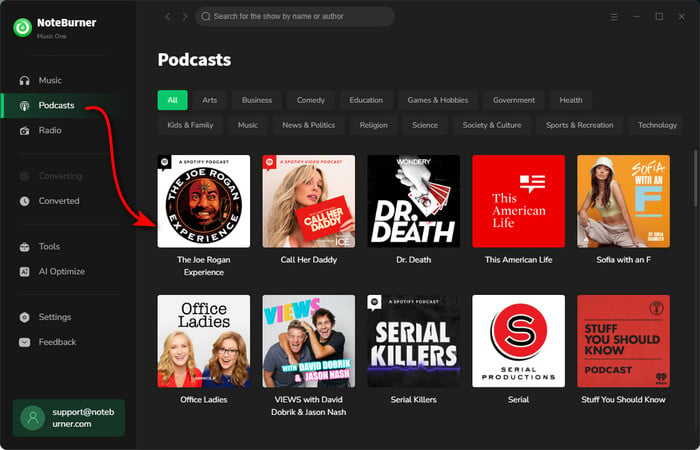
Step-by-step Tutorial:How to Download Podcasts for Free with NoteBurner Music One
Step 1 Install NoteBurner Music One on your Windows or Mac.
Step 2 Launch Music One and head to the Podcasts tab.
Step 3 Find or search for a podcast (or specific episodes) and click Download.
Step 4 Enjoy your podcasts offline anytime, anywhere.
For more details: Free Download Joe Rogan Podcast Full Episodes
Wouldn't it be great to enjoy your favorite video podcasts anytime, anywhere? This guide will not only show you how to watch video podcasts on Spotify, but also download podcasts from Spotify...
"A 2h58m episode converted to MP3 in just 15 seconds—the fastest performance I’ve seen. Metadata and artwork were preserved perfectly."
⭐ Real User Feedback "Super easy for beginners. I downloaded my first episode in seconds without adjusting a single setting."
– Chloe R.Official website: https://www.audacityteam.org/
Recommend level: ⭐⭐⭐⭐
Trustpilot Rating: 2.7 out of 5 stars (based on 14 reviews)
Supported Output Formats: MP3, WAV, and OGG
👤 Best for: Budget users willing to record manually
Audacity is a completely free, open-source audio recording software that captures Spotify podcast playback in real-time. While not a direct Spotify podcast extractor, it's a legitimate free alternative for budget-conscious users.
Audacity doesn’t directly extract Spotify podcasts, but it can record your system audio in real time, making it a free alternative for users who don’t mind manual work. It’s open-source, actively updated, and includes built-in editing tools.
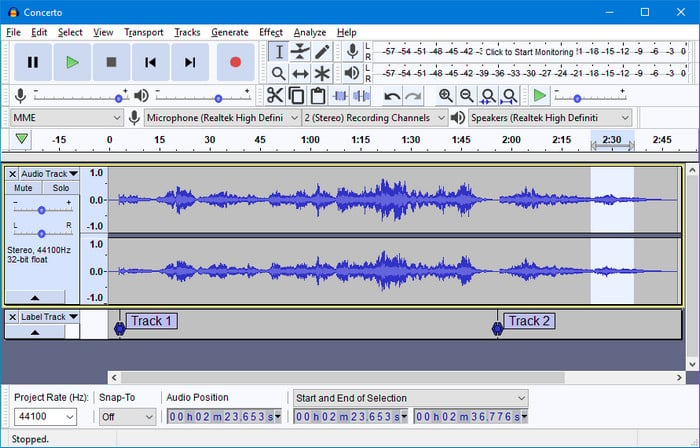
Step-by-step Tutorial: How to Use Audacity to Record Computer Audio to MP3?
"I recorded a 60-minute podcast. Output was clear, but trimming and tagging took extra time."
⭐ Real User Feedback "Works fine, but beginners may need time to learn it"
– Leo M.Official website: https://podcastmp3.com/
Recommend level: ⭐⭐⭐
Trustpilot Rating: 0 review
Supported Output Formats: MP3
👤 Best for: Great for users seeking a fast online Spotify podcast downloader.
Podcastmp3.com is a free online Spotify podcast converter that works without installing software. Perfect for quick downloads when you need just one or two episodes.
This web-based tool extracts audio from publicly accessible podcast episodes. Paste the Spotify episode link and download the MP3 within seconds.
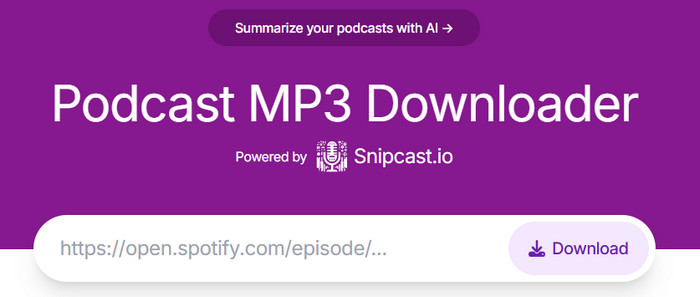
Step-by-step Tutorial: How to Download Spotify podcasts on podcastmp3.com
Step 1 Open Spotify and copy the episode link (three dots menu > Share > Copy Link).
Step 2 Go to podcastmp3.com in your browser.
Step 3 Paste the URL and click Download.
Step 4 Wait a few seconds for processing.
Step 5 Click the download button to save the MP3 file.
"A 58-minute episode processed in about five seconds. The MP3 download requires a couple of clicks, but overall it’s quick."
⭐ Real User Feedback "Good for one-off downloads, but not for full shows."
– Mira G.Official website: https://chromewebstore.google.com/detail/video-downloadhelper/lmjnegcaeklhafolokijcfjliaokphfk?hl=en
Recommend level: ⭐⭐⭐
Trustpilot Rating: 2.6 out of 5 stars (based on 19 reviews)
Supported Output Formats: MP3, MP4, M4A
👤 Best for: Useful for those needing a browser-based Spotify episode downloader without installing desktop software.
Video DownloadHelper detects media on webpages and lets you save both audio and video streams. When paired with the Spotify Web Player, it can capture both audio and video podcast streams as they play. A download button appears whenever media is detected, making it easy to save episodes with one click.
It also handles Spotify video podcasts reliably, allowing you to download full video episodes in MP4 format or extract audio-only files in MP3 or M4A format. This makes it a practical option for users who want to save Spotify podcast episodes for offline listening or personal use.
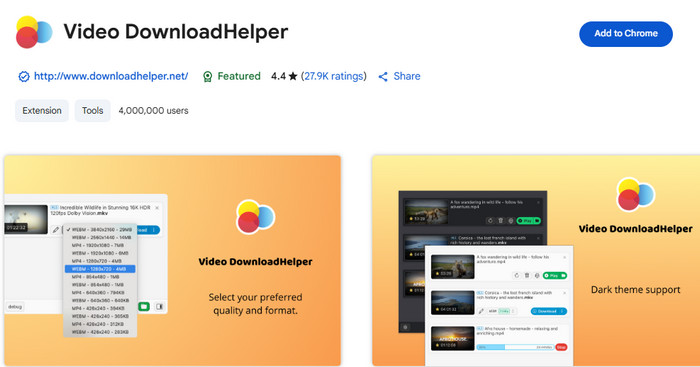
Step-by-step Tutorial: How to Download Spotify podcasts with Video DownloadHelper
Step 1 Install the Video DownloadHelper extension from your browser's store.
Step 2 Open Spotify Web Player and log in.
Step 3 Play the podcast episode you want to download.
Step 4 Click the animated Video DownloadHelper icon in your toolbar.
Step 5 Select the audio stream, choose MP3 format, and click Download.
"A 45-minute episode downloaded in under a minute. Some streams require merging or converting, but performance is solid overall."
⭐ Real User Feedback "Flexible, but you need to understand how media streams work."
– Henry L.Official website: https://play.google.com/store/apps/details?id=com.itunestoppodcastplayer.app
Recommend level: ⭐⭐
Trustpilot Rating: 3.7 out of 5 stars (based on 1 review)
Supported Output Formats: MP3
👤 Best for: Ideal for users wanting to download podcasts from Spotify directly on their Android phone.
Podcast Republic is an Android podcast app that supports downloading episodes from multiple sources, including Spotify. It offers a straightforward mobile experience for browsing, playing, and saving podcasts on your device. The interface is simple to use, making it easy to manage your subscriptions and offline episodes.
Episodes can also be exported as MP3 files, making them easy to transfer to other devices, or in cloud storage. For users who want a basic way to download Spotify podcasts on Android, Podcast Republic is a practical option.
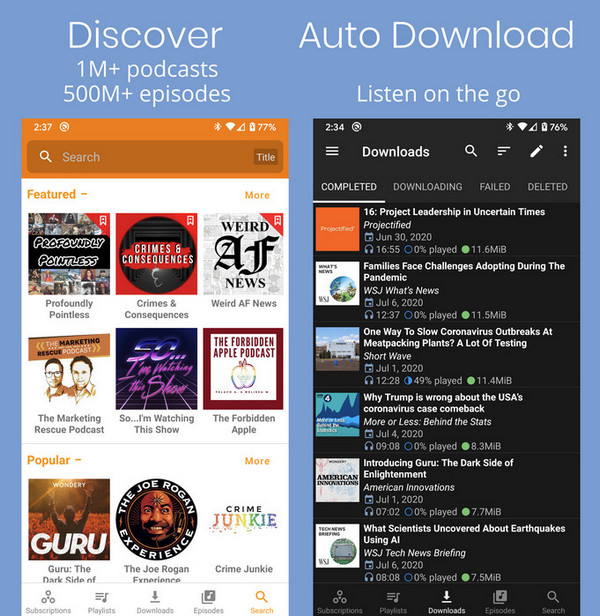
Step-by-step Tutorial: How to Download Spotify Podcasts on Android with Podcast Republic
Step 1 Install Podcast Republic from the Google Play Store.
Step 2 Search for your favorite Spotify podcast or import its RSS feed.
Step 3 Tap Download to save episodes offline.
Step 4 Use the export feature to convert them to MP3 format.
"Download five episodes smoothly. A 30-minute episode took under 20 seconds on Wi-Fi."
⭐ Real User Feedback "Fast downloads and a clean UI."
– Dustin M.Below is a comparison table highlighting key features of the top 6 Spotify Podcast Downloaders in 2026.
| Tool | Type | Output Format | Quality | Speed | Keep ID3 Tags | Batch Download | Platforms |
|---|---|---|---|---|---|---|---|
| NoteBurner Spotify Podcast Downloader | Desktop | MP3/MP4/AAC/WAV FLAC/AIFF/ALAC |
Lossless | ★★★★ | ✔️ | ✔️ | PC/Mac/Android |
| NoteBurner Music One | Desktop | MP3/MP4 | 320kbps | ★★★★★ | ✔️ | Partial | PC/Mac |
| Audacity | Recorder | MP3/M4A/OGG | Depends on setup | ★★ | ❌ | ❌ | PC/Mac/Linux |
| podcastmp3.com | Online | MP3 | 128kbps | ★★★ | ❌ | ❌ | Web |
| Video DownloadHelper | Extension | MP3, MP4, M4A | Variable | ★★★ | ❌ | Partial | Chrome/Firefox |
| Podcast Republic | Mobile App | MP3 | Up to 320kbps | ★★★ | ✔️ | ✔️ | Android |
Spotify's podcast ecosystem continues to grow, with millions of episodes across diverse categories. According to [Spotify's official podcast charts], here are the current top-trending podcasts in the United States — all of which you can download to MP3 in one click with NoteBurner Spotify Podcast Downloader.
By: Joe Rogan | Comedy, Culture, Society | ♫ Listen on Spotify♫
By: THEO VON | Comedy | ♫ Listen on Spotify♫
By: AUDIOCHUCK | True Crime | ♫ Listen on Spotify♫
By: SHAWN RYAN SHOW | True Crime | ♫ Listen on Spotify♫
By: TUCKER CARLSON NETWORK | News | ♫ Listen on Spotify♫
By: THE NEW YORK TIMES | Daily News | ♫ Listen on Spotify♫
By: FlightStory | Business | ♫ Listen on Spotify♫
By: NPR | Daily News | ♫ Listen on Spotify♫
By: THE RINGER | Comedy | ♫ Listen on Spotify♫
By: ARMCHAIR UMBRELLA | Comedy, Celebrities | ♫ Listen on Spotify♫
Yes, downloading for personal use is generally fine. Most podcasts are freely distributed content that creators want people to hear. However, avoid resharing or commercial use.
Yes! NoteBurner Music One offers a free podcast downloader that offers unlimited free podcast downloads. Audacity and online tools like podcastmp3.com also work, with limitations such as lower quality or manual steps.
MP3 is universally compatible. It works everywhere — smartphones, tablets, car stereos, and even ancient MP3 players. 128–192kbps is enough for most spoken content. Audiophiles may prefer 320kbps MP3 or FLAC. Just remember: higher quality = bigger files.
Yes. NoteBurner Spotify Podcast Downloader and Video DownloadHelper can save MP4 video episodes, or extract audio from them..
Yes, NoteBurner Spotify Podcast Downloader support batch downloads. Free tools typically do not.
Disclaimer: For personal/educational use only. 🚫 Do not distribute downloaded music/video for commercial use.
The right Spotify podcast downloader depends on your needs and budget. NoteBurner Spotify Podcast Downloader leads with 40X speed, multiple formats, and batch capabilities — ideal for serious podcast enthusiasts.
Budget users can choose Audacity for manual recording or podcastmp3.com for quick online downloads. NoteBurner Music One balances both with its free tier and multi-platform support. Whatever you choose, downloading Spotify podcasts to MP3 ensures permanent access, cross-platform compatibility, and unrestricted offline listening. Try NoteBurner's free trial today and experience professional-grade podcast downloading in minutes.
Note: The free trial version of NoteBurner Spotify Podcast Downloader is limited to convert the first 1 minute of each song. You can buy the full version to unlock the limitation.



