
Struggling to find a working and free tool to download Spotify music as WAV audio? The quest for lossless Spotify to WAV conversion actually ends here.
Spotify WAV is uncompressed, and it sounds better than MP3 with regard to the quality. But converting Spotify to WAV seems a plain job due to its proprietary format encryption. Thankfully, in this piece, we've tested and curated the top 7 Spotify to WAV converters, covering dedicated apps, free online tools, and even some open source options. Just check!
| NoteBurner | Apowersoft | Sidify | ConverterFactory | Online Audio Converter | Spytify | Spotify_Playlist_to_WAV_Folder | |
|---|---|---|---|---|---|---|---|
| Cost | Trial or $3.74/month (annual bill) | Free (web) / $29.9 (desktop) | Free | Free | Free | Free | Free |
| Compatibility | Windows, macOS, Android | Windows, macOS | Windows | Online browser | Online browser | Windows | Windows |
| Audio Formats | WAV, MP3, AAC, FLAC, AIFF, ALAC | WAV, MP3, WMA, OGG, AAC | WAV, MP3, AAC, FLAC, AIFF, ALAC | WAV | WAV, MP3, MP4, M4A, FLAC, OGG | WAV, MP3 | WAV |
| Download Speed | 🚀 Up to 40× | 1× recording | Standard | Standard | Standard | Standard | 1× recording |
| Batch Conversion | ✅ | ❌ | ✅ | ❌ | ❌ | ❌ | ❌ |
| Keep Lossless Quality | ✅ (Up to lossless 1411 kbps) |
❌ | ❌ (256 kbps) | ❌ | ✅ (320 kbps) | ❌ | ✅ (320 kbps) |
| Retain Metadata | ✅ (Fully kept) |
❌ | ✅ (watermarked) | ❌ | ❌ | ❌ | ❌ |
| No Ads | ✅ | ✅ | ✅ | ❌ | ❌ | ✅ | ✅ |
| Free Toolbox | ✅ | ✅ | ✅ | ❌ | ❌ | ❌ | ❌ |
| Recommendation | ⭐⭐⭐⭐⭐ | ⭐⭐⭐ | ⭐⭐⭐⭐ | ⭐⭐⭐ | ⭐⭐⭐ | ⭐⭐⭐ | ⭐⭐⭐ |
Now, let's get into the detailed analysis of various Spotify to WAV converters.
 Recommend: NoteBurner Spotify to WAV Converter [Lossless & Batch Output]
➡️ Website Link: https://www.noteburner.com/sp-music-converter-windows.html
💻 Availability: Windows PC, Mac, Android
🎯Why we like: Easily convert Spotify music to WAV in batches, with CD-quality output kept.
Ruputed as a specialized Spotify to WAV converter, NoteBurner Spotify Music Converter runs at a 40x conversion speed and downloads Spotify playlists, albums, and podcasts in batches.
Instead of plain conversion, it outputs Spotify WAV audio--while keeping up to Spotify Lossless sound quality. Beyond WAV, it converts Spotify music to MP3, FLAC, AIFF and the like, with full important metadata information retained. On top of that, music lovers are able to use the converted WAV files for DJing, mixing, and even editing directly with the built-in audiokit of NoteBurner.
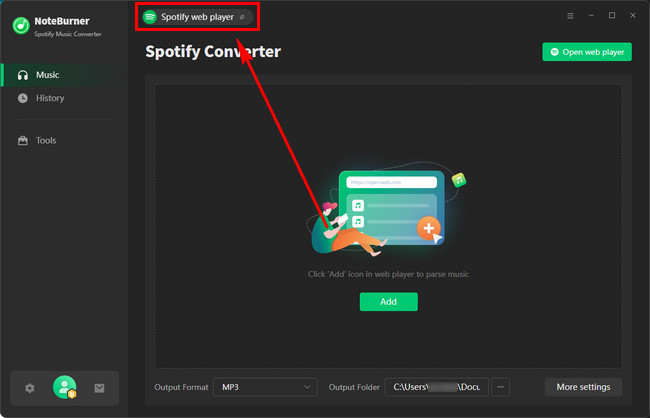
Step 1 Open NoteBurner on your desktop, and you'll need to choose whether you want to download albums from Spotify App or Spotify Web Player. Let's choose the "Spotify App" source for a try.
Step 2 Next, just click the gear icon at the lower left corner to get into the Setting window. Here you are able to select output format, output quality, output organization, and so on. Select "WAV" output format and "Record Mode" conversion mode at this step.
Step 3 On the Spotify app, open the playlist you want download to WAV, and click "Share > Copy Link". Then paste the Spotify music link to NoteBurner for loading songs.
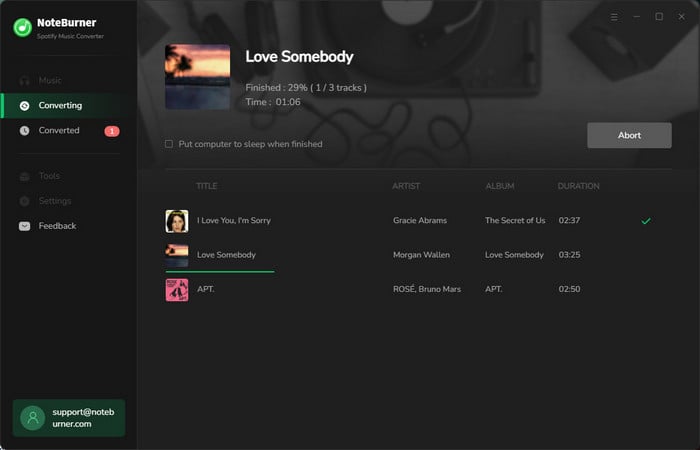
Step 4 In this step, you will just need to click the "Convert" button to start downloading your selected Spotify songs to local WAV.
Step 5 Once completed, go to the "History" tab, and click the "Folder" icon. Following that a window will show you all the Spotify WAV audio files.
The post collects the top 9 free Spotify to MP3 downloaders that are still working in 2026, making it easy to get Spotify MP3 songs in 320 kbps for offline listening.
➡️ Website Link: https://www.apowersoft.com/free-audio-recorder-online
💻 Availability: Windows PC, Mac
🎯Why we like: Save Spotify audio recordings as WAV in one click.
Apowersoft offers a free online audio recorder that can capture audio from Spotify. Built-in a simple voice recording option, the online version works by sharing the Spotify web player screen and then recording the live audio as MP3 files. However, for WAV and another audio output, you have to download its desktop app.
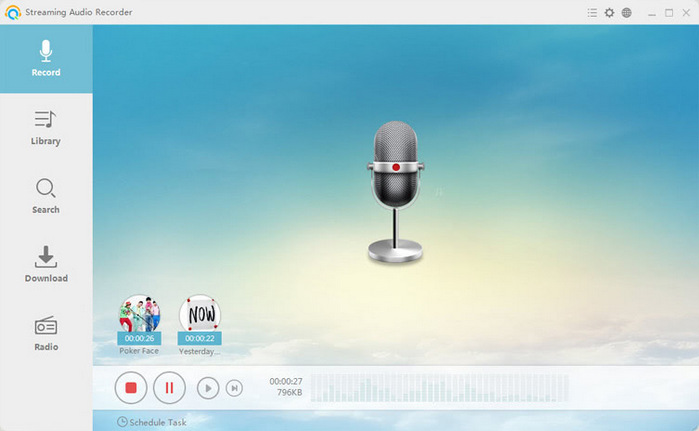
Step 1 Open the online recorder, then click "Start Recording."
Step 2 Check System Sound, then choose the Spotify web player to share with this recorder.
Step 3 Find or search for a podcast (or specific episodes) and click Download.
Step 4 Click Save to get the Spotify recordings locally.
Tips: Download the app if you want to save WAV files. Or, you can utilize a free format converter (like NoteBurner Format Converter) to transform the local recordings to WAV afterward.
Discover the ultimate solutions for unlocking the potential of your audio files and achieving seamless compatibility across all your digital devices.
➡️ Website Link: https://www.sidify.com/sidify-music-free/music-converter-free.html
💻 Availability: Windows PC
🎯Why we like: Download Spotify playlist as WAV on your PC at no cost.
It is freeware version of Sidify music converter, allowing users to convert tracks from Spotify to WAV and other common formats for free. Even when exporting Spotify music to your local computer, the artist and album artwork are preserved. But given that the converter extracts Spotify audio from YouTube source, the output quality may not as high as expected.
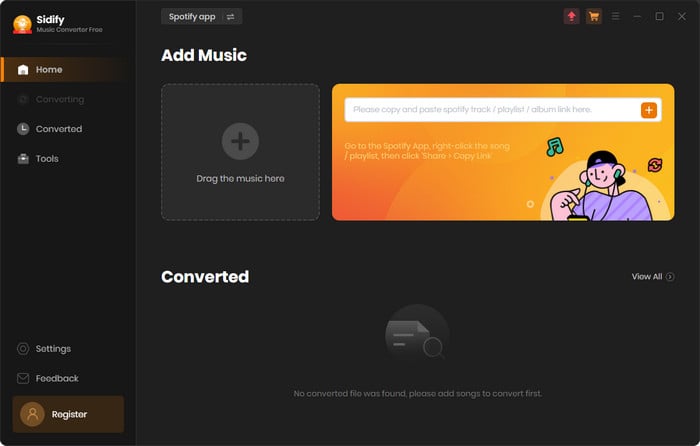
Step 1 Get the free app on your PC, then launch it.
Step 2 Sign in your Spotify account, then open your track and playlist. Click the add button to load the music to the converter.
Step 3 Open Settings and choose WAV output format.
Step 4 Hit Convert to activate the download process. Once completed, you can go to Histroy to view all Spotify WAV downloads.
This article will show you the best 10+ Spotify to MP3 converter FREE, pick up the one that suits you most.
➡️ Website Link: https://converterfactory.com/spotify-to-wav
💻 Availability: Online browser (Windows, macOS, iOS, Android)
🎯Why we like: Free online Spotify to WAV conversion with no software setup
This web-based Spotify to WAV converter is capable of extracting the Spotify URL and downloading it as WAV files-totally free of charge. The workflow is also simple and beginner-friendly. You just access it online via the browser and let it get the job done, without installating specific apps.
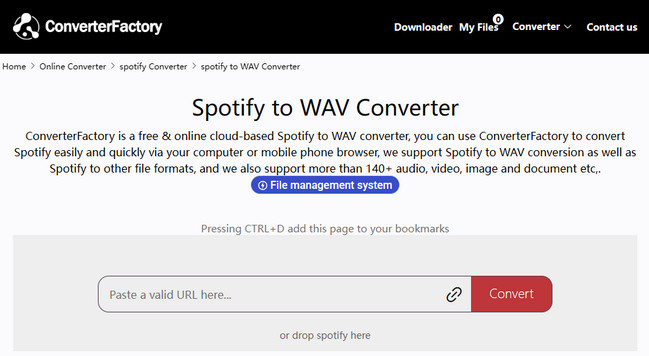
Step 1 Get the Spotify download URL, and paste it into the search field of this converter.
Step 2 Click the Convert button. When the conversion is ready, click "Download" button to save Spotify WAV file to your device.
🚀Pro tips: Want to download Spotify playlists to lossless WAV without Spotify Premium? Go for NoteBurner Spotify to WAV Converter.
➡️ Website Link: https://online-audio-converter.com/
💻 Availability: Online browser (Windows, macOS, iOS, Android)
🎯Why we like: Convert Spotify files to WAV online, without setup efforts.
An online, browser-based tool for users who want to get Spotify to WAV conversion. It has the ability to upload the local Spotify audio file, choose the output quality range from 64 kbps to 320 kbps, and then transform the original files to the desired format. Additionally, advanced settings, including bitrate, reverse, fade-in, and fade-out, can be flexibly tweaked to your needs.
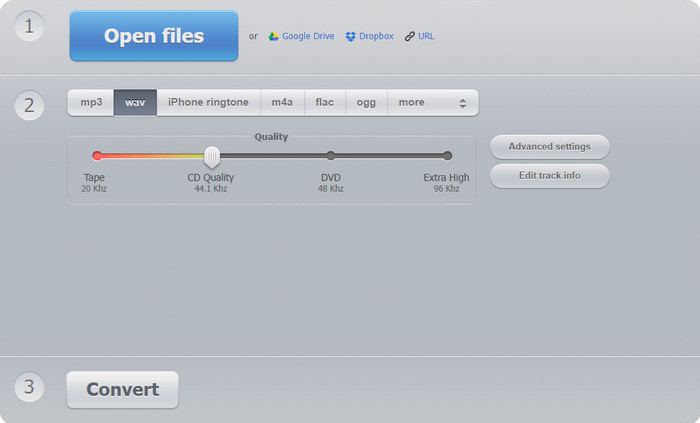
Step 1 Upload files from the local folder, Google Drive, or Dropbox. (Uploading via pasting the audio file URL is also supported.)
Step 2 Choose WAV as the format. You can also adjust quality and advanced settings.
Step 3 Click the Convert button to start the conversion. The imported Spotify audio files will be converted as WAV later.
➡️ Website Link: https://github.com/jwallet/spy-spotify
💻 Availability: Windows PC
🎯Why we like: Record Spotify music as WAV files with metadata.
Spytify (Spy-Spotify) is referred to as an open-source Spotify downloader on GitHub. When you run it as a Spotify to WAV ripper, it records the playback audio of the Spotify desktop app and outputs it as a local MP3 or WAV without payment. Since it is Python-coded, the setup can be more complex than standard desktop Spotify converters.
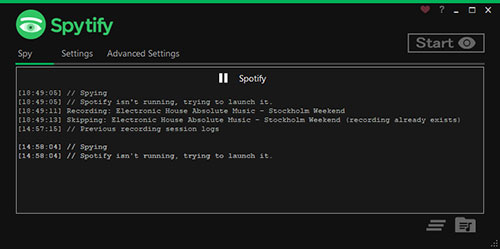
Step 1 Download it from the GitHub page.
Step 2 Open the Settings, and choose WAV audio format and other output parameters.
Step 3 Play the track on the Spotify app, then start recording the audio streams simultaneously.
➡️ Website Link: https://github.com/DavidAlexanderMoe/Spotify_and_SoundCloud_Playlist_to_WAV_Folder
💻 Availability: Windows PC
🎯Why we like: Export playlists from Spotify Premium without sacrificing the audio quality.
This tool is another open-source solution for ripping Spotify audio to WAV files. It is much of a Python script that downloads playlists from Spotify and SoundCloud to high-quality WAV files. It typically searches and matches audio from YouTube using the API. Users are allowed to download Spotify playlists in batches while retaining key ID3 tags.
Step 1 Install Python dependencies from the GitHub repository and enter API credentials..
Step 2 Input your favorite Spotify playlist URL to run the script. Then this tool will fetch tracks and convert each audio to WAV.
Step 3 Once finished, you can see all WAV tracks in the designated output folder.
Read this article for the best free SoundCloud playlist to MP3 downloaders in 2026.
Not 100% safe. Some free Spotify to WAV converters may not be safe or stable, and they may spam users with ads and other risks. Before utilizing these Spotify downloading programs, it's a good idea to find out what other users rate them and how well they work.
Yes. Use a simple program like NoteBurner Spotify songs Converter to download songs or playlists from Spotify as WAV files, even if you have a free Spotify account.
It depends. A portion of free Spotify converters only do basic WAV conversions. To get the superior WAV output, you need a dedicated Spotify to WAV converter. Also, a Spotify Premium account is vital to make the output truely lossless.
Disclaimer: For personal/educational use only. 🚫 Do not distribute downloaded music/video for commercial use.
The review has conducted a full evaluation of various Spotify to WAV converters and enlightened you on how to get Spotify WAV audio files. By picking your desired downloader tool, you'll find it's convenient to make your DJ mixes, video projects, and your own lossless Spotify music collection for offline listening.
Simply put, if you just want something simple to save Spotify songs as WAV files, the mentioned free tools will get the job done. But if you're after something faster, more stable, and capable of downloading Spotify music in bulk with CD-quality sound, then NoteBurner Spotify Music Downloader is a no-brainer.
Note: The free trial version of NoteBurner Spotify to WAV Converter is limited to convert the first 1 minute of each song. You can buy the full version to unlock the limitation.



