
When Spotify album art doesn’t show or download, the issue is usually not the song itself. It’s often caused by cache problems, app settings, network restrictions, or broken metadata, especially on the desktop app, where album covers may fail to load, appear blank, or refuse to download. In this guide, we’ll explain the common reasons behind missing Spotify album art and share clear fixes for desktop and mobile devices, ensuring that every song in your Spotify music library displays the correct album cover.

Spotify uses cached data to load album covers faster. When this cache gets corrupted or too old, album art may stop showing or fail to download.
A weak internet connection, network restrictions, or Offline Mode can prevent Spotify from loading album covers. Even if songs play normally, images may not load in the background.
Temporary Spotify server issues can cause album art to disappear or not load properly for some users.
If song metadata is missing, damaged, or mismatched, especially for local files, Spotify may not know which image to display.
Using an outdated version of Spotify can lead to display issues. Older versions may not fully support newer system updates.
Album art needs a stable connection to load properly. Even if songs play normally, Spotify may block image loading when the network is unstable or restricted.
Try this: (click to show details)
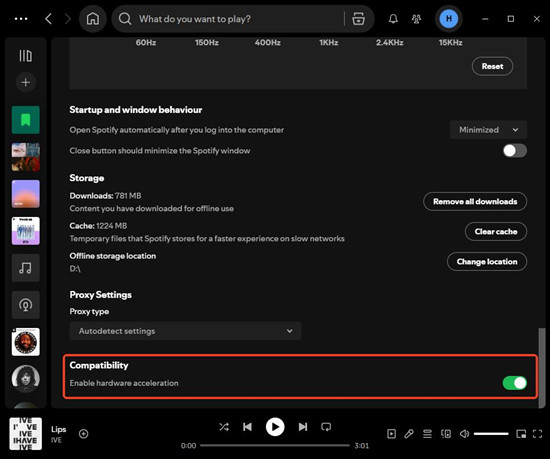
Hardware acceleration can sometimes cause display issues in the Spotify desktop app, especially on Windows systems or after driver updates. When this happens, album art may fail to load or appear blank.
Try this: (click to show details)
Checking the same album on another device helps you quickly tell whether the issue is account-related or limited to one device.
Try this: (click to show details)
A quick restart can refresh Spotify’s background processes and reload album artwork that failed to load the first time.
Try this: (click to show details)
Read this guide to get the simplest way to save your favorite album from Spotify to your PC forever. Learn More →
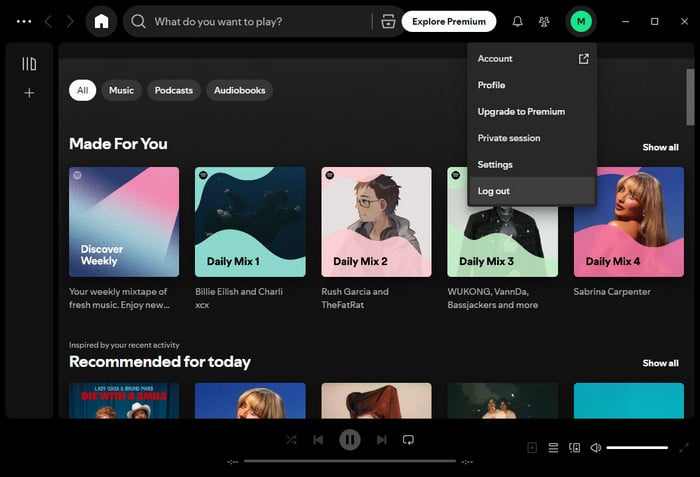
Logging out and signing back in forces Spotify to resync your account data. This often fixes album art issues caused by sync errors or temporary account glitches.
Desktop (Windows & Mac) Try this: (click to show details)
Mobile (Android & iOS) Try this: (click to show details)
Clearing the cache removes temporary files that Spotify uses to load album art. When these files become corrupted or outdated, album covers may stop showing or fail to download. This fix solves the issue in a large number of cases.
Desktop (Windows & Mac) Try this: (click to show details)
Mobile (Android & iOS) Try this: (click to show details)
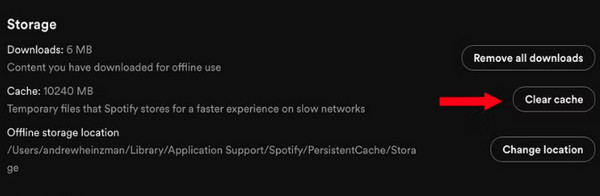
Spotify needs enough free storage space to download and display album art. When your device is low on space, cover images may fail to load or download—even if music playback still works.
Desktop (Windows & Mac) Try this: (click to show details)
Mobile (Android & iOS) Try this: (click to show details)
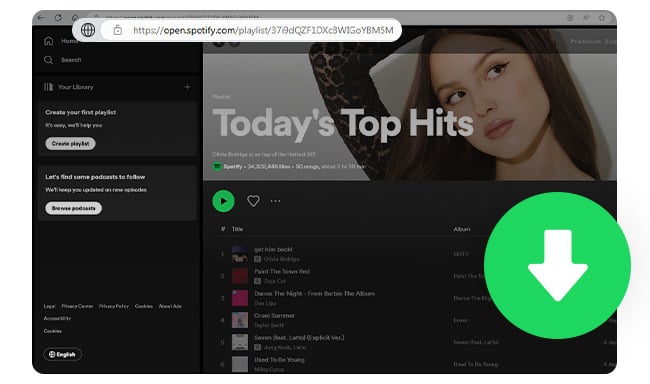
Here are some free online Spotify Music to MP3 Converters that are still usable. And you'll also get a Spotify playlist downloader that supports 320 kbps output.
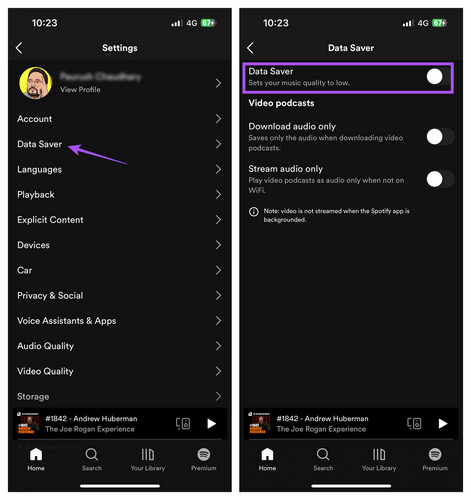
Spotify’s Data Saver feature can limit how much data the app uses, which sometimes prevents album art from loading properly. Turning it off ensures the app can use full bandwidth and display all album covers.
Try this: (click to show details)
Using an outdated version of Spotify can cause album art to stop showing or display incorrectly. Updating ensures you have the latest bug fixes and compatibility improvements.
Desktop (Windows & Mac) Try this: (click to show details)
Mobile (Android & iOS) Try this: (click to show details)
If all other troubleshooting steps fail, performing a clean uninstall and reinstall of Spotify can fix persistent album art issues. This ensures that corrupted app files or settings are completely removed before reinstalling the latest version.
Desktop (Windows & Mac) Try this: (click to show details)
Mobile (Android & iOS) Try this: (click to show details)
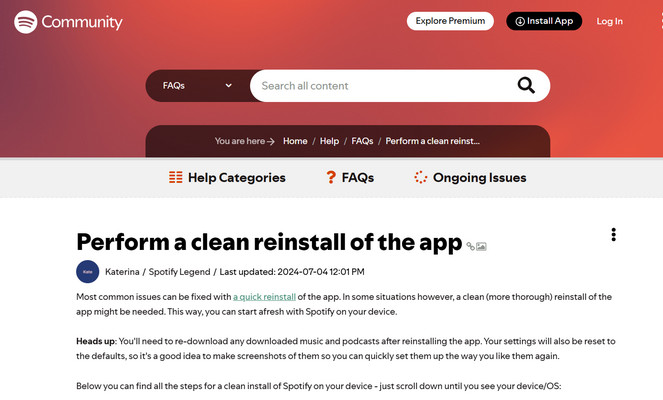
Most common issues can be fixed with a quick reinstall of the app. In some situations, however, a clean (more thorough) reinstall of the app might help.
If album art is missing only for Spotify local files, the cause is usually the audio file itself. Spotify does not download album artwork for local files. Instead, it reads the album cover from the file’s embedded metadata. Here are the most effective fixes:
Spotify only supports certain local file formats. Unsupported, restricted, or corrupted files may play but fail to show album art.
Supported formats: MP3, M4A (non-DRM), FLAC, WAV
Try this: (click to show details)
Spotify can only display album art for local files if the image is embedded inside the audio file.
Try this: (click to show details)
Spotify may not automatically refresh local file metadata after changes.
Try this: (click to show details)
If album art appears on desktop but not on mobile, the issue is usually syncing-related.
Make sure that: (click to show details)
What is a Telegram Spotify bot? This article explains everything you need to know and shows you how to use these bots to download Spotify music for free!
Instead of fixing missing album art after downloading, it’s easier to prevent the problem from the start. Using a tool designed to keep album artwork intact can save a lot of time.
With NoteBurner Spotify Music Converter, you can convert Spotify songs and albums to MP3, AAC (.m4a), WAV, FLAC, AIFF, or ALAC, download albums in batch at up to 40× faster speed, and preserve full metadata including artist, album, track number, cover art, and lyric files. It also includes built-in tools like an ID3 tag editor and audio converter, making it easy to organize and manage your Spotify music library offline.


Add Spotify Album
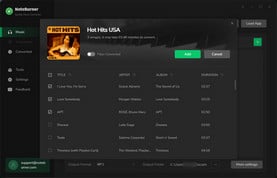
Click the "Add" button in the top-right corner of the interface to add the Spotify album you want to download to NoteBurner.
Set the Output Format
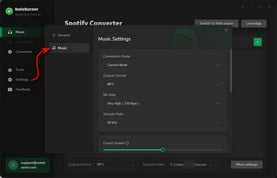
Go to the NoteBurner "Settings" menu by clicking a gear icon at the lower left corner. Choose MP3 as the output format.
Get Spotify Album Downloads
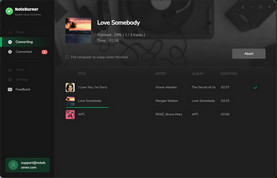
Click the "Convert" button to convert the Spotify album quickly. After conversion, you can click the "History" button to find the MP3 files.
Disclaimer: For personal/educational use only. 🚫 Do not distribute downloaded music/video for commercial use.
To avoid album art issues in the future, a few simple habits can make a big difference:
By following the steps in this guide, you should be able to recover your missing album artwork and enjoy a smooth Spotify experience across your desktop, mobile devices, and local files. Generally, maintaining a good internet connection, regularly updating the application, and keeping your metadata organized will prevent this problem from recurring. Furthermore, using reliable tools to manage and download your music is one of the best ways to prevent these issues from happening again.
Note: The free trial version of NoteBurner Spotify Music Converter allows you to convert the first 1 minute of each song. You can buy the full version to unlock this limitation and enable all its features.



