To many music lovers, having access to lyrics is just as important as the melody and rhythm of a track. Undoubtedly, Amazon Music has made it easy for you to access lyrics for millions of songs. The satisfaction of knowing the lyrics to your beloved tune word for word is an unmatched feeling that keeps coming back for more. Wonder how to show or download lyrics for Amazon Music tracks? The following content will answer your question.
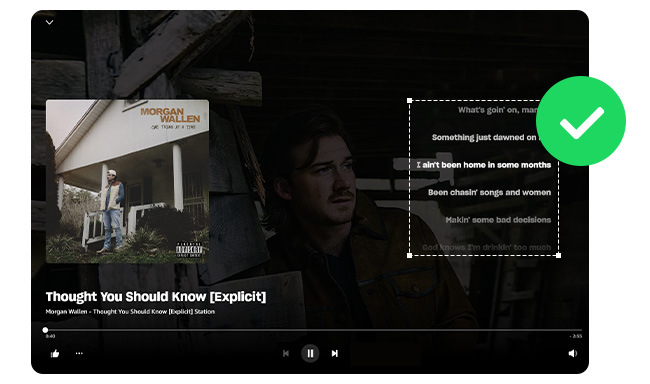
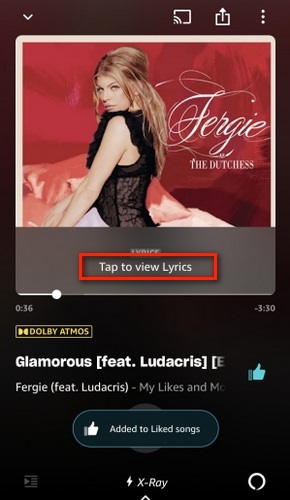
For those who enjoy singing along to their favorite songs but struggle to remember all the lyrics, Amazon Music has made it easy to access the words right from its Android/iPhone app. Here's how:
Step 1 Open Amazon Music app on your Android or iOS device, then start to play a music song.
Step 2 To view the lyrics, simply click the "Tap to view Lyrics" option or "Lyrics" located under the song cover art on the Now Playing screen.
Then, you will find the lyrics will automatically scroll in time with the playing music. This feature is available to all Amazon Music listeners at no additional cost.
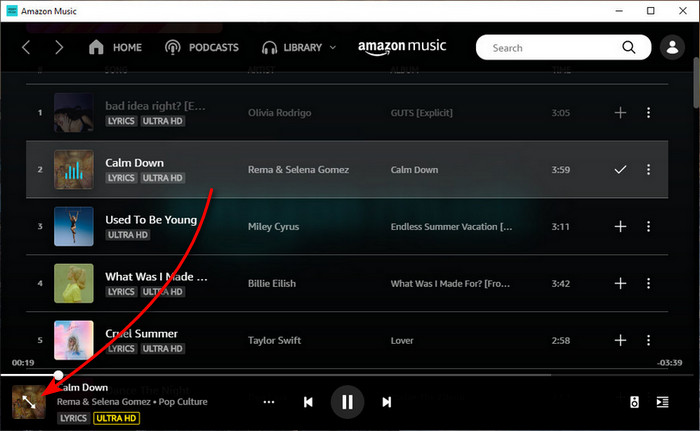
With the Amazon Music Windows or Mac Desktop app, it's also easy to access the lyrics and sing along to your heart's content. Before getting starting, make sure you're using the latest version of Amazon Music app.
Step 1 Open the Amazon Music app on computer and select a song to play.
Step 2 On the bottom control bar, click on the cover art icon.
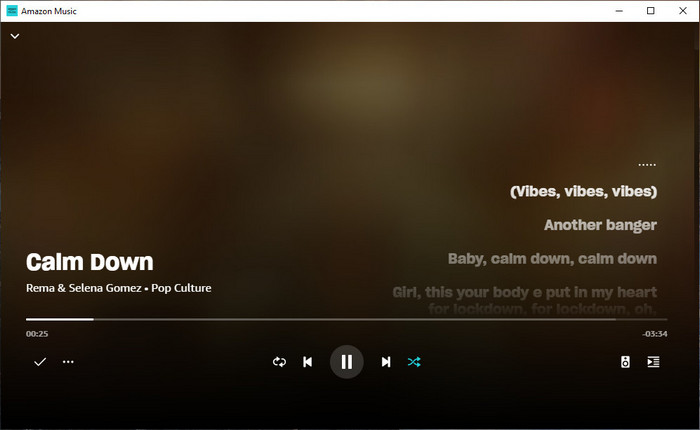
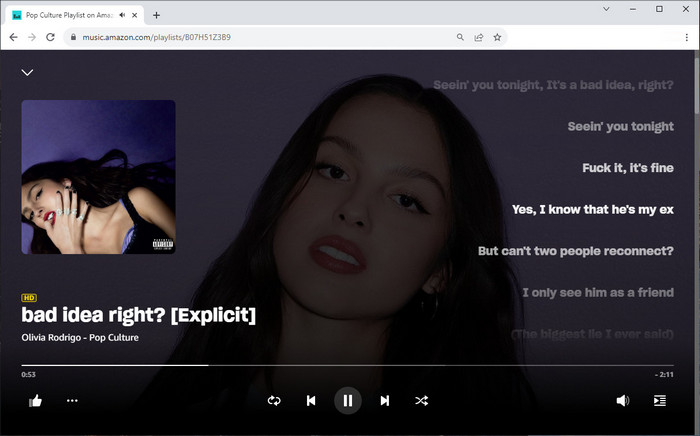
Then there's an expanded window showing the lyrics.
Didn't install an Amazon Music app? Fear not, because Amazon Music Web Player also allows you to easily view the lyrics to any song.
Step 1Open a web browser, then go to Amazon Music web player site and log into your music account.
Step 2 Play the song you want to see the lyrics for and click on the artwork at the bottom left.
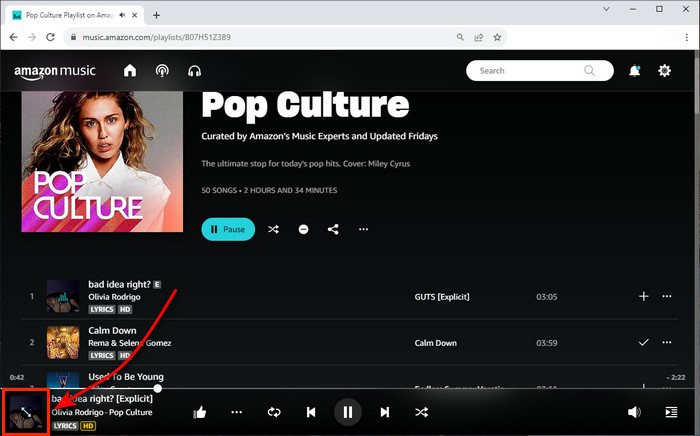
Step 3 Following that a window will show you the rolling lyrics.
Though Amazon Music itself doesn't offer the capability to extract lyric files from its music tracks, there's an additional tool available for this purpose - NoteBurner Amazon Music Lyric Downloader.
NoteBurner Amazon Music Lyric Downloader, also referred to as NoteBurner Amazon Music Converter, is a specialized tool designed for downloading Amazon Music tracks or podcasts to plain audio formats like MP3, AAC, FLAC, WAV, AIFF, or ALAC. It will also retain the lyrics as lyc/txt files in an automated manner.
Moreover, this NoteBurner application has the capability to process Amazon Music playlists, enabling users to download entire playlists in bulk at a remarkably accelerated speed of 10 times faster. Even during the downloading process, the NoteBurner software can be minimized to the computer's background, allowing you to perform other tasks simultaneously.


Also want to download videos from Amazon Prime? Check this NoteBurner Amazon Video Downloader to get all Amazon movies and series to MP4.
The next content is showing you how to use NoteBurner to download lyrics from Amazon Music, and also save your Amazon Music tracks in MP3 format. The program works perfectly on Windows 7-11 and macOS 11-26 system. Please download it on your computer firstly. The following will take the Mac version as an example to show you how it works.
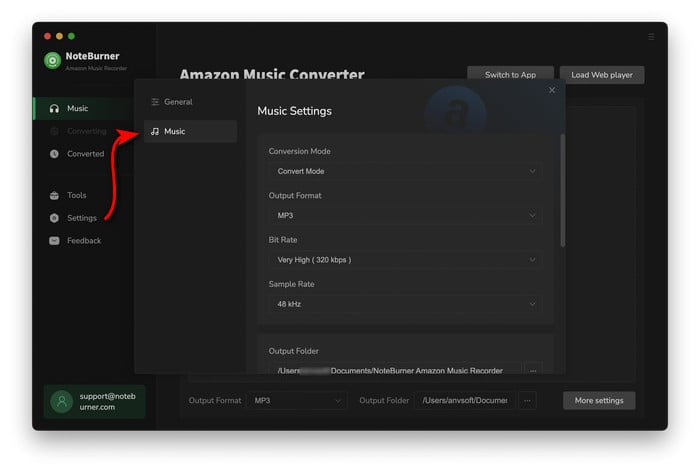
Click the "Settings" button at the lower left corner, where you'll be able to customize the output quality, output file name, output path, and so on. Here please choose "MP3" as the output format, and also tick on the option of "Save lyrics (if provided)".
Note: The Lyric Download Feature is avaliable when you select "Intelligent Mode" and "Web Download" only.
On the web player window, you're ganna to choose a playlist, album or podcast and open it. Then at the bottom right, click the "Add" icon.
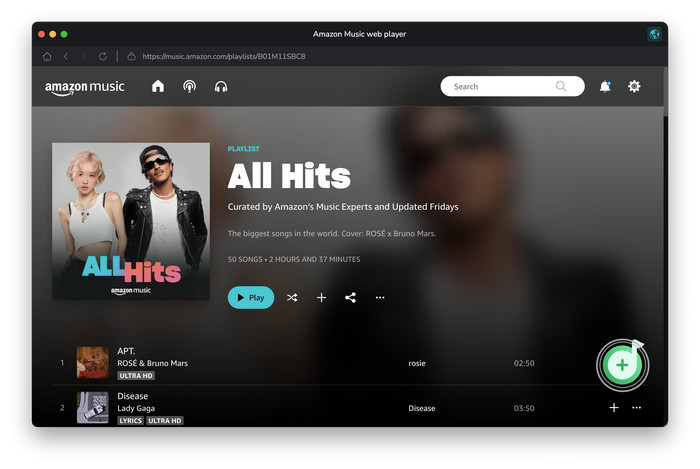
Select the music tracks you want to export the lyric files, and click "Add" to import them to NoteBurner.
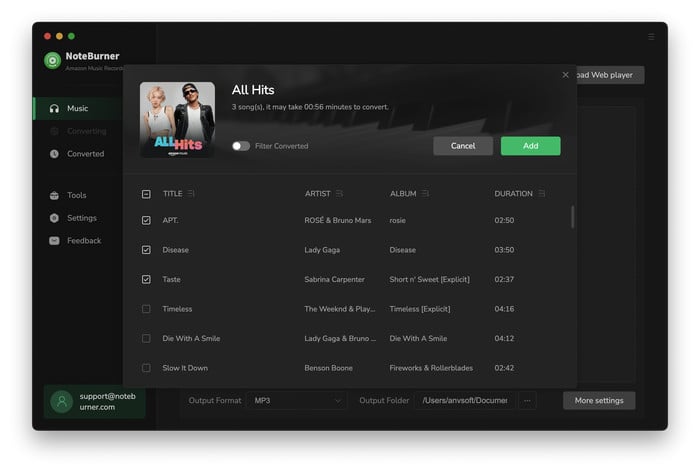
The next step is just to click the "Convert" button to start downloading Amazon Music lyrics.
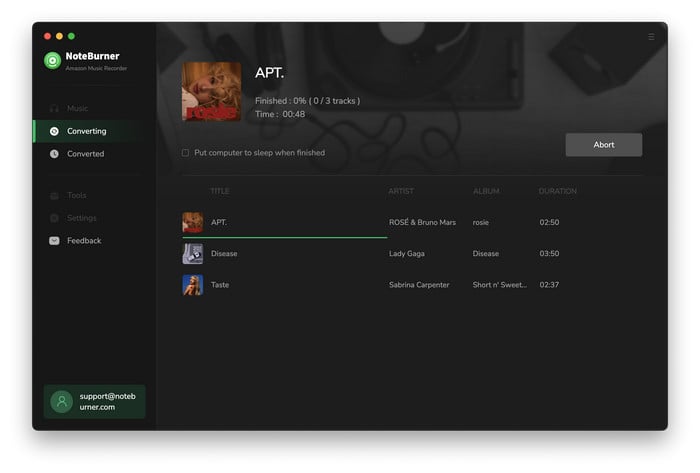
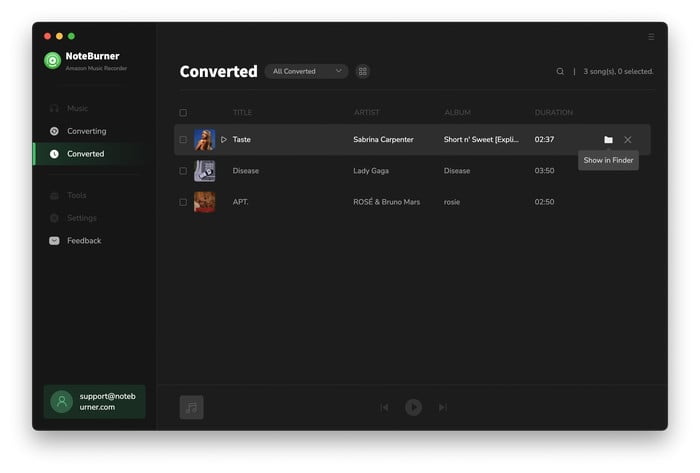
When the conversion progress is completed, click the "History" tab and the "Folder" icon. A window explore will show you all the Amazo Music MP3 files, as well as the lyric lyc/txt files.
Tips: The lyric lyc file is with timeline, while lyric txt file is not.
Now, you've learnt how to show Amazon Music lyric on phone, computer, or the web player. It's pretty easy to access lyric when you're playing an Amazon Music song on its service, however, there's it doesn't provide a direct method to download lyric solely.
To download Amazon Music lyric, NoteBurner Amazon Music Lyric Extractor is here for help. It can not only download lyric for your Amazon Music tracks easily, but also allows to convert Amazon Music songs to MP3 so you could save them forever. It's an excellent tool you don't want to miss.
Note: The free trial version of NoteBurner Amazon Music Converter enables you to convert the first 1 minute of each song. You can unlock the time limitation by purchasing the full version.
 What's next? Download NoteBurner Amazon Music Converter now!

Download Amazon Prime TV shows or movies to MP4 or MKV in HD quality.

One-stop music converter for Spotify, Apple Music, Amazon Music, Tidal, YouTube Music, etc.

Convert Spotify Song, Playlist, or Podcast to MP3, AAC, WAV, AIFF, FLAC, and ALAC.

Convert Apple Music, iTunes M4P Music, or Audiobook to MP3, AAC, WAV, AIFF, FLAC, and ALAC.

Convert Tidal songs at up to 10x faster speed with HiRes FLAC quality preserved.

Convert YouTube Music to MP3, AAC, WAV, AIFF, FLAC, and ALAC at up to 10x speed.

Convert Deezer HiFi Music to MP3, AAC, WAV, AIFF, FLAC, and ALAC at 10x faster speed.

Transfer playlist between Spotify, Apple Music, Amazon Music, YouTube Music, and more.