Amazon Music offers millions of podcast episodes covering news, entertainment, sports, education, and more. You can download podcasts in the Amazon Music app for offline listening, but these downloads are only available within the app and cannot be transferred as normal audio files. If you want to save Amazon Music podcasts as MP3 files, play them on an MP3 player, transfer them to other devices, or keep your favorite episodes permanently, you need a different approach.
This guide explains how Amazon Music podcast downloads work and how to save Amazon Music podcasts as MP3 files for more flexible playback.
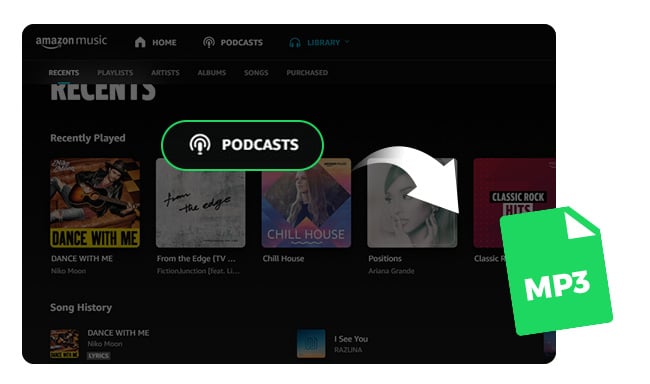
The short answer is: not directly from the Amazon Music app.
Amazon Music allows users to download podcast episodes for offline listening through its mobile app. However, these downloaded episodes are stored inside the Amazon Music ecosystem and cannot be accessed as regular MP3 files.
The main differences between downloading podcasts in the Amazon Music app and downloading podcasts as MP3 files are as follows:
| Feature | Amazon Music App | Save as MP3 |
|---|---|---|
| Offline Listening | ✅ | ✅ |
| Local File Access | ❌ | ✅ |
| Transfer to Other Devices | ❌ | ✅ |
| Play on Other Players | ❌ | ✅ |
| Playable After Subscription Ends | ❌ | ✅ |
| File Management | Limited | Full Control |
If you want to save Amazon Music podcasts as MP3 files, keep reading. In the next section, we’ll walk you through the process step by step.
To get started, you’ll need a tool that can convert Amazon Music podcast episodes into standard MP3 files. NoteBurner Amazon Music Converter is designed for this purpose, letting you save podcast episodes locally while retaining key information such as the episode title and artist.
It also supports batch downloading, so you can add multiple podcast episodes and save them in one go. This is especially useful when you want to download an entire series or several episodes without processing each one separately.
📌 Read Also: 4 Ways to Save Amazon Music to PC
Follow the steps below to download Amazon Music podcast episodes and save them as MP3 files on your computer.
Install and open NoteBurner Amazon Music Converter on your Windows or Mac computer. Select the "Amazon Music App" source mode, and the Amazon Music desktop app will open automatically.
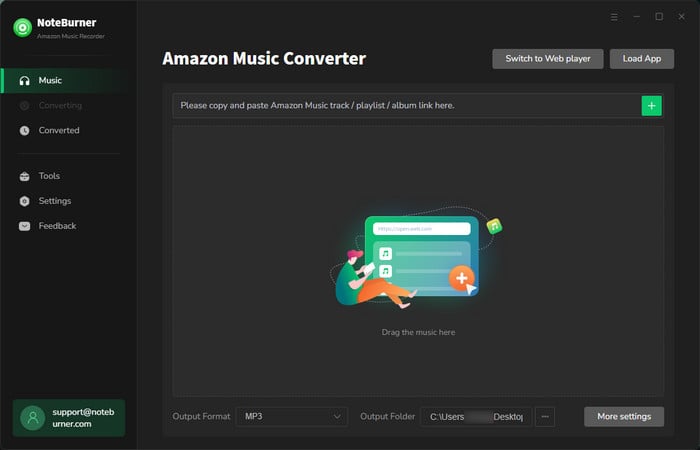
Open the podcast episode you want to save in the Amazon Music app. Click "Share > Copy Link", then paste the link into NoteBurner's search box. Press "Enter", and the selected podcast episodes will be loaded automatically.
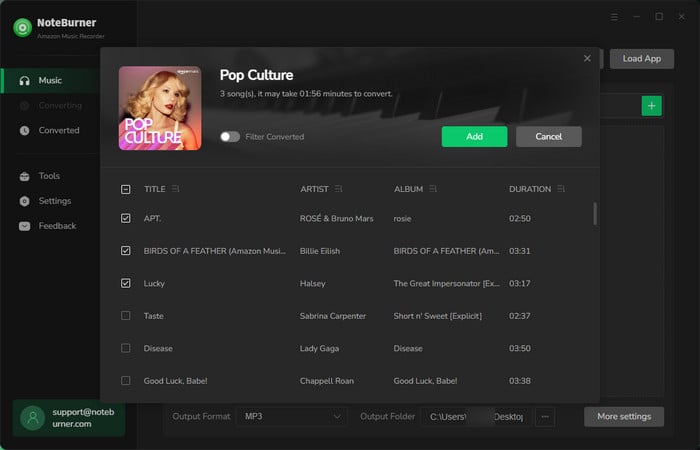
Click the Settings icon and choose MP3 as the output format. You can also adjust available settings such as output quality and conversion mode based on your needs.
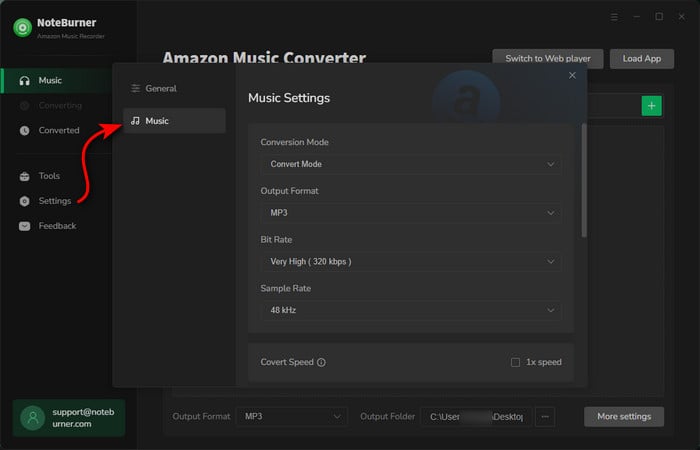
Click the Convert button to start saving Amazon Music podcast episodes as MP3 files. The downloaded files will be stored locally on your computer.
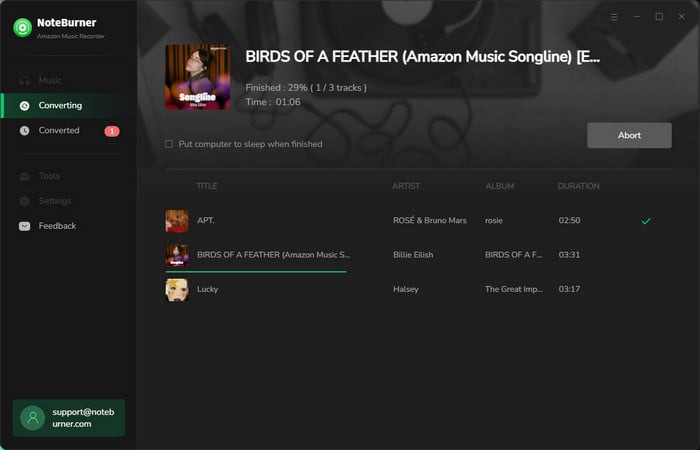
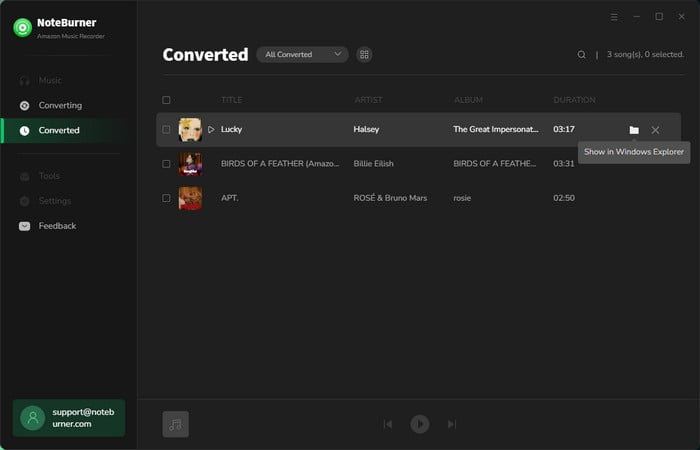
After conversion, open the output folder or go to the History tab to locate your downloaded podcast episodes. You can then transfer the MP3 files to supported devices for offline listening.
📌 Read Also: How to Play Amazon Music on MP3 Player
Amazon Music does not provide a way to freely download podcast episodes as standalone MP3 files through its official app. If you're looking for a free way to listen to and download podcasts, NoteBurner Music One offers access to 126,000+ podcasts that you can listen to and download for free. See how to download podcasts for free as MP3 files for more details.
Podcasts downloaded through the Amazon Music app are stored within the app's own storage rather than as regular MP3 files in a folder you can access. This means you generally can't find the downloads in File Explorer or Finder, move them to another device, or open them with a different media player.
📌 Read Also: Solved: Where Are Amazon Music Downloads Stored?
Not with official Amazon Music downloads. They are protected and intended for playback through the Amazon Music app. If you want to listen to podcasts on an MP3 player, you'll need to save the episodes as local MP3 files first, for example, with a tool such as NoteBurner Amazon Music Converter.
Amazon Music supports podcast playback on computers, but its official offline-download experience is primarily designed around the mobile app. If you want to save podcast episodes as regular audio files on your computer, you'll need another solution that can create local files.
For most podcasts, MP3 is a practical choice. It keeps file sizes relatively small, works with almost any device or media player, and provides more than enough audio quality for spoken content.
Amazon Music makes it possible to listen to podcasts offline with eligible plans, but those downloads are tied to the Amazon Music app and aren't saved as regular MP3 files. If you want to keep podcast episodes as local audio files, transfer them to other devices, or play them with different media players, you'll need a separate solution.
NoteBurner Amazon Music Converter provides a straightforward way to save Amazon Music podcast episodes as MP3 files. With support for batch conversion and preserved podcast information, it can save you the trouble of handling episodes one by one. Just add the episodes you want, choose MP3 as the output format, and let NoteBurner handle the rest.
Note: The free trial version of NoteBurner Amazon Music Converter enables you to convert the first 1 minute of each song. You can unlock the time limitation by purchasing the full version.
 What's next? Download NoteBurner Amazon Music Converter now!

Download Amazon Prime TV shows or movies to MP4 or MKV in HD quality.

One-stop music converter for Spotify, Apple Music, Amazon Music, TIDAL, YouTube Music, etc.

Convert Spotify Song, Playlist, or Podcast to MP3, AAC, WAV, AIFF, FLAC, and ALAC.

Convert Apple Music, iTunes M4P Music, or Audiobook to MP3, AAC, WAV, AIFF, FLAC, and ALAC.

Convert TIDAL songs at up to 10x faster speed with HiRes FLAC quality preserved.

Convert YouTube Music to MP3, AAC, WAV, AIFF, FLAC, and ALAC at up to 10x speed.

Convert Deezer HiFi Music to MP3, AAC, WAV, AIFF, FLAC, and ALAC at 10x faster speed.

Transfer playlist between Spotify, Apple Music, Amazon Music, YouTube Music, and more.