Want to transfer Amazon Music to an SD card to free up space on your phone or computer? You can find the download folder under your avatar > Settings and copy the files over, but they won't play: Amazon Music downloads are protected files that only work inside the Amazon Music app on authorized devices. Once your subscription ends, they stop working everywhere.
The fix is to convert Amazon Music songs to a plain format like MP3 first. Converted files can be copied to any SD card and played on any device, with or without a subscription. This guide shows how to do that with NoteBurner Amazon Music Converter and move the songs to your SD card in five steps.

NoteBurner Amazon Music Converter is a professional Amazon Music converter, designed for Amazon Music Free, Prime, Unlimited, and HD users to record any Amazon Music songs, albums, or playlists in MP3/AAC/WAV/FLAC/AIFF/ALAC format. It can export your Amazon Music songs at a 10X fast speed with up to the Ultra HD audio quality kept. With the help of such an easy-to-use tool, you can easily convert and save songs and albums from Amazon Music to your local devices, so that you can transfer them to SD cards.

Also want to download videos from Amazon Prime? Check this NoteBurner Amazon Video Downloader to get all Amazon movies and series to MP4.
NoteBurner Amazon Music Converter runs on both Windows and Mac. Download and install it first, then follow the five steps below.
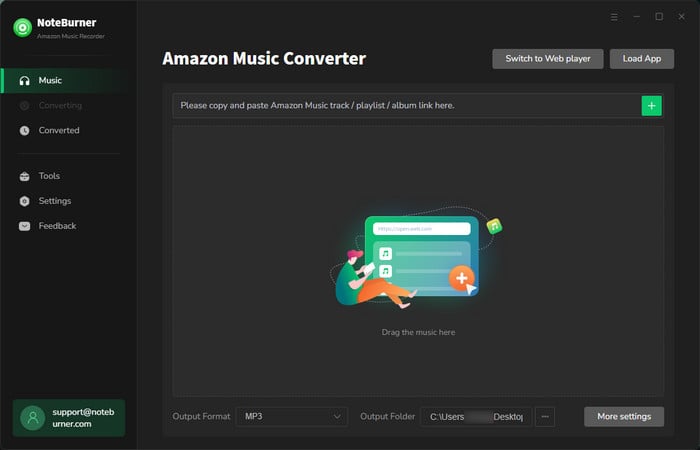
First, please launch Amazon Music Converter and choose the "Amazon Music App" source. It will also open Amazon Music for you.
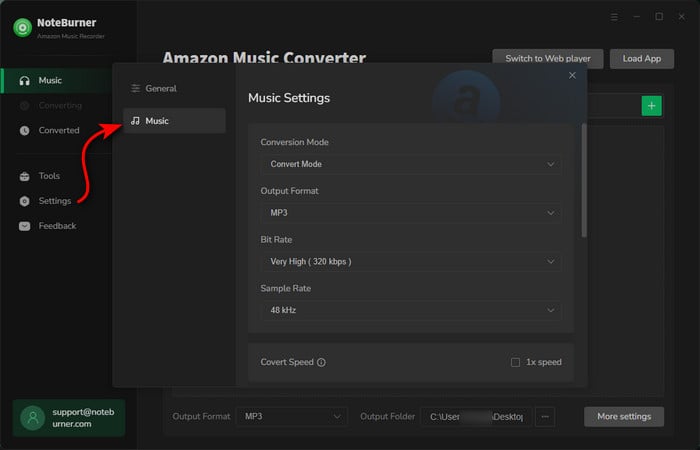
Please click on the Settings button to customize the output settings: Output Format (Auto/ MP3/ AAC/ FLAC/ WAV/ AIFF/ ALAC), Bit Rate (320kbps, 256kbps, 192kbps, 128kbps), Sample Rate, and Output Path.
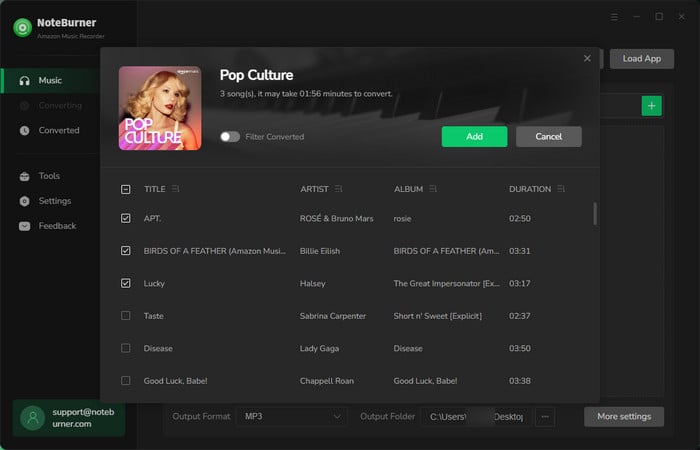
Drag and drop the playlist/songs, artist or album to NoteBurner Amazon Music Converter, then select the songs that you'd like to convert. Or you can click the "Share" button on Amazon Music, then copy and paste the link to NoteBurner Amazon Music Converter.
After completing the above steps, the final one is clicking the button "Convert". The conversion only takes a few seconds.
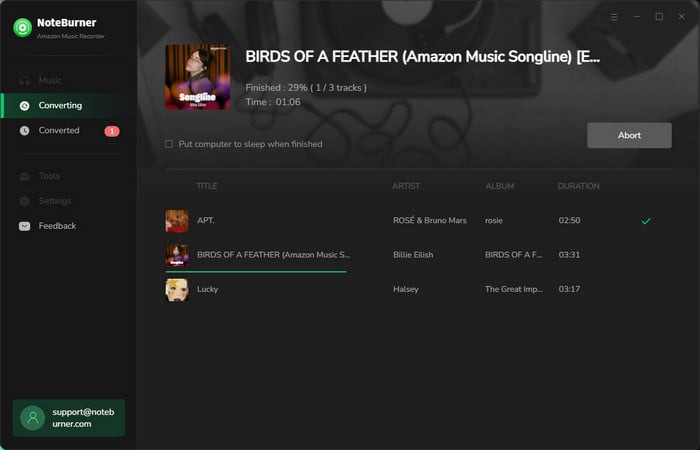
Once the conversion is done, you can find the converted Amazon Music songs by clicking the "History" button on the left side. Then, hover your mouse on the converted songs, click the folder icon to open the output path. You can find all the converted Amazon Music songs there. Then, insert your SD card into your computer, and simply copy & paste converted Amazon Music songs to it.
If you are an Amazon Music user wanting to transfer Amazon Music songs to SD cards, we recommend you convert them to plain audio format like MP3 first. To convert Amazon Music songs to MP3 format, give NoteBurner Amazon Music Converter a try. It is a professional music converting program that works for downloading and converting songs from Amazon Music Unlimited, Prime Music, Amazon Music HD & Free to MP3/AAC/WAV/FLAC/AIFF/ALAC format with a few clicks.
The free trial version of Amazon Music Converter enables you to convert the first 1 minute of each song. You can unlock the time limitation by purchasing the full version.
 What's next? Download NoteBurner Amazon Music Converter now!

Download Amazon Prime TV shows or movies to MP4 or MKV in HD quality.

One-stop music converter for Spotify, Apple Music, Amazon Music, TIDAL, YouTube Music, etc.

Convert Spotify Song, Playlist, or Podcast to MP3, AAC, WAV, AIFF, FLAC, and ALAC.

Convert Apple Music, iTunes M4P Music, or Audiobook to MP3, AAC, WAV, AIFF, FLAC, and ALAC.

Convert TIDAL songs at up to 10x faster speed with HiRes FLAC quality preserved.

Convert YouTube Music to MP3, AAC, WAV, AIFF, FLAC, and ALAC at up to 10x speed.

Convert Deezer HiFi Music to MP3, AAC, WAV, AIFF, FLAC, and ALAC at 10x faster speed.

Transfer playlist between Spotify, Apple Music, Amazon Music, YouTube Music, and more.