
For some Spotify music fans, online Spotify downloaders provide an immediate solution for saving Spotify music to MP3. Just like other web-based tools, Spotdown boasts itself as a way to download Spotify MP3s for free. But how does it work, and is it actually safe to use? Just keep scrolling. We'll test it thoroughly and offer the full breakdown, along with the safest alternative to Spotdown.
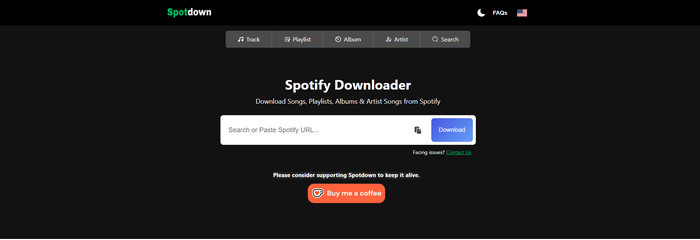
First up, let's get acquainted with Spotdown. This Spotify converter simply runs through the browser and converts the Spotify link into an MP3 file online, with no compulsory software setup or registration. It is aimed at grabbing Spotify tracks, albums, or even full playlists and saving them locally on your device, totally free of charge. All users, even the beginner, are easy to let it do the job.
💡 Pro tips: Want to batch download high-quality MP3 320kbps from Spotify? Go for the best SpotDown alternative – NoteBurner Spotify to MP3 Converter. No ads and No Premium needed.
🔗 Website: https://spotdown.org/en2
Head-up, though: In our test, the site throws redirects your way, and some of the m aren’t exactly related to the MP3 downloads. It is advisable to enable an ad blocker before visiting and using spotdown.org.
Step 1 Open the Spotify app or web player, find the desired track or playlist, click "Share Link," and copy the link.
Step 2 Go to the Spotdown website. Paste the Spotify music URL into the search field (or type the song name). And click the download button next to the box to extract this link.
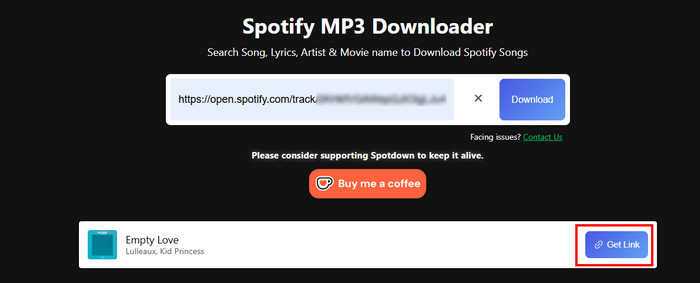
Step 3 The converter will soon show you the track file you intend to download. Here, click "Get Link," then confirm "Download Now."
Step 4 Once done, you can see the downloaded files in the Browser's Download tab.
Looking for 320 kbps high-quality music for your DJ? Come here and you'll get the detailed steps to download MP3s from Spotify at 320 kbps bitrates. Learn More →
To deliver an honest Spotdown review, we tested the tool hands-on in June 2026 across different metrics: download performance, ad experience, sound quality, website security, and so on.
Spotdown has a clean and intuitive interface. Even if it's your first time using it, you'll know that you can easily download music by just entering the URL and clicking a few times.
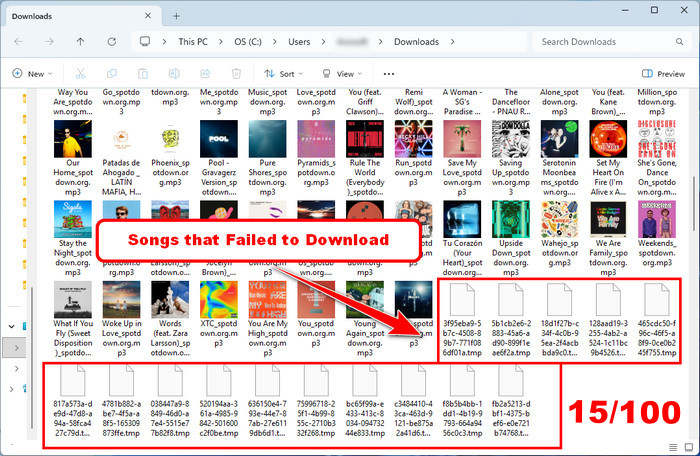
We tested multiple playlists with over 100 songs. In the end, some tracks failed silently — they produced no downloadable file, only showing a non-standard file format. Plus, the final number of downloaded songs in some playlists does not match the original number.
Failure rate: approximately 15% (85/100) per playlist.
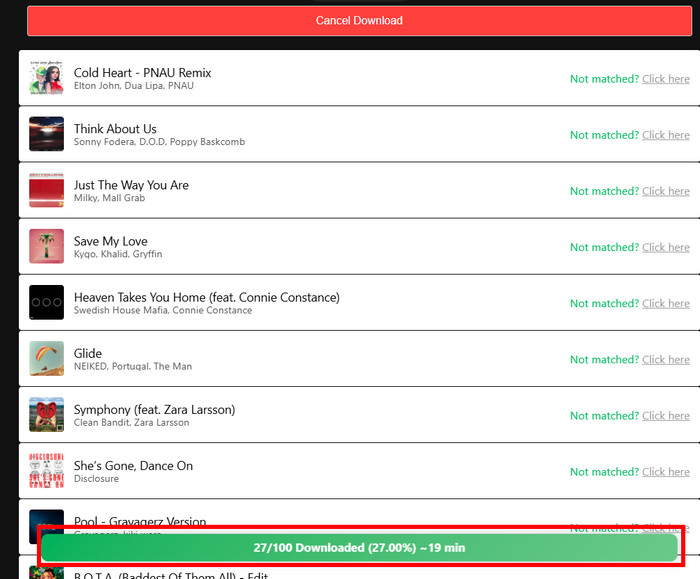
If you want to download the playlist with more songs, such as over 100, this online converter will take much longer than you imagined. Of course, the exact download speed highly depends on your network connection. When the network connection is poor, the loading time will be longer, and some tracks may be stuck midstream.
Total time for 100 tracks: over 30 minutes (loading + downloading)
At the start, there are no obvious ad prompts or interruptions when pasting the link. But the moment you actually hit the final "Download" button, it kicks you over to ad-sponsored pages. After multiple tests, we found it’s not just a one-off either. This redirect step happens every time you try to download a track.
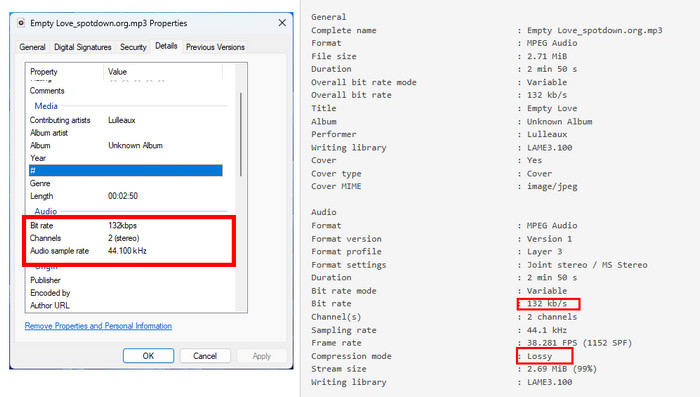
Spotdown does export Spotify tracks as MP3s, but the bitrate isn’t consistent. Actually, it captures and matches audio from the YouTube source. So the output audio typically ranges from 126kbps to 256kbps. It does not offer an option to actually pick or control the audio quality.
True audio outputs: 132bps for MP3s
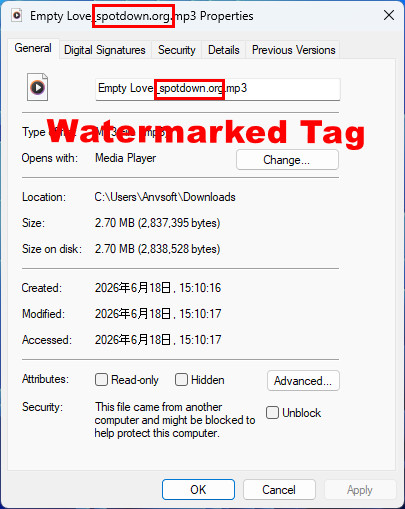
Each downloaded MP3 doesn’t just come out in a clean “song title – artist” format. Instead, the track title usually gets appended with the website name, almost like a built-in watermark. It’s not affecting playback or anything, but the watermark is not conducive to keeping all songs organized in Spotify exports. Plus, it does not offer the ID3 tag editor like NoteBurner.
🚀 Spotdown not working? Embrace the best alternaitve - NoteBurner Spotify Music Converter.
Now let's get into the safety and legality part. If you actually used this converter before, you’ve probably noticed it’s not entirely safe.
| 🔗Website: https://www.noteburner.com/sp-music-converter-windows.html | |||||
| Content Type | Playlists | Albums | Podcasts | Audiobooks | Music & Podcast Videos |
| Test Result |  |
|
|
|
|
SpotDown provides simple Spotify MP3 downloads while introducing inherent safety risks and performance limitations. It is not always foolproof, so you may need to turn to a safer and more comprehensive alternative. Here comes NoteBurner Spotify Music Converter.
Unlike online Spotify to MP3 converters, NoteBurner Spotify Music Converter captures the original audio directly from the Spotify app or web player and converts it to MP3, WAV, FLAC, and more- all keeping lossless sound quality, cover art, and full metadata intact. Whether you're using Spotify Free or Premium accounts, you can download songs smoothly, without annoying adverts or redirect distractions. Furthermore, once the music is downloaded, just enjoy ad-free Spotify audio offline on MP3 player, smartwatch, and the like.

Load Spotify Playlist to NoteBurner
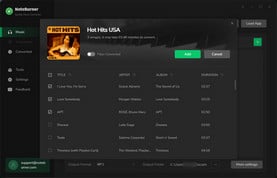
Download and run the converter. Click the "Add" button to import the Spotify playlist for later conversion.
Pick Spotify MP3 Output Format
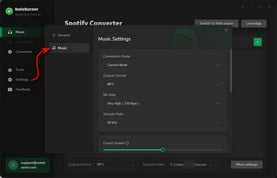
Open the "Settings" menu and choose MP3 format. Other output settings are also adjustable by your needs.
Convert Spotify Audio to MP3
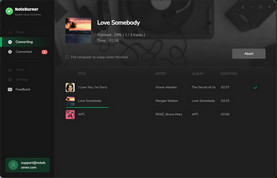
Start the conversion by clicking the "Convert" button. Done! Go to "History" to find MP3 downloads.
This table clearly shows the major differences between NoteBurner Spotify Music Converter and SpotDown.
| NoteBurner Spotify Music Converter | SpotDown Spotify Downloader | |
| Price | Trial or $44.95/year | Free |
| Output Format | MP3/AAC/FLAC/WAV/AIFF/ALAC/MP4 | MP3 |
| Audio Source | Get songs from Spotify app, web player, YouTube | From YouTube |
| Download Content | Songs, artists, playlists, albums, podcasts, radios, audiobooks, music videos | Singles, artists, playlists, albums |
| Conversion Speed | 40X Faster | Medium-Fast |
| Reliability | Verified software, always consistent | Occasional downtime |
| No Ads |

(100% safe) |

(redirects) |
| Keep Original Quality |
(320 kbps + Spotify Lossless 24bit) |
(128-256kbps) |
| Keep Complete ID3 Tags |
(title, artist, album, artwork, track number, disc number, and year) |
(only title, artwork) |
| Classify by Playlist/Artist/Album |
|
|
| Free Toolbox |
(CD Burner, ID3 Editor, Format Converter, etc.) |
|
 Winner: NoteBurner Spotify Music Converter
Simply put, if you pay attention to sound quality, ad-free experience, ID3 tags preservation, and music organization and customization ability, NoteBurner Spotify Music Converter is your better choice. As you know above, NoteBurner aims to download any Spotify playlists to MP3 without quality loss.
What about other online Spotify downloaders to MP3 beyond Spotdown? Well then, we've also tested and summarized several web-based converters that are still working in 2026. Check!
| 🔗Website: https://spotidownloader.com/ | |||||
| Content Type | Singles | Playlists | Albums | Podcasts | Music & Podcast Videos |
| Test Result | |
(ZIP) |
(ZIP) |
 |
|
A common and similar browser-based Spotify audio ripper like Spotdown. It enables you to download music from Spotify at no cost. With it, you can convert Spotify link to an MP3 or a zip file. Later, just enjoy your favourite Spotify albums offline in a few quick steps, like copy-paste.

Read More: Is Spotidownloader Safe? Deep Review & Safest Alternative in 2026
| 🔗Website: https://spotmate.online/en1 | |||||
| Content Type | Singles | Playlists | Albums | Podcasts | Music & Podcast Videos |
| Test Result | |
(ZIP) |
(ZIP) |
|
|
SpotMate works as another online alternative to Spotdown. It is used to find Spotify tracks and download them as MP3s at 320kbps. All you need is a Spotify music link, and the tool will do the rest. It's advised that it only allows single downloads, with no bulk option.
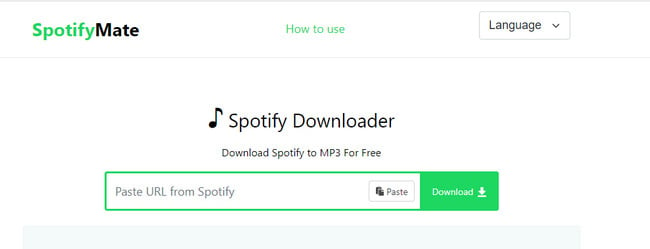
Read More: SpotifyMate Deep Review & ALT to Get Spotify MP3 in 320 kbps
The post collects the top 9 free Spotify to MP3 downloaders that are still working in 2026, making it easy to get Spotify MP3 songs in 320 kbps for offline listening.
A: Yes, but unreliably. It is a third-party website, after all, with a potential shutdown. Furthermore, in our testing, playlist downloads failed at a 15–20% rate. If you need a consistent solution to download Spotify to MP3, a dedicated desktop tool like NoteBurner is far more dependable.
A: Yes. Online tools like Spotdown and applications such as NoteBurner Spotify Music Converter enable you to download MP3s from Spotify Free. But the online one might degrade the quality; Only NoteBurner retains the original audio streams.
A: Typically, you can get your browser to block pop-ups. For example:
Chrome: Settings → Privacy & Security → Site Settings → Pop-ups → Blocked
Edge/Safari: similar settings
Aside from that, try installing the ad blocker to filter out most pop-ups and redirect scripts.
Discover the best Spotify ad blockers tested in 2026, they are compatible with Android, iOS, PC, and Mac.
A: No. Such online tools are usually for simple MP3 downloads. The download quality will be capped at below 256 kbps.
Disclaimer: For personal/educational use only. 🚫 Do not distribute downloaded music/video for commercial use.
By 2026, Spotdown will remain a convenient, accessible tool for quickly converting Spotify music to MP3 files without installing software. For casual users, the simplicity and free service is enough. But notably, its download limitations and legal concerns are still being mentioned.
For those seeking higher audio quality, stable performance, full playlist downloads, and a safer, ad-free environment, a professional alternative like NoteBurner Spotify Music Converter offers a more reliable and feature-rich solution.
Note: The free trial version of NoteBurner Spotify Music Converter allows you to convert the first 1 minute of each song. You can buy the full version to unlock this limitation and enable all its features.



