
 By
By
Looking for a free Qobuz downloader? In this guide, we compare popular online and open-source tools based on ease of use, download speed, supported formats, audio quality, and batch downloading. You'll also find step-by-step tutorials to help you choose the right way to download Qobuz music for offline listening.
We've compared these Qobuz downloaders based on ease of use, download speed, audio quality, supported formats, and batch download options. Here's a quick overview to help you find the right tool.
| Tool / Platform | Type | Ease of Use | Supported Formats | Max Quality | Download Speed | Batch Download | Price |
|---|---|---|---|---|---|---|---|
| NoteBurner Music One🏆 | Desktop App (Win & Mac) | 🟢 Easy | MP3, AAC, FLAC, WAV, AIFF, ALAC | 24-bit / 192 kHz (Hi-Res FLAC) | ⚡ Up to 10X Speed | ✅ Full Playlists/Albums | Freemium |
| DoubleDouble | Online Web | 🟢 Easy | FLAC Only | CD / Hi-Res FLAC | ⚡ 3X Speed | ⚠️ No track selection | Free |
| Lucida | Online Web | 🟢 Easy | FLAC, MP3 | 320 kbps (MP3) / Hi-Res FLAC | ⚡ 3X Speed | ⚠️ No multi-track selection | Free |
| QBZ-Downloader | Open-Source GUI | 🟡 Moderate | FLAC | 24-bit / 192 kHz | ⚡ 1X - 3X Speed | ✅ Batch Queue Supported | Free |
| Streamrip | Open-Source CLI | 🔴 Hard | FLAC, MP3, AAC | 24-bit / 192 kHz | ⚡ 1X - 5X Speed | ✅ Command-line Batching | Free |
| Qobuz-dl | Open-Source CLI | 🔴 Hard | FLAC, MP3 | 24-bit / 192 kHz | ⚡ 1X - 3X Speed | ✅ Command-line Batching | Free |
URL: https://us.doubledouble.top/
Recommended Level: ⭐⭐⭐⭐
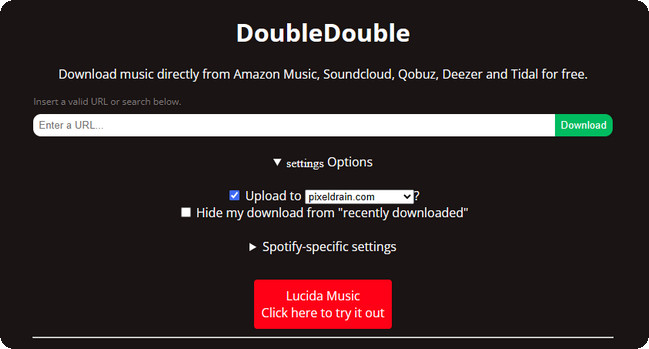
DoubleDouble is a free online Qobuz downloader that allows you to save individual tracks, albums, and playlists. It also supports other music platforms, including Amazon Music, SoundCloud, Deezer, and Tidal. The site features a clean interface, and we encountered no ads during testing. Additionally, downloaded songs retain basic ID3 tags and preserve the original track order. However, it supports output only in FLAC format and does not allow you to exclude specific tracks when downloading albums or playlists. Furthermore, the download speed is not fast; our tests showed that downloading a Qobuz album containing 11 tracks (with a total duration of approximately 38 minutes) took about 12 minutes in total to load the songs and download the ZIP file.
Step 1 Copy the Qobuz track, album, or playlist URL you want to download and open the DoubleDouble website.
Step 2 Paste the Qobuz URL into the search bar and click Download.
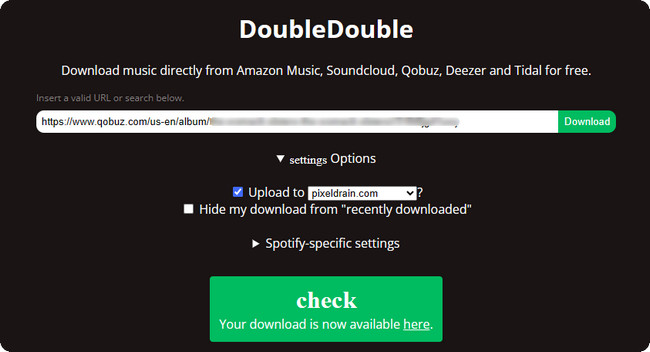
Step 3 Wait for DoubleDouble to process the link. Once it's ready, click the Here link to open the download page.
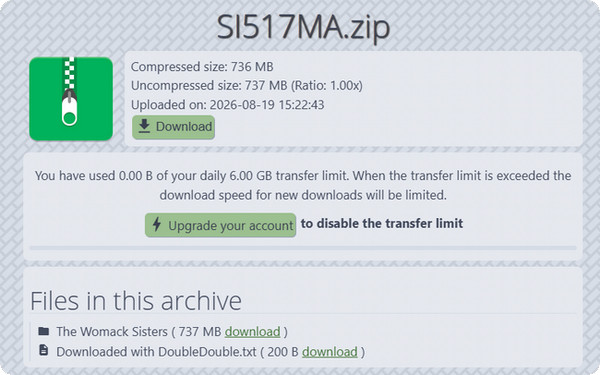
Step 4 Click Download to save the ZIP file containing your Qobuz tracks.
URL: https://lucida.to/
Recommended Level: ⭐⭐⭐
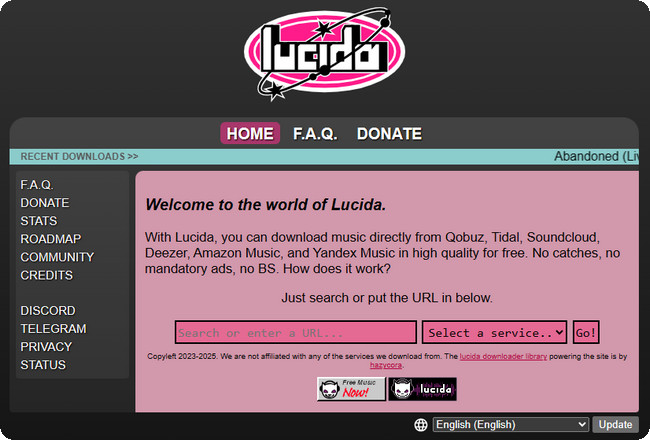
Some members of the Lucida development team also worked on DoubleDouble, so the two tools share some similarities in functionality and usage. Lucida supports downloading Qobuz singles, albums, and playlists, and allows users to select the output format and bitrate prior to downloading. After a playlist is parsed, users can choose to download individual tracks or the entire playlist. However, it does not et you select multiple tracks at once. Additionally, its parsing can be unreliable; the same song or playlist may parse successfully one time but fail to load another.
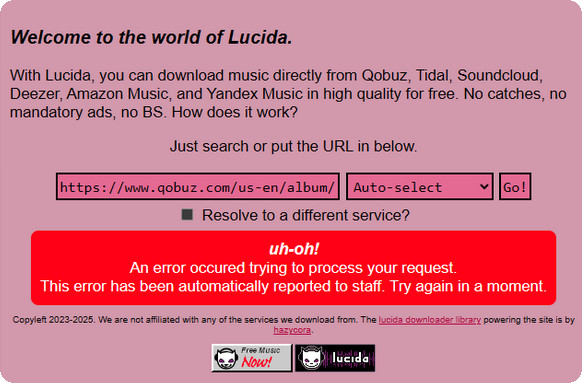
Step 1 Copy the Qobuz track, album, or playlist URL you want to save and open the Lucida website.
Step 2 Paste the Qobuz URL into the search bar in the center of the page, then select a region or leave it set to Auto-select and click Go!.
Step 3 Once the link has been parsed, choose whether to download the full playlist or individual tracks. For a playlist, you can scroll through the tracklist and use the download button next to a specific song.
Step 4 Choose the desired output format in the Convert to field. For MP3, you can select 128 kbps, 192 kbps, or 320 kbps.
Step 5 Click Download Full Playlist to save the playlist as a ZIP file, or click the download icon next to an individual track.
Want to download music from Qobuz offline? Read this article and you will get various workarounds to get it through. Learn More →
URL: https://github.com/ifauzeee/QBZ-Downloader
Recommended Level: ⭐⭐⭐⭐
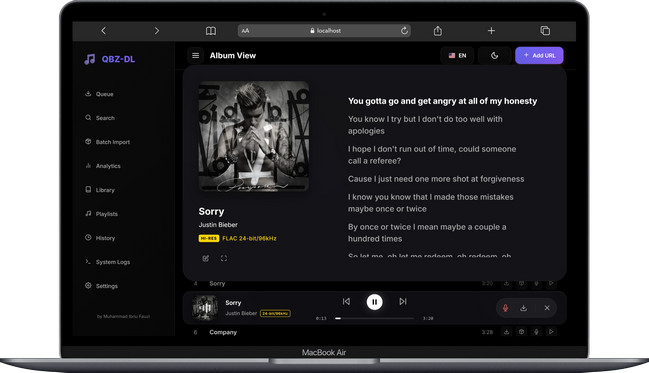
QBZ-Downloader is one of the more user-friendly open-source Qobuz download tools. Not only is it free, but it also features a modern desktop graphical user interface (GUI) compatible with Windows, macOS, and Linux. Unlike command-line-based tools, it offers a visual interface that allows users to directly search for Qobuz content, manage download tasks, and organize their local music libraries. Additionally, it supports high-resolution FLAC output, batch download, and automatic metadata processing.
Step 1 Download and install the appropriate QBZ-Downloader version for your operating system. Windows users can choose the installer or portable version, while macOS and Linux versions are also available.
Step 2 Open QBZ-Downloader and enter your Qobuz user ID and authentication token in the settings to connect your Qobuz account.
Step 3 Search for the Qobuz album, track, or playlist you want to download, then add it to the download queue.
Step 4 Start the download and let QBZ-Downloader process the selected music. The downloaded files are organized with metadata, cover artwork, and other library information.
URL: https://github.com/nathom/streamrip
Recommended Level: ⭐⭐⭐
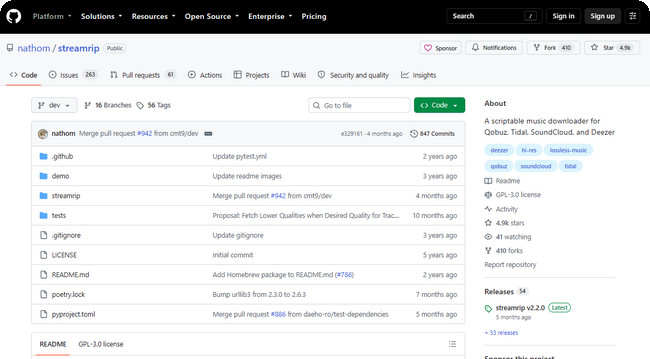
Streamrip is another free, open-source command-line download tool. It can download music from Qobuz and other platforms, including Tidal, Deezer, and SoundCloud. It supports downloading individual tracks, albums, playlists, and complete artist discographies. Unlike tools with a graphical user interface (GUI), Streamrip is configured and operated via the command line, offering users finer control over download quality, formats, and other parameters. However, the setup process and command-line syntax may be difficult for beginners, especially when compared to GUI-based downloaders like QBZ-Downloader.
Step 1 Make sure Python 3.10 or newer is installed on your computer, then install Streamrip from the command line.
pip3 install streamrip --upgrade. On macOS or Linux, use pip3 install streamrip simple-term-menu --upgrade. macOS users can also install it with brew install streamrip.Step 2 Choose the Qobuz audio quality you want and specify it with the --quality parameter. For maximum Hi-Res quality, use --quality 4, which targets 24-bit audio at up to 192 kHz.
1 for 320 kbps MP3/AAC, 2 for 16-bit/44.1 kHz CD quality, 3 for up to 24-bit/96 kHz, and 4 for up to 24-bit/192 kHz Hi-Res.Step 3 Copy the Qobuz album, track, or playlist URL and pass it to the rip command together with your chosen quality. For example:
rip --quality 4 url https://www.qobuz.com/us-en/album/rumours-fleetwood-mac/0603497941032Step 4 To queue several albums in one run, add their Qobuz URLs to the same command instead of starting a separate download for each one.
rip --quality 4 url https://www.qobuz.com/us-en/album/back-in-black-ac-dc/0886444889841 https://www.qobuz.com/us-en/album/blue-train-john-coltrane/0060253764852URL: https://github.com/vitiko98/qobuz-dl
Recommended Level: ⭐⭐⭐
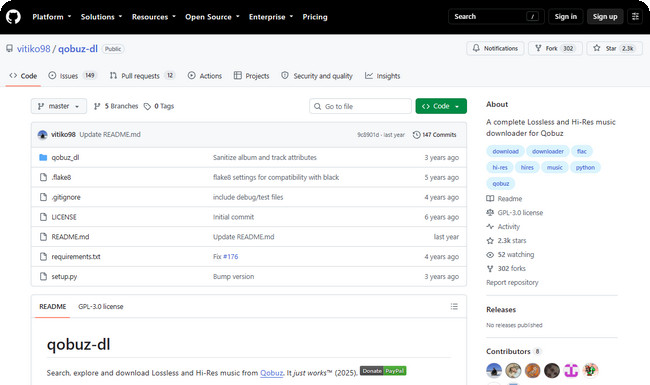
Qobuz-dl is a well-established open-source option. It supports downloading individual tracks, albums, playlists, artists, and labels. It also offers various audio quality and format options, from MP3 to Hi-Res FLAC. Its interactive mode lets users search for music and add it to the download queue without manually entering every link. However, its main drawback is the command-line workflow, which requires more setup and technical knowledge than GUI-based downloaders.
Step 1 Install Qobuz-dl through Python's package manager. Windows users may need the additional windows-curses package for the interactive interface.
pip3 install windows-curses followed by pip3 install --upgrade qobuz-dl. On macOS or Linux, use pip3 install --upgrade qobuz-dl.Step 2 Launch Qobuz-dl and sign in with your Qobuz account when prompted. A paid Qobuz subscription is required to access the available music streams.
Step 3 Copy the Qobuz track or album URL you want to save, then use the dl command together with the quality option. For example:
qobuz-dl dl https://play.qobuz.com/album/qxjbxh1dc3xyb -q 7Step 4 Adjust the -q value according to the quality you want. Qobuz-dl supports several quality levels, including MP3, CD-quality FLAC, and Hi-Res FLAC.
-q 5 for 320 kbps MP3, -q 6 for 16-bit/44.1 kHz CD quality, -q 7 for up to 24-bit/96 kHz, or -q 27 for up to 24-bit/192 kHz Hi-Res.
Here you'll get the most popular free Spotify to MP3 converter to use. You'll also get the best Spotify to MP3 320 kbps downloader from NoteBurner. Learn More →
URL: https://www.noteburner.com/noteburner-music-one.html
Recommended Level: ⭐⭐⭐⭐⭐
If you want a tool that balances simplicity and versatility, NoteBurner Music One is worth considering. Unlike online Qobuz downloaders with limited options or command-line tools that require more technical setup, it combines a clean, user-friendly interface with a wide range of features.
NoteBurner Music One is an all-in-one music converter that supports Qobuz and other major streaming services. You can output songs in MP3, AAC, FLAC, WAV, AIFF, or ALAC formats. For high-quality audio, it supports MP3 output at 320 kbps and FLAC output up to 24-bit/192 kHz. Its batch conversion feature offers great flexibility, allowing you to select multiple individual tracks, playlists, or albums for simultaneous downloading. It supports conversion speeds up to 10x faster while preserving full ID3 tags and album artwork.

Step 1 Download and launch NoteBurner Music One. Then choose the Qobuz music source.
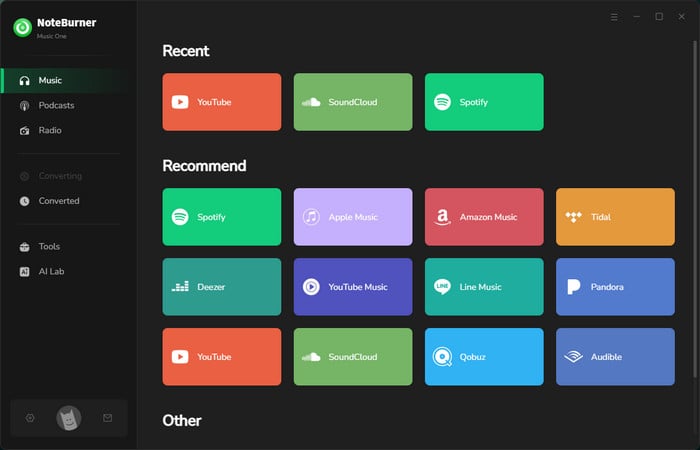
Step 2 Go to the Settings window, where you can select the output format, quality, and more for your Qobuz songs.
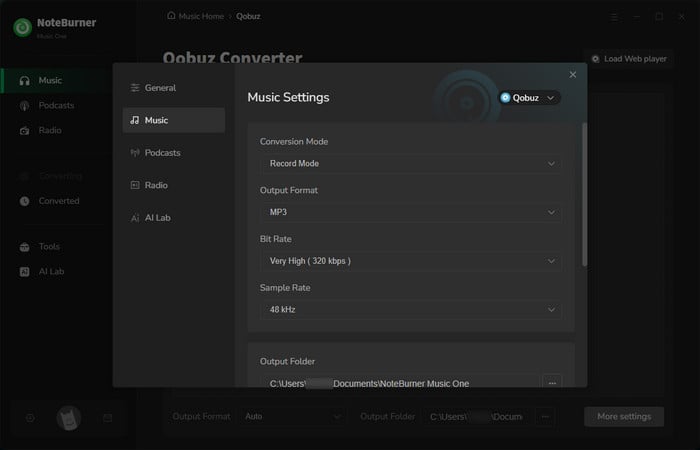
Step 3 Add songs from the Qobuz web player. You can find your preferred playlist on the web player, then click "Add".
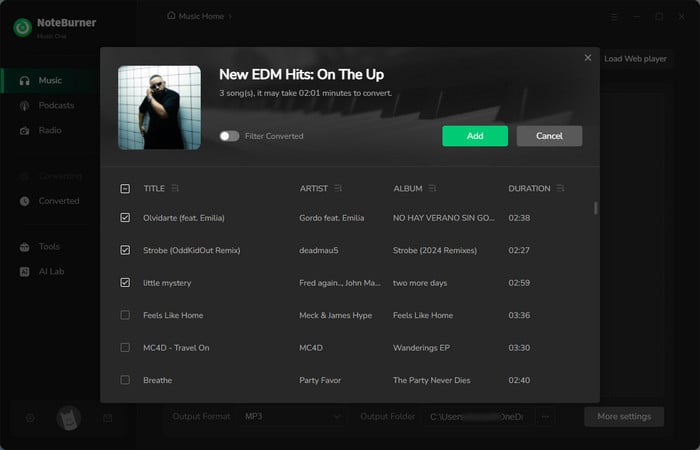
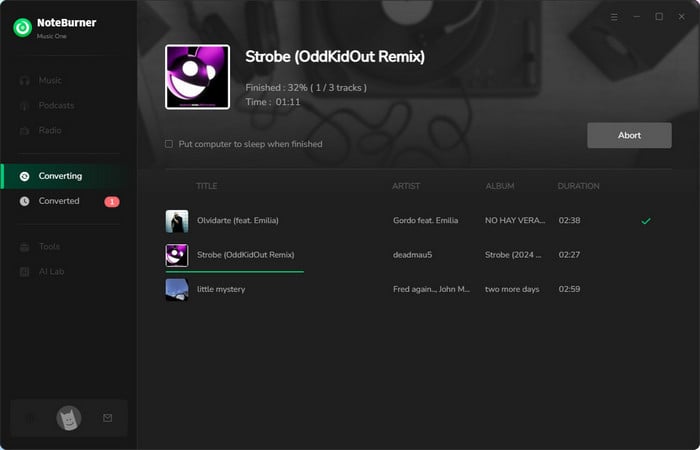
Step 4 Now, it's time to press the Convert button. NoteBurner will quickly download the Qobuz songs for offline listening.
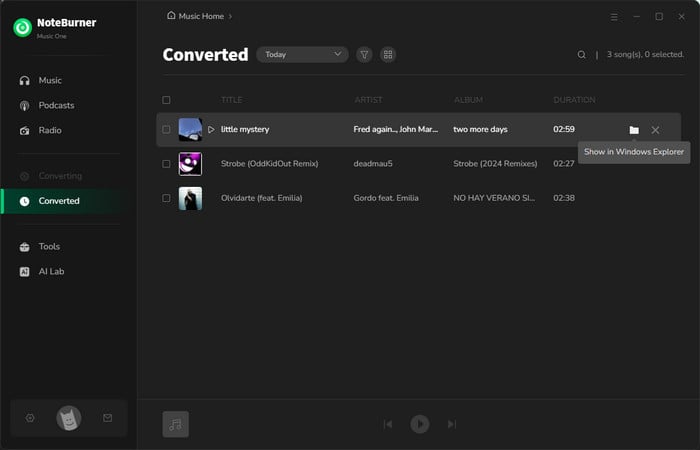
Step 5 Once the Qobuz tracks are downloaded, go to the History tab to find them. The songs are saved locally on your computer in standard, DRM-free audio formats.
Yes. It depends on the tool you use. The tools mentioned above, such as Lucida and Qobuz-dl, both allow you to select MP3 as the output format.
Not always. Official Qobuz downloads and some command-line tools, such as Streamrip and Qobuz-dl, require an active Qobuz subscription. Online download tools and NoteBurner Music One don't require you to sign in to a Qobuz account.
Most online and open-source Qobuz downloaders are easier to use on a computer. To listen on an iPhone or Android phone, you can convert FLAC files to a more compatible format like MP3, AAC, or ALAC, then transfer them via iTunes or USB. A tool like NoteBurner Music One can also convert Qobuz music directly to these formats, making it easier to sync the files to your phone.
Yes, but it depends on how you downloaded them. Music downloaded with the tools covered in this guide is saved as local, DRM-free audio files, so you can't simply move them to another device. Music downloaded with the tools covered in this guide is saved as local, DRM-free audio files, so you can copy them to an SD card, USB drive, car stereo, or DAP/MP3 player.
It depends on the tool. For online downloaders like Lucida, try refreshing the page or checking your network connection, as parsing can sometimes be unstable. If you're using an open-source tool and the API token has expired, refresh or replace the token and make sure you're using the latest version. These simple checks usually help narrow down the problem.
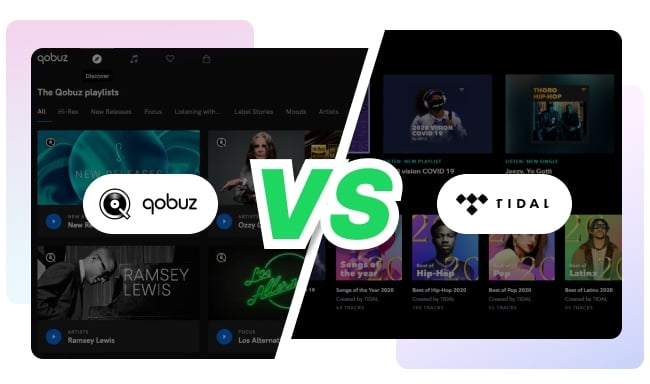
Qobuz vs. TIDAL: compare pricing, sound quality, music catalogs, features, and device support to find the best Hi-Res streaming service for your needs. Learn More →
With the options compared above, it's easier to find a free Qobuz downloader that fits your needs. Free online tools like DoubleDouble and Lucida are convenient for occasional Qobuz music downloads, while open-source tools like QBZ-Downloader, Streamrip, and Qobuz-dl offer more control, especially for users familiar with some technical steps. If you want an easier way to download Qobuz music, choose the desired output format, output quality, and batch-download tracks, albums, or playlists, NoteBurner Music One is a more convenient option.
Note: The free trial version of NoteBurner Music One is limited to converting the first 1 minute of each song. You can purchase the full version to remove this limitation.




