
 By Annie Cale
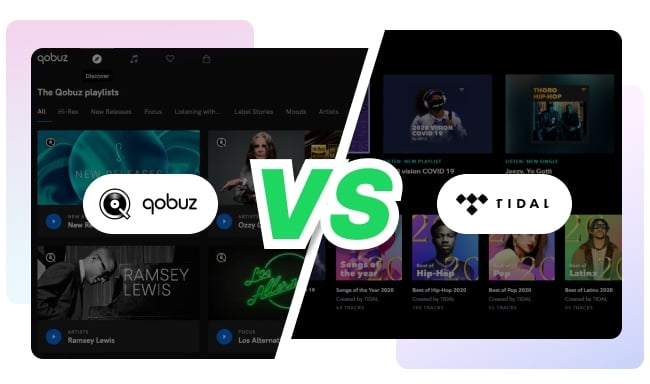
Qobuz and TIDAL are two of the best-known music streaming services for lossless and Hi-Res audio. Both can stream music at up to 24-bit/192 kHz, but they are designed for slightly different types of listeners.
Qobuz is the better fit for listeners who enjoy complete albums, detailed credits, expert reviews, classical or jazz music, and the option to purchase Hi-Res downloads. TIDAL is generally more appealing if you want a larger music catalog, stronger personalized recommendations, Dolby Atmos, music videos, or DJ software integration.
Still not sure which one to choose? The comparison below focuses on the differences that are most likely to affect your everyday listening experience.
| Comparison | Qobuz | TIDAL |
| Best for | Album listeners, audiophiles, classical and jazz fans | Music discovery, Dolby Atmos, videos, and DJ users |
| Music catalog | More than 100 million tracks | More than 110 million songs |
| Maximum stereo quality | 24-bit/192 kHz Hi-Res FLAC | 24-bit/192 kHz Hi-Res FLAC |
| Dolby Atmos | No | Yes, on supported tracks and devices |
| U.S. individual price | From $10.83/month with annual billing | $11.99/month |
| Two-person plan | Yes | No standard Duo plan |
| Family plan | Up to 6 accounts | Up to 6 accounts |
| Music download store | Yes | No |
| Music videos | Limited | Extensive catalog |
| DJ software support | No major official integration | Available with TIDAL DJ |
Prices in this article are based on direct U.S. subscriptions checked in August 2026. Prices, taxes, trials, and available plans may differ by country or billing provider.
Qobuz is a French music streaming and download service launched in 2007. It offers more than 100 million lossless tracks and is currently available in 26 countries.
Compared with most streaming platforms, Qobuz feels more like a well-stocked digital record store. Album pages often include detailed credits, reviews, digital booklets, artist interviews, and recommendations selected by music editors rather than relying entirely on algorithms.
Qobuz also operates a separate download store. You can purchase selected albums and tracks in CD or Hi-Res quality and keep the downloaded files without maintaining a streaming subscription.
TIDAL launched internationally in 2014 and is now available in 61 countries and regions. Its catalog includes more than 110 million songs, along with music videos, interviews, documentaries, playlists, and other artist-focused content.
The service combines lossless and Hi-Res audio with a more mainstream streaming experience. Its apps place greater emphasis on personalized mixes, recommendations, trending releases, videos, and visual presentation.
TIDAL also stands out for Dolby Atmos and its integrations with professional DJ software and hardware.
Qobuz has two main subscription tiers: Studio and Sublime. Both include ad-free streaming, offline listening in the Qobuz app, and access to the same lossless and Hi-Res catalog.
Sublime does not provide better streaming quality. Its main benefit is a discount of up to 60% on eligible Hi-Res purchases from the Qobuz download store. It therefore makes the most sense for people who regularly buy albums instead of relying entirely on streaming.
| Qobuz plan | Monthly billing | Annual billing |
| Studio Solo | $12.99/month | $10.83/month equivalent |
| Studio Duo | $17.99/month | $14.99/month equivalent |
| Studio Family | $21.90/month | $17.99/month equivalent |
| Studio Student | $4.99/month | Not available |
| Sublime Solo | Not available | $14.99/month equivalent |
| Sublime Duo | Not available | $22.49/month equivalent |
| Sublime Family | Not available | $29.16/month equivalent |
Annual subscriptions are charged as a single payment for the full year. Duo and Family accounts are intended for people living in the same household. Student eligibility and duration limits apply.
TIDAL keeps its plans relatively simple. Individual, Family, and Student subscribers receive the same music catalog and standard audio-quality options. The main differences are the number of accounts and eligibility requirements.
| TIDAL plan | U.S. price | Who it is for |
| Individual | $11.99/month | One listener |
| Family | $19.99/month | Up to 6 individual accounts |
| Student | $6.99/month | Eligible students |
| DJ Individual | $19.99/month | Individual plan with supported DJ access |
| DJ Student | $14.49/month | Eligible students who need DJ access |
For one person, the price difference between Qobuz Studio and TIDAL Individual is small. Qobuz becomes cheaper if you are comfortable paying for a full year in advance, while TIDAL is slightly less expensive than Qobuz on a standard month-to-month subscription.
Qobuz has a clear advantage for two people because it offers a Duo plan. TIDAL skips directly from an Individual plan to a six-account Family plan.
For larger households, compare the current price in your country rather than choosing based on the U.S. rates alone.
Qobuz and TIDAL both offer CD-quality lossless streaming and Hi-Res FLAC at up to 24-bit/192 kHz. On paper, their maximum stereo resolution is the same.
| Audio level | Qobuz | TIDAL |
| Compressed | MP3 at 320 kbps | Low: AAC at up to 320 kbps |
| CD quality | FLAC at 16-bit/44.1 kHz | High: FLAC at 16-bit/44.1 kHz |
| Hi-Res | FLAC at up to 24-bit/192 kHz | Max: Hi-Res FLAC at up to 24-bit/192 kHz |
| Immersive audio | Not a core feature | Dolby Atmos on eligible releases |
The maximum number does not tell the whole story. Not every album is available in 24-bit/192 kHz, and the quality you actually hear depends on the version supplied by the label, your app settings, internet connection, DAC, speakers, and headphones.
Qobuz is often preferred by listeners who want a straightforward stereo FLAC experience and clear information about the resolution of each release. TIDAL is more flexible if you also listen to Dolby Atmos mixes.
TIDAL no longer offers MQA or Sony 360 Reality Audio. Both formats were removed from the service on July 24, 2024. Current high-resolution stereo playback uses FLAC and Hi-Res FLAC.
There is no reliable answer that applies to every album and every audio system. When both services offer the same master in the same FLAC resolution, the audible difference may be small or nonexistent.
Differences become more noticeable when the services carry different masters, when one version is available at a higher resolution, or when playback settings and volume levels are not matched.
For a fair comparison, play the same recording through the same device, disable volume normalization if appropriate, and make sure both apps are using their highest available quality.
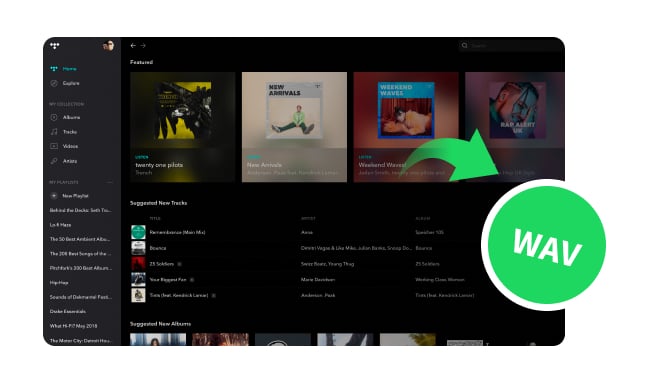
Learn how to save supported TIDAL music in WAV format for playback on compatible media players and audio devices.
TIDAL advertises more than 110 million songs, compared with more than 100 million tracks on Qobuz. That gives TIDAL a sizeable numerical lead, but a larger catalog does not guarantee that it has every album you want.
Music availability varies by country and licensing agreement. Before subscribing, search both services for the artists, labels, live recordings, remasters, and regional releases you listen to most often.
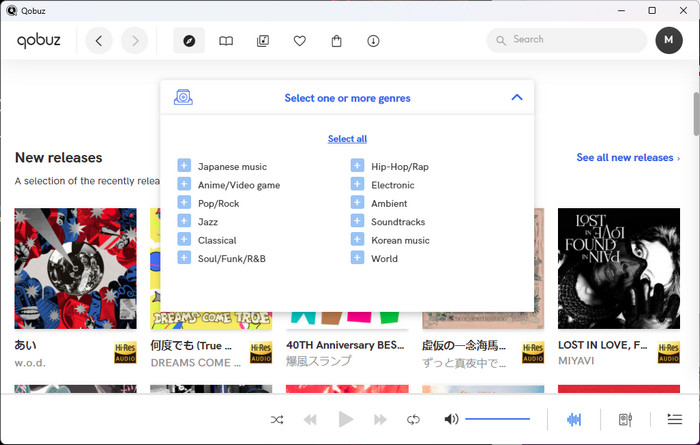
Qobuz is particularly appealing to listeners who browse by album rather than by individual track. Its catalog presentation works especially well for classical, jazz, blues, world music, specialist labels, and releases with extensive credits or liner notes.
Qobuz Magazine adds reviews, interviews, artist biographies, equipment articles, and longer editorial features. Recommendations tend to feel more deliberate and less dependent on your recent listening history.
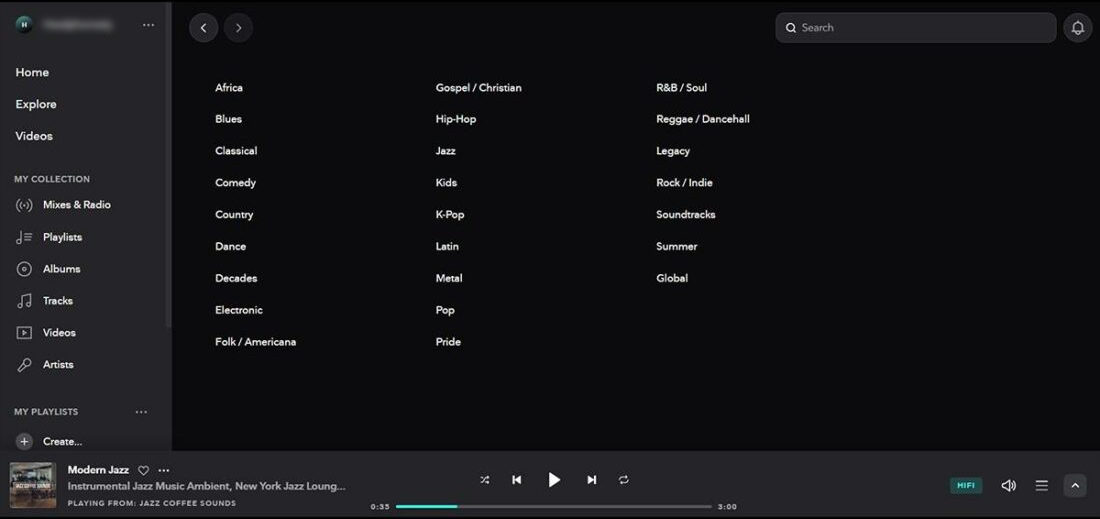
TIDAL has broader overall catalog coverage and a stronger focus on mainstream discovery. Its personalized mixes, mood playlists, activity-based recommendations, and new-release suggestions make it easier to start listening without choosing a specific album first.
It also includes a substantial collection of music videos and artist-focused visual content. TIDAL Rising is useful for discovering emerging musicians, while the DJ option makes the catalog available through supported performance software and hardware.
Choose Qobuz if you enjoy exploring albums, credits, reviews, and specialist genres. Choose TIDAL if you prefer personalized playlists, a larger catalog, videos, and faster everyday discovery.
 Note: Music availability on Qobuz and TIDAL can change because of regional licensing or label agreements. Downloads saved inside the official apps are intended for offline listening during an active subscription and are not the same as ordinary local audio files.
If you want to listen to supported Qobuz or TIDAL music in common formats on more devices, NoteBurner Music One provides an all-in-one option. It can convert supported songs, albums, and playlists from Qobuz, TIDAL, Spotify, Apple Music, Amazon Music, YouTube Music, Deezer, and other services to MP3, AAC, WAV, AIFF, FLAC, or ALAC.

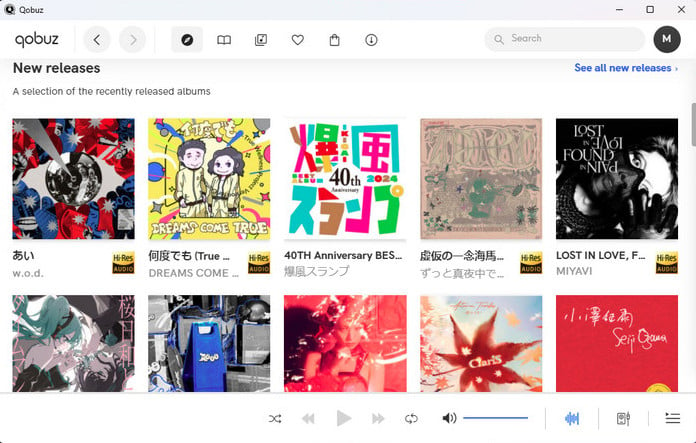
Qobuz has a clean, relatively restrained interface built around album artwork and release information. It does not feel as busy as many mainstream streaming apps, although new users may need time to understand the difference between streaming, offline imports, and purchased downloads.
Qobuz Magazine contains the platform's professional editorial content. Qobuz Club is a separate community where listeners can discuss music, audio equipment, and new discoveries.
Qobuz Connect allows you to select a compatible speaker, streamer, or amplifier from the Qobuz app. The music then streams directly to that device instead of passing through your phone over Bluetooth.
TIDAL has a darker, more visual interface that feels closer to other major streaming services. The home screen changes with your listening habits and places personalized mixes, recently played music, new releases, videos, and recommendations within easy reach.
Features such as My Mix and My Activity make TIDAL more useful for listeners who want the app to learn their preferences. TIDAL Connect provides direct playback on compatible audio devices while keeping playback controls inside the TIDAL app.
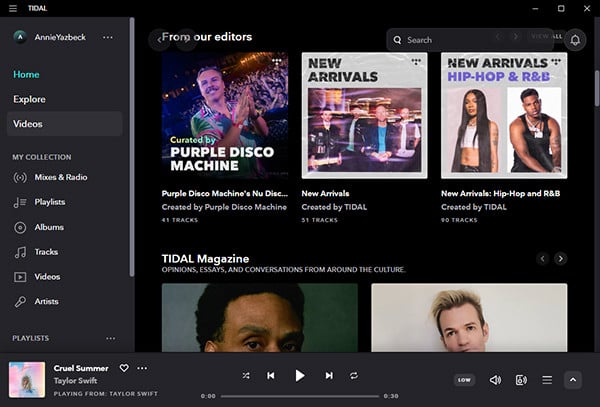
Qobuz feels closer to browsing a specialist music store. TIDAL feels closer to a modern, personalized streaming platform. The better interface depends on whether you prefer to explore music deliberately or let the service recommend what to play next.
Both services offer apps for iOS, Android, Windows, and macOS, along with browser-based playback. They also work with a wide range of speakers, streamers, amplifiers, and home audio systems.
Before subscribing for use with a particular device, check the current TIDAL Supported Devices and Qobuz Apps & Partners pages.
| Platform | Qobuz | TIDAL |
| Phones and tablets | iOS and Android | iOS and Android |
| Computers | Windows, macOS, and web player | Windows, macOS, and web player |
| Smart TVs | Samsung TV, Android TV, Google TV, and selected partners | Apple TV, Android TV, Fire TV, Samsung TV, LG TV, and selected partners |
| Wireless playback | Qobuz Connect, AirPlay, and Chromecast | TIDAL Connect, AirPlay, and Chromecast |
| Home audio | Supported speakers, streamers, amplifiers, and Hi-Fi systems | Supported speakers, streamers, amplifiers, and Hi-Fi systems |
| Cars | Apple CarPlay, Android Auto, and selected native systems | Apple CarPlay, Android Auto, and selected native systems |
| Wearables | No major dedicated wearable app currently promoted | Supports selected wearables, including Apple Watch |
| DJ software | No major official DJ subscription integration | Available through the TIDAL DJ option |
TIDAL generally has the edge for televisions, wearables, DJ platforms, and broader consumer-device support. Qobuz remains highly competitive for dedicated Hi-Fi equipment, especially now that Qobuz Connect is available across compatible speakers, streamers, and amplifiers.
Device support changes regularly and may differ between individual models. Check the official compatibility page before buying a subscription specifically for one television, car, speaker, or audio component.
Qobuz is the more distinctive service. Its editorial approach, album presentation, download store, and focus on Hi-Fi listening make it an excellent choice for people who already know what they enjoy and want to explore it in greater depth.
TIDAL is the more versatile option. It combines high-quality audio with a larger catalog, better personalized discovery, Dolby Atmos, music videos, and wider support for entertainment and DJ devices.
For most listeners, the decision comes down to how they discover music. If you usually search for albums, labels, composers, and recording details, start with Qobuz. If you usually open the app and expect it to recommend something good, TIDAL will probably feel more natural.
Catalog availability can vary by location, so use the trial period to search for your favorite artists and test both services through the headphones, speakers, and other devices you normally use.
Both services allow paid subscribers to download music for offline listening in their official apps. These downloads are encrypted app data rather than ordinary MP3 or FLAC files, and they normally stop working if the subscription expires or the content is removed.
Users who need supported music in common local formats can learn more from the guides on how to save Qobuz music for offline playback or convert TIDAL music to MP3.
For listeners who use both services—or who also subscribe to Spotify, Apple Music, Amazon Music, YouTube Music, or Deezer—NoteBurner Music One is the more convenient option because one program can handle supported music from multiple platforms and export it to common local audio formats.
Note: The free trial version of NoteBurner Music One is limited to convert the first 1 minute of each song. You can buy the full version to unlock the limitation.




