
 By Annie Cale
SpotiFLAC is an open-source music downloader for mobile & PC that claims to download high-resolution FLAC files from services like Spotify. If you recently searched for or opened SpotiFLAC, you may have found that the original GitHub repositories people used to grab it from are gone. This page explains what went down and lists several of the best SpotiFLAC alternatives to try, along with their features, pros and cons.
Sort of. The developer announced that the public GitHub repositories for SpotiFLAC and SpotiFLAC Next were removed following a legal warning from Spotify on October 20-21, 2026.
You may still be able to use the software on your PC, but the developer is no longer providing updates (per Android Authority). Any time Spotify or another music service makes an internal change, an unupdated app will no longer function properly, including the ability to match tracks.
| Version | Current Status | What to Know |
|---|---|---|
| SpotiFLAC Desktop | Discontinued; GitHub repo removed | Existing copies may still work, but no more updates. |
| SpotiFLAC Next | Still maintained; public repo removed | Public access is limited. |
| SpotiFLAC Mobile | Replaced by Mornye | Switch to Mornye for ongoing mobile development. |
| SpotiFLAC Python Module | Renamed to Mornye Python | The old package is archived; development continues under a new name. |
🔍 Disclosure & Safety Note: These data were collected from the official announcements, last checked on November, 2026. Be careful with unofficial "mirrors," forks, and "patched APKs" that entice you to install. A third party version may pick up malware. If you can't confirm who published a build, don't run it.
You can get a basic overview of all Spotify alternatives from this table. Be advised that not every tool on this list works directly with Spotify. Some use Spotify links to match music from other services, while others focus on downloading lossless audio from Tidal or Qobuz.
Best free successor – Mornye: Closest to SpotiFLAC, but extension-dependent and risks exit.
Other open-source tools: Free, flexible options for tech-savvy users with different platform needs.
Best overall — NoteBurner Music One: Download 24-bit/44.1 kHz FLAC from Spotify and multiple music sites, without command lines or ads.
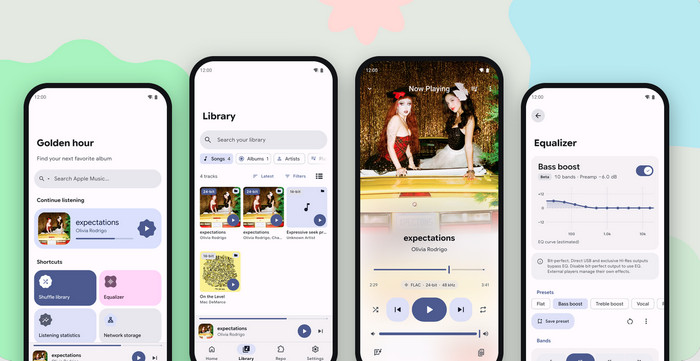
Although the old SpotiFLAC module is unavailable, the former developer released a continued version for mobile & iOS—Mornye. It is free, open-source, and feasible if you liked the old workflow. Not only a simple music player, but Mornye allows for editing metadata and managing the local library. For music downloads, you need to get community extensions that connect to sources like Tidal, Qobuz, and Deezer. Notably, the drawback is also obvious: it has the same exposure to another takedown as SpotiFLAC.
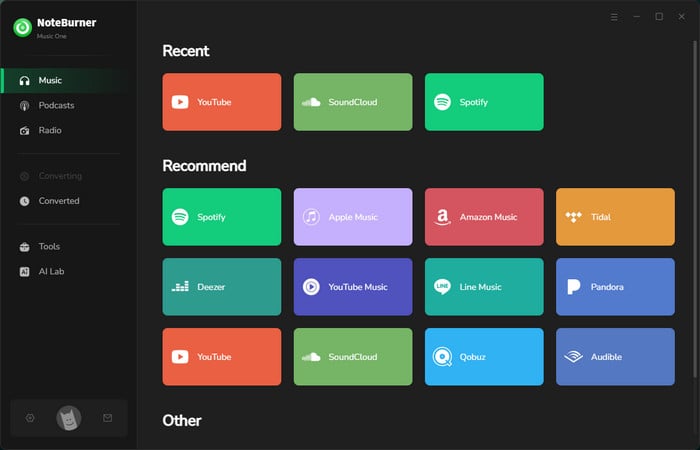
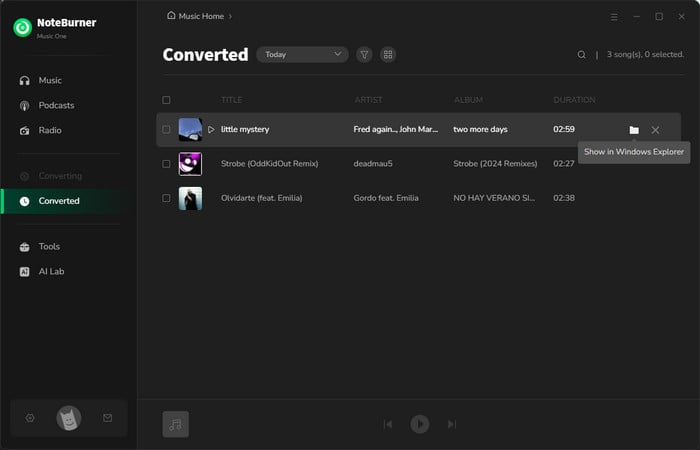
NoteBurner Music One provides a lossless and safe alternative to SpotifiFLAC. As an all-in-one downloader, it can quickly save Lossless music from Spotify, Apple Music, Amazon Music, Tidal, Deezer, Qobuz and others to your Windows PC and Mac. With several clicks, you can convert tracks, albums, and playlists into MP3, FLAC, WAV, and other formats in batches. It also preserves original audio quality and song metadata. Most stable and working overall on this list.
Another good point. SpotiFLAC's weakness was matching a Spotify link to audio on someone else's service. NoteBurner works the other way around: it converts what your own library streams.
Step 1 Open NoteBurner, select Spotify from the Music tab, then sign in to your account.
Step 2 Go to Settings, select FLAC as the output format and choose Record Mode as conversion mode.
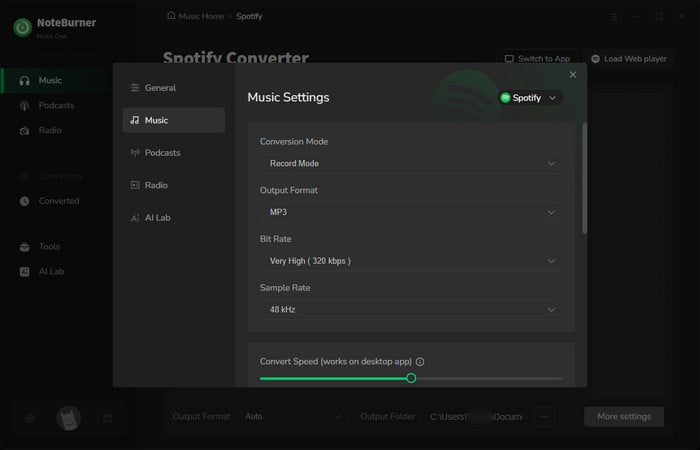
Note: For Spotify Lossless, you should use a Premium account and get Lossless streaming enabled on your Spotify app.
Step 3 Navigate to a Spotify playlist or album you intend to download. And click Add to import the tracks.
Step 4 Click Convert to start. When finished, open History and use the folder icon to locate your downloaded FLAC files.
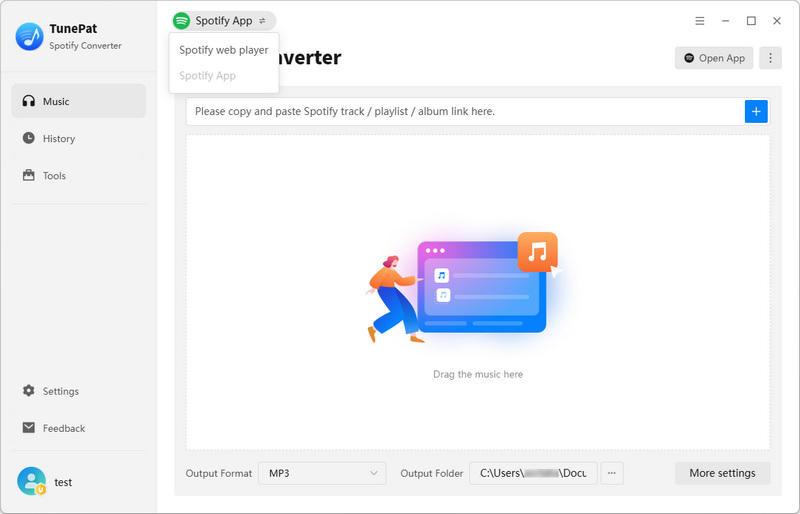
A similar music converter tool focused on Spotify alone. If Spotify is truly the only service you use, it's a reasonable pick. It mainly downloads tracks or playlists from Spotify to MP3, FLAC and other local formats, with the original quality preserved. Naturally, as with any converter, the output can't exceed what your Spotify plan allows you to stream.

Is TunePat Spotify Converter worth using? In this review, we'll walk you through our testing process and results.
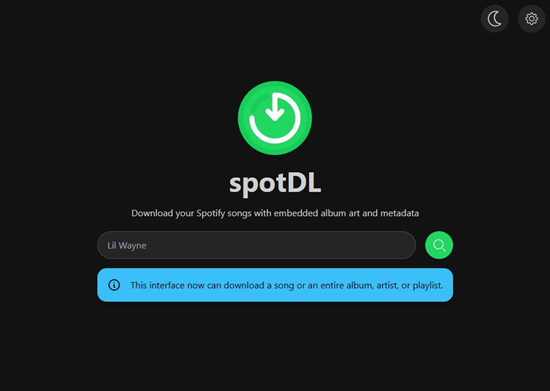
spotDL is a popular open-source Spotify downloader on GitHub, similar to SpotiFLAC. It reads track details from Spotify, finds the song on YouTube, and downloads it with album art, lyrics, and metadata. It is worth noting that it primarily matches YouTube audio, so the highest bitrate is 128 kbps for regular users and 256 kbps for YouTube Music Premium.
Learn how to use spotDL in 2026 to download Spotify playlists to MP3. Follow this guide to install spotDL seamlessly and fix spotDL common error.
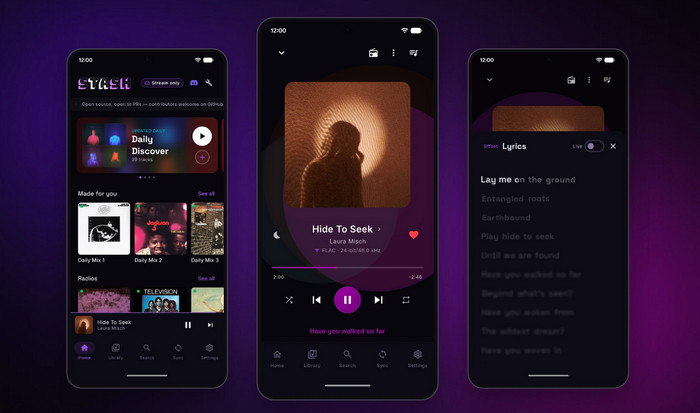
Stash is also a commonly mentioned alternative app to SpotifyFLAC on Reddit (https://www.reddit.com/r/SpotiFLAC/comments/1t9safy/alternative_of_spotiflac/). The app puts your Spotify and YouTube Music libraries together on an Android phone (Android 8.0 or higher). After that, you can listen or sync with friends. Also, it claims to offer FLAC when a track exists in Qobuz's catalog, at 16-bit/44.1 kHz or up to 24-bit/192 kHz, and falls back to Opus otherwise.

Tidal-DL is an open-source TIDAL downloader that can download individual tracks, albums, and playlists. When lossless audio is available, you can save files directly in FLAC format at up to TIDAL Max quality (24-bit/192 kHz). It is typically operated via the command line, so users need to input commands in a terminal. This can be difficult for beginners. That said, some forks (such as tidal-dl-ng) come with a graphical user interface to make it easier.

Discover a full review of Tidal-dl & Tidal-gui from GitHub and step-by-step download guide.
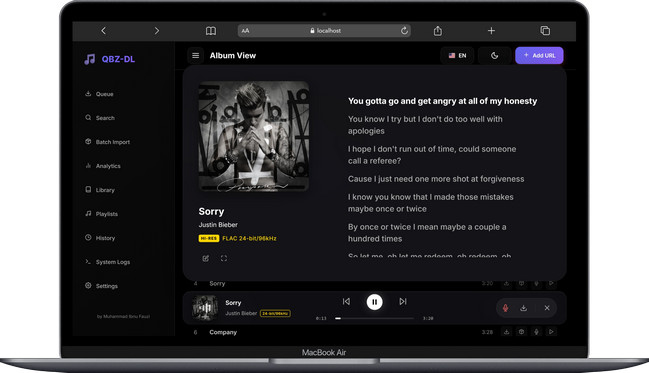
SpotiFlac downloads FLAC songs beyond Spotify, including Qobuz. Here to mention QBZ-Downloader as an open-source desktop alternative to SpotifFlac, designed for downloading lossless music from Qobuz. What entices former SpotiFLAC users is its Spotify playlist import feature, which matches songs with Qobuz's library, then downloads the matching tracks in Hi-Res FLAC.
Explore more best free Qobuz downloaders in 2026.
Want to download lossless music legally? Spotify Premium lets you enjoy lossless audio offline within its app, but it doesn't have direct FLAC exports to your device. If you want FLAC files you can keep, official stores like Qobuz and Bandcamp offer music for purchase and download. These platforms, however, usually charge per track or album.
| Option | Lossless? | Download Source | Download Offline? | Export FLAC? | Cost |
|---|---|---|---|---|---|
| Spotify | Yes (in-app only) | Spotify App | Yes (in-app only) | No | Spotify Premium subscription ($12.99/mon) |
| Qobuz | Yes, up to Hi-Res FLAC | App or Store | Yes | Yes | One-time purchase per track or album |
| Bandcamp | Yes | Artists & labels | Yes | Yes | Pay per track/album |
Commercial converters like NoteBurner are verified safe, which lowers the malware risk, though you should still download only from the official site. Other open-source tools don't automatically prove that they're safe. Before you use these alternatives, you should keep something in mind.
Evidently, Spotify considered SpotiFLAC serious enough to send a legal notice. Users should respect Spotify’s terms and use these alternatives responsibly. All these tools are for personal use; do not share or distribute any converted tracks for business.
Yes. According to the latest announcements by SpotiFLAC after the takedown, it is the developer's own successor to SpotiFLAC Mobile. The Python module has been rebranded as Mornye Python.
The open-source tool - Mornye, Stash, Tidal-DL, QBZ can deliver FLAC, but they need the relevant Premium music account. NoteBurner Music One saves FLAC, WAV and ALAC from mutiple platforms.
Mornye works on Android and, through sideloading, iOS. Stash is Android only. NoteBurner, TunePat and spotDL are desktop tools, so iPhone users convert on a computer and transfer the files.
SpotiFLAC's end triggers the need for its alternatives. The page summarizes several tools for downloading lossless FLAC audio from Spotify and other platforms.
Mobile, same operation as before: Mornye.
Spotify only, desktop: NoteBurner or TunePat.
Free, open-source: spotDL.
Android library mirroring: Stash.
Already pay for Tidal or Qobuz: Tidal-DL, QBZ-Downloader
Desktop, stable, lossless FLAC output from Spotify and any services: NoteBurner Music One.



