
 By Annie Cale
You may have come across Lucida.to in discussions about free online music downloaders. It claims to let users easily save high-quality tracks from streaming platforms, but how well does it actually work? This 2026 Lucida.to review examines its features, safety, reliability, pros and cons, and best alternatives to help you decide whether it’s worth using.
MP3 up to 320 kbps;
quality may vary by source.
Some ID3 tags may be missing.
Single tracks download quickly, but playlists can take a long time.
Album and playlist downloads may fail; individual track selection is unavailable.
Occasional parsing and download failures.
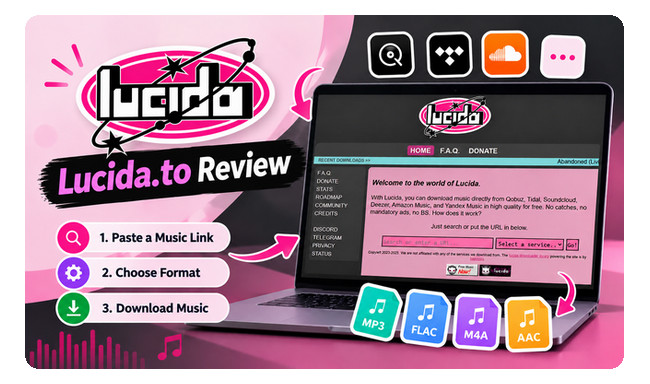
Lucida.to is a free online music downloader that lets you save tracks from multiple streaming platforms, including Qobuz, Tidal, SoundCloud, Deezer, Amazon Music, Yandex Music, and GrilledCheese.
For output formats, you can choose Original to retain the available source format, or convert tracks to MP3, M4A, or AAC for greater compatibility with different devices and players.
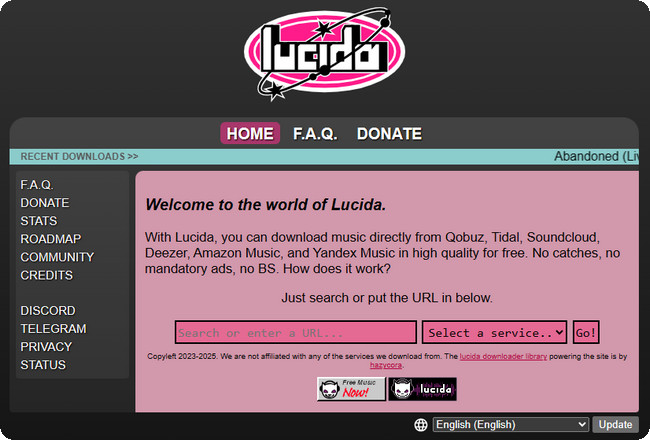
Step 1 Open a supported music platform, such as Amazon Music, Qobuz, or Tidal. Find the song, album, or playlist you want to download and copy its link.
Step 2 Visit Lucida.to, paste the copied URL into the search bar and click Go.
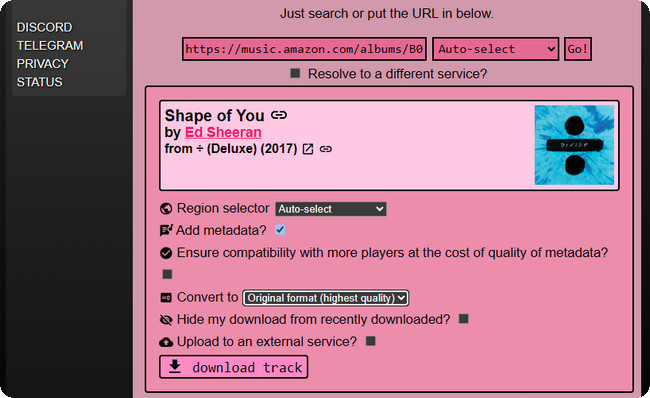
Step 3 Once Lucida.to retrieves the track, choose your preferred output format.
Step 4 Click the Download Track button and Lucida.to will start downloading.
During our tests, Lucida.to showed no intrusive ads, unexpected redirects, or mandatory software downloads. However, as a third-party online downloader, its safety and reliability cannot be guaranteed.
For the safest option, use the official streaming app’s built-in download feature. If you use a third-party downloader, make sure your downloads comply with applicable copyright laws and the platform’s terms of service.
We tested Lucida.to with single tracks, albums, and playlists from Qobuz, Tidal, SoundCloud, Deezer, and Amazon Music. Our tests focused on audio quality, download speed, batch downloading, ID3 tags, and download reliability to see how well the tool performs in everyday use.
Lucida.to usually parses music links quickly. The track takes around 10 seconds to load, followed by another 5–6 seconds for the download. However, albums and playlists can take much longer to process.
Downloaded tracks retain essential metadata, including the album title, album artist, and cover artwork. However, other tags may be missing.
Lucida.to supports MP3 output at up to 320 kbps, as well as an Original option. In our tests, downloads were generally consistent, but the selected bitrate does not necessarily indicate the quality of the original source. Some Reddit users have also raised questions about whether 320 kbps downloads always contain genuine high-bitrate audio.
Lucida.to packages albums and playlists into ZIP files, but processing large collections can take a long time. In our test, a 25-track playlist with a total duration of 47 minutes remained stuck loading for over 30 minutes and ultimately failed to download. Besides, Lucida.to did not allow us to select individual tracks from an album or playlist or download multiple playlists simultaneously.
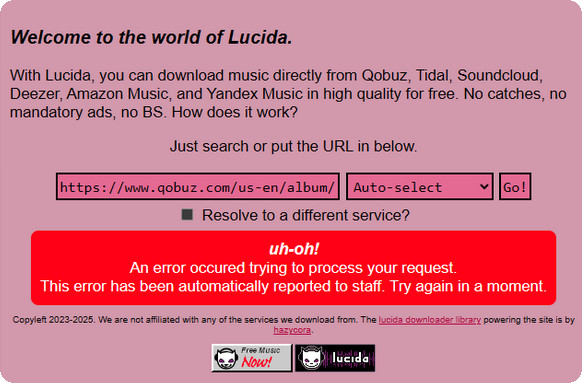
Some songs may fail to load or download. Additionally, Lucida.to may occasionally stop working on certain platforms, and you might need to wait for the issue to be resolved.
Based on our tests and user discussions on Reddit, here are the main advantages and limitations of Lucida.to.
If Lucida.to isn't working or you need more control over your downloads, NoteBurner Music One is a desktop alternative worth considering. It supports multiple music services in one app and provides more options for audio quality, output formats, batch downloads, and metadata.
Step 1 Open NoteBurner Music One and choose a specific music service. Let's choose to download songs from "Spotify".
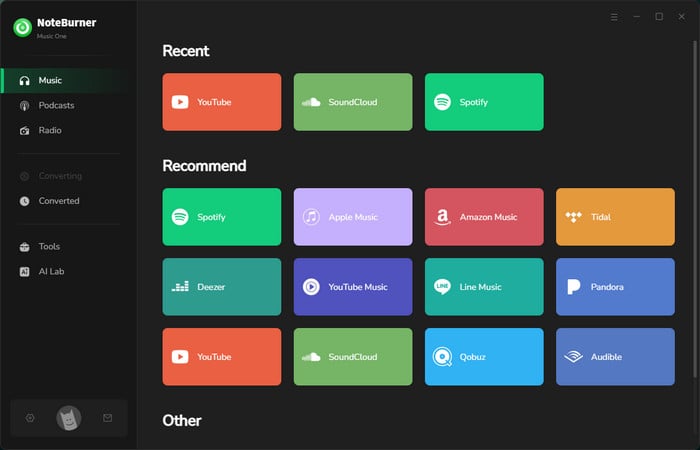
Step 2 Click "Settings" button on the bottom-right to choose output formats, output quality, output folder and so on.
Step 3 Find & open your playlist in the music app or music web player, then add it to NoteBurner.
Step 4 Hit "Convert" to start. Once it's completed, find your downloaded files in the History tab.
Now that you've learned about the features of Lucida.to and NoteBurner Music One, the comparison table below offers a clearer look at how the two tools differ.
| Feature | Lucida.to | NoteBurner Music One |
|---|---|---|
| Price | Free | Paid software (free trial available) |
| Platform | Web browser | Windows, Mac |
| Supported Services | 7 music platforms | 20+ music platforms |
| Output Formats | Original, MP3, M4A, AAC | MP3, AAC, FLAC, WAV, AIFF, ALAC, and more |
| Audio Quality | MP3 up to 320 kbps or Original quality | 💎 High-quality lossless and Hi-Res audio support |
| Playlist & Album Downloads | ⚠️ One at a time; downloads may fail | ✅ Batch downloads supported |
| Select Individual Tracks | ❌ | ✅ |
| Download Speed | Quick for individual tracks; slow for large collections | ⚡ Up to 10x speed |
| ID3 Tags | Basic tags and artwork | ✅ Full ID3 metadata |
| Stability | Occasional failures | Reliable downloads |
| Ease of Use | Easy for single tracks | Easy with more download controls |
| Customer Support | No | 24/7 customer support |
Whether downloading music with Lucida.to is legal depends on the source, your rights to the content, and applicable copyright laws and platform terms. Using a downloader does not automatically grant permission to save copyrighted music. Make sure you have the necessary rights or authorization before downloading.
Yes, Lucida.to is currently free to use without an upfront subscription fee. However, our tests found that large albums and playlists may experience long processing times or failed requests. For users who need more reliable batch downloading, professional software like NoteBurner Music One is worth considering.
If you find Lucida.to not working, possible causes include domain changes, server overload, platform-side changes, or temporary maintenance. Because third-party web downloaders can change availability over time, avoid unofficial mirror links that may lead to phishing pages or unwanted downloads.
Lucida.to supports original, MP3, M4A, and AAC downloads. While it advertises high-fidelity and lossless audio quality, actual audio bitrates can vary depending on server availability and source file stability.
NoteBurner Music One is a desktop alternative worth considering if you need more control over audio quality, output formats, batch downloads, and metadata. Unlike a web-based downloader, it provides a dedicated desktop environment for managing supported music downloads.
Overall, Lucida.to works well for downloading individual tracks for free, but our tests found clear limitations with large playlists and albums, individual track selection, metadata completeness, and download reliability.
If you need more reliable batch downloads, high-quality audio, and complete music metadata, NoteBurner Music One is a more flexible desktop alternative. It supports 20+ music platforms and provides more control over downloading and managing your music collection.
Note: The free trial version of NoteBurner Music One allows you to convert the first 1 minute of each song. You can buy the full version to unlock the limitation.




