
Online free YouTube converters are all over Google if you're seeking to download YouTube to MP3. But some websites are not always working well, drowning you in pesky ads and download errors. As such, some users turn to another workaround—a YouTube Telegram bot—to download YouTube audio to MP3. The page offers a list of the best 8 YouTube to MP3 Telegram bots that actually work in 2026, as well as the best alternatives.
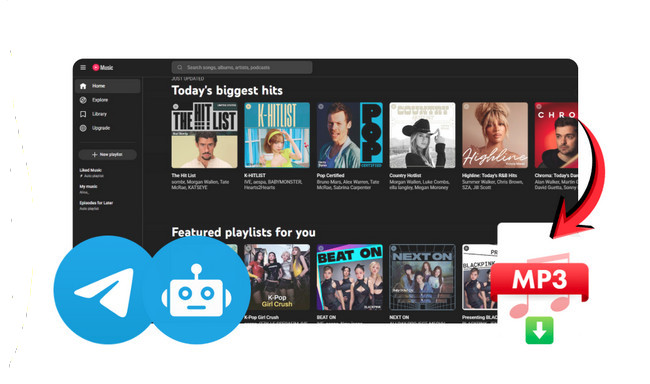
Telegram isn't just an app for chatting. It is loaded with AI-interactive functionalities. The Telegram music bots, in particular, are capable of searching, streaming, and downloading desired media in multiple formats. The YouTube Telegram bot, here to be mentioned, typically acts as a free YouTube to MP3 converter. You can type the name of a track or the link of YouTube audio, and in less than a minute, the bot replies with audio previews and downloadable options. By means of several simple commands, users can easily download the video/audio from YouTube to MP3 format—all with no need for sign-ins or payments.
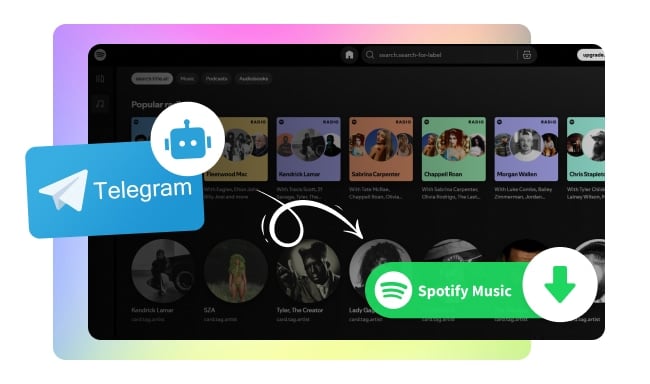
Explain everything you need to know and shows you how to use these Spotify telegram bots to download Spotify music for free!
Not sure how to start with a YouTube Telegram bot? Check the detailed instructions below.
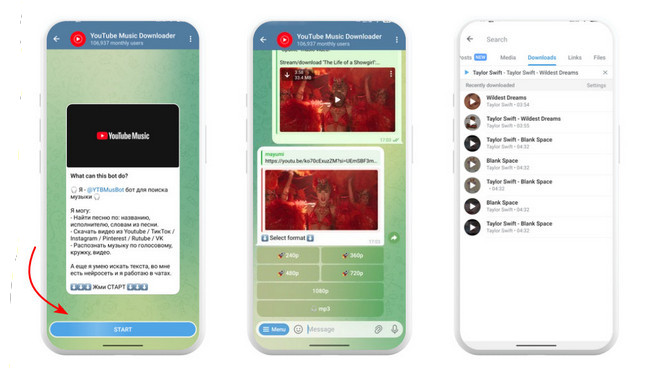
Step 1 On the Telegram app, search and choose a trusted free YouTube to MP3 downloader bot. (ensure it's verified or comes from a dependable creator)
Step 2 Touch "Start," and you'll enter a new chat window. The bot will respond instantly with simple instructions or a menu button.
Step 3 Now copy and paste the YouTube link into the chat box, or type the song title or artist. The bot will recognize it within seconds and send query results.
Step 4 When the bot replies with downloadable audio files, you can choose the output format and quality (if provided). Now pick the target that meets your needs.
Step 5 Wait for the process that the Telegram bot converts the YouTube link to MP3. Once done, the MP3 files are stored directly in your Downloads or Telegram folder. (If on Telegram desktop, just right-click and hit "Save As.")
🛡️ Bonus tricks: Want to download YouTube music to MP3 with 320kbps in batches? Go for the best alternative to the YouTube Telegram bot—NoteBurner YouTube Music Converter.
First up, let's get a quick overview of the top 8 free YouTube-to-MP3 converter Telegram bots.
| Telegram Bot | Download Source | Ease of Use |
|---|---|---|
| @YtbAudioBot | YouTube | ⭐⭐⭐⭐ |
| @convert_youtube_to_mp3_bot | YouTube | ⭐⭐⭐⭐ |
| @YTsavebot | YouTube | ⭐⭐⭐⭐⭐ |
| @MusicsHuntersbot | YouTube, Spotify, Qobuz, SoundCloud | ⭐⭐⭐ |
| @scdlbot | YouTube, SoundCloud, Bandcamp | ⭐⭐⭐ |
| @YTBMusBot | YouTube Music | ⭐⭐⭐⭐ |
| @MooMusicBot | YouTube Music | ⭐⭐⭐⭐ |
| @AudioFMbot | YouTube | ⭐⭐⭐ |
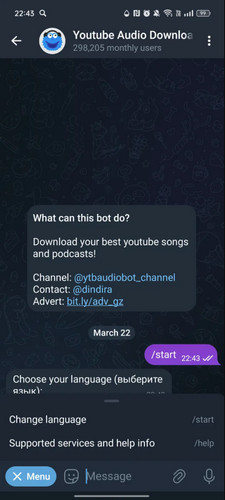
Link: https://t.me/YtbAudioBot
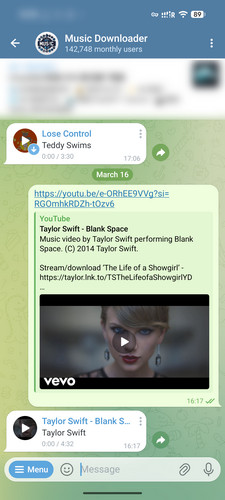
YtbAudioBot is used to convert YouTube songs and podcasts to MP3 320kbps at no cost. The AI bot accepts the YouTube link you sent and responds with song previews and basic track info. Click on the "MP3 Audio" download option, and it will handle the task in the background. But be advised that the download process will be interrupted and restarted if you quit the session.
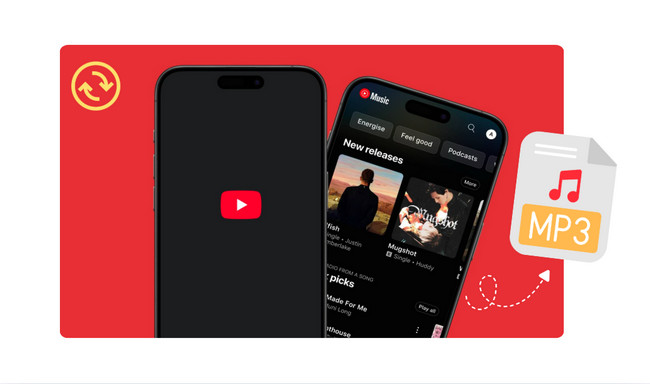
The page breaks down the top 5 methods to convert YouTube to MP3 on iPhone.
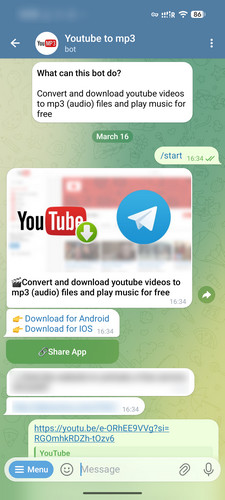
Link: https://telegram.me/convert_youtube_to_mp3_bot
In the interactive chat, this YouTube bot for Telegram analyzes the YouTube music video link and provides full playback. It does not need complex commands and operations. The ease of use makes the bot suitable for everyday listening and music sharing on Telegram. Notably, occasional malfunctions and maintenance downtime can affect reliability.
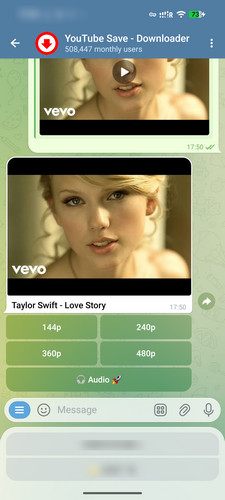
Link: https://t.me/ytsavebot?
YTsavebot effortlessly captures audio and video from YouTube and transforms it to MP3/MP4 files on your device. If you go for video downloads, the download quality is selectable from 114p to 480p. Once done, you can browse the downloaded files on the local storage. What's more, it serves as a versatile media downloader with multiple social platform supports. Apart from YouTube, you can save tunes from Instagram, TikTok, Pinterest, Facebook, and the like.
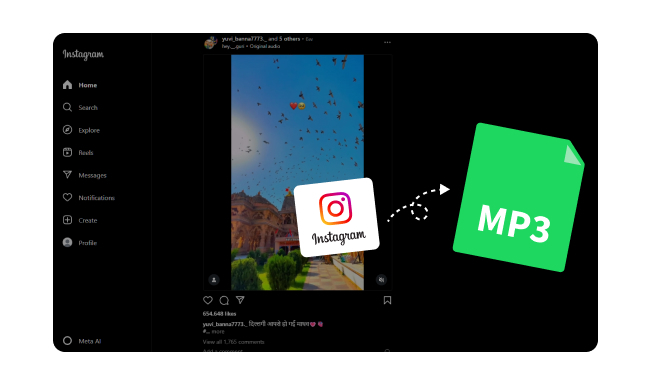
The page breaks down the top 5 methods to convert YouTube to MP3 on iPhone.
Link: https://t.me/MusicsHuntersbot
An intelligent music downloader Telegram bot designed to download audio tracks from YouTube, Spotify, Qobuz, and SoundCloud, with no charge. It pulls from YouTube sources and displays essential details of the track, such as artist, duration, genre, etc. To get started, simply send a YouTube Music link or type the song/artist name. Once the audio processing is complete, you can download MP3 files quickly.
💡 Pro tips: Seeking to download high-quality MP3 from YouTube Music, Spotify, SoundCloud, and more platforms? Try an all-in-one solution—NoteBurner Music One.
Link: https://t.me/scdlbot
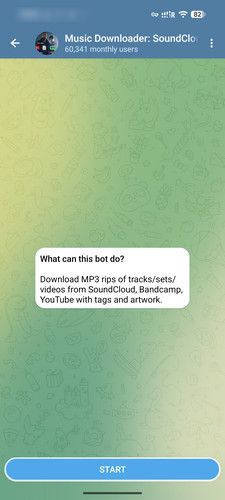
Scdlbot is another Telegram bot for downloading MP3s from YouTube. It works similarly to @MusicsHuntersbot, getting MP3s of tracks & playlists from YouTube, Bandcamp, SoundCloud, and others. By scanning the music and video links quickly, the bot enables you to directly download MP3 audio with key metadata information preserved (tags, artwork, and artist info).
Link: https://t.me/YTBMusBot
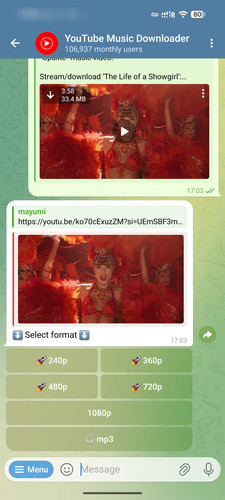
YTBMusBot is focused on finding and downloading MP3 320kbps from YouTube and YouTube Music. Aside from that, you can stream shared YouTube tracks directly in group chats—with no ads and no need to connect a YouTube account. The bot provides basic track details and lyrics, though the lyrics are usually partial rather than full. In the meantime, you've probably encountered connection timeout errors.
Discover the best 10 YouTube Music playlist downloaders of 2026, ensuring seamless offline listening across all devices.
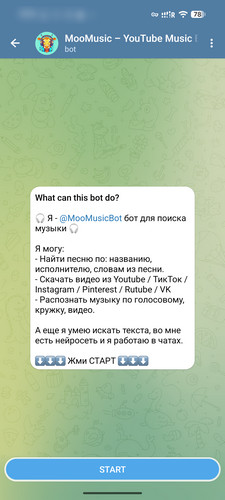
MooMusicBot can search for songs on YouTube Music by title or artist. A few simple commands are usually all it takes to easily listen to music on YouTube directly from a Telegram chat (no external application is required). But it is worth noting that some tracks may not support downloading at all, making it more suitable for streaming than offline MP3 use.
Link: https://www.findmini.app/audiofmbot/
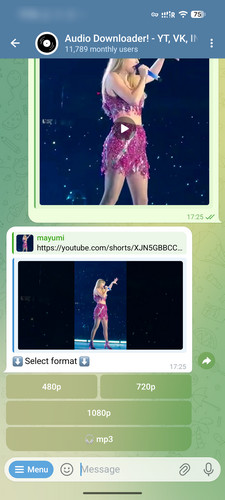
If you enjoy combining music searching and downloading into one place, AudioFMbot is a fantastic pick. It boasts itself as a "music finder + downloader" bot inside Telegram. Specifically, this bot helps you query the track you don't know the title of, provides lyrics, and even enables you to download it. It doesn't just stop being a bot for downloading audio from YouTube on Telegram. You can also download videos from popular sites like TikTok, Instagram, VK, and more.
While YouTube-to-MP3 Telegram bots make it easy for music lovers to convert YouTube videos and music to MP3 for free, the download quality and security are still concerns. The safe workarounds? So there you go—just check two safe alternatives to YouTube to MP3 Telegram bots.
Official Entrance: https://www.noteburner.com/youtube-music-converter-windows.html
Verified Rating: 4.3 out of 5 score on Trustpilot (based on 360+ reviews)
NoteBurner YouTube Music to MP3 Converter makes itself an ideal solution for both YouTube Free and Premium users. It works directly with the YouTube Music online player to download songs, playlists, podcasts, and music videos in batches to MP3 format (up to 320 kbps). More than just MP3, this YouTube Music downloader can convert YouTube Music to FLAC, WAV, AAC, and other formats while retaining the original audio quality and ID3 tags. After downloading, they’re just normal audio files, so you can throw them on a USB, phone, or MP3 player or even burn them to a CD.
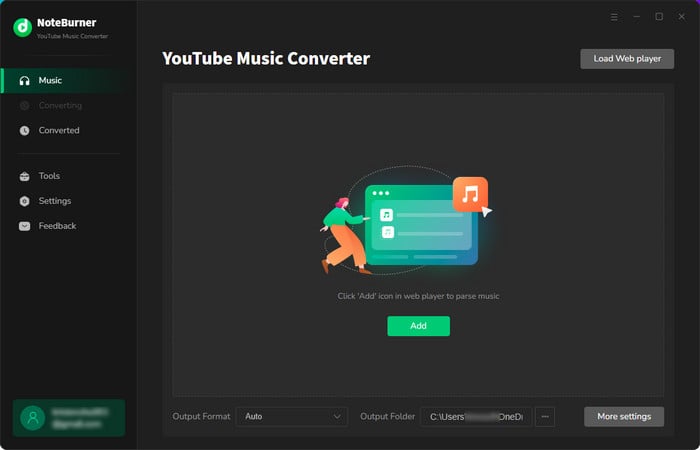
Add YouTube Music to NoteBurner
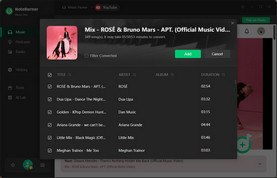
Open the built-in YouTube Music web player, navigate to the song or playlist you want to download, then click the "+" button and tick the video.
Select MP3 Output Format
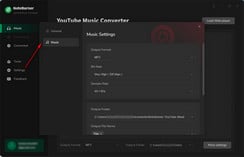
Open the Settings menu (a gear icon), select MP3 as the output format, then choose the output quality, the output folder, and others.
Download YouTube to MP3 Audio
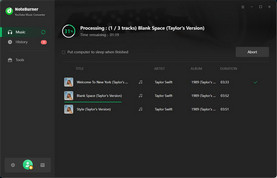
Click the "Convert" button to start converting YouTube playlist or to MP3. Once completed, go to the "History" section in NoteBurner, and all the YouTube MP3 audio will be saved there.
This article unveils the top 10 YouTube Music playlist downloaders, catering to diverse preferences and devices.
Official Entrance: https://www.noteburner-video.com/youtube-video-downloader-for-windows.html
Another alternative to the Telegram YouTube video downloader bot. Typically, NoteBurner YouTube Video Converter integrates a search window that allows direct access to the desired YouTube video and YouTube shorts. From there, it’s just a couple clicks to download YouTube videos to MP3 audio and in MP4 and MKV formats—free of cost. Except for YouTube, it supports over 1,000 popular streaming sites.
Select MP3 Output Format
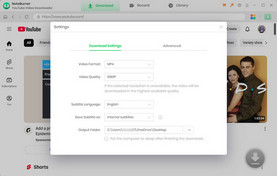
Click a gear icon at the top right corner, select the format and quality.
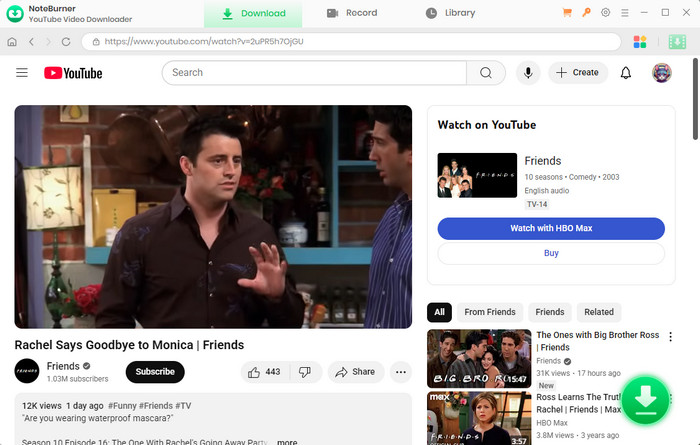
Load YouTube Video to NoteBurner
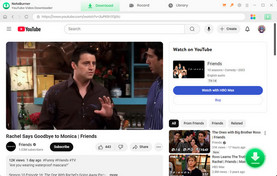
Enter the keyword or the YouTube video URL into the address bar of NoteBurner. Once you find the video you want to download, hit the Download button.
Convert YouTube Video to MP3
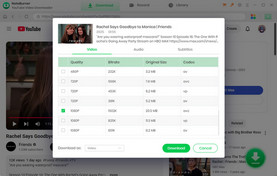
Choose "Download as Audio", then click the Download button to initiate the process.
| Tool | NoteBurner YouTube Music Converter | NoteBurner YouTube Video Downloader | YouTube to MP3 Telegram Bots [#1-8] |
| Safety | 100% safe (zero ads / malware) | 100% safe (zero ads / malware) | Suspicious (may include ads, malware & redirects) |
| Max Audio Quality | Up to 320 kbps High Quality | 256kbps | Lossy & Inconsistent |
| Download Format | MP3, MP4, AAC, WAV, FLAC, AIFF, ALAC | MP3, MP4, MKV, M4A, WEBM | MP3, MP4 |
| Download Speed | 10X faster conversion | Fast | Moderate (slower for long videos) |
| Video Quality | Up to 4K (Music Video) | Up to 8K (unstable) | Up to 1080p (but Varies) |
| ID3 Tags | Fully preserved | Basic tags | Incomplete |
| Compatibility | Windows & Mac | Windows & Mac | PC & Mobile |
| Language support | 48 | 26 | Few |
| Free to use | No (free trial available) | Yes | Yes |
| Batch Downloads | ✔ | ✖ | ✖ |
| Built-in Webplayer | ✔ | ✔ | ✖ |
| Audio Tools | ✔ Audio Editor, CD Burner, Format Converter, Tag Editor, etc. |
✖ | ✖ |
 Top Tested Alternative: NoteBurner YouTube Music Converter
NoteBurner YouTube Music Converter is much of a no-brainer for someone looking to download YouTube to MP3 with the best quality kept. It handles full playlists and batches, and it keeps things organized with proper ID3 tags, which is honestly a big plus if you want to create your music collection. On top of that, there are a couple of audio tools already set up—just feel free to make any audio editing.
Not all Telegram YouTube downloader bot safe to use. Be wary of any links that are sent by bots and avoid directly clicking on anything that looks suspicious. For this, do a quick Google search to determine whether a link is safe to open.
Yes. Most of the YouTube converter bots on Telegram claimed to offer free YouTube MP3 downloads. But some of them include donation prompts and require a subscription to unlock advanced features.
No. The download output by Telegram bots is not "true" 320 kbps, actually. They only transform the audio to MP3, but do not improve the YouTube's actual sound quality. To get the original MP3 audio of YouTube Music, it is viable to use a professional tool like NoteBurner YouTube Music Downloader.
Such malfunction is usually related to the bot servers. If the server is under maintenance, overloaded, or shut down, the bot will stop responding temporarily.
It is useful to clear all chat history, and start with a new chat window. If the problem persists, you can either turn to another stable bot, or choose its safe alternative.
Disclaimer: All tools are for personal/educational use only. 🚫 Do not distribute downloaded music/video for commercial use.
YouTube to MP3 Telegram bots offer easy and free ways to grab audio quickly in 2026. All you have to do is paste a link, and the bot does the rest. That said, they’re not foolproof: bots can go offline, quality can vary, and dependability isn't always assured. As such, you can look into the alternatives. For example, NoteBurner YouTube to MP3 Converter goes more stable than dealing with bots going offline every other week. It easily helps you download full YouTube playlists to MP3, with superior quality preserved.
Note: The free trial version of NoteBurner YouTube Music Downloader allows you to convert the first 1 minute of each song. You can buy the full version to unlock this limitation and enable all its features.



