
Have you ever opened YouTube Music at school, work, or while traveling, only to see messages like “This service is not available in your region” or discover that songs are suddenly grayed out and unplayable?
The good news is that there are several proven ways to get YouTube Music unblocked safely and effectively. In this guide, we’ll cover tested methods that work on both desktop and mobile devices, including VPNs, offline listening solutions, mobile hotspots, and SOCKS5 proxies. What's more, this article will show you practical ways to unblock YouTube Music step by step.
The following four methods are suitable for different application scenarios. Each method works in a different way and offers its own balance of convenience, stability, speed, and security. This table will clearly compare the various methods to help you choose the one that suits you best.
If you want the most reliable and stable way to unblock YouTube Music at school, work, or in restricted regions, using a VPN is still the most effective solution.
A VPN (Virtual Private Network) changes your IP address and encrypts your internet traffic. This allows you to bypass school WiFi restrictions, workplace firewalls, and geo-blocks that prevent access to YouTube Music.
Step 1 Choose a reputable VPN provider.
Step 2 Install the VPN app.
Step 3 Open the app and log in.
Step 4 Connect to a country where YouTube Music is available.
Step 5 Open YouTube Music again.
Step 6 Refresh the page or restart the app.
If you often can’t access YouTube Music due to school networks, workplace restrictions, or unstable internet, offline listening can be a simple long-term solution.
In this case, NoteBurner YouTube Music Converter helps users achieve true YouTube Music unblocked access by allowing you to download and save songs for offline playback, so you can listen anytime without relying on streaming or network access.
It supports both YouTube Music Free and Premium users, and can convert playlists into formats like MP3, AAC, FLAC, and more. This makes it easy to store music permanently and enjoy an uninterrupted offline listening experience.


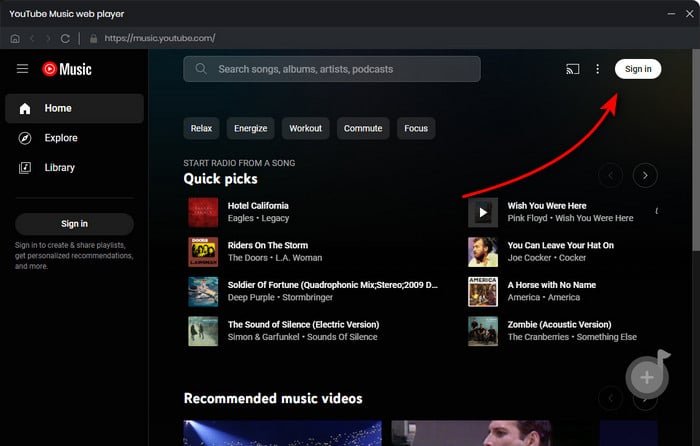
Step 1 Sign in to YouTube Music
Launch the NoteBurner YouTube Music Downloader on your PC or Mac and sign in to your YouTube Music account.
Step 2 Select Output Format
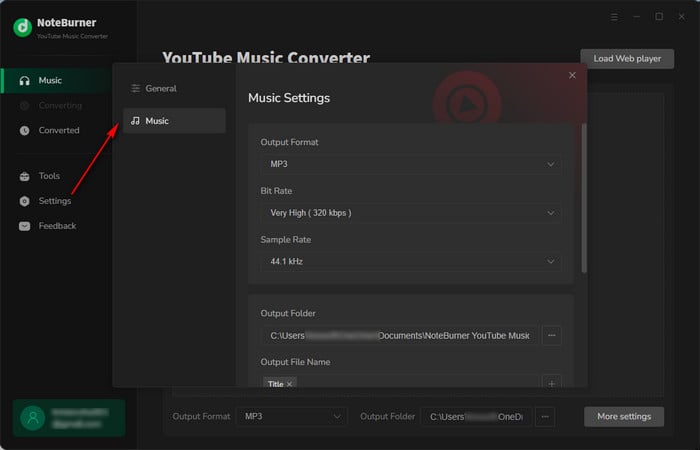
Click the "Settings" icon, choose MP3 output format, adjust the Bit Rate (320kbps, 256kbps, 192kbps, 128kbps), Sample Rate, and other options.
Step 3 Add YouTube Music to NoteBurner
Open a YouTube Music playlist and click the "Add" button.
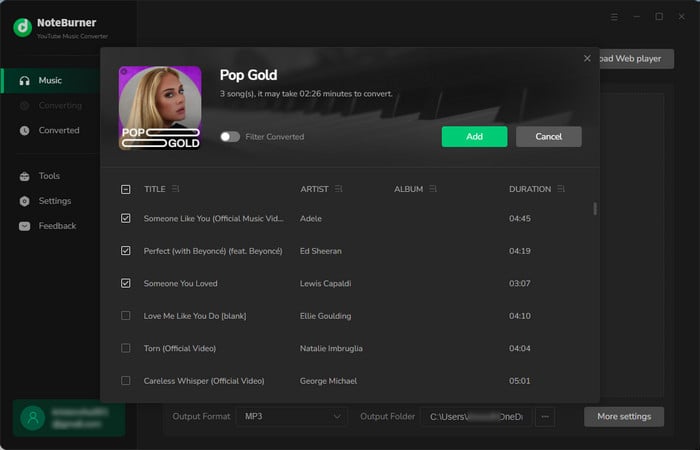
Step 4 Download YouTube Music
Click the "Convert" button to start downloading YouTube Music tracks offline. Go to "History", and you'll see that all the songs have been downloaded.
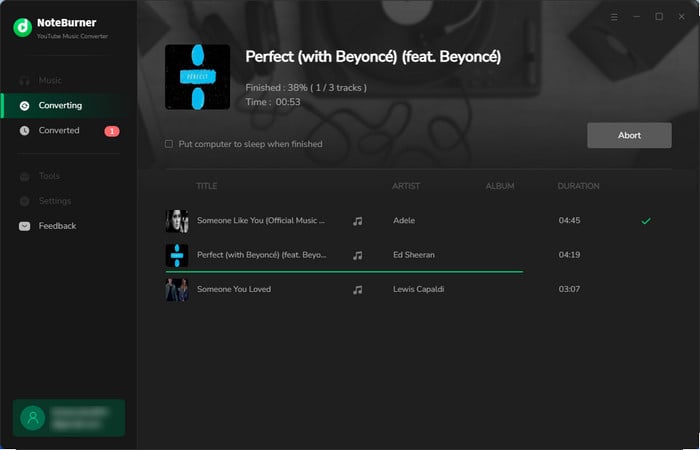
Once your YouTube Music tracks are downloaded with NoteBurner, you can enjoy them in multiple flexible ways without needing an internet connection. You can play them directly on your computer with any media player, transfer them to your phone for offline listening in restricted environments like school or work, or even move them to a USB drive, SD card, MP3 players, or external hard drive for playback on cars, speakers, and other compatible devices—giving you full control over your music collection and a truly portable offline listening experience anytime, anywhere.
Sometimes the issue is not YouTube Music itself, but the Wi-Fi network you are connected to. Many schools, libraries, and workplaces block music streaming services through their firewall or router settings.
In this situation, switching to your mobile data connection is often the fastest and easiest solution. By enabling your phone’s hotspot feature, you can connect your computer or tablet to your cellular network instead of the restricted Wi-Fi, allowing you to access YouTube Music unblocked without installing extra software.
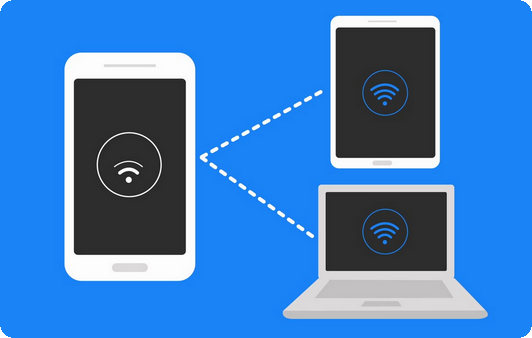
Step 1 Open your phone’s Settings.
Step 2 Find the “Personal Hotspot” or “Hotspot & Tethering” option.
Step 3 Turn on the hotspot feature.
Step 4 Connect your laptop, tablet, or other device to the hotspot Wi-Fi.
Step 5 Open YouTube Music and start streaming normally.
Discover 10+ methods to unblock music on YouTube at school. You will find various free unblocked YouTube websites here.
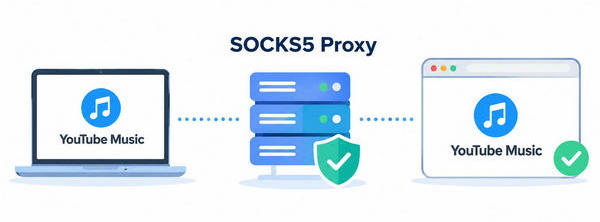
A SOCKS5 proxy is another effective way to unblock YouTube Music, especially for advanced users who want more control over their network connection.
Unlike standard web proxies that only work inside browsers, SOCKS5 can route traffic for entire apps and system-level connections, including the YouTube Music mobile app and desktop web browsers. This makes it more flexible and compatible than many browser-based “unblocked music” websites.
Step 1 Obtain a SOCKS5 proxy address and port from a trusted provider.
Step 2 Open your device’s network or proxy settings.
Step 3 Select the SOCKS proxy option.
Step 4 Enter the SOCKS5 server address and port information.
Step 5 Save the settings and restart your browser or YouTube Music app.
Step 6 Open YouTube Music and test the connection.
Looking for 100% free & safe YouTube to MP3 sites? Discover 10 virus-free sites with high-quality audio — download quickly without ads!
A: Yes, some Chrome extensions, such as proxy or VPN-based tools, can help you access YouTube Music when it is restricted on your network or in your region. These extensions work by routing your browser traffic through different servers, allowing you to access restricted content and open YouTube Music directly in Chrome.
A: This can happen because of regional licensing restrictions, Restricted Mode settings, expired licenses, or account-related issues.
A: The official YouTube Music app does not allow downloading songs for offline playback with a free account. However, you can use NoteBurner YouTube Music Converter to download songs for offline listening even with a free account, and save tracks in common audio formats for personal use.
A: For beginners, the easiest way to unblock YouTube Music is usually to start with a mobile hotspot or a simple network switch, since it requires no installation and can quickly bypass basic network restrictions.
A: While a VPN can hide your browsing activity through encrypted connections, it doesn't completely eliminate the fact that you're using one. In tightly managed school networks, administrators may be able to detect or block VPN protocols, especially when using known VPN ports or public VPN services. However, in less regulated environments, VPN use may function undetected.
Hunting for free YouTube to MP3 telegram bots? Utilizing one of the best YouTube Telegram bots to download YouTube music or videos to MP3 with 320kbps.
This article provides several proven methods for unblocking YouTube Music, including VPNs, offline listening solutions, mobile hotspots, and SOCKS5 proxies. Using these methods, users can regain access to YouTube Music in various network environments.
We particularly recommend two methods: VPNs and offline listening solutions. Both are better suited for long-term, stable use and are relatively easy to set up.
No matter which method you choose, always use these tools responsibly and make sure your actions comply with local laws, school policies, and regional regulations.
Note: The free trial version of NoteBurner YouTube Music Converter allows you to convert the first 1 minute of each song. You can buy the full version to unlock this limitation and enable all its features.




