
 By
By
A SoundCloud downloader extension is one of the easiest ways to save music directly from your browser. Compared to typical online SoundCloud download websites, they eliminate the need for constant copying and pasting of links and are free from annoying ads. However, many extensions have limited sound quality, don't support playlists, or suddenly stop working.
If you're looking for a truly free SoundCloud downloader extension that works in Chrome, Firefox, or Edge browsers, you've come to the right place. We tested most of the SoundCloud downloader extensions on the market and selected the top 5. Below, we'll detail their features, supported formats, download quality, pros, and cons. Let's get started.
Start with the comparison table below! It gives you a quick overview of the top SoundCloud Chrome extensions and Firefox SoundCloud downloaders, Edge SoundCloud downloaders including browser compatibility, audio quality, playlist support, and key advantages. Once you've found a promising option, simply click its name to jump to the detailed review and learn more.
🏅 Better audio quality? Unlimited batch downloads? Easier-to-use? Try NoteBurner SoundCloud Music Downloader.
Get Extension:https://addoncrop.com/exension/soundcloud-music-downloader/
Editor Rating: ⭐ 4.7/5
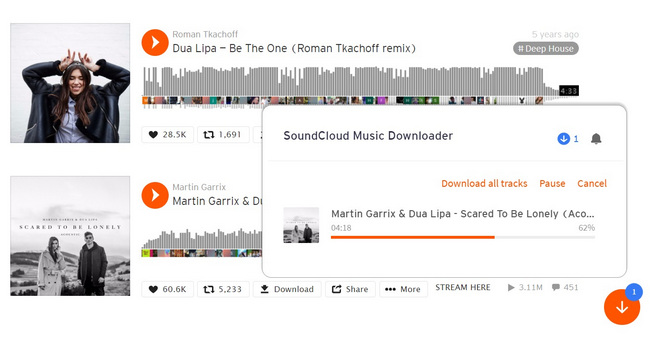
Addoncrop is the most feature-rich SoundCloud download extension we've tested. It supports Chrome, Firefox, Edge, Opera, Brave, and Vivaldi browsers and can download single tracks and entire playlists. In our tests, the extension did indeed support high-quality downloads up to 320kbps, as advertised, and automatically retained ID3 tags, including song title, artist, album, and release year. Furthermore, its built-in audio editor allows users to trim downloaded tracks. However, we found the installation process to be slightly complicated because CrossPilot must be installed before installing CrossPilot.
Get Extension:https://chromewebstore.google.com/detail/soundcloud-enhanced-pro/ggplcohodggmdfpopelnpplhgfjclomi
Editor Rating: ⭐ 4.6/5
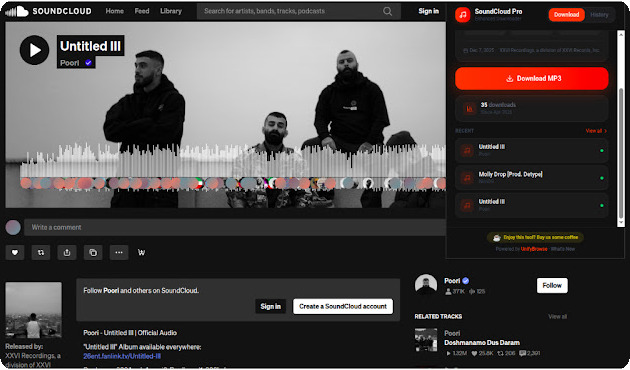
Based on our hands-on testing, SoundCloud Enhanced Pro offers much more than basic downloading. It supports individual tracks, playlists, and albums, with up to 10 songs per batch. We found the batch download feature easy to use, and the extension consistently retained metadata and album artwork in our downloaded files. It also lets you select the output format (MP3, Opus) and quality (96-128kbps) before downloading. It also includes useful extras such as track statistics, download history, and a built-in music player.
Get Extension:https://chromewebstore.google.com/detail/soundcloud-track-download/ekmbbjdpakacalghjkikfppebgdpoebb
Editor Rating: ⭐ 4.5/5
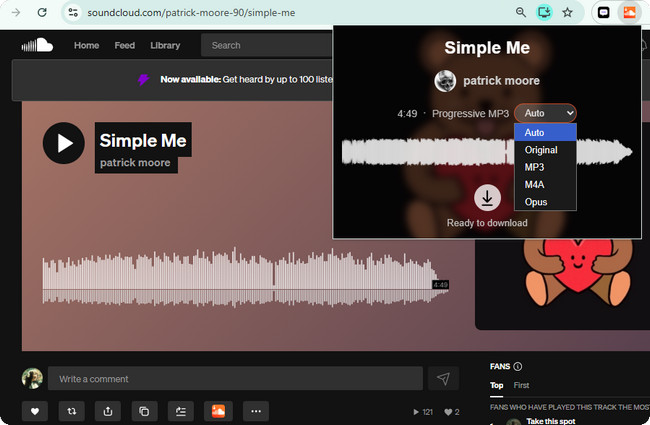
In our testing, SoundCloud Track Downloader handled individual songs perfectly. TWe were able to download files in MP3, M4A, and Opus formats, and the extension successfully preserved ID3 metadata such as the song title, artist, year, and genre. However, during our tests, large playlists and albums took noticeably longer to load and process before downloading. We also found that the extension only supports audio quality up to 128 kbps. In addition, we occasionally encountered tracks that the extension failed to detect, which is consistent with reports from other users.
Get Extension:https://addons.mozilla.org/en-US/firefox/addon/soundcloud-downloader/
Editor Rating: ⭐ 4.5/5
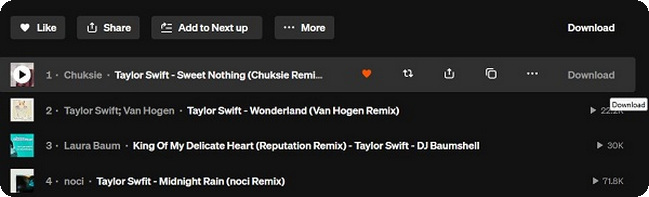
SoundCloud Downloader by NotTobi worked smoothly with both individual tracks and playlists, without redirecting us to third-party download sites. It automatically embeds essential ID3 tags, including the title, artist, album, artwork, and track number for albums. According to the developer, SoundCloud Go+ subscribers can also download the higher-quality .m4a version when available. As an added bonus, it lets you hide reposts and playlists from the SoundCloud Stream feed for a cleaner listening experience.
Get Extension:https://addons.mozilla.org/en-US/firefox/addon/scdl/
Editor Rating: ⭐ 4.4/5
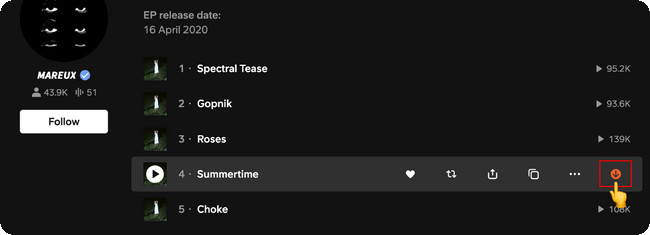
SoundCloud Downloader, developed by anyo, performs well in terms of overall download speed and stability. This extension saves files in 128 kbps MP3 format and correctly preserves ID3 metadata, including cover art, title, artist, genre, year, and description. During my testing, the custom file naming function worked correctly. The project is also open-source on GitHub for users who wish to view the source code or contribute.
Most SoundCloud downloader extensions work in a similar way. After installing the extension, simply open SoundCloud in your browser and click the Download button that appears next to a track or playlist. In this guide, we'll use Addoncrop SoundCloud Downloader as an example.
Step 1 Install the Addoncrop SoundCloud Downloader extension. If you're using Google Chrome, you'll also need to install CrossPilot, which allows Chrome to run extensions that aren't available in the Chrome Web Store. Follow the prompts to complete the installation.
Step 2 Open the SoundCloud website and sign in if necessary. Browse or search for the song or playlist you want to save for offline listening.
Step 3 Open the song or playlist page. Once the extension detects the content, a Download button will appear below the track or alongside the playlist options.
Step 4 Click the Download button. For individual tracks, the extension will immediately download the song as an MP3 file. If you're downloading a playlist, it will first collect all available tracks and add them to the download queue automatically.
Step 5 Wait for the download to finish. Your music will be saved to your selected download folder in MP3 format. If supported by the extension, the downloaded files will also retain their original ID3 tags, such as the song title, artist, album, and release year.
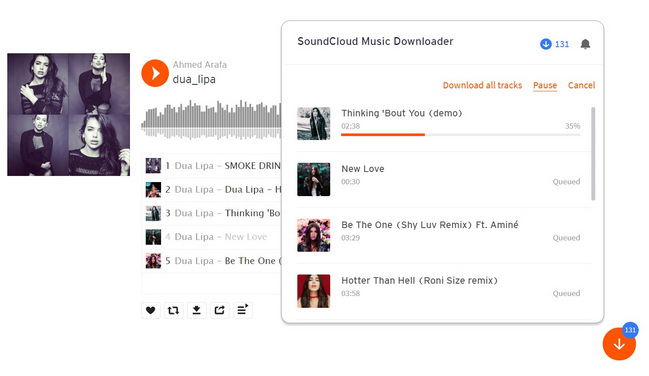
Note: Some SoundCloud downloader extensions may stop working after browser or SoundCloud updates. If the Download button doesn't appear, try refreshing the page, updating the extension, or checking whether it's still supported by your browser.
If you've tried SoundCloud downloader extensions, you've likely noticed that many stop working after a while—this isn't uncommon. This is because browser extensions rely on the current architecture of the SoundCloud website and your browser. If the website or browser changes and the developers don't update them in time, the extensions easily become unusable.
Most downloader extensions detect audio streams by reading elements on SoundCloud web pages. Therefore, even minor updates to the website can cause the download button to stop working or prevent the extension from detecting tracks.
Chrome, Edge, and Firefox regularly introduce new security requirements for extensions. Extensions that aren’t actively maintained may become incompatible with newer browser versions or lose certain permissions after updates.
Many SoundCloud downloader extensions are developed by individuals or small teams. Once development stops, compatibility issues accumulate over time, eventually rendering the extension completely unusable.
Tip: Tip: If you need a more stable solution for downloading large playlists, a desktop SoundCloud downloader is usually a better long-term choice.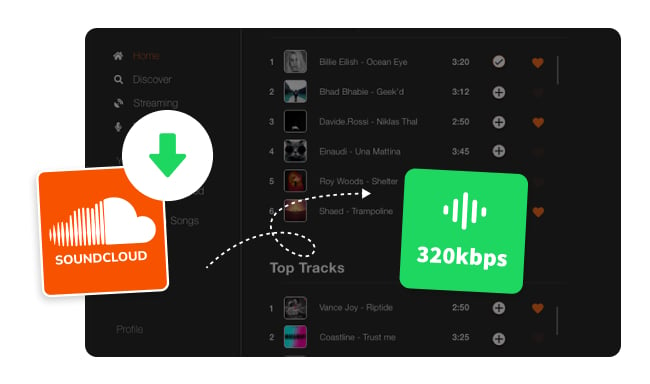
While SoundCloud’s Premium features let you save music for offline listening, free users don’t have the same option. Fortunately, there are safe SoundCloud downloaders that allow you to...
NoteBurner SoundCloud MP3 Downloader (NoteBurner Music One) is a reliable alternative for downloading SoundCloud music. It supports unlimited batch downloads of SoundCloud tracks and playlists through a built-in web player, allowing you to save music as MP3, AAC, FLAC, WAV, AIFF, or ALAC while preserving up to 320kbps original audio quality and complete ID3 metadata.
Tip: NoteBurner Music One can not only download tracks from your SoundCloud library, but also the Spotify, Apple Music, Amazon Music, and more other platforms.

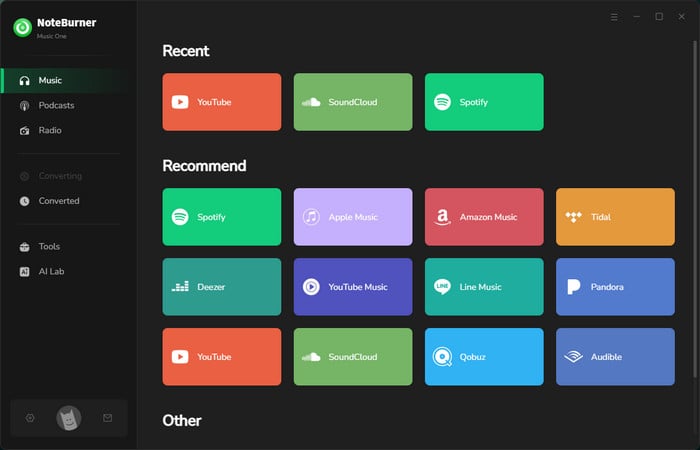
Step 1 Open NoteBurner tool, then from the main interface, you can choose various music platforms. Select SoundCloud as the download port.
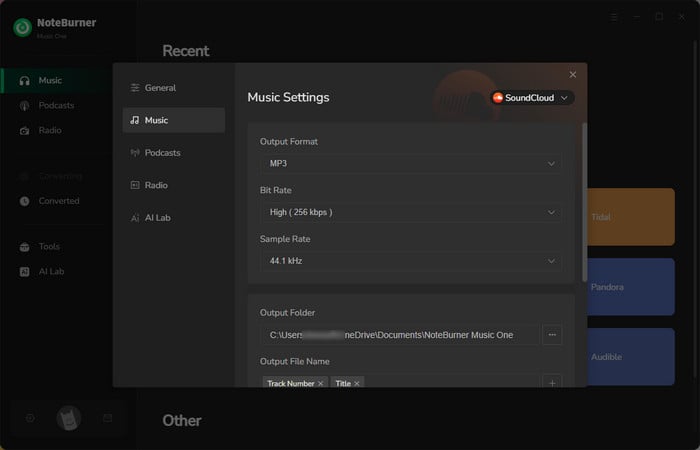
Step 2 Go to the Settings window, there you can select output format, output quality, output path, and so on. Customize the output settings you need in this step. Remember to select MP3 output format. And you can also choose to organize the SoundCloud songs by playlists in this window.
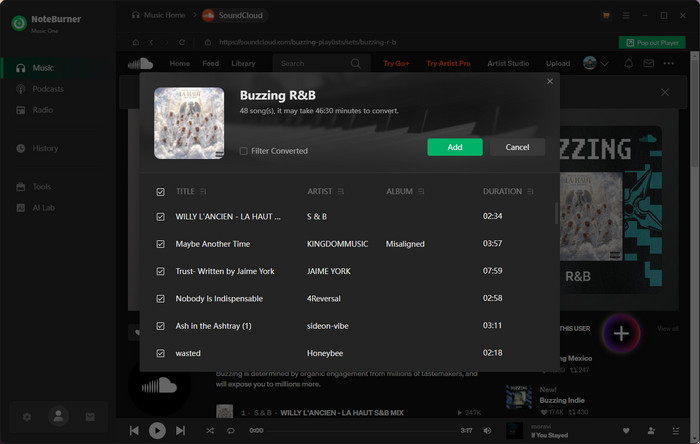
Step 3 Open a playlist on the built-in SoundCloud web player window, then you can just easily hit the Add icon. This tool will automatically recognize all tracks from the selected SoundCloud playlist to download.
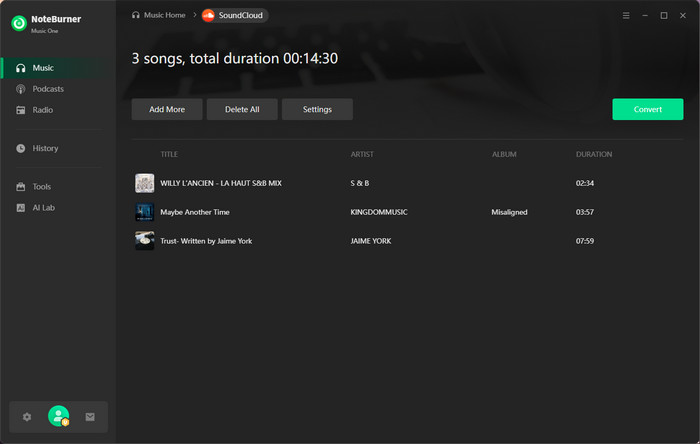
Step 4 Hit Convert button and NoteBurner will start downloading the entire SoundCloud playlist to MP3. If you have added multiple SoundCloud playlist previously, this tool can also batch download them all at once.
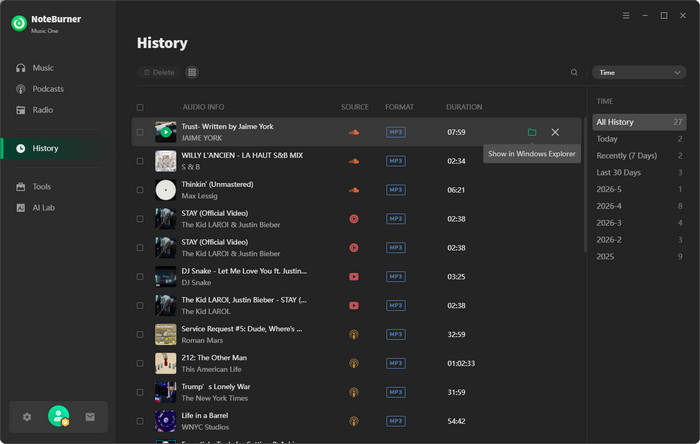
Step 5 When it's finished, go to the History tab to find out all the downloaded SoundCloud songs. You can transfer and play them on any device or music player without limits.
Most of the SoundCloud downloader extensions I've tested don't limit the number of downloads. However, some extensions only allow downloading one song at a time. These extensions tend to take longer to download playlists.
Many free SoundCloud downloader extensions are limited to 128kbps MP3, while a few, such as Addoncrop SoundCloud Downloader, support 320kbps. If you need higher quality audio or lossless formats, desktop tools like NoteBurner SoundCloud MP3 Downloader are a better choice.
No. Most SoundCloud downloader extensions can only download publicly available tracks that the extension supports. Private, region-restricted, or unavailable songs may not be downloadable.
This is usually because the extension doesn't support the track, the page hasn't finished loading, or the SoundCloud website has been updated. Updating the extension to the latest version or refreshing the page may resolve the issue.
Most extensions downloaded from trusted sources (such as the Chrome Web Store or Firefox Add-ons) are generally safe. However, avoid downloading extensions from unknown websites. Also, checking recent user reviews and requested permissions before installation can help you make an informed decision.
We tested a wide range of popular SoundCloud downloader extensions, evaluating their download quality, feature richness, user reviews, and other aspects. Based on our test results, we've selected five top choices, which we'll introduce in this article.
Choosing one of our recommended programs will significantly reduce your chances of encountering problems. Additionally, if you require more advanced features, you can choose the more popular NoteBurner SoundCloud Music Downloader, which allows you to save SoundCloud music more efficiently.
Note: The free trial version of NoteBurner SoundCloud Music Converter is limited to convert the first 1 minute of each song. You can buy the full version to unlock the limitation.




