
 By
By
Dailymotion is home to a variety of unique content that exists nowhere on Spotify or YouTube, from live music sets and interviews to podcasts and audio-focused videos. But sometimes you only want the Dailymotion audio. Direct download of Dailymotion to MP3 may be missing—so a workable Dailymotion to MP3 converter is what you'll need. The page introduces 4 methods for converting Dailymotion videos and audio to MP3, all tested personally, with real highlights, drawbacks, workflow, and honest feedback.
Natively, Dailymotion itself doesn't offer a direct MP3 option in the app or on the website. You'll notice that the built-in webplayer is available for streaming only, with no ability to download offline. That's why some users hunt for third-party "Dailymotion MP3 converters." These tools usually extract the video stream first and then save it as the MP3 audio track locally or on their server. With Dailymotion MP3 files, you will benefit from:
A heads-up, though: The MP3 bitrate quality of that conversion, the ads' presence, and whether it clips the ending depend entirely on the tool doing the work. What's more, all tools are not official, after all. Keep using it carefully and responsibly. Do not share the converted audio or use it for business.
Where to get it: https://www.noteburner.com/noteburner-music-one.html
Beyond Spotify, YouTube, and any other mainstream sites, NoteBurner Music One can download Dailymotion videos or playlists to MP3 files at 320 kbps—safe, fast & in batches. The built-in Dailymotion to MP3 converter works via the Dailymotion web player: you find the video, and it identifies the video or audio stream. Then, as expected, it is quickly output as MP3 320 kbps, or FLAC, WAV, or others if you want lossless.

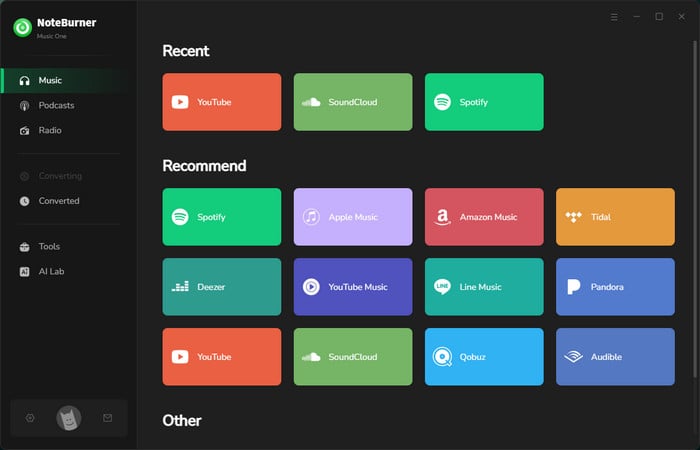
Step 1 Install and run NoteBurner Music One. Choose Dailymotion in the Music tab of NoteBurner.
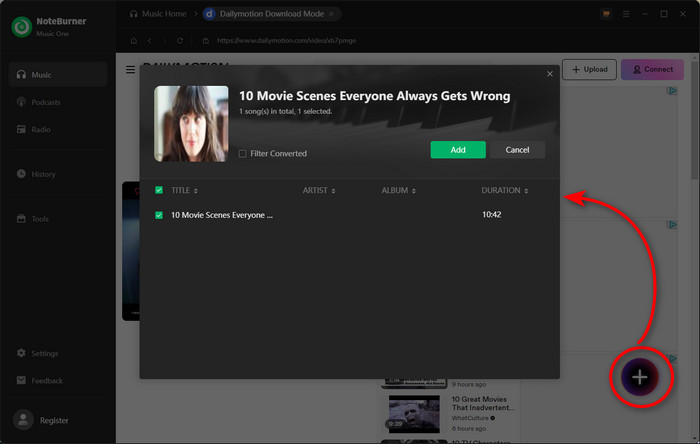
Step 2 Navigate to the track or video on the embedded Dailymotion web player. Click the Record icon in the lower right, and tick the video to convert.
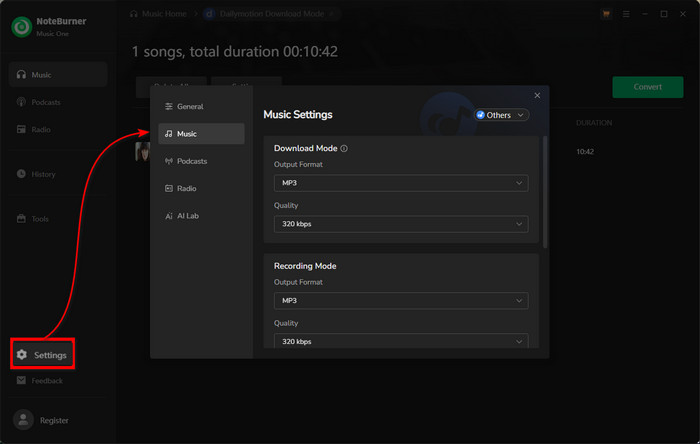
Step 3 Open the Settings window by clicking the gear icon at the bottom-left corner. Choose MP3 as the audio format, and set 320 kbps as the audio bitrate for Dailymotion.
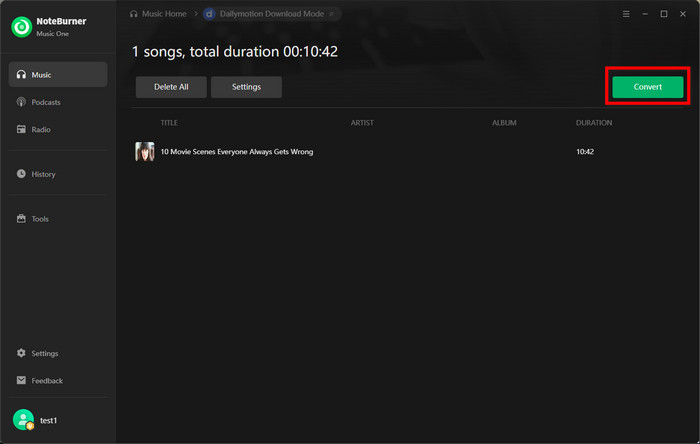
Step 4 Now start converting the Dailymotion video to MP3 audio. It runs at a very fast speed, and you can monitor the process clearly.
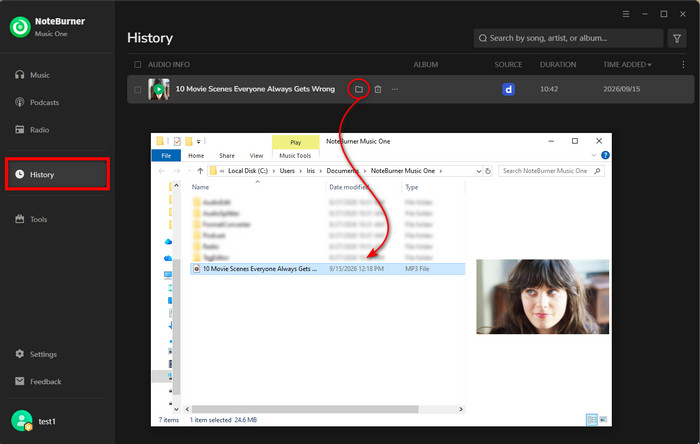
Step 5 Go to the History page. Hover over the folder icon next to any track and click it to locate your Dailymotion MP3 downloads.
Best overall — my top pick after testing all converters.
The output quality is far beyond some online tools and Chrome extensions. All converted audio is tagged with 320kbps as previously set. And the batch conversion is an extra point. You can queue multiple Dailymotion videos and walk away while they convert in the background. In my test, a 10-minute Dailymotion video took around 2 minutes to process under a stable network connection.
Best fit for: Active Dailymotion users who want to download multiple videos to MP3 with the best quality.
After trying several web-based Dailymotion to MP3 converters, I found that not every tool delivers what it claims. Some struggled to recognize Dailymotion links correctly, while others were filled with heavy ads or confusing download steps. For a working online solution, you can have a look at the following analysis of working Dailymotion to MP3 converters.
Where to get it: https://klipa.ai/en/tools/download-dailymotion-video
A free online Dailymotion downloader to MP3 and MP4. It works as any online tool does: identify the Dailymotion video URL, show the format options, and generate a single MP3 audio file as you requested. Given its web-based nature, you're free from installing extra apps.
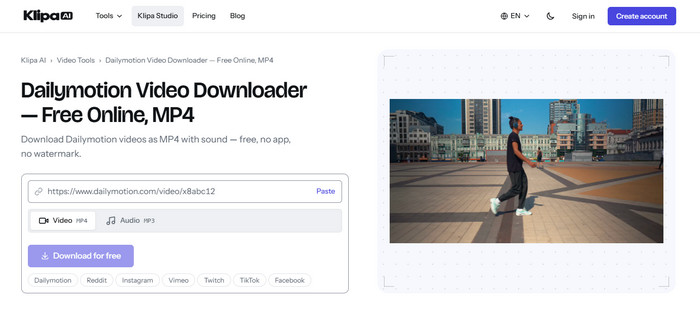
Step 1 Copy and paste the Dailymotion video or playlist link into the search box of klipa.ai.
Step 2 Click on MP3 Audio, and tap the "Download audio" button.
Step 3 Once the link is verified and ready for download, click the Download button.
Where to get it: https://www.savethevideo.com/dailymotion-downloader
SaveTheVideo acts as another browser-based solution for converting Dailymotion videos to MP3 or MP4 files. It receives one video URL at a time and allows you to choose two output formats and various qualities. If you want to trim specific sections, you can also utilize the built-in video cutter. Still, some advanced features like batch conversion and file size compression are exclusive for a specific application.
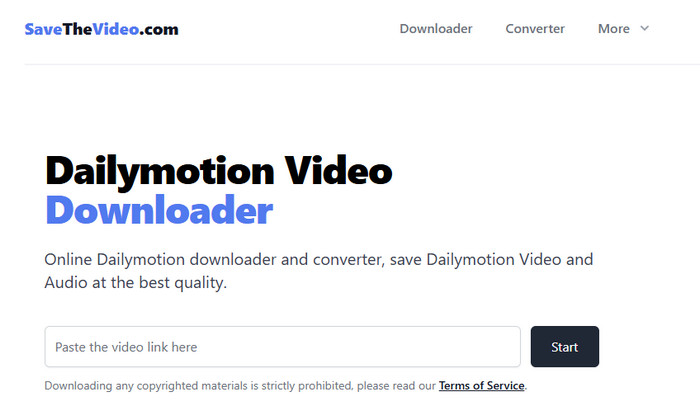
Step 1 Input the Dailymotion video or audio link into the query field, and click the Start button nearby.
Step 2 Once the audio settings is displayed, go to the Convert tab, select MP3 format, and your preferred level (such as Medium Quality).
Step 3 Click Convert to MP3 and let it run.
Both do a simple one-off conversion; no need for software setup. Clicking the download button may trigger one redirect, but it contains less than other online tools in my test. The output is not captured from the source, so the quality is not up to 320 kbps.
Best fit for: Casual users looking to convert Dailymotion video links to MP3 online—totally free of charge.
Besides no-install tools for downloading Dailymotion videos, the add-on browser extension is another alternative.
Where to get it: https://addoncrop.com/v1/dailymotion-video-downloader/
Rather than copy-pasting URLs every time, Addoncrop Dailymotion Video Downloader embeds a one-click button on the video page itself. After installation, it detects available Dailymotion streams directly in the browser and converts supported videos to MP4 and MP3 files. During the process, you don't need to create an account for conversion.
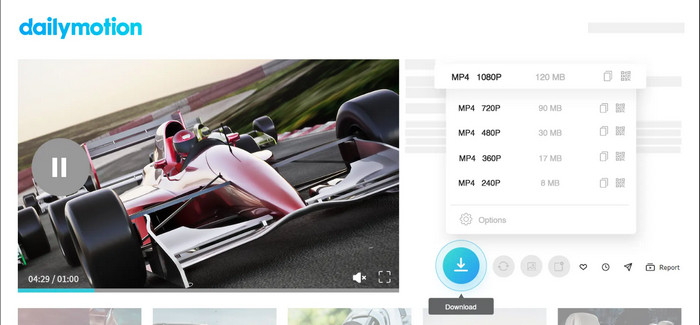
Step 1 Add the requested extension to Chrome, open the web page of Dailymotion, and target the video you want to convert.
Step 2 Once it detects the video, a download button should appear below the video player.
Step 3 Click the Download button and select the MP3/audio option.
It is very easy to install the extension on Chrome. But it is not a standalone one; you need to install another extension—Crosspilot—to make it run properly. It is not straightforward and is less stable. Sometimes it does not have any response when opening a Dailymotion video. For the overall run, I will not recommend it as the long-term way to download Dailymotion audio.
Best fit for: Viewers who just want to save desired Dailymotion videos locally in one click.
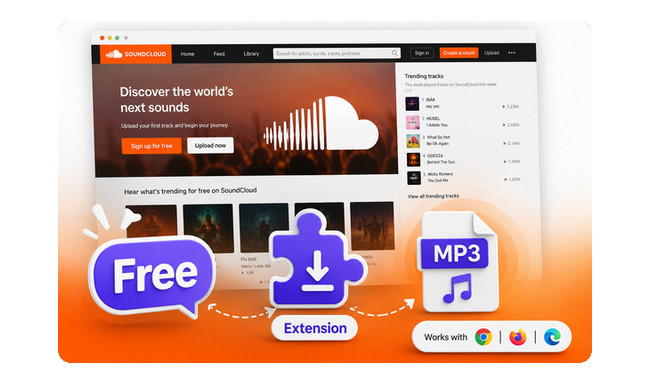
Compare the top 5 SoundCloud downloader extensions, learn how to use them, and discover the best alternative.
What if you want to download Dailymotion to MP3 on your mobile phone (Android/iOS)? Apart from online tools, you can take advantage of the free Dailymotion Downloader Bot on Telegram.
Where to get it: https://t.me/allvideo_downloader_bot
All Video Downloader Bot (@allvideo_downloader_bot) allows you to download online videos from Dailymotion at no cost. The AI bot accepts the Dailymotion link you sent and responds with a video preview and basic introduction. Tap on the download option, and it will handle the task. It is worth noting that it does not offer MP3 conversion, but the video part does. You will have to use a separate video-to-MP3 converter app on your mobile device afterward.
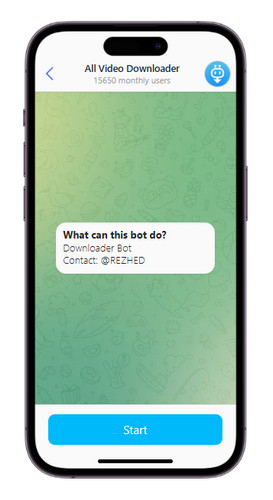
Step 1 Find and run this bot in your Telegram app, and tap on "Start."
Step 2 In the chat window, enter the Dailymotion video link, and the bot will respond with a video preview and download option.
Step 3 Click on download and wait for the process. When completed, you can see the downloaded video in the Downloads tab.
Step 4 Now you can convert this local video to MP3 format by using the video converter tool on your phone.
Honestly, the biggest advantage was convenience. There were no subscription costs or registration processes involved. However, the usage was less consistent compared with a dedicated download tool like NoteBurner. Download speeds were sometimes slow; there was a lack of quality or bitrate options, and the bot was not always available.
Best fit for: Mobile users who want to save Dailymotion videos to the phone for later conversion and editing.
The page offers a list of the best 8 YouTube to MP3 Telegram bots that actually work in 2026, as well as the best alternatives.
Struggling to choose the tool to convert Dailymotion to MP3? We compared all types of Dailymotion converters mentioned above and rounded them up below.
| Tool | MP3 Quality | Batch Download | No Ads | Dailymotion login required |
Installation | Ease of use | Key highlight |
|---|---|---|---|---|---|---|---|
| NoteBurner Music One | Up to 320kbps | ✅ | ✅ | Not necessary | Desktop software | Easy-Moderate | High-quality Dailymotion MP3 downloads with batch conversion |
| Klipa.ai | 256kbps | ❌ | ❌ (minimal redirects) |
No | No installation | Easy | Quick online Dailymotion MP3 conversion |
| SaveTheVideo | 128-256kbps | ❌ | ❌ (few redirects) |
No | No installation | Easy | Online free Dailymotion video downloads |
| Addoncrop Dailymotion Downloader | 256kbps | ❌ | ✅ | No | Browser extension | Medium | Browser-based Dailymotion downloads |
| All Video Downloader Bot | N/A (video download only) |
❌ | ✅ | No | Telegram only | Easy | Download Dailymotion to mobile |
For a quick free online download, Klipa.ai and SaveTheVideo are the after-tested choices. On the other hand, Addoncrop Dailymotion Downloader is a better fit for users who prefer using an extension to save Dailymotion content directly while browsing.
All Video Downloader Bot is mobile-friendly; you can download Dailymotion videos through Telegram, although it does not provide direct MP3 conversion.
If audio quality and batch conversion are the priority, NoteBurner Music One is the only method on this list that gets MP3 320 kbps from Dailymotion and handles multiple videos at once with no adverts.
Note: The free trial version of NoteBurner Dailymotion Music Converter is limited to convert the first 1 minute of each song. You can buy the full version to unlock the limitation.
A: It's a legal "gray area." It is illegal to download and distribute unauthorized content. Downloading for personal, offline use is generally tolerated, but you should obey the rules and respect the rights of the content owner.
A: Safety depends on the tool you choose. For example, NoteBurner Music One provides a more controlled conversion without relying on third-party download pages, whereas online tools are more convenient but may still carry redirects.
A: Yes. There are two solutions: one is to take advantage of the online Dailymotion to MP3 converter and browser extension; the other is to use NoteBurner Music One, which does not require a Dailymotion subscription or account login for the conversion.
A: Yes. By using NoteBurner Music One, you can convert multiple Dailymotion videos and save them as local MP3 files in batches.
A: Yes, but the actual quality depends on the original Dailymotion source. A 320kbps MP3 setting does not automatically improve the quality of a lower-quality audio stream.
Free online converters are capped at 128-256 kbps. NoteBurner Music One captures MP3 audio directly through its recording engine, with up to 320 kbps. Note that it still has minor differences compared with the original audio source, but these differences are usually subtle and do not affect normal playback. For the best results, choose Dailymotion videos with higher-quality original audio before conversion.




