
 By
By
Looking to download SoundCloud music to Android or iPhone to listen offline? You’ve got options!
You can easily stream SoundCloud tracks via the web, desktop apps, and mobile devices. But download them directly to your Android or iPhone? It's a little tricky because of the Free plan and restrictions on playback outside the platform. Luckily for you, in this post, we will outline three proven methods to download SoundCloud music to Android and iPhone in 2026. Whether you're on SoundCloud Free or SoundCloud Go+, you can flexibly choose one of them - from the official option, to MP3 downloads with NoteBurner Music One and free online SoundCloud converters. Just dive in!
Typically, SoundCloud Go and Go+ subscribers have the most direct way to download SoundCloud music offline. They can save tracks, playlists, and albums directly via the SoundCloud app; later, they can get offline playback on both Android and iPhone.
Here's how to download SoundCloud songs offline via the mobile app.
Step 1 Open the SoundCloud app on your Android or iPhone, locate the track or playlist you intend to download.
Step 2 Simply click on the down arrow button beneath the playlist; Or tap the three dots (⋮) next to the track or playlist title and choose the Download option.
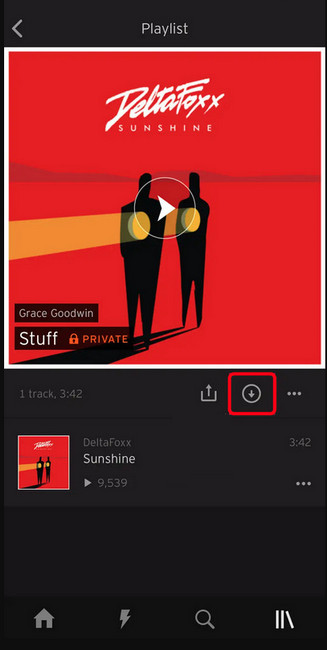
Step 3 You can see the download progress in the pull-down notification area. (If on the iPhone, the progress bar is at the bottom of the screen.)
Step 4 With all downloads complete, you can browse your downloaded SoundCloud songs via Library > Downloads.
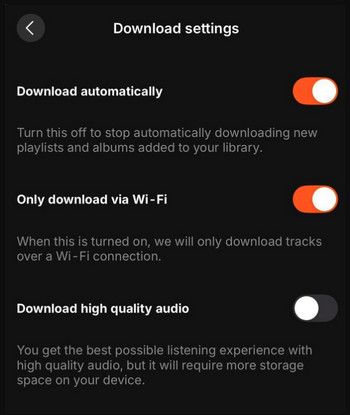
Tips: If you want the tracks to be automatically downloaded only when connected to Wi-Fi, just enable both options in the Download Settings.
As mentioned above, SoundCloud tracks are cached onto the mobile app for offline listening. But notably, the downloaded titles will not be accessible if the SoundCloud subscription is over. Besides, the downloads are not in the MP3 format and are not transferrable to other apps or devices. As such, when you need to listen to SoundCloud offline on Android/iPhone and even keep it playable forever, NoteBurner SoundCloud Music Converter comes as a nifty workaround.
NoteBurner Music One, also called NoteBurner SoundCloud Music Converter, is dedicated to downloading SoundCloud songs, playlists, albums, and podcasts to MP3 for playing on your Android and iPhone. Beyond MP3, it converts SoundCloud music to a generic audio file, including FLAC, AAC, WAV, or M4A, with the original sound quality and ID3 tags kept. You then transfer that file to your phone the same way you'd move any music: via USB, Google Drive, iCloud, or iTunes.
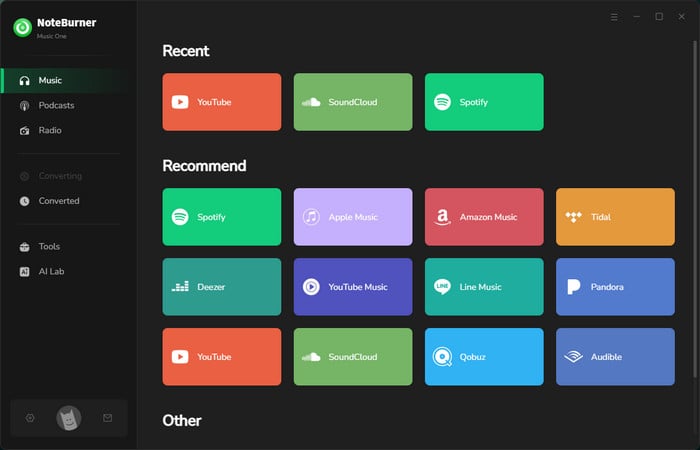
Step 1. Open up NoteBurner Music One, scroll down, find "SoundCloud", and click it.
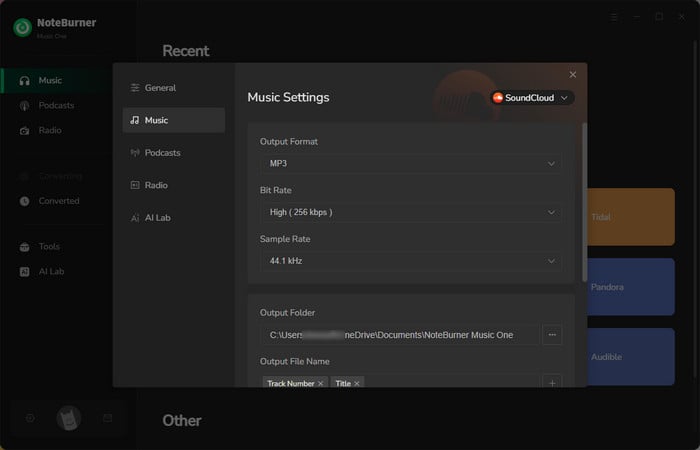
Step 2. On the bottom, you can choose output format, output quality, etc. Just remember to select MP3 output format.
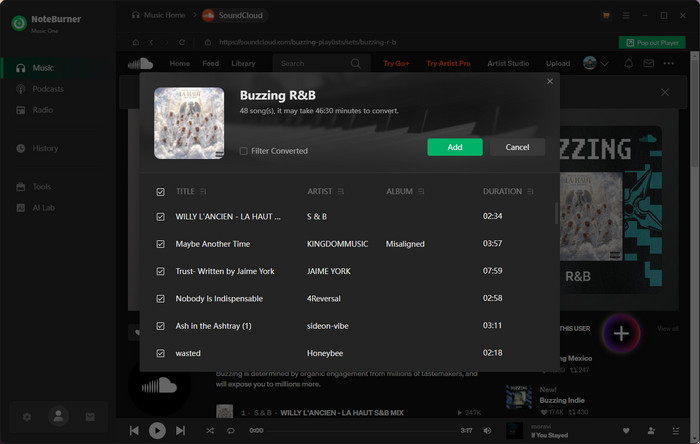
Step 3. In the SoundCloud web player window, find the SoundCloud playlist you want to save as MP3s, and hit "Add" to add it to NoteBurner.
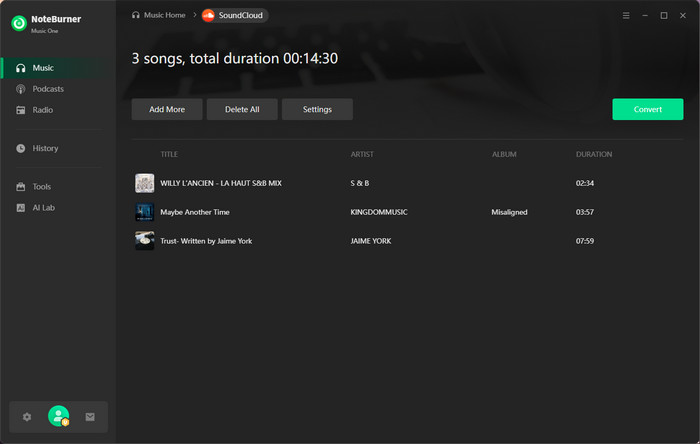
Step 4. Hit "Convert" to start downloading all your SoundCloud tracks to MP3. Once converted, go to History and you'll find all downloaded SoundCloud audio files.
Now you've got converted SoundCloud MP3 tracks, then you can transfer all of them to your phone for enjoyment, even without network connection and SoundCloud Go+ membership.
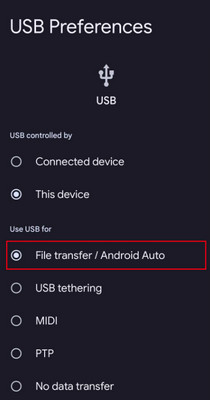
Step 1 Connect your Android phone to the computer via a USB cable. It would help if you changed the connection mode to "File Transfer" or "MTP".
Step 2 Go to "This PC" and find the "Music" folder under your Android phone storage. Here copy the downloaded SoundCloud tunes from NoteBurner to media folder.
Step 3 On your Android phone, you can find and play SoundCloud music offline now!
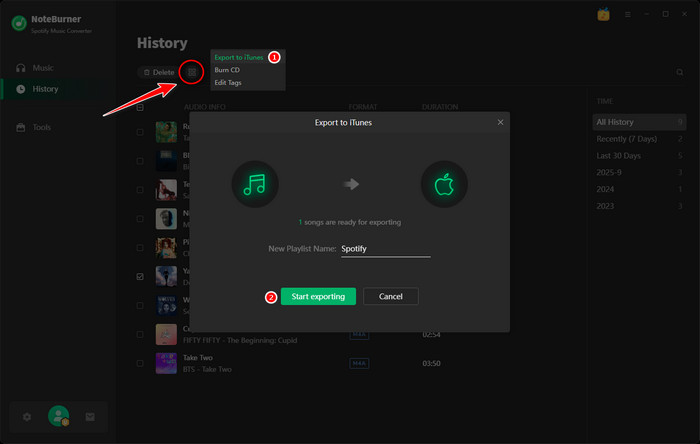
Step 1 Navigate to History in the NoteBurner Music. Click the square-shaped edit icon, and then select "Export to iTunes". Enter the name of your new playlist and click "Start exporting." .
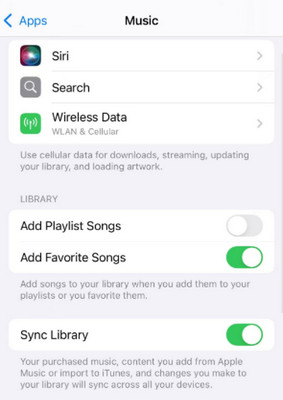
Step 2 Open your iPhone, go to "Settings > Apps > Music". Then turn on "Sync Library". Later, you'll find the SoundCloud songs are automatically synced to your iPhone.
Some folks may prefer a simple, free, and no-install download of a single SoundCloud track. For this purpose, online tools do what they need. We tested several web-based SoundCloud downloaders and summarized two working ones for casual one-off use.
Link: https://scloudplaylistdownloader.app/en1/
scloudplaylistdownloader.app makes it easy to download SoundCloud audio into MP3—all free of charge. The operation is friendly for even beginners. With a few clicks, select MP3 format and audio quality, and the download will start automatically.
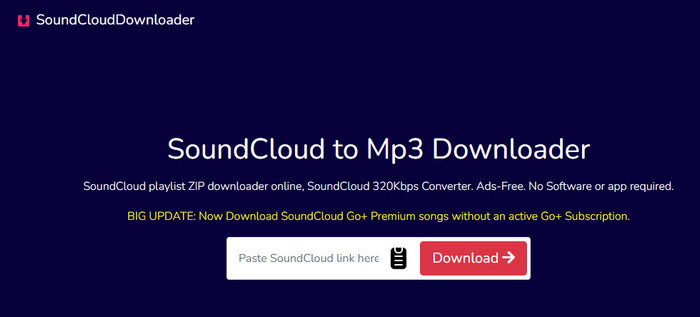
Step 1 Go to the website.
Step 2 Paste your SoundCloud music link, and click on the "Download" button.
Link: https://www.scloudme.com/enTu/
Scloudme boasts cost-free and instant downloads of SoundCloud music tracks It works much like online SoundCloud to MP3 converters, extracting SoundCloud links as MP3s. All operations are available on the browser, whether you're using Windows, Mac, Android, or iPhone.
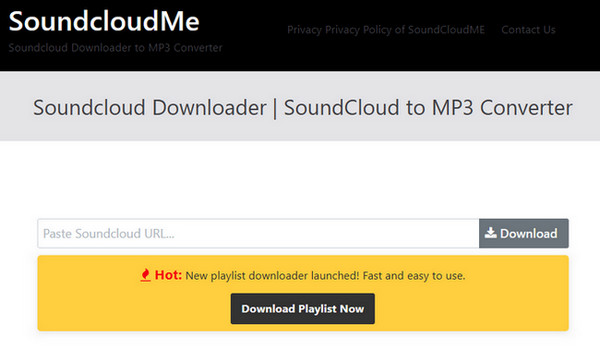
Step 1 Input the SoundCloud URL into the search box.
Step 2 Click the Download option to wait for processing.
Step 3 Once ready, click MP3 to save music to Android.
🚨 Online tool risks to know: Free SoundCloud downloaders operate through anonymous ad networks—no privacy policy, no named developer. Audio quality is capped at 128kbps (noticeably lower on good headphones). Playlist downloads are unsupported or unreliable. For a single quick download with an ad blocker running, they're acceptable. But for long-term use, it is not a solid option.
Explore several free SoundCloud downloaders for easily grabbing high-quality MP3 tracks.
| FEATURE | SOUNDCLOUD | ⭐ NOTEBURNER MUSIC ONE | ONLINE FREE TOOLS |
| Supported Output Formats | MP3, AAC | MP3, FLAC, AAC, WAV, ALAC, AIFF | MP3 only |
| Max Audio Quality | ~320kbps (in-app) | 320kbps MP3 / Lossless FLAC ✓ | 256kbps max |
| Playlist Batch Download | Yes (in-app only) | Full playlists, batch ✓ | Single tracks only |
| Metadata (Artist, Cover Art) | In-app display only | Fully embedded in file ✓ | Often missing |
| Conversion Speed | Real-time playback speed | Up to 10× faster ✓ | Variable (15–60 sec/track) |
| Privacy / Safety | Official app | 100% Safe - No Ads & No Malwares ✓ | Low - come with ad redirects |
| Price | $11.99/month | $6.66/month (billed anually) | Free |
| Key Highlights | Safe playback and download | Keep music forever on all devices | Quick single track download |
A: Not 100% safe. Some of them may contain adverts and redirects. Be cautious to avoid clicking suspicious links when accessing such a website.
A: No. While SoundCloud Free users are allowed to download some individual tracks with the artist's permission on the web, not to download on Android or iPhone for offline listening. It's available exclusively to SoundCloud Go+ subscribers ($11.99/month).
To download your desired SoundCloud songs or playlist to Android, you can take advantage of NoteBurner Music One- a safe SoundCloud Music Converter to Android.
A: Yes — with NoteBurner Music One. Paste the SoundCloud playlist URL into NoteBurner, and it queues every track for batch conversion. The entire playlist downloads as properly tagged MP3 automatically. Free online tools generally only support single-track downloads — playlist downloads on those sites are unreliable or unavailable.
Downloading music from SoundCloud to Android is pretty easy with a few different methods shown above. Best overall, whether you go with the official Go+ for casual offline listening, NoteBurner Music One for a permanent MP3 collection, or a free online tool for a quick one-off download — you now have everything you need to listen to SoundCloud on Android or iPhone, offline, on your terms.
Note: The free trial version of NoteBurner SoundCloud Music Converter is limited to convert the first 1 minute of each song. You can buy the full version to unlock the limitation.




