
 By Annie Cale
If you enjoy listening to music on JioSaavn, you might want to save your favorite songs as MP3 files for offline listening or playback on other devices. However, downloading JioSaavn songs as MP3 files isn't always easy, especially when you want good sound quality, batch downloads, and music metadata to be preserved.
In this guide, we'll introduce three tools you can use to download JioSaavn songs as MP3, including a free JioSaavn to MP3 online downloader, a free JioSaavn music recorder, and an all-in-one music downloader. We also provide detailed tutorials for each tool to help you get started quickly.
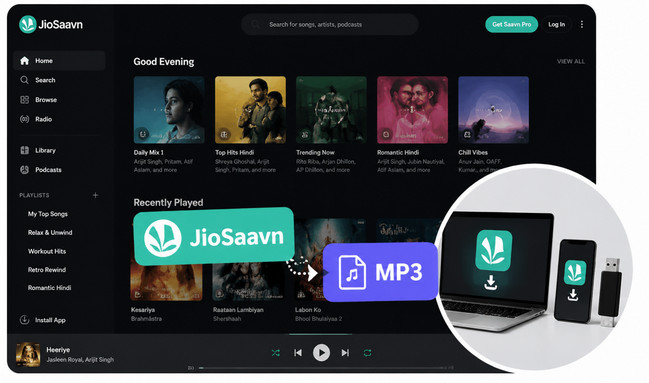
With JioSaavn Pro, you can download songs for offline listening. However, these downloads are tied to the JioSaavn app and your account. You can't simply find the songs in a folder, copy them to a USB drive, or open them with another music player as you would with a normal MP3 file.
This also means that if your Pro subscription expires, your offline downloads may no longer be available for playback. In short, JioSaavn offline downloads are not the same as owning MP3 files.
Yes, but not by simply exporting a JioSaavn offline download. If you want songs in a standard MP3 format, you can use an online JioSaavn to MP3 tool or record the music while it is playing. These methods work differently, and the results can vary in terms of audio quality, convenience, and batch downloading.
So, which method should you choose? Below, we'll look at three practical ways to save JioSaavn songs as MP3 and compare their pros and cons.

Check the 10+ best Hindi music download sites and the top Hindi MP3 downloader to save Bollywood songs and playlists offline in MP3 quality. Learn More →
Not sure which way to save JioSaavn songs as MP3? We tested all three methods covered in this guide and compared them based on cost, download method, audio quality, batch support, and ease of use. Here's a quick overview to help you choose the one that works best for you.
| Method | Cost | Batch Support | Max Quality | ID3 Tags | Ease of Use | Main Advantage |
|---|---|---|---|---|---|---|
| MP3Juices | Free | ❌ | 320kbps (claimed)* |
Limited* | Easy | Quick and free online downloads |
| Audacity | Free | ❌ | Depends on source | ❌* | Medium | Free recording |
| 🏅 NoteBurner Music One | Trial / $0.22 per day | ✅ | 320kbps | ❌* | Easy | Batch recording with consistent output quality |
*MP3Juices offers 320kbps as a selectable option, but our tests found that the actual downloaded bitrate could be lower, around 120–200kbps.
*If ID3 tags are missing, you can use MusicBrainz Picard, a free tool to automatically identify your tracks and add the missing metadata in bulk.
If you only need to download a few JioSaavn songs as MP3s, an online tool can be the quickest option. MP3Juices is one such free tool. It doesn't require you to install any software—just copy a JioSaavn song link, paste it into MP3Juices, and choose the format and quality you want.
Step 1 Open https://www.jiosaavn.com/ and find the song you want to download. Copy its song link.
Step 2 Open MP3Juices, paste the JioSaavn link into the search box, and start the search.
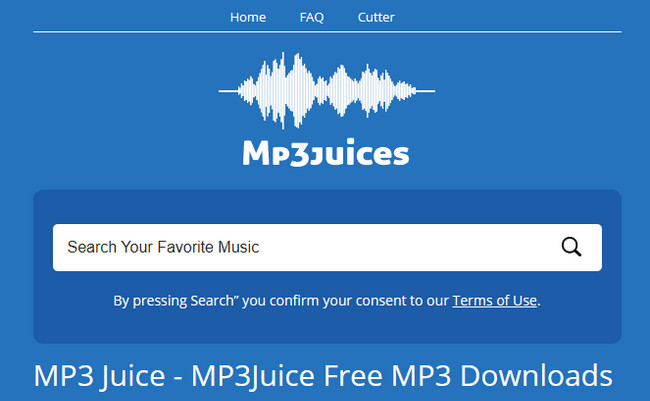
Step 3 MP3Juices will show the available results with MP3, MP4, and Play options. Simply click MP3.
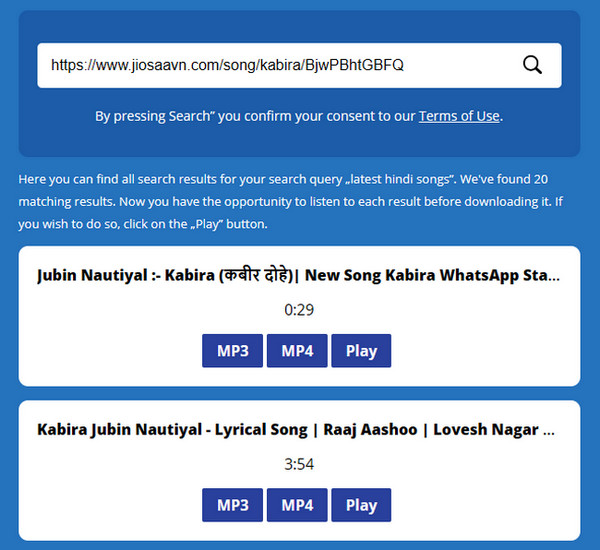
Step 4 Choose your preferred audio quality from the available options, ranging from 64kbps to 320kbps. In our test, we chose 320kbps to see whether the downloaded files would actually retain high audio quality.
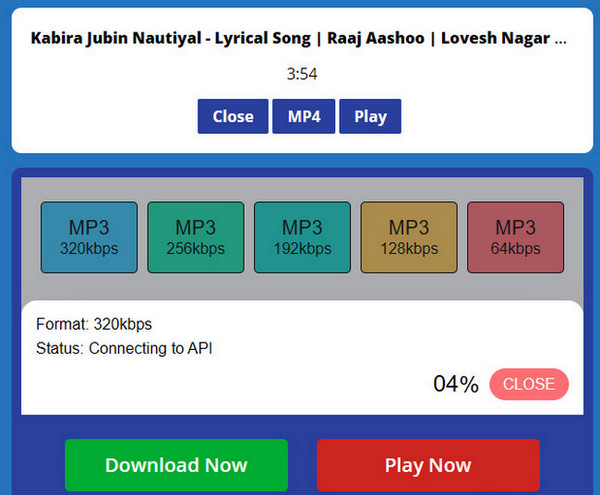
Step 5 Once the song has finished loading, click Download to save the MP3 file to your device.
MP3Juices is convenient for quick, occasional downloads, and the basic process is straightforward. However, there are a few things worth knowing before relying on it for a larger music library.
MP3Juices is relatively fast, with each song taking about ten seconds to load and another five seconds to download.
You can use MP3Juices without paying a subscription fee or purchasing a premium plan. It's a completely free online tool for converting music to MP3.
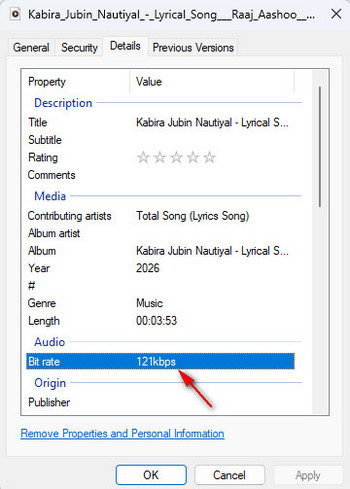
Although MP3Juices offers audio quality options from 64kbps to 320kbps, the selected bitrate doesn't always match the actual quality of the downloaded file. In our test, we selected 320kbps for all five songs, but the downloaded files were actually around 120–200kbps. So, selecting 320kbps on the website doesn't necessarily mean you'll get a genuine 320kbps MP3.
Some buttons may redirect you to other pages before you reach the intended download page, which can make the process less straightforward than it initially appears.
Not every JioSaavn song can be downloaded through MP3Juices. During our testing, some songs were unavailable, likely due to copyright restrictions.
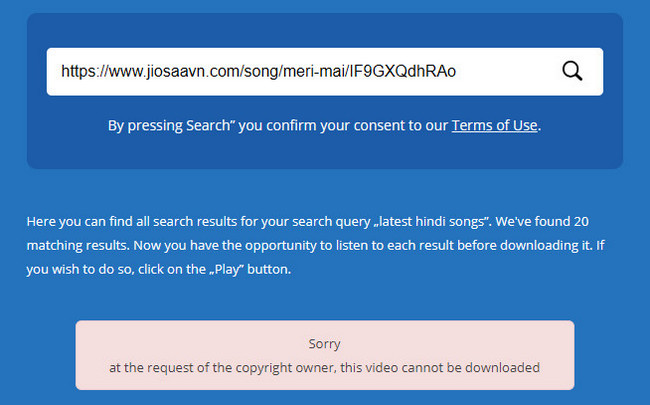
So, while MP3Juices works well for some tracks, you may need to try another method when a particular song isn't available.
Overall, MP3Juices is worth trying if you just want a quick and free way to download a few JioSaavn songs. But if you care about consistent audio quality, reliable downloads, or batch processing, you'll probably want a more capable solution.
Discover the best ways to download Tamil MP3 songs for free, compare top Tamil MP3 download sites, and save songs as high-quality 320kbps MP3 files. Learn More →
If an online converter doesn't work for a particular song, another free option is to record JioSaavn while the music is playing. Audacity is a free and open-source audio recorder that can capture your computer's system audio and export it as MP3. It's a good choice if you only need to save a few songs and don't mind recording them in real time.
Step 1 Download and install Audacity on your computer. Open it and go to Edit > Preferences > Devices.
Step 2 Under Audio Host, select Windows WASAPI. For the recording device, choose your playback device with “(loopback)” in its name. This allows Audacity to capture the audio playing on your computer instead of recording through the microphone.
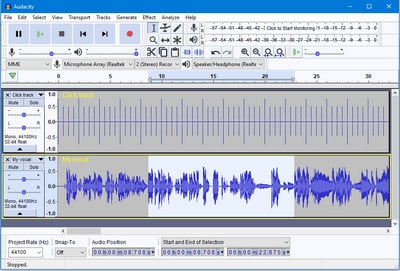
Step 3 Open JioSaavn in your browser and play the song you want to record. Then click the red Record button in Audacity and let the song play from beginning to end.
Step 4 When the song finishes, click Stop. If you recorded several songs in one session, split them into individual tracks in Audacity. Then go to File > Export and choose MP3 as the output format.
Audacity is free to use, so you don't need to purchase a JioSaavn downloader or a premium recording program. It's a practical option if you only need to record a few songs occasionally.
Unlike JioSaavn's offline downloads, the recordings you export from Audacity are standard MP3 files. You can store them on your computer or transfer them to other compatible devices for playback.
Recording happens while the song is playing, so a five-minute song takes roughly five minutes to record. If you want to save an entire playlist, the process can become quite time-consuming.
If you record multiple songs at once, you'll need to split the recording into separate tracks yourself. You may also need to add information such as the song title, artist, album, and cover art manually. To make this easier, you can try MusicBrainz Picard, a free tool that can automatically identify songs and add ID3 tags and album artwork when a match is found.
Recording doesn't improve the original audio quality. If the music you're playing is available at a lower quality, exporting it as a 320kbps MP3 won't magically make it true 320kbps audio. The recording simply captures what is being played.
Overall, Audacity is a solid free JioSaavn to MP3 solution if you only need a few songs. But for large playlists, batch processing, or a more automated workflow, you'll likely want a more convenient solution.
Here you'll get the most popular free Spotify to MP3 converter to use. You'll also get the best Spotify to MP3 320 kbps downloader from NoteBurner.Learn More →
If you want a more convenient way to save JioSaavn songs as MP3, NoteBurner Music One is a more complete solution. Instead of downloading songs one by one or recording them in real time with Audacity, you can use its built-in browser to access JioSaavn and record the music directly. It also supports automatic track splitting, batch recording, and flexible output settings, making it much easier to handle playlists or multiple songs.
With NoteBurner Music One, JioSaavn music can be saved in MP3, AAC, FLAC, WAV, or AIFF formats, with MP3 output supporting up to 320 kbps. You can also adjust the output quality and other recording settings before starting. Besides JioSaavn, NoteBurner Music One supports popular streaming music services including Spotify, Apple Music, Tidal, Amazon Music, YouTube Music, and more.

Step 1 Open NoteBurner Music One, click Add Source, and enter https://www.jiosaavn.com/ to open JioSaavn in the built-in browser.
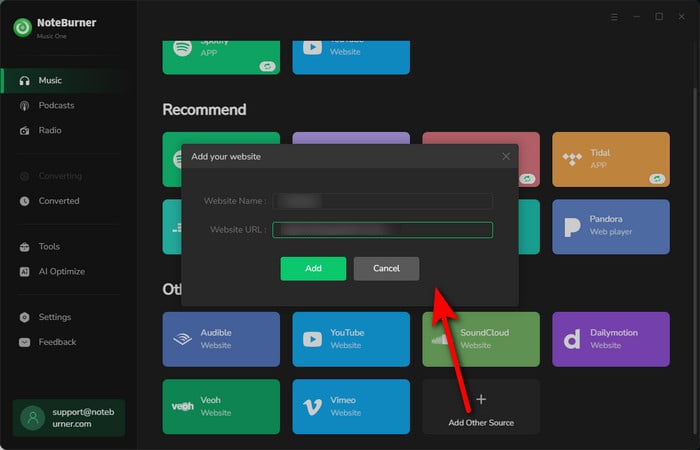
Step 2 Click Record to open the settings window. Select MP3 as the output format, choose your preferred audio quality, and enable automatic splitting if needed. You can select up to 320 kbps for MP3 output.
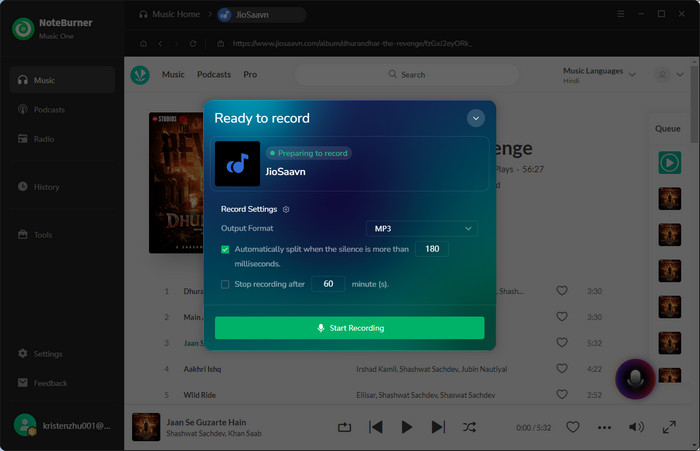
Step 3 Click Start Recording and play the JioSaavn song or playlist. NoteBurner Music One will record the music and automatically split individual songs. When finished, open History to find your saved JioSaavn MP3 files.
NoteBurner Music One lets you save JioSaavn music as MP3, AAC, FLAC, WAV, or AIFF, so you can choose the format that best fits your needs.
For MP3 output, you can get high-quality audio at up to 320 kbps, rather than a falsely labeled bitrate.
When recording multiple JioSaavn songs, Music One can automatically detect and split them into individual tracks, saving you from manually cutting a long recording into separate files.
You can record multiple songs in one session instead of processing each track individually, making it much more convenient for playlists and larger music collections.
Music One comes with a built-in browser, so you can open JioSaavn directly in the program without switching between your browser and the recording software.
Since Music One uses a recording method, it does not automatically add ID3 tags such as the artist, album, and cover art. You can use MusicBrainz Picard to automatically identify your tracks and add the missing metadata in bulk.
NoteBurner Music One offers a free trial, allowing you to explore its features and see if it works for you before subscribing. As an all-in-one music downloader, it supports music downloads from multiple popular streaming platforms, making it more than just a JioSaavn downloader. With a yearly subscription, the cost averages out to just about $0.22 per day, making it a worthwhile option for music lovers who want more flexibility.
It depends on the method you use. JioSaavn's built-in offline download function only works with JioSaavn Pro. If you want to download JioSaavn songs for free, you can try using a free online JioSaavn to MP3 converter, or use free recording software like Audacity.
No. JioSaavn's official offline downloads are tied to your Pro subscription. After your subscription expires, you won't be able to continue playing those downloaded songs offline. However, if you have already saved a song as a standard MP3 file, it will remain on your device and can be played normally.
Some online JioSaavn MP3 converters may offer options up to 320kbps, but the actual bitrate may be lower than the selected value. For more consistent output, NoteBurner Music One supports genuine 320kbps MP3 output.
Not all free JioSaavn MP3 websites are equally safe or reliable. Some may contain intrusive ads, redirects, or misleading download buttons. If you use an online converter, avoid downloading unknown software or entering personal information, and make sure you're clicking the actual download button.
First, check the URL format. Websites that only support downloading individual tracks may not be able to recognize playlist or album links. In addition, some songs may be unavailable due to copyright or regional restrictions, which can also prevent the website from parsing the link. In some cases, changes to the JioSaavn website may temporarily affect how third-party services parse its links.
This article provides three ways to download JioSaavn songs as MP3 files, along with detailed instructions for using each method. The first, MP3Juices, is a quick and free option for occasional downloads. The second, Audacity, allows you to record JioSaavn songs for free. However, these two methods have certain limitations in areas such as audio quality, batch downloads, and reliability. If you're looking for an easy-to-use tool that supports batch downloads and up to 320kbps MP3 output, NoteBurner Music One is a better choice.
Note: The free trial version of NoteBurner Music One is limited to recording the first 1 minute of each song. You can buy the full version to unlock the limitation.




