
 > Resources > Topics and Tips >
 By Annie Cale
You don’t need the TikTok app to enjoy its videos. There are 3 reliable ways to watch TikTok without downloading the app. You can use the web browser, third-party viewers, or videos reposted on other platforms. All of these methods work on both mobile and desktop devices, and none require a login.
Whether you want to save storage space, protect your privacy, or access TikTok on a work or school device, these approaches are safe, fast, and easy to follow.
⬇️ Want to save TikTok videos safely on your computer? NoteBurner TikTok Video Downloader works without the TikTok app and helps you download videos easily.
All the methods below work for all browsers and devices, including iOS, Android, Windows, and Mac, require no technical skills, and let you start watching TikTok videos in just a few clicks. Pick the one that fits your needs best!
Official website: https://www.tiktok.com/
Recommend level: ⭐⭐⭐⭐⭐
If your goal is simply to watch TikTok videos without installing anything, the official TikTok web version is the easiest and safest choice. TikTok’s website lets you browse trending videos, search for creators, and watch public content directly in your browser—no app download needed.
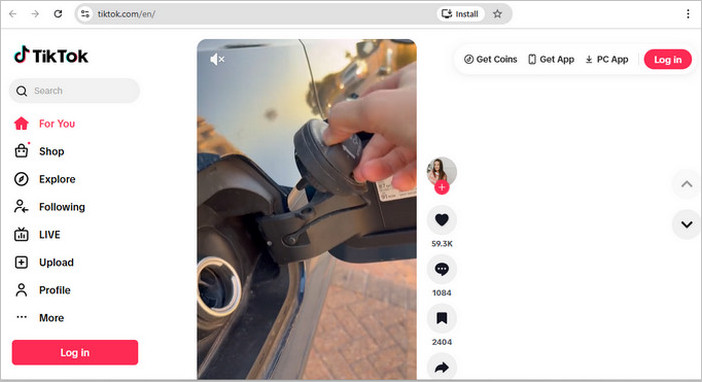
How to Watch TikTok on the TikTok Web Version:
Step 1 Open your favorite browser and go to www.tiktok.com.
Step 2 Videos will start playing automatically on the homepage. If you see a message asking you to log in or download the app, simply choose "Not now" or "Continue as guest".
Step 3 Scroll to discover new videos, or use the search bar to find creators, hashtags, or topics like #FoodTok or @khaby.lame.
Step 4 Click on any video to watch it in full screen. You can read comments or copy the video link, but posting comments or likes requires logging in.
This method is perfect if you want a quick and official way to watch TikTok without committing to the app. If TikTok videos don’t load properly in your browser, try refreshing the page or switching browsers.
If you want to save TikTok videos for offline viewing (without the app) or download them without watermarks, these tools work smoothly with TikTok’s web version. We’ve updated this list for 2026 and focused on what actually matters in daily use, like download speed, stability, and TikTok-specific features.
Official website: https://www.noteburner-video.com/all-in-one-downloader.html
Recommend level: ⭐⭐⭐⭐
NoteBurner TikTok Video Downloader is a desktop solution for watching and downloading TikTok videos without installing the TikTok app. It includes a built-in TikTok web player, so users can browse feeds, search creators, and play videos online directly inside the software.
For downloading, the program lets you download multiple videos at up to 5× speed, preserving original quality up to 1080p without watermarks. In addition to TikTok, it is compatible with more than 1,000 video platforms, making it a practical option for users who download content from multiple sites. All downloads are ad-free, stored locally, and ready to watch offline or stream to any device.
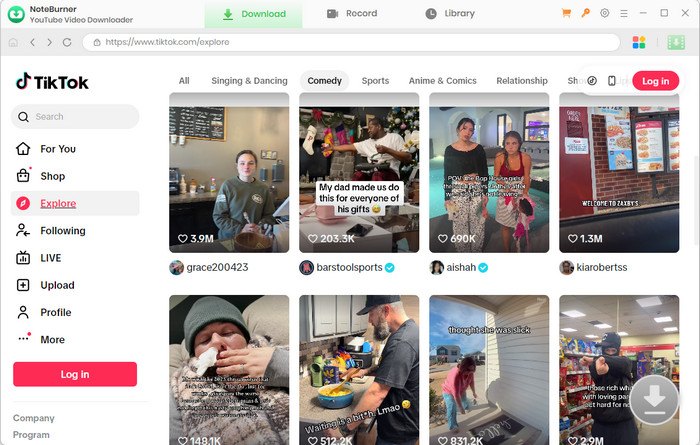
How to Download TikTok Videos to MP4 with NoteBurner TikTok Downloader:
Step 1 Select the TikTok Website
On the main interface, click the  icon on the upper right. Then tap on "More Sites" and click on the TikTok platform. The built-in browser will open and take you directly to its official website.
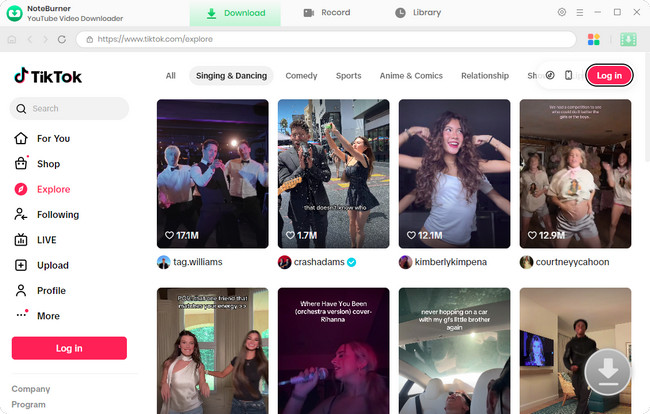
Step 2 Customize Download Settings
Click the "Settings" button in the upper right corner to customize the "video quality", "video format" (MP4, MKV), "output path", and so on.
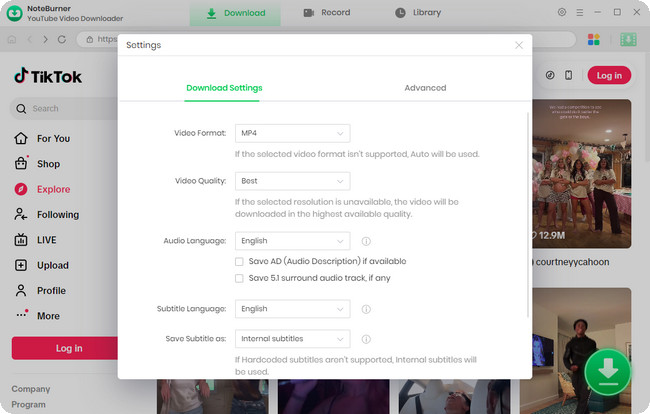
Step 3 Add Preferred TikTok Videos
Browse TikTok in the built-in browser and open the video or episode you want. Click the "Download" icon, or simply paste the video link into the search box and press Enter to parse it.
Step 4 Select Video Quality and Subtitles
NoteBurner will show available resolutions, audio tracks, and subtitle options. If you prefer to download only the audio, just select "Download as Audio".
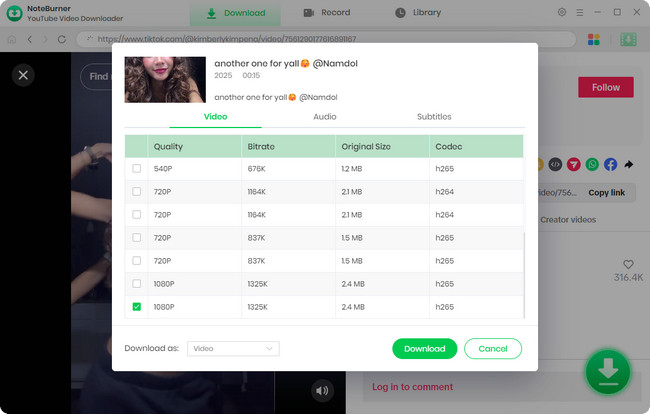
Step 5 Download and Watch TikTok Video Offline
Simply click the "Download" icon to start downloading. After the download is complete, go to the "Library" section, and you can view your download history. Now you can enjoy your TikTok video offline, or edit and share it with your friends!
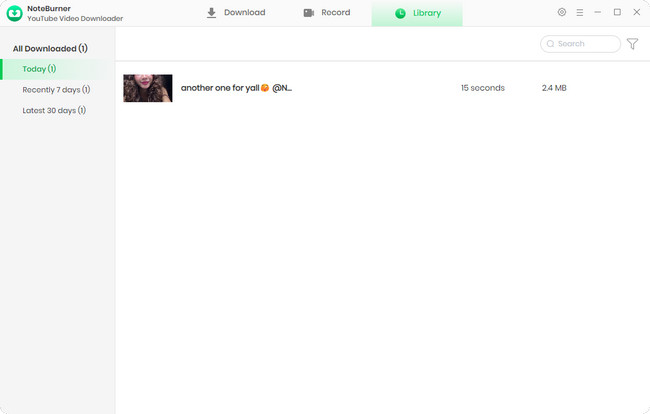
Official website: https://musicaldown.com/en
Recommend level: ⭐⭐⭐⭐
MusicallyDown is a free online TikTok downloader that lets you save videos without watermarks. It runs directly in your browser, with no sign-up or verification steps. In most cases, videos are usually downloaded in their original quality, up to 1080p.
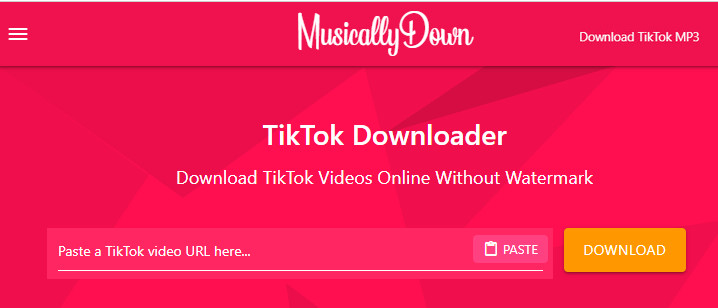
How to Download TikTok Videos on MusicallyDown:
Step 1 Open your browser and go to musicallydown.com.
Step 2 Copy the link of the TikTok video you want to save.
Step 3 Paste the link into the input box and click Download.
Step 4 Choose whether you want the video with or without a watermark, then save it as an MP4 file.
Official website: https://chromewebstore.google.com/detail/myfavett-download-all-tik/gmajiifkcmjkehmngbopoobeplhoegad?hl=en
Recommend level: ⭐⭐⭐⭐
MyfaveTT combines a TikTok viewer and downloader in one place. You can scroll through trending clips, search by username or hashtag, and save videos without jumping between sites, making it quick and easy to enjoy or keep your favorite content.
How to Download TikTok Videos to MP4 with MyfaveTT Chrome Extension:
Step 1 Visit myfavett.com in your browser.
Step 2 Search by username, hashtag, or paste a TikTok link.
Step 3 Click a video to watch it directly on the site.
Step 4 Use the download button to save the video locally.
Safety reminder: Always use official websites. Avoid tools that claim to unlock private or restricted TikTok content.
Want to download TikTok videos without watermarks? Check out the 5 top TikTok downloaders that let you save videos in MP4 or MKV format — no ads, no watermark.
Recommend level: ⭐⭐⭐⭐
Many TikTok creators repost their videos on other platforms. This means you can still watch TikTok-style content without opening TikTok at all.
Official website: https://www.youtube.com/@YouTube/shorts
YouTube Shorts is a key platform for TikTok creators to expand their audience—many of them repost their TikTok videos here. Its vertical video playback experience is similar to TikTok, but keep in mind that these reposted videos may have YouTube watermarks, and those more niche or newly emerged TikTok trends are hard to find here.
Read Also: How to Download YouTube Shorts to MP4 or MP3?

Official website: https://about.instagram.com/features/reels
Many TikTok creators also repost their videos on Instagram Reels, especially those who are used to posting content on multiple platforms. The viewing experience is almost the same as TikTok, but some reposted videos will have Instagram watermarks, and those niche TikTok trends are not easy to find here either.
Read Also: Best 10+ Instagram Video Downloader 2026
Official website: https://x.com/
As soon as a TikTok video goes viral, you can usually see it on X (formerly Twitter) quickly. Just search by hashtags or creator names, and you'll find those popular videos in no time. The downside is that video quality can vary, and search results may include unrelated posts.

Official website: https://www.facebook.com/reel/
Facebook Reels has plenty of TikTok reposts too, particularly compilation-style videos. It works great for casual scrolling, but you won't catch the latest TikTok trends here as fast.

Not sure which option works for you? Here’s a quick side-by-side of the top reliable ways to watch TikTok without the app. All work without an account; no sign-up needed. We tested these in 2026, so you’ll pick the right one in seconds.
| Method/Tool | AD-FREE | HD Quality | Offline Access | Watermark-Free Download | Batch Download | Platforms |
|---|---|---|---|---|---|---|
| TikTok Web Version | ❌ | ✔️ | ❌ | ❌ | ❌ | Mobile/Desktop Browsers |
| NoteBurner (Desktop) | ✔️ | ✔️ | ✔️ (1080P) | ✔️ | ✔️ | Windows/macOS |
| MusicallyDown (Online) | ❌ | ✔️ | ✔️ | ✔️ | ❌ | Mobile/Desktop Browsers |
| MyfaveTT (Online) | ✔️ | ✔️ | ✔️ | ✔️ | ❌ | Mobile/Desktop Browsers |
| Social Platforms (YT Shorts/Reels/X) |
❌ | ✔️ | Partial (app cache only) |
❌ (platform watermarks) |
❌ | Mobile/Desktop |
Below are answers to common questions about watching TikTok without the app.
A: Yes. Most public TikTok videos can be watched without an account by opening shared links or using TikTok’s web version in a browser. Private videos, age-restricted content, and personalized recommendations require signing in.
A: Yes. Full TikTok videos usually play without logging in. You may occasionally see sign-in prompts, which can be closed to continue watching. Limitations may apply to age-restricted, private, or region-locked content.
A: Yes. Watching TikTok in a browser is safe when using the official website or reputable tools. Avoid sites that claim to unlock private content or request login credentials, as they may pose security risks.
Some features require signing in, including liking or commenting, saving favorites, following creators, and receiving personalized recommendations.
A: Downloading TikTok videos for personal use is generally acceptable, especially when the creator allows downloads. However, redistributing, reposting without credit, or using content commercially without permission may violate copyright or TikTok’s terms.
A: TikTok links on mobile often open the app store because the platform prefers in-app viewing. To avoid this, open the link on a desktop browser, or tap the three-dot menu in your mobile browser and select "Request Desktop Site".
A: TikTok frequently prompts users to download the app to improve notifications, personalized recommendations, and in-app features. When you see the prompt, simply close it or tap "Continue as guest" / "Not now" to keep watching videos in your browser without installing the app.
Disclaimer: For personal/educational use only. 🚫 Do not distribute downloaded music/video for commercial use.
Watching TikTok without the app is easier than you might think. You can browse trending videos on the TikTok web version, use online viewers for quick access, or catch TikTok clips reposted on platforms like YouTube Shorts and Instagram Reels.
If you want to save videos for offline viewing, NoteBurner TikTok Downloader makes it simple. You can download multiple videos at once, enjoy 1080p quality, and keep them watermark-free. For casual browsing, free online options are usually enough. If you need more, NoteBurner is worth a try.



