
 > Resources > Spotify Tips >
 By Annie Cale
If you're looking for a way to download Spotify music, you may have come across TunePat Spotify Converter. But does it really live up to its claims? And in 2026, is it still worth using? To find out, we put TunePat Spotify Converter through hands-on testing with real Spotify albums and playlists, focusing on the factors that matter most in everyday use, including conversion success rate, audio quality, metadata and album artwork, conversion speed, and batch downloading. We also looked at its limitations to provide an objective and well-rounded assessment rather than simply listing the features advertised by the software.
In this review, we'll walk you through our testing process and results and examine what TunePat Spotify Converter can and cannot do. Whether you're considering trying it for the first time or deciding whether it's worth paying for, this review will help you make a more informed decision.

Ratings are based on our hands-on test results rather than TunePat's advertised specifications. Each category was scored according to the results observed during our tests, with 5 representing the strongest performance under our test conditions.
TunePat Spotify Converter is a desktop software designed to convert Spotify music into commonly used audio formats for offline listening. It allows users to download tracks, albums, playlists, audiobooks, and podcasts from Spotify and save them as local audio files such as MP3, AAC, WAV, FLAC, and more.
Unlike a traditional screen recorder, TunePat Spotify Converter is designed to retain important information such as song titles, artists, album names, and cover artwork in the output files. It also provides options for adjusting the output format, audio quality, and other conversion settings. In the following sections, we'll focus on how these features actually perform in our hands-on testing.
To keep the testing conditions consistent, we tested TunePat Spotify Converter on a Windows 11 Pro desktop computer using the software version available in September 2026. The same test environment was used throughout the evaluation.
To cover common Spotify use cases, we tested individual tracks, a complete album, and a larger playlist.
In our testing, TunePat Spotify Converter successfully converted all 96 tested tracks, including a 14-track album, a 79-track playlist, and three individual tracks, with no conversion failures. TunePat performed consistently and reliably when handling both individual tracks and large batch downloads.
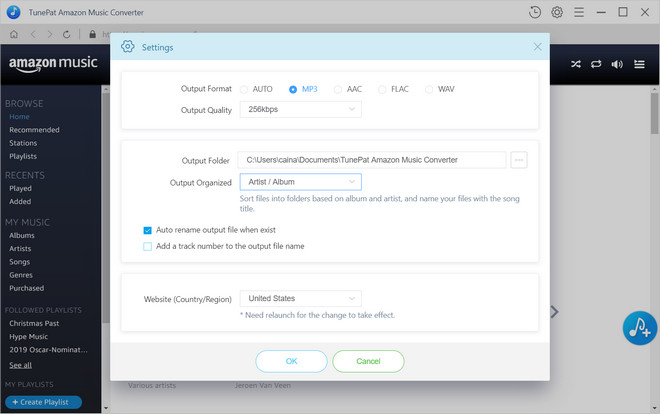
During our testing, we chose MP3 as the primary output format because it is one of the most widely used and practical formats for everyday music listening. We selected 320 kbps to see whether TunePat could deliver the expected audio quality at the highest commonly used MP3 bitrate. To keep the test conditions consistent, we used the same settings across our individual-track, album, and playlist tests. We also inspected the converted files directly. All downloaded tracks saved successfully as MP3 files at 320 kbps, and during playback we did not encounter any obvious issues such as audio interruptions, crackling, or other playback abnormalities.

Note on Lossless Output: TunePat also claims to support lossless output in FLAC format. To verify this, we used a Spotify Premium account to conduct an additional test with tracks from an album. The files were downloaded successfully, and we confirmed that the resulting files were encoded as FLAC with lossless audio characteristics. However, FLAC output requires enabling the corresponding setting before downloading.


TunePat preserved most of the basic metadata in our test files, including information such as track titles, artists, and album names. However, metadata retention was not completely consistent across all fields. In particular, the Album Artist field was missing from some downloaded files, while Genre information was not retained. These are relatively minor limitations, but they are worth noting if you want your downloaded music library to maintain detailed metadata.
Compared with other online Spotify downloaders we have tested previously, TunePat retained a relatively complete set of metadata. There is still room for improvement, especially in preserving less commonly retained fields such as Album Artist and Genre.
As for album artwork, all of the tested tracks retained their cover artwork after conversion. This is a useful result for users who want their downloaded files to remain visually organized in music players that display embedded artwork.

Throughout the testing process, we converted Spotify music from the Spotify App. In the settings, we selected "Normal Speed" and "MP3 at 320 kbps" as the output settings. The test results are shown below. According to TunePat's official description, conversion through the Spotify Web Player is slightly faster than through the Spotify App. Therefore, the results below reflect the conversion speed in Spotify App mode. If you convert music from the Spotify Web Player, the actual conversion time may be slightly shorter.
The average processing time remained fairly consistent across the three tests, at roughly 40-42 seconds per track. Across all three tests, the average processing time was approximately 40-42 seconds per track. Conversion speed is relatively fast.
| Test Results | Number of Tracks | Conversion Time |
|---|---|---|
| Individual Tracks | 3 | About 2 minutes |
| Album | 14 | About 9.5 minutes |
| Playlist | 79 | About 55 minutes |
To evaluate the batch download capability of TunePat Spotify Converter, we tested it with a full album containing 14 tracks and a playlist containing 79 tracks. In both cases, TunePat successfully identified all the tracks and completed the conversion process smoothly.
Testing Note: For clarity, "batch download" in our test refers to adding all selected tracks to TunePat's conversion queue and starting the conversion as a single task, so users do not need to manually convert each track individually. TunePat processes the queued tracks sequentially rather than converting multiple tracks simultaneously.
Although our hands-on testing gives us a direct look at how TunePat Spotify Converter performs, user reviews offer another perspective on the software's day-to-day experience. We reviewed 200 recent user reviews on Trustpilot to see which aspects of TunePat users most frequently praise and what issues come up most often.
Overall, positive reviews on Trustpilot tend to focus on ease of use, lossless audio quality, and the ability to batch download. Many users also mention that the conversion speed is faster than expected. These comments are broadly consistent with what we observed in our own testing.
However, we also found some negative reviews on Trustpilot with complaints mainly focusing on the software occasionally stopping working properly. In many of the cases we reviewed, the issue appeared to follow a Spotify update that caused temporary compatibility problems. In several cases we reviewed, TunePat said that compatibility issues had been addressed through software updates within hours or a few days. While compatibility issues can be an occasional drawback of relying on a third-party downloader, TunePat's response to these problems appears reasonably quick.
Customer support response times are another point discussed in user reviews. This was not something we experienced during our own evaluation. When we contacted TunePat Support during our testing, we received a response within 48 hours. Of course, our experience represents only a small number of interactions and does not necessarily reflect every user's experience. For users in time zones that are significantly different from the support team's working hours, the time difference may add some waiting time to the communication process.
Yes. TunePat Spotify Converter is generally safe to use when downloaded from the official TunePat website. It does not require you to provide your Spotify password directly to the converter, and the software is designed to download or convert Spotify music for personal use.
TunePat Spotify Converter supports several common output formats, including MP3, AAC, WAV, FLAC, AIFF, and ALAC. Users can also adjust audio settings such as bit rate and sample rate, as well as configure the output folder and file naming rules for the downloaded files.
Yes. TunePat Spotify Converter supports downloading Spotify playlists, albums, and individual tracks. In our testing, it successfully processed a playlist containing 79 tracks without any download failures.
So, is TunePat Spotify Converter worth using in 2026? Based on our testing, it is a solid choice for users who want to save Spotify music locally with flexible output settings and batch downloading. It performed reliably across our tests and delivered good results in terms of conversion success rate, audio quality, and basic metadata retention. That said, the trial version is limited. Overall, TunePat is worth considering if its supported formats, customization options, and batch conversion features match your needs.


