
 By Annie Cale
Instagram lets you save audio, but probably not in the way you expect. When you tap Save Audio, it simply adds the audio to your Instagram collection—it doesn't download it to your phone.
In this guide, we'll briefly explain why Instagram doesn't allow direct audio downloads, then walk you through four effective methods that work for 99% of users. You'll learn how to download and save Instagram audio as MP3 using professional desktop Instagram downloaders, online reel audio downloaders, browser extensions, or even a screen recorder.
Instagram makes it easy to discover and reuse audio, but downloading it as a standalone MP3 file is a completely different story.
Unlike music streaming platforms that provide dedicated download options, Instagram does not offer a "Download Audio" button. When you find a sound you like, the only built-in option available is usually "Save Audio". However, this feature does not save the audio file to your device—it only adds the sound to your Instagram collection so you can find and use it later inside the app.
Your saved audio stays connected to Instagram. It won't appear in your phone's music library, Files app, or download folder as an MP3 file.
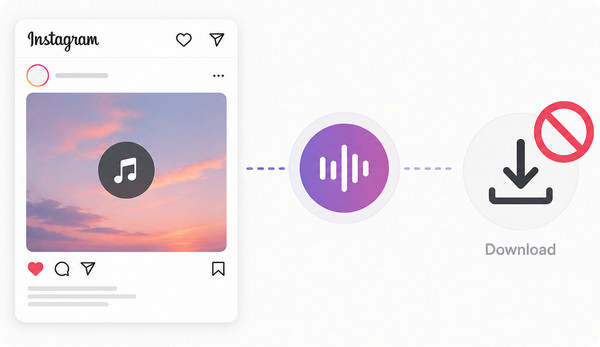
The main reason is how Instagram handles audio content. Many sounds used in Reels come from licensed music libraries, where Instagram has permission to let users listen to and reuse songs within the platform. However, this permission does not necessarily include exporting the audio as a separate file that users can download and keep. This is especially true for popular songs, remixes, and other copyrighted music.
That said, this doesn't mean saving Instagram audio is impossible. There are still practical ways to download Instagram audio to MP3. In the next section, we'll introduce four reliable methods that help you save Instagram audio.
NoteBurner Music One is the most recommended Instagram audio downloader, letting you easily and efficiently download Instagram audio to MP3. You can browse Instagram directly in the built-in browser, play Reels or videos as usual, and the software will automatically download the audio while you watch. It also supports batch downloading, automatically detects and separates individual audio tracks, and even allows you to set a recording stop time, making it ideal for downloading long videos or for hands-free downloading.
Instagram audio can be saved in MP3, AAC, FLAC, WAV, or AIFF formats, with MP3 output supporting up to 320 kbps. Besides Instagram, NoteBurner Music One also supports popular streaming services such as Spotify, Apple Music, Amazon Music, TIDAL, YouTube Music, and Qobuz, and supports downloading podcasts and online radio. In short, it's a comprehensive audio downloader.

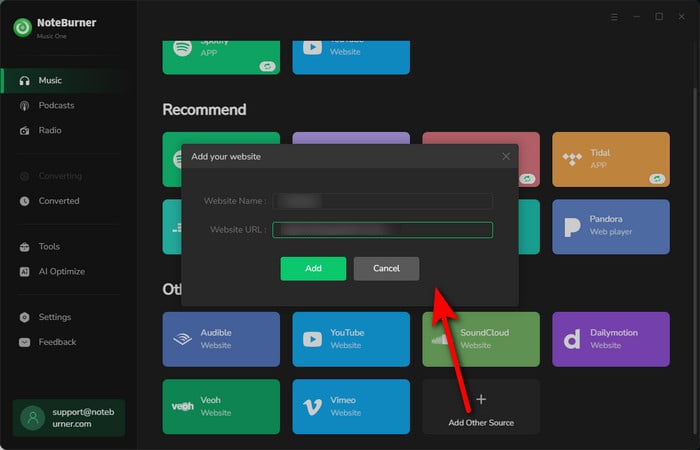
Step 1 Open NoteBurner Music One, and hit Add Source. Then enter https://www.instagram.com/ to it.
Step 2 Click "Record" to open the settings window, where you can set the output format (such as MP3), automatic splitting, and timed pause. You can also select 320 kbps output quality.
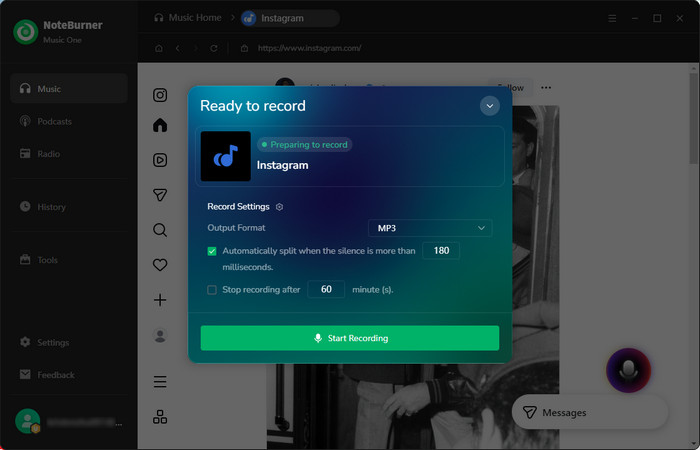
Step 3 Click "Start Recording" and the program will begin downloading. Once the download is complete, go to "History" to find the saved Instagram MP3 audio file.
For users who only download occasionally and prefer not to install additional programs, online Instagram audio downloaders might be a better choice. Simply copy the link of an Instagram Reel or video, paste it into these online downloaders, and the website will automatically analyze the URL and generate a downloadable audio file. We'll use ReelSave, one of the most popular online Instagram audio downloaders, as an example.
ReelSave can quickly extract audio from Instagram videos or Reels and works on virtually any device with a web browser. However, like most online Instagram downloaders, it can only download one Reel at a time, and there are numerous ads and pop-ups during the download process.
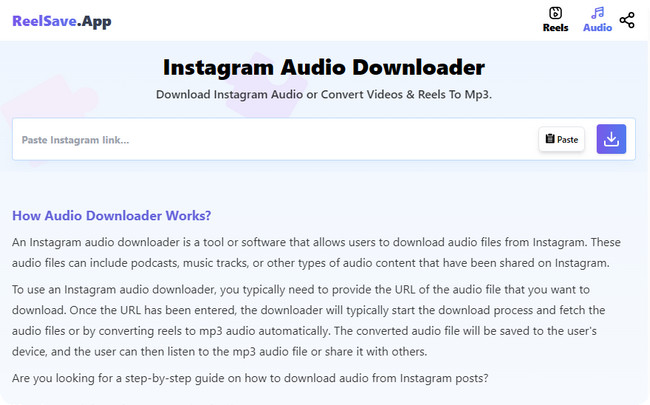
Step 1 Go to the ReelSave Instagram Downloader website. Copy the link to your Instagram Reel or video, then paste it into the input box.
Step 2 Click the Download button and wait a few seconds while ReelSave analyzes your Instagram link.
Step 3 Once the Download Audio button appears, click it to save the Instagram audio file to your device.
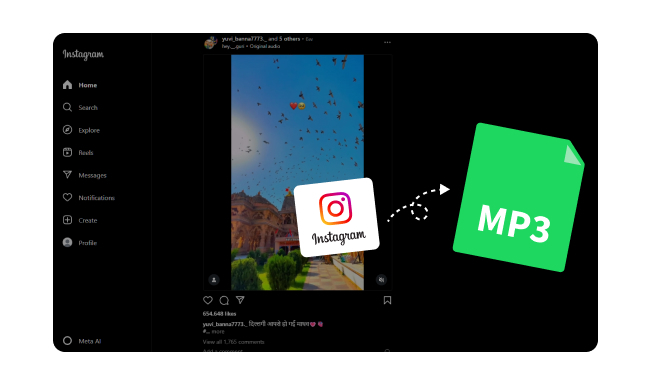
Here you will find the best free Instagram Reel and video to MP3 converters for 2026. You can now download Instagram audio to MP3 with high quality 320 kbps perserve.
If you frequently browse Instagram on your computer, using an Instagram downloader extension is also a good choice. Once installed, the extension adds a download button directly to Instagram, allowing you to save Reels or extract audio without repeatedly copying and pasting links. Here we'll use Reel Downloader for Instagram - FastReel as an example.
FastReel lets you download Instagram Reels in high quality and extract audio tracks directly from your browser. It features a clean, intuitive interface and works with all major desktop operating systems. However, like most browser extensions, it is only available on desktop browsers, may stop working after Instagram updates, and some download options may not be available for every Reel.
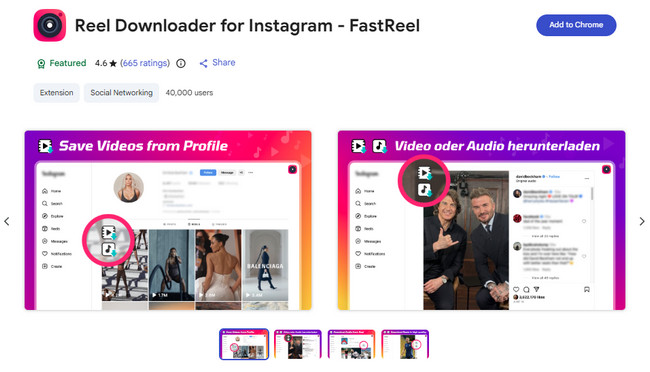
Step 1 Install Reel Downloader for Instagram - FastReel from the Chrome Web Store and pin it to your browser.
Step 2 Open Instagram in Chrome and play the Reel containing the audio you want to download.
Step 3 Click the FastReel download button, choose Download Audio, and save the audio file to your computer.
If the previous methods don't work for you, using a screen recorder is a practical workaround. Instead of downloading Instagram audio directly, you'll first record the Reel with OBS Studio, then use Any Video Converter Free to extract and save the audio as an MP3 file. Although this method takes longer, it works with virtually any playable Instagram video.
OBS Studio is a free, open-source screen recorder available for Windows, Mac, and Linux. It captures both video and system audio in high quality, while Any Video Converter Free lets you quickly convert the recording to MP3. The downside is that recording happens in real time, so longer videos naturally take longer to save.
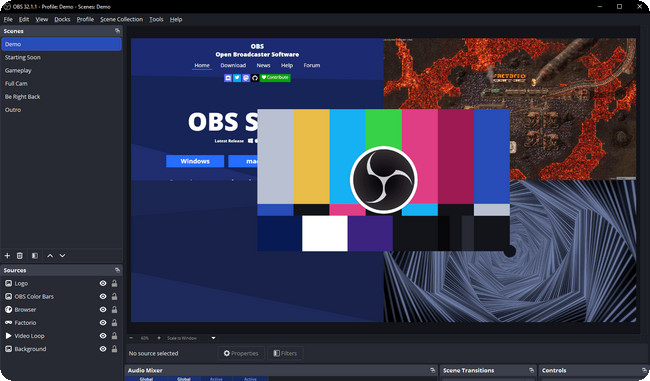
Step 1 Install OBS Studio, add a Display Capture source, and make sure Desktop Audio is enabled.
Step 2 Click Start Recording, then play the Instagram Reel or video. When it finishes, stop the recording to save the video file.
Step 3 Open the recorded video in Any Video Converter Free, choose MP3 as the output format, and click Convert Now to extract the audio.
If you're still unsure which one to choose, the comparison table below highlights the key differences in supported formats, audio quality, ads, batch downloading, ease of use, and more, helping you quickly find the best option for your needs.
*Note: Available formats depend on the browser extension. Some extensions download audio directly, while others require downloading the video first and extracting the audio afterward.
The easiest way is to use an Instagram audio downloader. If you want the best quality and a hassle-free experience, NoteBurner Music One lets you save Instagram audio directly as MP3 (up to 320kbps) without copying links. Alternatively, you can use an online downloader, a browser extension, or record the audio with OBS Studio and convert it to MP3 afterward.
It depends on the tool. Many online downloaders contain intrusive ads, pop-ups, or redirects that may affect your browsing experience. If safety is your top priority, NoteBurner Music One is a safer choice. It's 100% clean, ad-free, and free from malware.
Generally, no. Most music used on Instagram is protected by copyright. Downloading audio for personal use is one thing, but using it in advertisements, commercial videos, or other public projects without permission may infringe the copyright owner's rights. Always obtain the necessary licenses before using copyrighted music commercially.
In most cases, no. Online Instagram downloaders and browser extensions typically only support public Instagram posts. If a Reel or video is shared from a private account, you'll generally need permission to access the content before any downloading method can work.
The original audio quality depends on what Instagram provides, but choosing the right downloader can help preserve it. NoteBurner Music One supports exporting Instagram audio at up to 320kbps MP3, helping you retain the best possible quality available from the Instagram source.
![Top 10 Free YouTube Video to MP3 Converters [ 2026 Tested ]](/images-new/guide/music/convert-youtube-video-to-mp3.jpg)
How to convert YouTube videos to MP3 files? The top 10 free YouTube to MP3 converter have you covered.
Even though the official Instagram audio download function isn't available, the tools introduced in this article can simplify the process. The choice of which Instagram audio downloader to use depends on your download frequency and audio quality requirements.
If you only download occasionally, a free online tool might suffice. However, if you're looking for the best combination of audio quality, ease of use, stability, and batch downloading, NoteBurner Music One is undoubtedly the best choice. Start saving your favorite Instagram audio now!
Note: The free trial version of NoteBurner Music One is limited to converting the first 1 minute of each song. You can buy the full version to unlock the limitation.




