
 By
Are you searching for rare albums, hard-to-find tracks, or music that has been removed from streaming platforms? With Soulseek, you can easily search for and download music shared by other users. But are these downloads safe? How are the download speeds? And can you trust the FLAC files you find? In this Soulseek review, we put the software to the test, evaluating its security, download speeds, audio quality, and more, while also exploring some excellent alternatives.
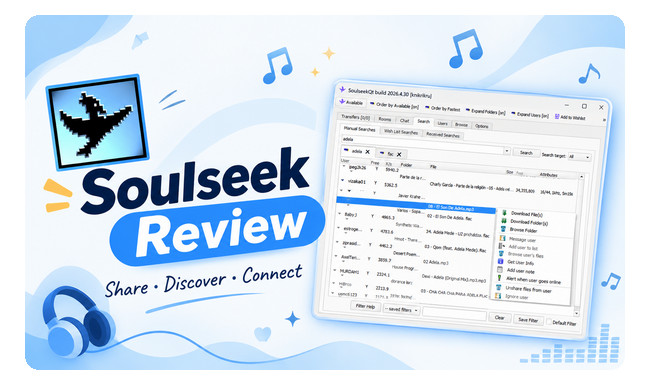
Soulseek is a free, ad-free peer-to-peer (P2P) file-sharing network mainly used to find and download music. It's especially popular among music fans looking for rare albums, underground releases, independent artists, live recordings, and tracks that are hard to find on streaming platforms. Soulseek works differently from regular music download websites. Instead of downloading files from a central server, you search through other users' shared folders and download music directly from them.
| Quick Facts | Details |
|---|---|
| Official Website | slsknet.org |
| Price | Free (optional donations available) |
| File Sharing | Peer-to-peer (P2P) |
| Main Content | Music, including rare and independent releases |
| Official Client | SoulseekQt |
| Supported Platforms | Windows, macOS, and Linux |
You don't need advanced technical skills to get started with Soulseek. Follow these steps to install SoulseekQt, find music, and download files from other users.
Step 1 Download and Install SoulseekQt. Visit the official Soulseek website and download the version for your operating system. Install and launch the client, then choose a username and password.
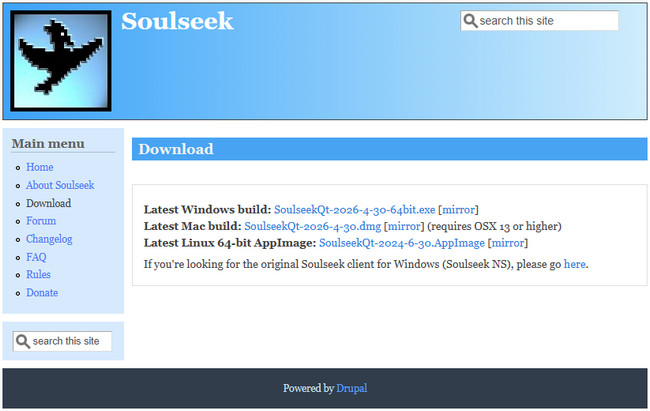
Step 2 Choose Your Download Folder. Open the settings and select a folder where your downloaded music will be saved. You can also set up a shared folder if you want other users to access your files.
Step 3 Search for Music. Enter an artist name, album title, or song name in the search box. You can also search by file format, such as FLAC or MP3.
Step 4 Download Your Music. Right-click a file and select the download option. To download an entire album, right-click the folder and choose Download Containing Folder. You can monitor the progress and status of your downloads in the Transfers tab.
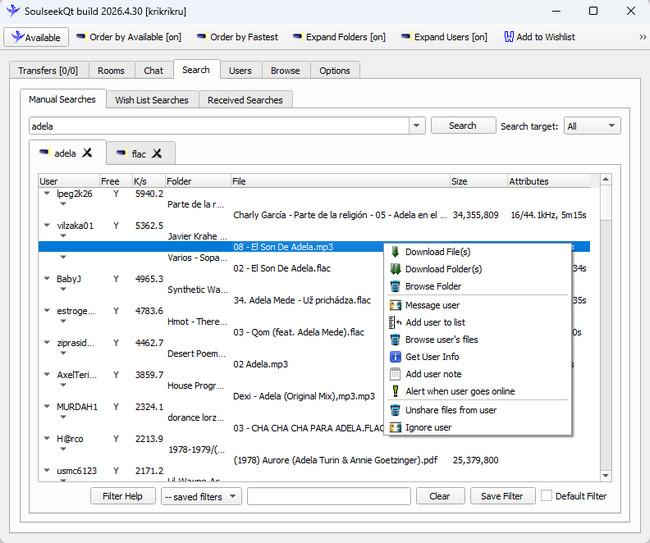
Step 5 Check Your Downloads. Once the download is complete, open the saved files and check that they play correctly. Keep in mind that files are provided by individual users, so their quality and accuracy aren't guaranteed.
Downloaded lots of Spotify tracks? Keep your music collection organized and easier to manage with Sonikr. Learn more →
Soulseek is generally safe to use when you download the official client from its website. However, files shared by other users come with malware and fake-file risks. The peer-to-peer connection also raises some privacy concerns.
We scanned the official SoulseekQt Windows installer (SoulseekQt-2026-4-30-64bit.exe) with VirusTotal. Only 1 out of 66 security vendors flagged it as malicious, while the other 65 reported no detection. This isolated result may be a false positive, but it is worth noting. To reduce risks, download SoulseekQt only from the official website and scan the installer before running it.
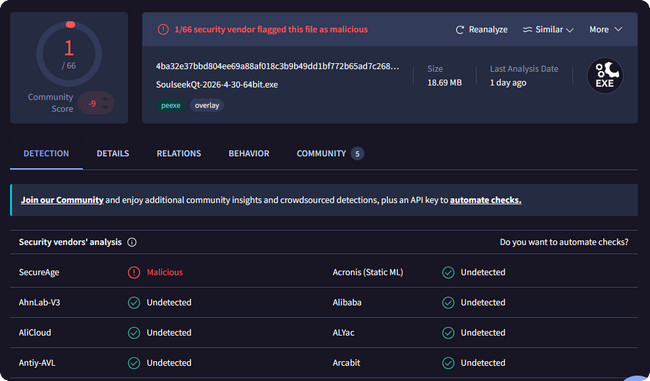
Soulseek files are shared by individual users, so not every download is trustworthy. Some files may be mislabeled, contain fake audio, or disguise malware as music. Before downloading, check the file extension, size, and format.
Avoid suspicious files such as:
| File Type | Why to Avoid It |
|---|---|
| .exe / .bat / .msi / .scr | Executable or script files, not audio files. |
| song.mp3.exe | A double extension that may disguise malware. |
| Unexpected .zip / .rar | Archives may contain hidden executable files. |
Even a file ending in .mp3 or .flac isn't automatically safe or genuine. Scan downloads with your security software before opening them.
Yes. Soulseek uses peer-to-peer (P2P) connections for file transfers, which means your public IP address may be visible to users you connect with directly. This doesn't mean every Soulseek user can see your IP. Also, other users can only browse the folders you choose to share, not your entire computer.

With the top 10 best FLAC downloader apps and sites in this article, all music lovers can easily download FLAC music songs, with lossless audio quality kept. Learn More →
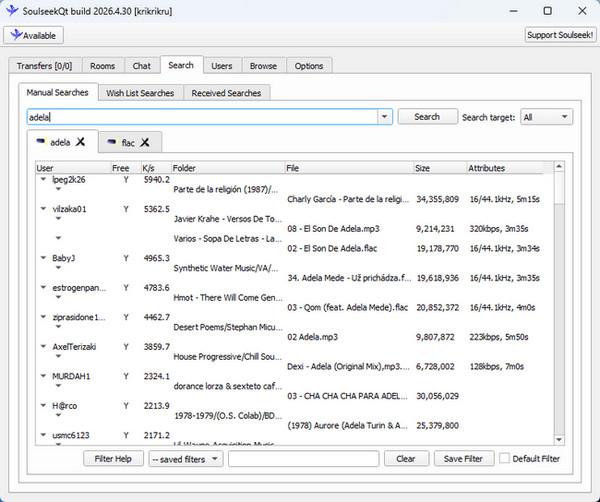
We tested SoulseekQt build 2026.4.30 on Windows, focusing on music search, download speed, queues, and FLAC audio quality. We also used Spek to inspect a downloaded FLAC file. Here's what we found.
Soulseek is particularly useful for finding rare albums, independent releases, and out-of-print recordings shared by other users. The Wishlist feature also lets you save missing tracks as search terms and automatically searches for them again while Soulseek is running.
In our tests, search results took time to appear, and the interface felt outdated. Results were scattered across different users and folders, often with multiple versions of the same song.
We had to compare file formats, sizes, and user availability to find suitable files. Even when a song appeared in the results, it wasn't always available for download.
In our tests, Soulseek downloads were often slow, with long waiting times before transfers could begin. Here's what we experienced.
Some songs took as long to download as they did to play, or even longer, to download. Soulseek transfers each file from a single user, so download speed depends on that person's upload bandwidth and connection. If the uploader has a slow connection or goes offline, your download may slow down or stop.
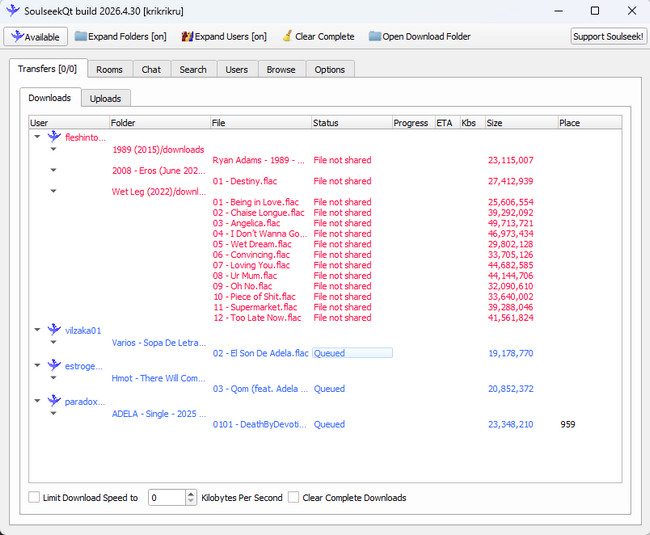
Waiting was another major problem. Our screenshot shows several files marked Queued, including one at position 959. These files were waiting for an available upload slot rather than actively downloading.
We also encountered File not shared errors, meaning those files were no longer available from the selected users. Once a queued download finally started, it continued automatically without further action.
Uploaders can limit their available slots, and users with paid Soulseek Privileges receive priority in download queues. As a result, regular users may face longer waits, especially when downloading from popular sources.
Not always. Soulseek offers FLAC downloads, but the file format alone doesn't guarantee genuine lossless audio.
We analyzed a FLAC file downloaded from Soulseek using Spek. Although it was labeled 16-bit/44.1 kHz FLAC, the spectrogram showed a sharp frequency cutoff around 16 kHz, with almost no audio content above it. This strongly suggests that the file was transcoded from a lossy source rather than preserved from an original lossless recording.
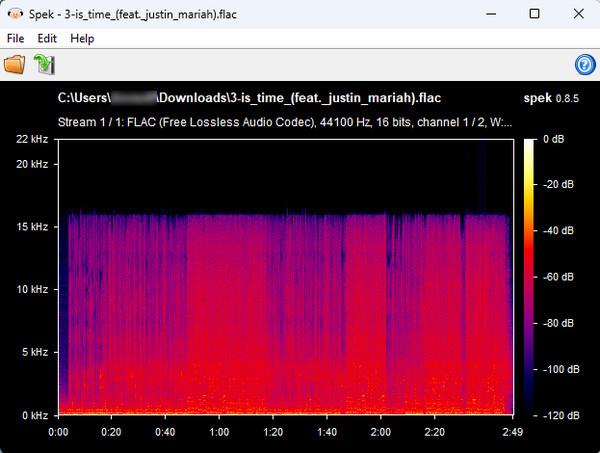
This doesn't mean all FLAC files on Soulseek are fake. Genuine lossless recordings are also available. To avoid downloading mislabeled audio, it's worth checking file details before downloading and examining the audio spectrum after downloading.
Before downloading, compare the file format, duration, and size. For reference, a 320 kbps MP3 is about 2.4 MB per minute, while a typical 16-bit/44.1 kHz stereo FLAC may be around 5–9 MB per minute. File size alone cannot confirm lossless quality.
After downloading, open the file in Spek and check for sharp frequency cutoffs, especially around 16 kHz. A consistent cutoff can indicate previous lossy compression, although comparison with a verified lossless source provides stronger evidence.
Based on our hands-on tests, Soulseek's features, and overall user experience, here are its main strengths and limitations.
Yes. Soulseek itself is a legal file-sharing network. However, how you use it determines whether your activity is legal.
Downloading: In the US, downloading copyrighted music without the copyright owner's permission is copyright infringement. Just because a song is available on Soulseek doesn't mean you have the right to download it.
Sharing: Sharing copyrighted music without permission can also constitute copyright infringement. If you put unauthorized music in your shared folder, you're making it available for other users to download.
Soulseek's official rules state: "You should only share and download files which you are legally allowed to or have otherwise received permission to share."
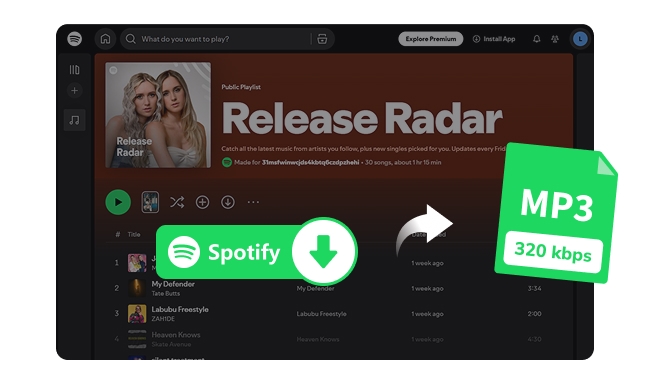
We tested 9 Spotify downloaders for MP3 quality, speed, and playlist support. Compare free and paid tools to find the best 320 kbps options in 2026. Learn More →
We've selected three Soulseek alternatives for different needs, including a better desktop client, Android access, and easier streaming music downloads.
| Alternative | Best For | Main Advantage |
|---|---|---|
| Nicotine+ | Better Soulseek desktop experience | Free, open-source client with a more modern interface |
| NoteBurner Music One | Streaming music downloads | Batch conversion, multiple formats, and ID3 tag management |
| Seeker | Android users | Access the Soulseek network on Android |
Note: Nicotine+ and Seeker connect to the same Soulseek network, so download queues, file availability, and P2P privacy risks still apply. NoteBurner Music One uses a different approach, working with supported streaming platforms.
If you're tired of searching for songs individually, waiting in Soulseek queues, or manually organizing downloaded files, NoteBurner Music One offers a more convenient solution for music available on streaming platforms.
For music available on streaming services, NoteBurner Music One offers a faster, easier way to build and manage your offline music library, without Soulseek's search difficulties or download queues.

Add Streaming Music
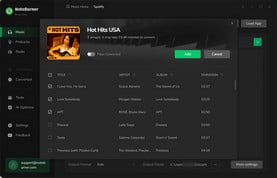
Open NoteBurner and select a streaming music service. Browse the playlist on the streaming site, then click "Add" to import the songs into NoteBurner.
Customize Settings
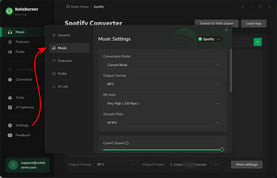
Next, open the Settings window and set the output format, output quality, destination folder, and other preferences.
Start Downloading Music
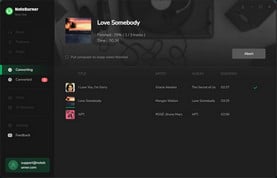
Finally, click the "Convert" button to begin downloading. When the process is complete, go to the History section to find your downloaded files.
Just a reminder: whichever tool you choose, use it responsibly and respect copyright laws.
No. Soulseek is a peer-to-peer file-sharing network that can transfer different types of files, although its community mainly focuses on music. Be more cautious when downloading non-audio files, as files from other users may contain malware.
No. Soulseek doesn't require you to share files to download music. However, some users restrict access to their shared files or prioritize people who share their own collections. Only share files you have the right to distribute.
Yes. Other users you connect to through Soulseek may be able to see your IP address.
No. A VPN isn't required to use Soulseek, but it can help hide your real IP address from other peers. If you use one, choose a VPN that supports port forwarding to help maintain Soulseek connectivity.
Soulseek doesn't offer an official Android or iPhone app. Android users can try Seeker, a third-party client that connects to the Soulseek network. There is no official iOS app.
This Soulseek review has covered how the platform works, its key features, advantages, and potential risks. While Soulseek remains a popular choice for discovering and sharing music, its peer-to-peer model comes with limitations, including privacy concerns and file-sharing risks. If you want a more convenient way to download, manage, and enjoy your favorite music, consider NoteBurner Music One. It offers an easier way to build your music library and keep your favorite tracks accessible offline.
Note: The free trial version of NoteBurner Music One can only convert the first minute of each song. You can purchase the full version to remove this limitation.




