
If you're always looking for a way to download Tidal music for offline listening, you've probably come across Tidabie Tidal Music Converter. So I decided to write an article to review Tidabie Tidal Music Converter. Writing a genuine Tidabie review means more than listing features from a product page. I wanted hard numbers, so I bought a lifetime license, installed the software, and ran a week‑long series of tests. I also read through Trustpilot and user forums to collect common complaints, then tested each one myself. This review is based entirely on what I observed. There is no marketing fluff, no repeated spec sheets.
Tidabie Tidal Music Converter is a desktop app that downloads Tidal tracks, playlists, albums, and podcasts, then converts them to DRM‑free formats (MP3, FLAC, WAV, AAC, AIFF, ALAC). It uses an embedded Tidal web player, so you log in directly inside the program. Once converted, the files are yours permanently, even if you cancel your Tidal subscription.
The software runs on Windows and macOS, supports batch processing, and claims to preserve ID3 tags and original quality.
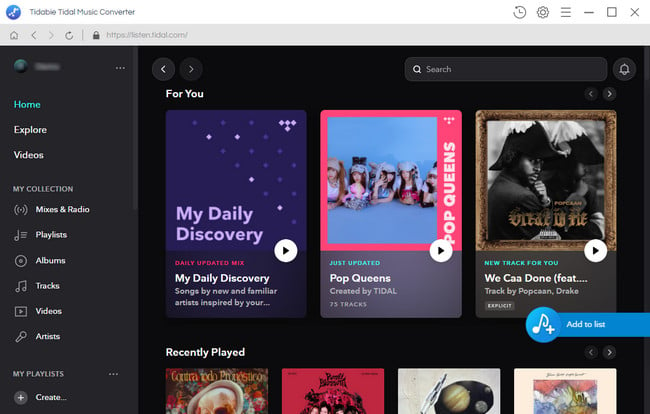
But those are just specs. Let’s see if they hold up.
All tests were performed on a Dell with Windows 11 Pro (64‑bit) and a 100 Mbps fibre connection. I used a Tidal Individual account. For audio analysis, I used Spek to check bit depth, sample rate, and codec details. For speed tests, I queued playlists of 10, 30, and 50 tracks.
Tidabie offers two download sources: Tidal App and Web Player. The App source supports up to Max quality (Hi-Res or 24-bit/192kHz) at approximately 5× speed, while the Web Player delivers up to HiFi/High quality (CD quality or 16-bit/44.1kHz) at up to 10× speed.
| Task | Tracks | Mode | Format | Time |
|---|---|---|---|---|
| Single track (4:12) | 1 | App | FLAC | 28 s |
| Single track (4:12) | 1 | Web | FLAC | 18 s |
| Playlist | 50 | App | FLAC | 23 min 7 s |
| Playlist | 50 | Web | FLAC | 12 min 41 s |
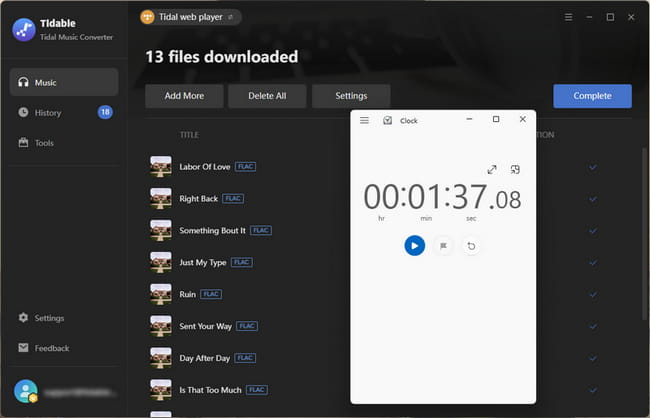
| Album | 13 | Web | FLAC | 1 min 37s |
The Web Player mode is genuinely fast, about 10× real-time for CD-quality FLAC conversions. App source is slower because it's handling much larger Hi-Res files, but the trade-off is access to Tidal's highest quality tier. What impressed me most: the speed remained consistent across the whole playlist. There was no slowdown after the first 10 tracks. In fact, it seemed to hit a steady rhythm and stay there, which some other tools struggle with.
I tested both CD-quality (16-bit/44.1kHz) via Web Player mode and Hi-Res (up to 24-bit/192kHz) via App source, then analyzed the output files using Spek spectral analysis.
For CD-quality FLAC outputs, the spectrograms showed clean frequency response with no visible compression artifacts or unusual frequency cut-offs. The file bitrates matched the expected range for 16-bit/44.1kHz FLAC (around 1,411 kbps), which aligns with standard CD-quality specifications.
For Hi-Res FLAC outputs (24-bit/96kHz and 24-bit/192kHz test tracks), the spectrograms showed frequency response extending beyond 22kHz, which is typical for high-resolution audio files. According to the file properties, the bitrates exceeded 1,700 kbps, consistent with Hi-Res FLAC standards. However, without direct access to Tidal's original source files, I cannot confirm bit-for-bit identity, only that the output files match the expected specifications for the selected quality tier and show no signs of downsampling or compression beyond what the format requires.
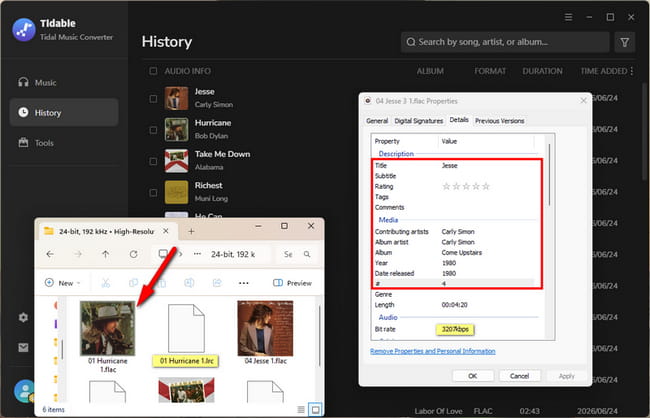
One important note: Hi-Res quality requires a paid Tidal subscription that includes access to Max tier content and can only be downloaded via Tidal App source. If you're using Web Player mode, the output is capped at CD quality (16-bit/44.1kHz).
I checked 30 randomly selected tracks across genres. Every file preserves: Title, Album, Artist, Track Number, Disc Number, Year, and Cover Art. The artwork was embedded as a high‑resolution JPEG. I also verified that compilation albums kept the "Album Artist" tag correctly.
Tidabie also supports saving lyrics in LRC or TXT format when available, which is a nice bonus for karaoke enthusiasts or anyone who likes following along with vocals.
Step 1 Download and install Tidabie Tidal Music Converter by clicking the button below. Launch Tidabie, then choose the "Tidal App" as the download source if you want Max quality.
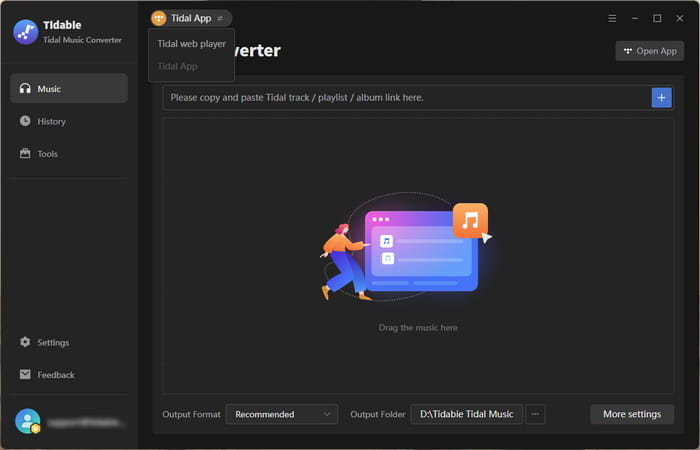
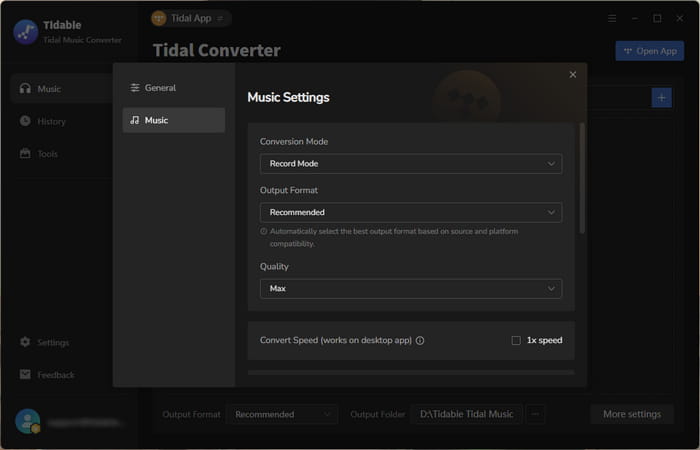
Step 2 Click the "Settings button" to access the output preferences. Select "Recommended" as the output format and set the conversion mode to "Record Mode" to ensure the best quality. You can also customize the output path and adjust other settings according to your needs.
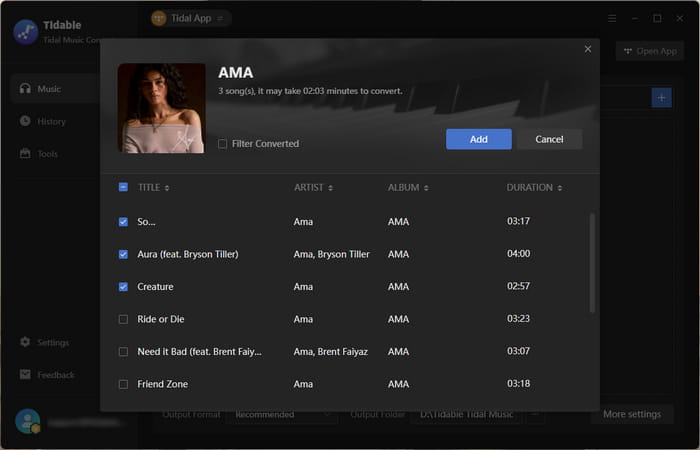
Step 3 Open a playlist on Tidal App, click the plus button in the bottom right to parse it. Then hit "Add" to add songs you want to download.
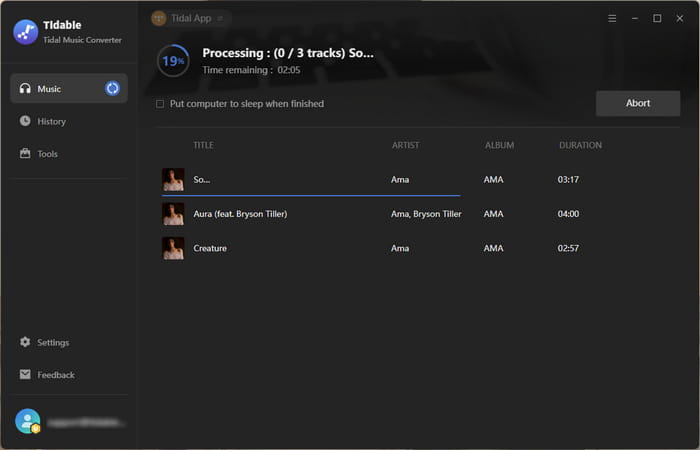
Step 4 Click "Convert" to start downloading Tidal music.
While my hands-on testing delivered solid results, I also wanted to see how Tidabie holds up in the wild. I combed through all 40 Trustpilot reviews to separate genuine user experiences from isolated edge cases. The overall sentiment is positive. Most users praise its speed, audio quality, and ease of use. However, a recurring pattern of critical reviews points to a few specific pain points. I looked into each one and cross‑referenced them against my own experience to assess whether they're widespread issues or fixable edge cases.
Several users reported not receiving their license key after purchase. One reviewer stated: "...I never received a code to open the software..."
My take: I received my license key within minutes of purchase (do check your spam folder). The company has publicly responded to these complaints, suggesting users verify their email address for typos and check spam. While these issues are frustrating when they occur, they appear to be isolated incidents, likely tied to email delivery hiccups or user error during checkout. That said, if it happens to you, the company's standard response is to reach out to [email protected] with order details, and they do typically reply within 48 hours.
Some users reported intermittent download failures. One reviewer noted: "For the last week I have not been able to download all and any music (could not parse all links)." A few older reviews also mentioned performance issues, though those date back several years.
My take: This is expected behavior for this type of software. When Tidal updates its backend, which happens periodically, the connection can break temporarily. What matters is the developer's response time. I noticed Tidabie pushes regular updates to address these issues, and the reviewer who reported the problem later confirmed it was resolved.
After a week of hands-on testing, here's my honest assessment.
Tidabie delivers on its core promise. It converts Tidal tracks to DRM‑free FLAC, MP3, and other formats with consistent speed, accurate metadata, and audio quality that matches the source specifications. The dual‑mode approach gives users flexibility depending on their priorities, and the software handles batch conversions without crashing or slowing down mid‑queue.
That said, it's not perfect. Like any software that interfaces with a streaming platform, it's subject to occasional breakage when Tidal updates its backend, though Tidabie's development team appears responsive, pushing regular updates to address these issues.
If you're a Tidal subscriber who wants permanent, DRM‑free copies of your music, whether for offline listening, DJ sets, or simply owning what you stream, Tidabie is a solid choice. It's fast, reliable, and produces high‑quality output with metadata intact. The limitations are real but manageable, and the development team's responsiveness to technical issues gives me confidence in the product's longevity.
Overall, Tidabie does what it promises, and it does it well. If the workflow quirks don't bother you, it's well worth the investment.



